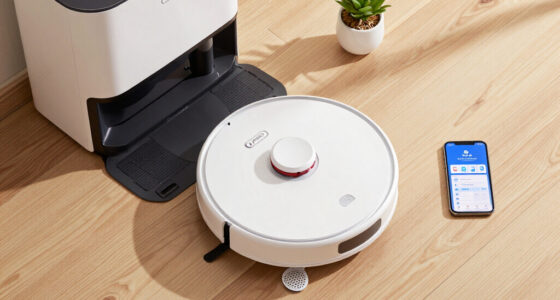
The best AI smart home automation hubs combine broad device support with automations that match how you actually live. I rank the Homey Pro (2026) as the best overall for its wide mix of protocols, while the Hubitat Elevation C-8 Pro stands out for control-focused local automation and the Aqara Hub M3 for Matter, Thread, Zigbee, and IR in one hub. The main tradeoff is between broad compatibility and easier setup on one hand, and local control, privacy, and fine-grained customization on the other. Some hubs provide a focused bridge for a particular ecosystem rather than a universal automation brain. Read on for the full breakdown, including where each of the 14 options fits and what to check before choosing.

Get business pricing on tech for your team
- Business-only prices and quantity discounts
- Tax-exempt purchasing
- Multiple users, one account, clear invoices
Key Takeaways
- Homey Pro (2026) takes the overall lead because its mix of Z-Wave Plus, Zigbee, Wi-Fi, BLE, infrared, Matter, and Thread gives it unusually broad reach across device types.
- Hubitat Elevation C-8 Pro is the stronger fit for buyers who value local rules and hands-on control over a guided, cloud-centered setup.
- Aqara M3 and M200 serve different priorities: M3 emphasizes a broad protocol mix, while M200 adds PoE as a useful installation option.
- SmartThings Hub 3rd Generation offers Zigbee and Z-Wave alongside cloud connections, but buyers should weigh its older-generation positioning against newer Matter-focused alternatives.
- The smaller bridges and controllers—such as the Go Smart blinds hub, SONOFF Bridge-M, Aqara M100, and SwitchBot hub—make more sense for focused device needs than as a single hub for an entire mixed-brand home.
| SmartThings Hub 3rd Generation [GP-U999SJVLGDA] Smart Home Automation Hub | Smart Home Automation Hub” image=”https://m.media-amazon.com/images/I/614d2lQP0hL._AC_SY300_SX300_QL70_ML2_.jpg” link=”0″] | Best for Straightforward, Mixed-Brand Automation | Model: 3rd Generation, GP-U999SJVLGDA | Protocols: Zigbee, Z-Wave, cloud-to-cloud | Voice assistant compatibility: Amazon Alexa, Google Home | VIEW LATEST PRICE | See Our Full Breakdown |
| Hubitat Elevation C-8 Pro Smart Home Hub |  | Best for Local-First, Advanced Automation | Model: C-8 Pro | Protocols: Matter 1.5, Z-Wave 800 Series, Zigbee 3.0, Bluetooth | Device compatibility: 1,000+ devices across 100+ brands | VIEW LATEST PRICE | See Our Full Breakdown |
| SwitchBot AI Smart Home Hub with OpenClaw Support |  | Best for Camera-Centered AI Automation | Model: W8002100 | Included storage: 16GB MicroSD card | Expandable storage: Up to 1TB MicroSD card or 16TB external hard drive | VIEW LATEST PRICE | See Our Full Breakdown |
| Homey Pro mini Smart Home Hub |  | Best for a Simple, Local Multi-Brand Setup | Model: HOMEY-PRO-MINI-US-01 | Protocols: Zigbee, Matter, Thread, Ethernet | Compatible brands: More than 1,000 | VIEW LATEST PRICE | See Our Full Breakdown |
| Aqara Smart Home Hub M3 with Matter, Zigbee, Thread, and IR |  | Best for Aqara and Infrared Device Control | Model: HM-G01E | Protocols: Zigbee, Thread, Matter, Bluetooth, Wi-Fi | Zigbee device capacity: Up to 127 Aqara Zigbee devices | VIEW LATEST PRICE | See Our Full Breakdown |
| Go Smart Matter Home Automation Hub for Motorized Blinds |  | Best for Motorized Blinds | Brand: Go Smart Blinds | Model: SMA | Compatible platforms: Apple HomeKit, Amazon Alexa, Google Home, Siri Shortcuts, IFTTT, Control4 | VIEW LATEST PRICE | See Our Full Breakdown |
| Homey Pro (2026) Smart Hub for Home Automation |  | Best for Broad Protocol Coverage | Model: HOMEY-PRO-US-04 | Connectivity: Wi-Fi, Zigbee, Z-Wave Plus, infrared, BLE, Matter, and Thread | Voice assistants: Siri, Amazon Alexa, and Google Home | VIEW LATEST PRICE | See Our Full Breakdown |
| Aqara Smart Hub M200 Matter Controller with Zigbee, Wi-Fi, IR, and PoE |  | Best for Aqara and IR Control | Model: HM-G03E | Connectivity: Zigbee, Thread, dual-band Wi-Fi, Ethernet with PoE, USB-C | Smart-home roles: Matter Controller, Thread Border Router, Matter Bridge | VIEW LATEST PRICE | See Our Full Breakdown |
| LinknLink HomeClaw Smart Home Gateway with Home Assistant and OpenClaw AI |  | Best for AI-Assisted Home Assistant Automations | Brand: LinknLink | Model: HomeClaw | Operating system: Linux | VIEW LATEST PRICE | See Our Full Breakdown |
| Aeotec Smart Home Hub 2 V4 SmartThings Hub |  | Best for Straightforward SmartThings Setups | Connectivity: Ethernet and Wi-Fi | Frequency band: Dual-band | Smart-home platform: SmartThings | VIEW LATEST PRICE | See Our Full Breakdown |
| Aqara Smart Hub M100 Matter Controller |  | Best Compact Matter Controller | Device capacity: Up to 20 Aqara Zigbee devices and 20 Thread devices | Connectivity: Zigbee, Thread, and 2.4 GHz Wi-Fi 6 | Wi-Fi standard: 802.11ax | VIEW LATEST PRICE | See Our Full Breakdown |
| SONOFF Bridge-M Smart Home Hub |  | Best Local Matter Bridge | Connectivity: Zigbee, BTHome, eWeLink, and Matter Bridge | Supported platforms: Alexa, Google Home, and Apple Home | Home Assistant integration: MQTT | VIEW LATEST PRICE | See Our Full Breakdown |
| Aqara Smart Hub M2 with IR Control |  | Best for IR-Controlled Devices | Model: HM2-G01 | Maximum connected devices: Up to 128 compatible Aqara Zigbee devices | Connectivity: 2.4 GHz Wi-Fi and Ethernet RJ45 | VIEW LATEST PRICE | See Our Full Breakdown |
| Home Assistant Green Smart Home Hub with Advanced Automation |  | Best for Custom Automation | Operating system: Home Assistant OS | Processor: Quad-core processor | Memory: 4 GB LPDDR4X | VIEW LATEST PRICE | See Our Full Breakdown |
| AI smart home automation hub | Model | Connectivity | Dimensions |
|---|---|---|---|
| SmartThings Hub 3rd Generation | 3rd Generation, GP-U999SJVLGDA | — | — |
| Hubitat Elevation C-8 Pro Smar | C-8 Pro | — | 2.95 x 3.23 x 0.67 inches |
| SwitchBot AI Smart Home Hub wi | W8002100 | Dual-band Wi-Fi | 7.8 x 5.79 x 2.2 inches |
| Homey Pro mini Smart Home Hub | HOMEY-PRO-MINI-US-01 | — | — |
| Aqara Smart Home Hub M3 with M | HM-G01E | Dual-band 2.4/5 GHz Wi-Fi, PoE, USB-C | — |
| Go Smart Matter Home Automatio | SMA | — | 75 x 65 x 33 mm |
| Homey Pro | HOMEY-PRO-US-04 | Wi-Fi, Zigbee, Z-Wave Plus, infrared, BLE, Matter, and Thread | 4.9 x 4.9 x 1.5 inches |
| Aqara Smart Hub M200 Matter Co | HM-G03E | Zigbee, Thread, dual-band Wi-Fi, Ethernet with PoE, USB-C | 3.93 x 3.93 x 1.21 inches |
| LinknLink HomeClaw Smart Home | HomeClaw | — | — |
| Aeotec Smart Home Hub 2 V4 Sma | — | Ethernet and Wi-Fi | — |
| Aqara Smart Hub M100 Matter Co | — | Zigbee, Thread, and 2.4 GHz Wi-Fi 6 | — |
| SONOFF Bridge-M Smart Home Hub | — | Zigbee, BTHome, eWeLink, and Matter Bridge | — |
| Aqara Smart Hub M2 with IR Con | HM2-G01 | 2.4 GHz Wi-Fi and Ethernet RJ45 | 3.94 x 3.94 x 1.12 inches |
| Home Assistant Green Smart Hom | — | Ethernet and USB | 4.41 x 4.41 x 1.26 inches |
More Details on Our Top Picks
SmartThings Hub 3rd Generation [GP-U999SJVLGDA] Smart Home Automation Hub
Smart Home Automation Hub” image=”https://m.media-amazon.com/images/I/614d2lQP0hL._AC_SY300_SX300_QL70_ML2_.jpg” link=”0″]Best for Straightforward, Mixed-Brand Automation
View Latest PriceThe SmartThings Hub 3rd Generation suits buyers who want a central app and familiar event-based routines without building a system around advanced configuration. Its support for Zigbee and Z-Wave, plus cloud-to-cloud connections, gives it a broader mix of device paths than the Aqara Hub M3, which limits Zigbee support to Aqara devices. That can make SmartThings a more natural fit for households already combining brands. It also works with Alexa and Google Home, while the Hubitat Elevation C-8 Pro goes further with local processing and a wider protocol list. The tradeoff is that the supplied details do not specify Matter support or local automation behavior, so buyers seeking a newer, explicitly local-first hub should look at Hubitat or Homey Pro mini instead. This is a simpler pick for app-centered control, not the strongest choice for a future-proof automation setup.
Pros:- Supports both Zigbee and Z-Wave devices
- Combines compatible device control in one smartphone app
- Can trigger routines from events such as doors opening or people arriving and leaving
- Works with Alexa and Google Home
Cons:- The supplied product details do not confirm Matter support
- Local processing and offline automation behavior are not specified
- The product description gives limited detail about advanced automation capabilities
Best for: Households with a mix of Zigbee and Z-Wave devices that want to manage basic automations from one smartphone app.
Not ideal for: Buyers who require explicitly documented Matter support, local-first automation, or advanced automation tools.
- Model:3rd Generation, GP-U999SJVLGDA
- Protocols:Zigbee, Z-Wave, cloud-to-cloud
- Voice assistant compatibility:Amazon Alexa, Google Home
- Control method:Smartphone app
- Automation examples:Actions triggered by doors opening or people arriving and leaving
- Color:White
Our verdict“Choose SmartThings if you want app-based routines across a mixed Zigbee and Z-Wave home, but prefer Hubitat or Homey Pro mini if local control and newer protocol support matter more.”
Hubitat Elevation C-8 Pro Smart Home Hub
For buyers who want automations to keep running through an internet outage, the Hubitat Elevation C-8 Pro is the clearest fit in this group. Its local processing separates it from the SmartThings Hub 3rd Generation, whose supplied description emphasizes app control and cloud-to-cloud connections without specifying offline behavior. The C-8 Pro also spans Matter, Z-Wave, Zigbee, and Bluetooth, pairing that breadth with compatibility across Alexa, Google Home, Apple HomeKit, and Ring camera integration. AI-assisted automation tools add another way to build routines without a required subscription. The tradeoff is hands-on setup: advanced options can call for configuration, making the Homey Pro mini a less demanding alternative for buyers who want customizable routines without the same emphasis on tuning. I’d choose Hubitat for control and resilience, not for a plug-and-forget setup.
Pros:- Local processing keeps automations running when the internet is down
- Supports Matter, Z-Wave, Zigbee, and Bluetooth
- Compatible with Alexa, Google Home, Apple HomeKit, and Ring camera integration
- AI-assisted automation tools do not require a recurring subscription
Cons:- Advanced automation features can require setup and configuration
- External antennas add physical elements that compact, antenna-free hubs may avoid
Best for: Smart-home enthusiasts who want local automations, broad protocol support, and the flexibility to configure detailed routines.
Not ideal for: Beginners seeking a minimal-setup hub, or buyers who want extensive automation configuration handled through simple defaults.
- Model:C-8 Pro
- Protocols:Matter 1.5, Z-Wave 800 Series, Zigbee 3.0, Bluetooth
- Device compatibility:1,000+ devices across 100+ brands
- Voice assistant compatibility:Amazon Alexa, Google Home, Apple HomeKit
- Antennas:2 dedicated external antennas
- Dimensions:2.95 x 3.23 x 0.67 inches
- Weight:2.56 ounces
- Subscription:No required subscription
Our verdict“Pick the C-8 Pro if local reliability and configurable automations matter more than a beginner-friendly setup.”
SwitchBot AI Smart Home Hub with OpenClaw Support
This SwitchBot hub is the most specialized option here: it combines camera event storage with chat-based control and context-aware AI features, rather than focusing mainly on the broad device control offered by the Hubitat Elevation C-8 Pro. It can store events for up to 8 compatible cameras, includes a 16GB MicroSD card, and supports storage expansion, while Home Assistant comes pre-installed alongside a Matter Bridge. That combination may appeal to buyers building a camera-aware setup who also want local automations for select SwitchBot BLE devices. Its limits are meaningful: the AI features need a subscription and compatible cameras, and the hub lacks IR control. The Aqara Hub M3 is a better match if controlling infrared appliances matters; this SwitchBot model makes more sense when camera context and storage are the priority.
Pros:- Includes a 16GB MicroSD card for local camera event storage
- Supports up to 8 compatible cameras
- Comes with Home Assistant pre-installed and a Matter Bridge
- Supports local automations for select SwitchBot BLE devices
Cons:- AI features require an AI+ subscription and compatible cameras
- Does not include IR control
- Camera support is limited to compatible models
Best for: SwitchBot households with compatible cameras that want local event storage, camera-aware features, and Home Assistant in one hub.
Not ideal for: Buyers who do not use compatible cameras, want AI features without a subscription, or need an IR blaster for appliances.
- Model:W8002100
- Included storage:16GB MicroSD card
- Expandable storage:Up to 1TB MicroSD card or 16TB external hard drive
- Camera capacity:Up to 8 compatible cameras
- Connectivity:Dual-band Wi-Fi
- Smart home software:Home Assistant pre-installed; Matter Bridge
- Dimensions:7.8 x 5.79 x 2.2 inches
- Weight:1.17 pounds
Our verdict“Choose this hub for camera-centered, storage-aware automation; choose the Aqara Hub M3 if IR control and broader appliance management are more useful.”
Homey Pro mini Smart Home Hub
The Homey Pro mini takes a more approachable route to multi-brand automation than the configuration-focused Hubitat Elevation C-8 Pro. It supports devices from more than 1,000 brands, offers local control, and brings together energy monitoring, alerts, and customizable routines without a required subscription. Zigbee, Matter, Thread, and Ethernet cover a useful range for a modern home, while Siri, Alexa, and Google Assistant make voice control flexible. The main limitation is protocol scope: Z-Wave, Bluetooth, and infrared require a separately sold Homey Bridge. That makes it less suitable than Hubitat for someone consolidating existing Z-Wave or Bluetooth gear, and less appliance-oriented than the Aqara Hub M3 with its built-in IR blaster. I’d favor Homey when ease and everyday automation matter more than having every radio built in.
Pros:- Local control can keep automations working when the internet is down
- Supports Zigbee, Matter, Thread, and Ethernet
- Offers energy monitoring, alerts, and customizable routines
- Works with more than 1,000 brands and major voice assistants without a required subscription
Cons:- Z-Wave requires a separately sold Homey Bridge
- Bluetooth and infrared also require a separately sold Homey Bridge
Best for: Households seeking local routines, energy monitoring, and broad brand compatibility without a recurring subscription or advanced hub configuration.
Not ideal for: Buyers with Z-Wave, Bluetooth, or infrared devices who want those protocols built in rather than adding a separate Homey Bridge.
- Model:HOMEY-PRO-MINI-US-01
- Protocols:Zigbee, Matter, Thread, Ethernet
- Compatible brands:More than 1,000
- Voice assistants:Siri, Amazon Alexa, Google Assistant
- Local control:Supported
- Additional features:Energy monitoring, alerts, customizable routines
- Color and material:Black; plastic
- Subscription:No subscription required
Our verdict“Pick Homey Pro mini for approachable, local multi-brand automation, but choose Hubitat if built-in Z-Wave and Bluetooth are priorities.”
Aqara Smart Home Hub M3 with Matter, Zigbee, Thread, and IR
The Aqara Hub M3 stands apart by combining Matter bridging with a built-in 360° IR blaster that reports control status. That makes it a more capable appliance-control pick than the Homey Pro mini, where infrared requires a separately sold Homey Bridge. It also supports local automations and both Zigbee and Thread devices, with stated capacity for up to 127 Aqara Zigbee devices and 127 Thread devices. Ethernet with PoE, dual-band Wi-Fi, USB-C, and encrypted local storage give buyers several placement and connection options. The key catch is its ecosystem boundary: Zigbee support is limited to Aqara devices, unlike the broader mixed-brand pitch of the SmartThings Hub 3rd Generation. Some cloud notifications also need internet access, and the USB power adapter is not included. This is a strong fit for Aqara-centered homes, not a universal Zigbee hub.
Pros:- Supports Matter bridging alongside Zigbee and Thread
- Built-in 360° IR blaster reports control status
- Supports local automations and encrypted local storage
- Offers PoE, dual-band Wi-Fi, and USB-C connectivity
Cons:- Zigbee support is limited to Aqara devices
- Some cloud-based notifications require internet access
- The optional 2A USB power adapter is not included
Best for: Aqara households that want local routines, Matter bridging, Thread support, and built-in IR control for compatible appliances.
Not ideal for: Buyers relying on non-Aqara Zigbee devices, or those who need cloud notifications to work without an internet connection.
- Model:HM-G01E
- Protocols:Zigbee, Thread, Matter, Bluetooth, Wi-Fi
- Zigbee device capacity:Up to 127 Aqara Zigbee devices
- Thread device capacity:Up to 127 Thread devices; repeaters are needed
- Connectivity:Dual-band 2.4/5 GHz Wi-Fi, PoE, USB-C
- IR blaster:360° with status feedback
- Local storage:8GB end-to-end encrypted
- Power adapter:Optional 2A USB adapter not included
Our verdict“Choose the M3 for an Aqara-centered home that needs IR and local control, but look to SmartThings for a less brand-restricted Zigbee mix.”
Go Smart Matter Home Automation Hub for Motorized Blinds
This is a specialist controller, not a whole-home hub: its value is bringing compatible motorized blinds, shades, and curtains into app, voice, schedule, and scene control. Group operation is useful when several window coverings should move together, while individual controls leave room for different routines by room. Compared with the broader Homey Pro (2026), it offers far fewer device types and protocols, but makes more sense if blinds are the automation gap you want to fill. The tradeoff is compatibility: support depends on the motor model, and wand motors are excluded. It also needs 2.4 GHz Wi-Fi and is intended for indoor use, so check your motor before choosing it rather than assuming every powered blind will pair.
Pros:- Controls compatible blinds individually or in groups.
- Supports app, voice, schedules, and scenes.
- Works with Apple HomeKit, Alexa, Google Home, Siri Shortcuts, IFTTT, and Control4.
Cons:- Compatibility depends on the blind motor model.
- Does not work with wand motors.
- Requires 2.4 GHz Wi-Fi and is not water resistant.
Best for: Households with compatible motorized blinds that want app, voice, group, and scheduled control without replacing their window coverings.
Not ideal for: Buyers seeking a central hub for varied smart-home devices, or anyone with wand-operated blinds or an unsupported motor.
- Brand:Go Smart Blinds
- Model:SMA
- Compatible platforms:Apple HomeKit, Amazon Alexa, Google Home, Siri Shortcuts, IFTTT, Control4
- Wi-Fi:2.4 GHz, IEEE 802.11b/g/n
- RF frequency:433.92 MHz
- Approximate range:150 ft, depending on layout and obstructions
- Dimensions:75 x 65 x 33 mm
- Mounting:Plug-in
Our verdict“Choose this focused controller if your motorized blinds are compatible; pick Homey Pro (2026) for broader whole-home automation.”
Homey Pro (2026) Smart Hub for Home Automation
Homey Pro (2026) is the lineup’s broadest choice for tying devices from different ecosystems into shared automations. Its listed support spans Wi-Fi, Zigbee, Z-Wave Plus, infrared, Bluetooth Low Energy, Matter, and Thread, while Homey Flow and Advanced Flow give buyers options for building routines from a phone or web app. Compared with the Aeotec Smart Home Hub 2 V4, it adds Z-Wave, infrared, and a wider protocol mix; that flexibility is useful in a mixed-brand home, but it also means more choices to manage. Homey emphasizes local processing and on-device data storage, with energy insights and remote management as added tools. The drawback is that compatibility still needs checking device by device, and the supplied listing gives conflicting brand and device totals, so I would verify support for key products before committing.
Pros:- Combines Wi-Fi, Zigbee, Z-Wave Plus, infrared, BLE, Matter, and Thread.
- Homey Flow and Advanced Flow support both simple and more involved automations.
- Local processing and on-device data storage reduce reliance on cloud services.
- Includes energy insights, sensor alerts, and remote management.
Cons:- The breadth of options can be more involved than a focused SmartThings setup.
- Compatibility should be checked for each device rather than inferred from protocol support.
- The listing gives inconsistent device and brand compatibility totals.
Best for: Experienced smart-home owners combining devices across several radio standards and brands who want flexible local automations.
Not ideal for: Buyers with a small, single-platform setup who want a minimal hub, or anyone unwilling to check individual device compatibility.
- Model:HOMEY-PRO-US-04
- Connectivity:Wi-Fi, Zigbee, Z-Wave Plus, infrared, BLE, Matter, and Thread
- Voice assistants:Siri, Amazon Alexa, and Google Home
- Automation:Homey Flow and Advanced Flow
- Local processing:Processes automations on the hub; data stored on Homey Pro
- Matter:Supported
- Dimensions:4.9 x 4.9 x 1.5 inches
- Color:Black/Grey
Our verdict“Pick Homey Pro (2026) for a varied, protocol-heavy setup; choose the Aeotec hub if Matter and Zigbee are enough.”
Aqara Smart Hub M200 Matter Controller with Zigbee, Wi-Fi, IR, and PoE
The Aqara Hub M200 suits homes built around Aqara devices that also need Matter and Thread support. It can connect up to 40 Aqara Zigbee devices and 40 Thread devices, and its 360-degree IR blaster with feedback adds a different kind of control: compatible infrared appliances can join routines, including supported AC units exposed to Matter. Local automation for Zigbee and Matter devices can keep those routines running without Wi-Fi or cloud access. Compared with the Aeotec Smart Home Hub 2 V4, the M200 adds Thread, IR, and PoE; the catch is its narrower Zigbee reach, since it does not support third-party Zigbee devices. Some integrations also have limits, and only one AC device can be exposed to Matter. The USB-C connection is useful, but the power adapter is not included.
Pros:- Supports Matter, Thread, and up to 40 Aqara Zigbee devices.
- 360-degree IR blaster offers feedback and learning for compatible appliances.
- PoE and dual-band Wi-Fi provide flexible network and power options.
- Local Zigbee and Matter automations can run without Wi-Fi or cloud access.
Cons:- Does not support third-party Zigbee devices.
- Only one AC device can be exposed to Matter.
- USB power adapter is not included.
Best for: Aqara households that want local automations, Thread support, PoE options, and infrared control for compatible appliances.
Not ideal for: Buyers relying on third-party Zigbee devices or expecting to expose multiple infrared-controlled AC units to Matter.
- Model:HM-G03E
- Connectivity:Zigbee, Thread, dual-band Wi-Fi, Ethernet with PoE, USB-C
- Smart-home roles:Matter Controller, Thread Border Router, Matter Bridge
- Device capacity:Up to 40 Aqara Zigbee devices and 40 Thread devices
- IR blaster:360 degrees, with feedback and learning
- Dimensions:3.93 x 3.93 x 1.21 inches
- Weight:4.6 ounces
- Power adapter:2A USB adapter not included
Our verdict“Choose the M200 for an Aqara-centered setup that benefits from Thread and IR; the Aeotec hub is a better fit for broader Zigbee device choice.”
LinknLink HomeClaw Smart Home Gateway with Home Assistant and OpenClaw AI
HomeClaw is the clearest fit here for buyers who want AI to help build automations rather than simply connect devices. Its OpenClaw agent accepts plain-language requests, while the gateway runs Home Assistant, supports Zigbee 3.0, and offers Matter bridging. Local-first operation is intended to keep compatible functions available without internet access, and backup with automatic restore adds a recovery path if a setup needs restoring. Compared with Homey Pro (2026), HomeClaw puts the plain-language AI workflow and Home Assistant at the center; Homey, by contrast, documents a broader set of built-in radios. That distinction matters: HomeClaw’s Z-Wave support needs a separately sold USB dongle. The product information also omits hardware performance details, leaving less clarity about capacity and responsiveness, so buyers should check those needs before making it the core of a large installation.
Pros:- Runs Home Assistant and supports Zigbee 3.0 and Matter bridging.
- OpenClaw AI can create automations from plain-language requests.
- Local-first operation can continue without internet access.
- Includes backups and automatic restore features.
Cons:- Z-Wave requires a separately sold USB dongle.
- Hardware performance details are not provided.
- The available product information does not state a device-capacity limit.
Best for: Home Assistant users who want to try plain-language AI automation creation and prefer local-first management with backup features.
Not ideal for: Buyers who need built-in Z-Wave, detailed hardware specifications, or a clearly documented device-capacity ceiling.
- Brand:LinknLink
- Model:HomeClaw
- Operating system:Linux
- Home automation platform:Home Assistant
- AI agent:OpenClaw
- Zigbee:Zigbee 3.0
- Matter bridge:Yes
- Z-Wave:Via separately sold USB dongle
Our verdict“Choose HomeClaw if AI-assisted Home Assistant automation is your priority; choose Homey Pro (2026) for more documented built-in radio coverage.”
Aeotec Smart Home Hub 2 V4 SmartThings Hub
The Aeotec Smart Home Hub 2 V4 is a straightforward center for homes using SmartThings, Matter, and Zigbee devices. It supports local automation, so many routines can continue during an internet outage, and buyers can set it up over Wi-Fi or Ethernet rather than being tied to one connection method. Alexa and Google Assistant voice control add familiar ways to manage compatible devices. Compared with the Aqara Hub M200, Aeotec is a more general SmartThings-and-Zigbee option, while Aqara adds Thread, PoE, and infrared control. The Aeotec tradeoff is its missing Z-Wave support, which rules out some devices. It also does not offer the broad radio coverage of Homey Pro (2026), but that broader platform may be unnecessary for a buyer whose setup centers on Matter and Zigbee.
Pros:- Supports SmartThings, Matter, and Zigbee devices.
- Local processing lets many automations continue during internet outages.
- Setup supports Wi-Fi or Ethernet.
- Compatible with Alexa and Google Assistant voice control.
Cons:- No Z-Wave support limits compatibility with some devices.
- Does not list Thread or infrared support.
- Available in white only.
Best for: SmartThings households with Matter and Zigbee devices that want local routines and a choice of Wi-Fi or Ethernet setup.
Not ideal for: Buyers with Z-Wave devices, or those seeking Thread, infrared appliance control, or a wider mix of built-in radios.
- Connectivity:Ethernet and Wi-Fi
- Frequency band:Dual-band
- Smart-home platform:SmartThings
- Supported device standards:Matter and Zigbee
- Local processing:Enabled
- Voice assistants:Amazon Alexa and Google Assistant
- Color:White
- Operating system:SmartThings Router
Our verdict“Pick the Aeotec hub for a focused SmartThings, Matter, and Zigbee setup; choose Homey Pro (2026) if you need more protocols.”
Aqara Smart Hub M100 Matter Controller
The Aqara Smart Hub M100 is a compact choice for households building around Aqara devices but wanting a bridge into Matter-compatible platforms. It handles up to 20 Aqara Zigbee and 20 Thread devices, and its local automations can keep supported routines running when internet access drops. That makes it more flexible across device types than the Aqara Hub M2, which supports a larger Aqara Zigbee network but has no Thread support. The M100’s boundary is brand reach: it does not support third-party Zigbee devices, so it is not a general-purpose Zigbee hub like a more open setup based on Home Assistant Green. USB-A power and adjustable positioning make placement easy, but you’ll need to supply the adapter, and some notifications still depend on cloud access.
Pros:- Bridges Aqara Zigbee devices into Matter-compatible ecosystems
- Supports both Zigbee and Thread, unlike the Aqara Hub M2
- Local Zigbee and Matter automations can run without Wi-Fi or cloud access
- USB-A power and a 210-degree adjustable shaft allow flexible placement
Cons:- Does not support third-party Zigbee devices
- USB-A power adapter is not included
- Some features, including push notifications, require a cloud connection
Best for: Aqara-focused households adding a modest number of Zigbee and Thread devices to Apple Home, Alexa, Home Assistant, or another Matter ecosystem.
Not ideal for: Buyers with mixed-brand Zigbee devices or a large Aqara network; the M100 has a 20-device limit for each supported radio and excludes third-party Zigbee products.
- Device capacity:Up to 20 Aqara Zigbee devices and 20 Thread devices
- Connectivity:Zigbee, Thread, and 2.4 GHz Wi-Fi 6
- Wi-Fi standard:802.11ax
- Security:WPA3
- Automation:Local execution for Zigbee and Matter devices
- Compatible ecosystems:Apple Home, Amazon Alexa, Home Assistant, and other Matter ecosystems
- Power:5 V, 0.5 A via USB-A; adapter not included
- Operating system:Linux
Our verdict“Choose the M100 for a compact Aqara-to-Matter setup with local routines, but pick the Aqara Hub M2 for a larger Aqara Zigbee network or Home Assistant Green for broader device flexibility.”
SONOFF Bridge-M Smart Home Hub
The SONOFF Bridge-M suits buyers who need to bring compatible Zigbee, BTHome, or eWeLink devices into Matter platforms without relying on a cloud-only control path. Its LAN-accessible web console and MQTT connection to Home Assistant give technically minded owners useful local management options; by comparison, the Aqara M100 is the stronger pick when the goal is to control Thread devices or act as a Matter controller. That distinction matters: Bridge-M can expose supported devices through Matter Bridge functionality, but it cannot add Matter devices directly or serve as their controller. A built-in 90 dB alarm adds a practical role when paired with Zigbee sensors. I’d shortlist it for bridging an existing compatible-device mix, not as the central hub for a new Matter-first system.
Pros:- Bridges compatible Zigbee, BTHome, and eWeLink devices to Matter platforms
- Local web console works over LAN without cloud services
- MQTT integration supports Home Assistant workflows
- Built-in 90 dB alarm can pair with Zigbee sensor use cases
Cons:- Cannot act as a Matter controller or add Matter devices directly
- Compatibility is limited to supported Zigbee, BTHome, and eWeLink devices
- Its bridging role is less suitable as the sole hub for a new smart home
Best for: Home Assistant users and multi-platform households that want to expose compatible Zigbee, BTHome, or eWeLink devices through Matter.
Not ideal for: People building a Matter-first network who need to pair and manage Matter devices directly, or buyers seeking a hub with Matter Controller support.
- Connectivity:Zigbee, BTHome, eWeLink, and Matter Bridge
- Supported platforms:Alexa, Google Home, and Apple Home
- Home Assistant integration:MQTT
- Local web console:Yes; LAN access without cloud services
- Built-in alarm:90 dB
- Matter Bridge support:Yes
- Matter Controller support:No
Our verdict“Pick the Bridge-M to connect compatible existing devices to Matter and Home Assistant locally, but choose the Aqara M100 if you need a Matter controller with Thread support.”
Aqara Smart Hub M2 with IR Control
The Aqara Smart Hub M2 earns its place by controlling more than smart bulbs and sensors: its 360-degree infrared transmitter can operate compatible indoor devices that use an IR remote, while the hub also supports up to 128 Aqara Zigbee devices. That makes it a better fit than the smaller Aqara M100 for an Aqara-heavy home with legacy IR equipment and a larger Zigbee roster. The M100, however, adds Thread and Matter-controller capabilities that the M2 lacks. The M2 can connect by Ethernet, which offers a wired alternative to Wi-Fi, and its speaker handles alerts and alarms. Its limits are firm: it requires 2.4 GHz Wi-Fi for wireless use, supports neither Thread nor third-party Zigbee devices, and its IR control is for compatible indoor equipment rather than a universal smart-home protocol.
Pros:- Supports up to 128 compatible Aqara Zigbee devices
- 360-degree infrared control can operate compatible remote-controlled equipment
- Ethernet connection provides a wired networking option
- Built-in speaker supports alerts, doorbell sounds, and alarms
Cons:- Does not support Thread devices
- Does not support third-party Zigbee devices
- Wireless setup requires 2.4 GHz Wi-Fi
Best for: Aqara users with many Zigbee devices who also want app or voice control for compatible IR-controlled indoor equipment.
Not ideal for: Mixed-brand Zigbee households or buyers adding Thread devices; the M2 supports only Aqara Zigbee child devices and has no Thread support.
- Model:HM2-G01
- Maximum connected devices:Up to 128 compatible Aqara Zigbee devices
- Connectivity:2.4 GHz Wi-Fi and Ethernet RJ45
- Infrared control:360 degrees
- Compatible platforms:Apple HomeKit, Alexa, Google Assistant, and IFTTT
- Power and connector:5 V DC via Micro USB
- Maximum range:10 meters
- Dimensions:3.94 x 3.94 x 1.12 inches
Our verdict“Choose the M2 for a large Aqara Zigbee setup that benefits from IR control, but favor the M100 for Thread and Matter-controller support.”
Home Assistant Green Smart Home Hub with Advanced Automation
Home Assistant Green is the strongest fit here for buyers who want to build detailed, cross-brand automations rather than stay within one manufacturer’s device family. It arrives with Home Assistant OS pre-installed, and setup begins with power and Ethernet; its USB ports let owners add radios for Zigbee, Z-Wave, or Thread as needed. That openness contrasts with the Aqara Hub M2, which is simpler for a large Aqara Zigbee collection and includes IR control, but restricts Zigbee support to Aqara devices. Green is fanless and designed for low power use, though it has no built-in wireless radio for those protocols, so expansion can mean extra hardware and configuration. Its two USB ports also limit direct expansion, and this pick will suit people willing to shape their own system more than those seeking a turnkey appliance.
Pros:- Home Assistant OS comes pre-installed for a straightforward initial setup
- USB expansion can add Z-Wave, Zigbee, and Thread support
- Fanless design runs silently with low power consumption
- Official Nabu Casa support provides a supported path for firmware updates
Cons:- No built-in Zigbee, Z-Wave, or Thread radio; additional adapters are required
- Only two USB ports are available for expansion
- Requires Ethernet for its stated plug-and-play setup
Best for: Hands-on smart-home owners who want Home Assistant’s cross-brand automation tools and are comfortable adding protocol dongles as their system grows.
Not ideal for: Beginners seeking built-in Zigbee or Thread radios and one-step device pairing, or buyers who want IR control built into the hub.
- Operating system:Home Assistant OS
- Processor:Quad-core processor
- Memory:4 GB LPDDR4X
- Storage:32 GB
- Connectivity:Ethernet and USB
- USB ports:2
- Wireless compatibility:Bluetooth
- Dimensions:4.41 x 4.41 x 1.26 inches
Our verdict“Choose Home Assistant Green if you want flexible, custom automations across brands and accept add-on radios, while the Aqara M2 is simpler for an Aqara-only Zigbee and IR setup.”
How We Picked
I compared these hubs by how well they can serve as an automation center, not simply by the number of protocols listed. The main criteria were device compatibility, the range of radios and standards, support for local or cloud-connected routines, setup and day-to-day usability, and practical details such as wired connectivity, infrared control, or a compact form. I also looked at whether a product is a broad platform or a focused bridge, since those roles solve different buyer problems.
The ranking favors versatility and useful automation control, then accounts for complexity and fit. That puts Homey Pro (2026) first as a broad mixed-device choice, while Hubitat and Home Assistant Green appeal more to buyers willing to manage a more hands-on setup. Aqara, SmartThings, and Aeotec options follow where their ecosystem or protocol coverage fits a clear use case; compact, single-purpose, or newer AI-branded gateways rank lower as whole-home picks when their described role is narrower. AI labeling alone did not raise a product’s position: compatibility, control, and the ability to build dependable routines mattered more.
Factors to Consider When Choosing AI Smart Home Automation Hubs
Before picking a hub, I would map the devices and automations you want it to handle, then check what the product can control directly versus through another service. A hub that sounds feature-rich can still be a poor match if it lacks the radios your devices need or depends on a cloud link for a routine you expect to run locally.
Match the hub to your devices before counting protocols
Start with a short list of the devices you already own and the ones you plan to add, including their exact communication standards. A label such as Matter support does not automatically mean every legacy Zigbee or Z-Wave device will connect directly; the hub needs the relevant radio or a compatible bridge. Check whether devices pair with the hub itself, an app, or a separate controller, since that affects setup and troubleshooting. Avoid buying based on a long protocol list without checking product-level compatibility. A more limited bridge may be the sensible choice if your home is mostly one brand, while a multi-protocol hub pays off when your devices come from several ecosystems.
Decide how much local control you want
Local automation can keep many routines running when internet service is interrupted and can reduce reliance on remote servers. Cloud-linked features may still be needed for voice assistants, remote access, or integrations, so local control is rarely an all-or-nothing choice. Before buying, check which automations run on the hub and which require an account, an internet connection, or another service. Buyers who want to build detailed rules may welcome platforms with more control, but that freedom often comes with a steeper learning curve. If your routines are simple, an easier app-led system may be a better daily fit than a hub that asks you to manage every detail.
Treat AI as a feature to verify, not a guarantee
AI branding can refer to different things, from conversational setup help to suggestions or automation logic; it does not prove that a hub learns your habits or makes reliable decisions on its own. Look for a clear description of what the AI function does, what data it uses, and whether the core routines still work without it. A rule-based automation that triggers consistently can be more useful than a clever-sounding feature with unclear limits. Check whether AI features rely on an external service and whether you can review, edit, or disable their actions. I would prioritize predictable control first and treat AI assistance as a bonus when its role is specific and transparent.
Check what setup and maintenance will ask of you
Some hubs aim for guided app setup, while more customizable platforms can require time to configure devices, rules, and integrations. Think about who will maintain the system after the initial setup and whether that person wants to troubleshoot automations. A hub that connects many device types may reduce the number of separate controllers, but it can also add complexity if each integration has its own limitations. Check how the manufacturer describes updates, app support, and migration before making a hub the center of your home. Paying for extra flexibility makes sense only when you expect to use it; otherwise, a simpler controller may be easier to live with.
Plan placement, connectivity, and fallback behavior
Radio coverage depends on where a hub sits, the layout of the home, and interference, not just the protocol list. Consider whether the location offers reliable power and network access, and whether a wired connection or PoE installation is useful for your setup. Infrared control also depends on line of sight and placement near the equipment it controls. Ask what happens to essential routines if the router, internet, or hub goes offline, especially for lighting, heating, and entry-related actions. For important tasks, keep a simple physical control or fallback plan rather than relying on one automation path.
Pay for breadth only when your home needs it
A premium multi-protocol hub can be worthwhile when it replaces several bridges and gives mixed-brand devices a shared automation layer. It may be unnecessary if you only need to control blinds, add a few sensors, or extend one ecosystem. Compare the cost of the hub with the extra bridges, subscriptions, or services it may require, rather than judging the central unit alone. Also leave room for future devices: choosing a standard your planned products already use is more useful than buying every available radio for hypothetical upgrades. The best value is the smallest setup that reliably handles your actual devices and routines.
Frequently Asked Questions
Can one hub control Zigbee, Z-Wave, Matter, and Thread devices?
Sometimes, but a hub needs the correct radios and software support for each standard; support for one does not imply support for all. Matter is an interoperability standard, while Zigbee, Z-Wave, and Thread use different network technologies and may need distinct hardware or a separate border router. Check the exact model and whether the hub connects devices directly or depends on another controller. If your home already uses several standards, list your existing devices and confirm each one is supported before replacing bridges. A hub with broad claims can still have gaps for particular device brands or features.
Do AI smart home hubs still work when the internet goes out?
It depends on which tasks run locally and which rely on cloud services. A locally processed rule may continue to work on the home network during an internet outage, while remote access, voice assistants, and cloud-to-cloud integrations may stop. AI functions may also rely on external services even when basic schedules and triggers remain available. Check the hub’s documentation for offline behavior, then test essential routines before relying on them. Keep manual controls for tasks that matter when connectivity is unavailable.
Should I choose a broad hub or a brand-specific bridge?
A broad hub is a better fit when you want devices from different brands to share routines and you are willing to check compatibility. A brand-specific bridge can be simpler when most of your devices belong to one ecosystem or when you only need one task, such as controlling motorized blinds. The bridge may not offer the same whole-home automation range, but it can avoid the setup overhead of a larger platform. Consider how many independent apps and controllers you currently use and whether consolidation would solve a real problem. Do not buy a universal hub solely for future possibilities if your present setup is narrow.
Is a more customizable hub a good choice for a first smart home?
It can be, if you enjoy configuring rules and are willing to learn how devices and integrations behave. A hands-on platform offers room to tailor automations, but that flexibility can make setup and troubleshooting less approachable than a guided app. For a first system, begin with the routines you actually want—such as lights triggered by a sensor—and see whether the hub handles them clearly. Also think about who will maintain the setup when devices or software change. A simpler system is often the better first choice if you want dependable basics with little ongoing adjustment.
What should I check before replacing my current smart home hub?
Record your connected devices, automations, voice-assistant links, and any routines that depend on cloud services before switching. Confirm that the replacement supports the devices directly or that a migration path exists; protocol support alone does not guarantee that configurations transfer. Some automations may need to be rebuilt, and device pairing can involve resetting equipment. If the old hub still handles essential routines, plan the change in stages rather than removing it immediately. This approach helps catch compatibility gaps before they affect everyday controls.
Conclusion
For one hub to anchor a mixed-device home, I recommend the Homey Pro (2026) as best overall for its broad protocol range. Choose the Hubitat Elevation C-8 Pro as the best value for buyers who want hands-on local automation, and look to the Home Assistant Green as the best premium-style choice for people who want an extensible automation platform and accept a more involved setup. For beginners, Aqara M100 is a more focused starting point than a complex whole-home system, provided its capabilities suit your devices. If your need is specific, choose Go Smart for motorized blinds, Aqara M200 when PoE installation matters, or Aqara M3 for a broader Aqara-centered protocol mix. Match the hub to your devices and desired level of control rather than choosing by AI branding alone.