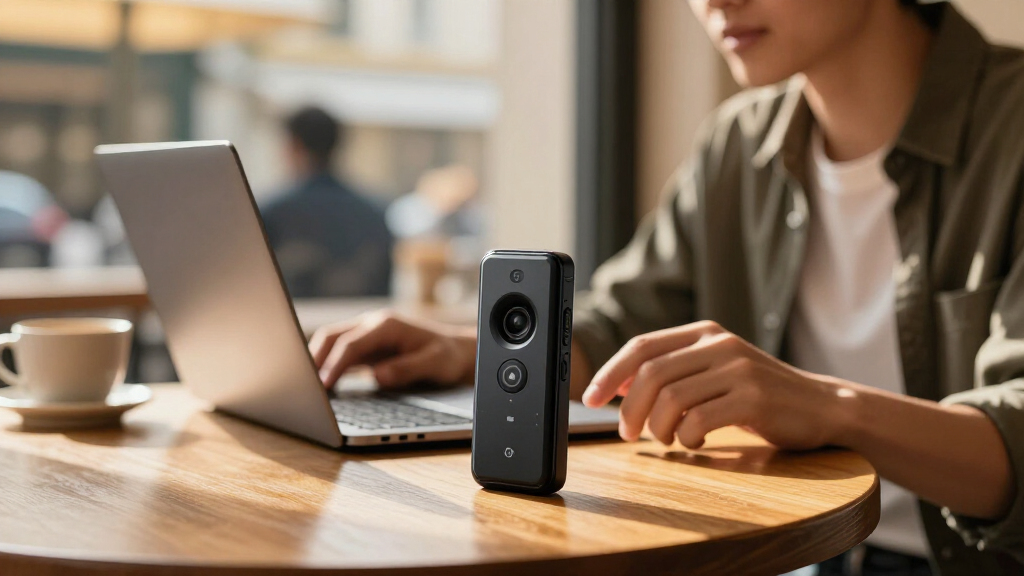
AI voice recorder gadgets range from simple digital recorders with noise reduction to devices built around transcription and summaries. I’d put the Plaud Note AI Voice Recorder first for buyers seeking a dedicated AI note-taking device, while the HiDock P1 stands out for recording through Bluetooth earphones and the Plaud NotePin S for wearable capture. The main tradeoff is whether you want familiar recorder controls and generous storage or a more connected workflow that may depend on apps and transcription terms. Microphone placement, battery life, file access, and how well speech converts to text can matter more than headline storage figures. Read on for how the 15 options differ and which one fits your recording habits.

Get business pricing on tech for your team
- Business-only prices and quantity discounts
- Tax-exempt purchasing
- Multiple users, one account, clear invoices
Key Takeaways
- The Plaud Note is the roundup’s best overall fit for buyers prioritizing a dedicated recorder paired with AI note-taking; its appeal depends on whether that app-centered workflow suits you.
- HiDock P1 serves a narrower use case: recording through Bluetooth earphones can suit calls and desk work, while it is less universal than a standalone recorder.
- Plaud NotePin S favors discreet, wearable capture, whereas magnetic and USB-C models in the list emphasize placement flexibility and straightforward file handling.
- Large storage claims appear across several basic recorders, including the Elasound, Pexqil, EVISTR, and magnetic models; storage alone does not tell you how accurately speech will transcribe.
- Transcription and summary features separate AI note takers from recorders with noise reduction; buyers should check supported languages, app requirements, and service limits before choosing.
| Elasound 132GB Voice Activated Recorder with AI Triple Noise Reduction |  | Best for Long Recording Sessions | Storage: 136 GB listed; expandable with a 128 GB TF card | Maximum recording time: Up to 9,800 hours at 32 kbps | Battery life: Up to 100 hours | VIEW LATEST PRICE | See Our Full Breakdown |
| Comu Action Pro AI Voice Recorder |  | Best for Turning Conversations into Follow-Ups | Microphones: Six: four omnidirectional, one directional, and one bone-conduction | Storage: 16 GB | Battery life: Up to 70 hours | VIEW LATEST PRICE | See Our Full Breakdown |
| HiDock P1 AI Voice Recorder for Bluetooth Earphones with Free Transcription |  | Best for Recording Calls with Your Own Earbuds | Storage: 64 GB | Recording time: Up to 360 hours | Microphones: Dual built-in ECM | VIEW LATEST PRICE | See Our Full Breakdown |
| Plaud NotePin S Wearable AI Voice Recorder, Black |  | Best Wearable Recorder | Storage: 64 GB | Continuous recording time: Up to 20 hours | Standby time: Up to 40 days | VIEW LATEST PRICE | See Our Full Breakdown |
| 132GB Digital Voice Activated Recorder with Playback, AI Noise Reduction, USB-C | 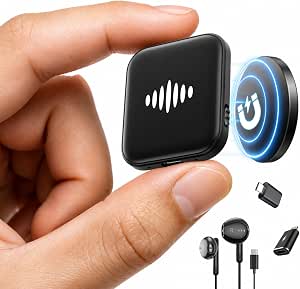 | Best Simple Recorder with USB-C Transfer | Storage: 132 GB | Maximum audio storage: Up to 9,800 hours at 32 kbps | Continuous recording time: Up to 70 hours | VIEW LATEST PRICE | See Our Full Breakdown |
| 72GB Magnetic Voice Recorder with Voice Activation and AI Noise Reduction |  | Best for Hands-Free Recording | Storage: 72 GB | Maximum stated recording time: 8,400 hours at 32 Kbps | Recording format: WAV | VIEW LATEST PRICE | See Our Full Breakdown |
| Pexqil 136GB AI Noise Reduction Voice Activated Recorder with OTG Transfer |  | Best for Long Recording Stretches | Storage: 136 GB | Stated recording capacity: Up to 18,800 hours | Continuous recording: Up to 48 hours | VIEW LATEST PRICE | See Our Full Breakdown |
| AI Voice Recorder with Transcription, Summarization & AI Note Taker |  | Best for Multilingual Notes | Battery life: Up to 30 hours continuous recording | Storage capacity: Up to 4,700 hours of audio | Transcription languages: 90+ | VIEW LATEST PRICE | See Our Full Breakdown |
| Prouder Mage AI Voice Recorder with Transcription, 64GB Storage, and Magnetic Design |  | Best for Phone Call Capture | Storage: 64 GB | Transcription languages: 118 | Recording time: Up to 35 hours | VIEW LATEST PRICE | See Our Full Breakdown |
| Comulytic Note Pro AI Voice Recorder |  | Best for Structured Meeting Follow-Up | Thickness: 3 mm | Display: 0.78-inch display with Corning Gorilla Glass | Storage: 64 GB built-in | VIEW LATEST PRICE | See Our Full Breakdown |
| EurekaMind AI Voice Recorder and Note Taker, Lite |  | Best for a Generous Free Plan | Storage: 64 GB | Recording modes: Ambient and phone-call recording | Transcription languages: 138 | VIEW LATEST PRICE | See Our Full Breakdown |
| Plaud Note AI Voice Recorder, Black |  | Best for Defined Recording Sessions | Storage: 64 GB | Recording time: Up to 30 hours | Standby time: Up to 60 days | VIEW LATEST PRICE | See Our Full Breakdown |
| EVISTR L359 Digital Voice Recorder with 128GB Storage and AI Transcription |  | Best for High-Capacity Local Recording | Storage: 128 GB | Maximum recording bitrate: 3072 Kbps | Continuous recording time: Up to 33 hours | VIEW LATEST PRICE | See Our Full Breakdown |
| 136GB Magnetic Voice Activated Digital Recorder with USB-C |  | Best for Extended Hands-Free Capture | Storage capacity: 136 GB | Maximum recording time: Up to 100 hours | Claimed file storage: Up to 18,800 hours | VIEW LATEST PRICE | See Our Full Breakdown |
| Pocket AI Voice Recorder with Auto Transcription, Space Grey |  | Best for MagSafe Meeting Notes | Color: Space Grey | Recording: One-tap recording for meetings, calls, and conversations | AI features: Transcription, summaries, action items, conversation maps, and questions about recordings | VIEW LATEST PRICE | See Our Full Breakdown |
| AI voice recorder gadget | Storage | Connectivity |
|---|---|---|
| Elasound 132GB Voice Activated | 136 GB listed; expandable with a 128 GB TF card | USB Type-C |
| Comu Action Pro AI Voice Recor | 16 GB | Bluetooth and Wi-Fi |
| HiDock P1 AI Voice Recorder fo | 64 GB | Bluetooth 5 and USB Type-C |
| Plaud NotePin S Wearable AI Vo | 64 GB | — |
| 132GB Digital Voice Activated | 132 GB | USB-C, USB 3.0, and OTG |
| 72GB Magnetic Voice Recorder w | 72 GB | — |
| Pexqil 136GB AI Noise Reductio | 136 GB | — |
| AI Voice Recorder with Transcr | — | Bluetooth and USB-C |
| Prouder Mage AI Voice Recorder | 64 GB | Bluetooth 5.3 and USB 2.0 |
| Comulytic Note Pro AI Voice Re | 64 GB built-in | — |
| EurekaMind AI Voice Recorder a | 64 GB | — |
| Plaud Note AI Voice Recorder | 64 GB | Bluetooth |
| EVISTR L359 Digital Voice Reco | 128 GB | — |
| 136GB Magnetic Voice Activated | — | USB Type-C and OTG |
| Pocket AI Voice Recorder with | — | — |
More Details on Our Top Picks
Elasound 132GB Voice Activated Recorder with AI Triple Noise Reduction
The Elasound is the better fit for buyers who need a recorder to keep running through long stretches of lectures, interviews, or field notes. Its 100-hour battery life and stated capacity of up to 9,800 hours at 32 kbps reduce the need to recharge or clear space often. That capacity comes with a quality tradeoff: the hours figure uses a low bitrate, so it is less compelling for recordings where fine audio detail matters. Compared with the smaller HiDock P1, this model focuses on long local recordings and bundled accessories rather than call capture and app-based transcription. Its noise reduction, voice activation, and one-touch control help keep routine recording simple, though the body is relatively large for a portable recorder.
Pros:- Up to 100 hours of continuous recording per charge
- Large stated capacity of up to 9,800 hours at 32 kbps
- Voice activation and one-touch recording simplify capture
- Bundle includes a clip-on microphone, headphones, OTG adapters, and USB-C cable
Cons:- The maximum recording-hours figure relies on low 32 kbps audio quality
- Its 4 × 4 inch dimensions make it less pocketable than compact options
- Product data does not specify transcription or summarization features
Best for: Students, interviewers, and field workers who need long battery life and substantial local recording capacity.
Not ideal for: People who want searchable transcripts or a pocket-sized recorder, since its listed features emphasize audio capture and its dimensions are larger than typical compact models.
- Storage:136 GB listed; expandable with a 128 GB TF card
- Maximum recording time:Up to 9,800 hours at 32 kbps
- Battery life:Up to 100 hours
- Audio format:MP3
- Noise reduction:AI triple noise reduction
- Connectivity:USB Type-C
- Headphone jack:3.5 mm
- Weight:0.17 kg
Our verdict“Choose the Elasound if long recording sessions and bundled accessories matter more than compact size or built-in transcription.”
Comu Action Pro AI Voice Recorder
The Comu Action Pro is the most workflow-focused option here: it can turn recorded conversations into transcriptions, summaries, and editable follow-up drafts, including emails and reminders. Its six microphones and support for 113 languages make it more suited to multilingual meetings than the Elasound, which centers on long-form audio storage and noise reduction. This convenience depends on the Comu app or website, so buyers should be comfortable using its software for the AI functions. The 16 GB storage is modest beside the 64 GB HiDock P1 and Plaud NotePin S, and there is no headphone jack. For someone who wants a recording to become usable notes quickly, those compromises may be easier to accept than manually sorting audio files.
Pros:- Creates transcriptions, summaries, and editable follow-up documents
- Supports transcription and translation in 113 languages
- Six-microphone array includes omnidirectional, directional, and bone-conduction microphones
- Up to 70 hours of battery life
Cons:- AI features depend on the Comu app or website
- 16 GB storage is less than the 64 GB offered by HiDock P1 and Plaud NotePin S
- No headphone jack
Best for: Consultants and multilingual teams who want meeting audio converted into searchable notes and editable action items.
Not ideal for: Buyers who want large standalone storage, headphone monitoring, or AI functions that do not rely on a companion app or website.
- Microphones:Six: four omnidirectional, one directional, and one bone-conduction
- Storage:16 GB
- Battery life:Up to 70 hours
- Recording time:Up to 70 hours
- Languages:113
- Connectivity:Bluetooth and Wi-Fi
- Charging interface:USB-C
- Design:MagSafe compatible
Our verdict“Pick the Comu Action Pro if turning multilingual conversations into follow-up work matters more than storage capacity or app independence.”
HiDock P1 AI Voice Recorder for Bluetooth Earphones with Free Transcription
The HiDock P1 has a distinct advantage for people who want to record calls through their own Bluetooth earbuds. Its BlueCatch technology and Call, Room, and Whisper modes give it a more call-oriented role than the wearable Plaud NotePin S, which emphasizes flexible placement and capturing context on the go. With 64 GB of local storage and stated capacity for 360 hours of audio, the P1 can also keep recordings on the device while transcription and summaries are handled through HiNotes. The listing advertises lifetime transcription in 75 languages, but it also says advanced transcription features require a paid membership upgrade; buyers should check which functions are included. Cloud processing and the companion app add convenience, while making this a less self-contained choice than a basic recorder.
Pros:- BlueCatch supports recording with the user’s Bluetooth earbuds
- Call, Room, and Whisper recording modes suit different settings
- 64 GB storage holds up to 360 hours of audio
- HiNotes provides transcription in 75 languages and AI meeting summaries
Cons:- Full functionality depends on the HiNotes companion app
- Advanced transcription features may require a paid membership upgrade
- Transcription relies on third-party AI cloud services despite local audio storage
Best for: Remote workers who use Bluetooth earbuds for calls and want recordings, transcripts, and meeting summaries in one workflow.
Not ideal for: People seeking a recorder that works fully without a companion app or cloud processing, or who need guaranteed access to every advanced transcription feature without a membership.
- Storage:64 GB
- Recording time:Up to 360 hours
- Microphones:Dual built-in ECM
- Recording modes:Call, Room, and Whisper
- Connectivity:Bluetooth 5 and USB Type-C
- Audio format:MP3
- Transcription languages:75
- Compatible devices:Laptop, PC, smartphone, and tablet
Our verdict“Choose the HiDock P1 for earbud-based call capture and a large local audio library, after checking the transcription features included with its plan.”
Plaud NotePin S Wearable AI Voice Recorder, Black
The Plaud NotePin S is the clearest pick for buyers who want to capture conversations without holding a recorder. Its four wearing options—necklace, wristband, clip, or pin—make it easier to place within reach than the desk-leaning Comu Action Pro. A physical record button gives recording a direct control, while the app or web service can combine audio with typed notes and images for added context. It stores 64 GB locally and supports transcription and summaries in 112 languages, but the free Starter Plan is limited to 300 transcription minutes per month. That cap may be restrictive for frequent meetings. With 20 hours of continuous recording, it is built for wearable convenience, not the longer uninterrupted runtime offered by the Elasound.
Pros:- Can be worn as a necklace, wristband, clip, or pin
- Physical record button offers direct recording control
- 64 GB local storage and up to 20 hours of continuous recording
- Supports transcription and summaries in 112 languages, plus typed notes and images
Cons:- Starter Plan includes 300 transcription minutes per month
- Higher transcription limits require a plan upgrade
- No headphone jack
Best for: Mobile professionals who want an easily worn recorder for conversations and value adding typed notes or images to transcripts.
Not ideal for: People who record for long stretches every day or need transcription beyond the included 300 minutes per month without a plan upgrade.
- Storage:64 GB
- Continuous recording time:Up to 20 hours
- Standby time:Up to 40 days
- Bluetooth:Bluetooth 5
- Audio format:MP3
- Transcription languages:112
- Starter Plan:300 transcription minutes per month
- Weight:17.28 g (0.61 oz)
- Included accessories:Magnetic pin, clip, lanyard, wristband, charging dock, and USB-C cable
Our verdict“Choose the NotePin S if wearable, contextual capture matters more than long battery runtime or an unrestricted transcription allowance.”
132GB Digital Voice Activated Recorder with Playback, AI Noise Reduction, USB-C
This compact recorder suits buyers who want straightforward one-click capture with voice activation, local storage, and familiar USB-C transfer. It also doubles as a flash drive and MP3 player, giving it a practical utility beyond recording. Compared with the Elasound, it is substantially smaller and lighter, though its listed continuous recording time is 70 hours rather than 100. Both advertise up to 9,800 hours at 32 kbps, so that large figure should not be mistaken for high-bitrate archival capacity. The mono microphone and AI noise reduction are aimed at intelligible voice capture, not rich stereo sound. It lacks the transcription workflow of the Comu Action Pro, but avoids depending on an AI app for its core recording functions.
Pros:- Compact 27.22 g body with one-click recording
- Voice activation and AI noise reduction support speech capture
- USB-C, USB 3.0, and OTG support file transfers to compatible devices
- Also works as a USB flash drive and MP3 player
Cons:- Mono microphone limits stereo recording
- Maximum 9,800-hour capacity is stated at a low 32 kbps bitrate
- A full recharge takes two hours after up to 70 hours of continuous use
Best for: Students and interviewers who want a small, easy-to-transfer recorder for speech, with voice activation and simple playback.
Not ideal for: Buyers who need stereo capture, built-in transcription and summaries, or long uninterrupted sessions beyond its stated 70-hour runtime.
- Storage:132 GB
- Maximum audio storage:Up to 9,800 hours at 32 kbps
- Continuous recording time:Up to 70 hours
- Voice-activated recording time:Up to 100 hours
- Audio format:MP3
- Connectivity:USB-C, USB 3.0, and OTG
- Microphone:Mono
- Headphone jack:3.5 mm
- Weight:27.22 g
Our verdict“Pick this model for compact, app-independent speech recording and USB-C file transfer, provided mono audio meets your needs.”
72GB Magnetic Voice Recorder with Voice Activation and AI Noise Reduction
This recorder’s magnetic attachment gives it a distinct role: it can sit on a compatible metal surface while its slide switch starts recording without navigating menus. That makes it a straightforward choice for someone who wants a recorder ready on a meeting table or near a work area. Its 72 GB storage and adjustable WAV bitrates provide more control over file size and recording detail than the simpler one-button Pexqil 136GB model described here. The tradeoff is that its stated 8,400-hour capacity applies at 32 Kbps, so higher bitrates consume space faster. AI DSP 5.0 noise reduction is included, but the product data does not give a comparable real-world noise test. Choose it for convenient placement and direct controls; skip it if your recording spot has no compatible metal surface.
Pros:- Magnetic body supports hands-free placement on compatible metal surfaces
- Slide-to-record control is quick to operate
- Adjustable WAV bitrates let users trade file size for recording detail
- USB-C and 3.5 mm headphone jack provide wired transfer and listening options
Cons:- The 8,400-hour maximum is stated only at 32 Kbps
- Magnetic placement is limited to compatible metal surfaces
- No battery-life figure is provided
Best for: People who record recurring meetings or lectures and can attach the recorder to a nearby metal surface
Not ideal for: Buyers who need reliable hands-free placement on desks or other nonmetal surfaces
- Storage:72 GB
- Maximum stated recording time:8,400 hours at 32 Kbps
- Recording format:WAV
- Recording bitrates:512–3072 Kbps
- Microphone:Built-in
- Noise reduction:AI DSP 5.0 with triple digital noise reduction
- Controls:Slide-to-record switch
- Connections:USB Type-C and 3.5 mm headphone jack
Our verdict“Pick this model if magnetic placement and a simple physical recording switch matter more than app-based transcription.”
Pexqil 136GB AI Noise Reduction Voice Activated Recorder with OTG Transfer
For a buyer who wants to leave a recorder running through long sessions, the Pexqil’s headline advantage is its up to 48 hours of continuous recording, paired with 136GB of storage and voice activation that pauses during silence. That combination may reduce charging interruptions and empty stretches in recordings. Compared with the 72GB Magnetic Voice Recorder, it offers more stated storage and easier direct transfer to phones or computers through OTG, but gives up that model’s magnetic placement and adjustable bitrate range. Its one-button operation and one-ounce weight suit pocket carry, while the lack of display or advanced menu controls limits on-device file management. The stated noise filtering and recording capacity are product claims; the supplied information does not include independent performance evidence.
Pros:- 136GB built-in storage reduces the need to clear files often
- Voice activation can pause recording during silence
- Up to 48 hours of stated continuous recording
- OTG transfer supports direct connection to phones and computers
Cons:- No display or advanced menu controls are specified
- The stated 97% ambient-noise filtering is not independently substantiated in the provided data
- No magnetic attachment is listed
Best for: Students, interviewers, and field note takers who need a lightweight recorder for long sessions and frequent transfers
Not ideal for: People who need a screen, detailed on-device controls, or a recorder they can mount magnetically
- Storage:136 GB
- Stated recording capacity:Up to 18,800 hours
- Continuous recording:Up to 48 hours
- Noise reduction:DSP 5.0 AI; claims to filter up to 97% of ambient noise
- Weight:1 ounce
- Charge time:1.5 hours
- Transfer:OTG to phones and computers
- Operation:One-button recording with voice activation
Our verdict“Choose the Pexqil if long continuous capture, large storage, and OTG transfer matter more than screen-based controls.”
AI Voice Recorder with Transcription, Summarization & AI Note Taker
This recorder is the most language-focused option in this group: its companion Boean app lists transcription in 90+ languages, translation across 91, plus summaries, mind maps, and an Ask AI feature. Those tools can turn a recording into material to review or share, which the Pexqil 136GB recorder’s storage-and-capture feature set does not offer. The tradeoff is service dependence: the included transcription allowance is 200 minutes per month, with more requiring a paid upgrade, and there is no Wi-Fi. Files move over Bluetooth or USB-C, so workflow may involve more manual transfer than cloud-first setups. Dual microphones, voice activation, and a stated 30-hour battery make it a flexible meeting and study tool, though buyers should weigh the app allowance against how much audio they expect to transcribe.
Pros:- Transcription support for 90+ languages and translation across 91
- Summaries, mind maps, and Ask AI add post-recording tools
- Dual 360-degree microphones with AI noise reduction
- Password protection and access-controlled cloud storage are specified
Cons:- Included transcription is limited to 200 minutes per month
- Additional transcription requires a paid upgrade
- No Wi-Fi; transfers rely on Bluetooth or USB-C
Best for: Multilingual students and professionals who want recordings converted into translated text and organized notes
Not ideal for: People who transcribe many hours each month or want Wi-Fi-based syncing without manual transfers
- Battery life:Up to 30 hours continuous recording
- Storage capacity:Up to 4,700 hours of audio
- Transcription languages:90+
- Translation languages:91
- Microphones:Dual high-sensitivity microphones with 360° capture and AI noise reduction
- Connectivity:Bluetooth and USB-C
- Included transcription:200 minutes per month through the Boean app
- Additional features:Voice activation, A-B repeat, variable-speed playback, time-slot recording, password lock
Our verdict“Choose this model if multilingual transcription and AI-generated study or meeting notes justify the monthly app limit.”
Prouder Mage AI Voice Recorder with Transcription, 64GB Storage, and Magnetic Design
The Prouder Mage pairs a compact magnetic recorder with app-based transcription, giving it a useful edge for buyers who want one device for room audio and compatible phone calls. Its 118-language transcription and summaries broaden its reach beyond the 72GB Magnetic Voice Recorder, which focuses on local recording controls and adjustable bitrates. The Prouder Mage instead has 64GB storage and a stated 35-hour recording time, with a 300-minute monthly Starter Plan allowance. That is more included transcription than the Boean recorder’s 200 minutes, though both put heavier use behind an optional paid plan. Local encryption and Bluetooth 5.3 add practical privacy and connectivity details. Call recording depends on phone compatibility, so this is a more conditional pick than a general-purpose meeting recorder.
Pros:- Transcription and summaries are available in 118 languages
- 64GB built-in storage
- Magnetic design supports phone call recording with a compatible phone
- Local encryption and app-based file management
Cons:- Unlimited transcription requires an optional paid plan
- Call recording depends on phone compatibility
- The 300-minute monthly transcription allowance may not suit frequent long recordings
Best for: People who want a small magnetic recorder for meetings and compatible phone calls, with multilingual transcription
Not ideal for: Buyers who need call recording to work with any phone or who require unlimited included transcription
- Storage:64 GB
- Transcription languages:118
- Recording time:Up to 35 hours
- Standby time:Up to 166 days
- Battery capacity:400 mAh
- Weight:30 g
- Connectivity:Bluetooth 5.3 and USB 2.0
- Included transcription:300 minutes per month
Our verdict“Pick the Prouder Mage if compatible phone-call capture and broad language support matter more than a larger storage capacity.”
Comulytic Note Pro AI Voice Recorder
The Note Pro is geared toward people who need meeting output they can act on: its app offers transcription in 113 languages, summaries, and action items, while triple microphones and automatic recording cover capture. Against the Prouder Mage, it lists fewer transcription languages but adds a stated 45-hour continuous recording time, a small display, and unlimited cloud backup. At 3 mm thick with magnetic accessories, it is designed to attach neatly to a phone or other surface. That slim form comes with a service tradeoff: advanced analysis and assistant features require Premium, and app or cloud functions depend on Comulytic’s service. The 64GB local storage and AES encryption provide useful basics, but this pick makes most sense when its follow-up workflow fits the buyer’s routine.
Pros:- App provides transcription in 113 languages, summaries, and action items
- Triple-microphone array and recording range up to 5 meters
- Up to 45 hours continuous recording and 64GB built-in storage
- Unlimited cloud backup and AES encryption are specified
Cons:- Advanced analysis and assistant features require an optional Premium plan
- Cloud and app features depend on the Comulytic service
- No transcription-minute allowance is specified in the provided data
Best for: Professionals who want meeting recordings turned into summaries and action items for follow-up
Not ideal for: Buyers who want all AI analysis features without a subscription or prefer a recorder that works independently of an app service
- Thickness:3 mm
- Display:0.78-inch display with Corning Gorilla Glass
- Storage:64 GB built-in
- Microphones:Triple-microphone array
- Recording range:Up to 5 meters
- Continuous recording:Up to 45 hours
- Standby time:Up to 107 days
- Transcription languages:113
- Security and backup:AES encryption and unlimited cloud backup
Our verdict“Choose the Note Pro if meeting summaries and action items are central to your workflow and you accept its app-service dependence.”
EurekaMind AI Voice Recorder and Note Taker, Lite
Unlimited transcription and AI summaries on the free Starter Plan give the EurekaMind Lite an advantage for people who record frequently and want to avoid a monthly transcription cap. Like the Plaud Note, it handles both phone calls and in-person conversations, but EurekaMind lists 138 transcription languages compared with Plaud’s 112. Its credit-card-sized body attaches magnetically to a phone, making it easy to carry between calls and meetings.
Speaker recognition and action-item summaries can turn recordings into more usable notes, while web search and follow-up questions add ways to revisit them. The tradeoff is that advanced tools require a premium upgrade, so the free plan does not cover every capability. The listed nonstandard battery is another practical uncertainty for long-term ownership. Choose this over Plaud when uncapped basic transcription matters most; choose Plaud if its listed recording-time and standby figures are more useful to your routine.
Pros:- Free Starter Plan includes unlimited transcription and AI summaries
- Supports ambient and phone-call recording
- Magnetic, slim design attaches to a phone
- Speaker recognition and action-item summaries help organize conversations
Cons:- Advanced tools require a premium upgrade
- Battery is listed as nonstandard
Best for: Frequent meeting and call recorders who want unlimited basic transcription and summaries on the free plan
Not ideal for: Buyers who need every AI feature included without an upgrade or who want a clearly specified, easy-to-replace battery
- Storage:64 GB
- Recording modes:Ambient and phone-call recording
- Transcription languages:138
- Dimensions:3.39 × 0.12 × 2.13 in
- Weight:29 g (1.02 oz)
- Microphone:Built-in
- Compatible devices:Smartphones
- Headphone jack:No
Our verdict“Choose EurekaMind Lite if you record often and want uncapped basic AI notes in a compact phone-attached recorder.”
Plaud Note AI Voice Recorder, Black
The Plaud Note makes its case with a clear mix of local recording and app-based transcription. Its 64 GB storage lets it capture audio without an internet connection, and the listed recording time reaches 30 hours. That makes it a more specified choice for people planning long interview days than the Pocket AI Voice Recorder, whose supplied data gives battery life but no recording-time figure. Plaud records both phone calls and in-person conversations, then supports transcripts and summaries in 112 languages.
The Starter plan’s 300 monthly transcription minutes set a real boundary: heavy users may need paid capacity or extra minutes, while EurekaMind Lite lists unlimited transcription on its free plan. Plaud adds notes, images, and highlights to give recordings extra context, and its mono and stereo microphone modes offer a choice in capture style. Pick it when defined recording and standby figures matter; skip it if your transcript volume regularly exceeds the included allowance.
Pros:- 64 GB of local storage supports recording without an internet connection
- Records phone calls and in-person conversations
- Transcribes and summarizes in 112 languages
- Notes, images, and highlights can add context to recordings
Cons:- Starter plan is limited to 300 transcription minutes per month
- More transcription capacity requires a paid plan or extra minutes
Best for: Interviewers and mobile professionals who want local audio storage, phone-call recording, and a stated recording-time limit
Not ideal for: People who transcribe many hours each month and want unlimited transcription without buying additional capacity
- Storage:64 GB
- Recording time:Up to 30 hours
- Standby time:Up to 60 days
- Languages:112
- Audio format:WAV
- Microphone modes:Mono and stereo
- Connectivity:Bluetooth
- Starter transcription plan:300 minutes per month
Our verdict“Choose Plaud Note if offline capture and defined recording-session figures matter more than an uncapped free transcription plan.”
EVISTR L359 Digital Voice Recorder with 128GB Storage and AI Transcription
For buyers who want substantial local storage and a conventional recorder shape, the EVISTR L359 offers 128 GB and up to 33 hours of continuous recording. That capacity gives it a different job from the slim, phone-attached Plaud Note: EVISTR is better suited to collecting long sessions on the device, then transferring files by wired OTG for AI processing. Its 3.5 mm headphone jack, MP3 and WAV formats, and one-touch controls also make it feel more like a dedicated recorder than an app-first accessory.
Noise reduction, voice activation, and password encryption add practical controls for recording and storing audio. AI transcripts, summaries, mind maps, and speaker identification depend on the AI DVR Link app, though, and file transfer uses a cable rather than Bluetooth. That makes it less convenient for quick phone workflows than Plaud or EurekaMind. Choose EVISTR when capacity and direct controls matter more than wireless handoff.
Pros:- 128 GB storage and up to 33 hours of continuous recording
- Voice-activated recording and noise reduction
- Password encryption and one-touch controls
- AI app supports transcription, summaries, mind maps, and speaker identification
Cons:- AI features require the AI DVR Link app
- OTG file transfer is wired rather than Bluetooth
Best for: Students, interviewers, and field workers who need long local recordings and are comfortable transferring files to a phone by cable
Not ideal for: People who want wireless transfers or AI transcripts available directly through a streamlined phone-connected workflow
- Storage:128 GB
- Maximum recording bitrate:3072 Kbps
- Continuous recording time:Up to 33 hours
- Transcription languages:113
- Audio formats:MP3 and WAV
- Connection:USB Type-C; wired OTG
- Headphone jack:3.5 mm
- Weight:65 g (2.24 oz)
Our verdict“Choose the EVISTR L359 if you prioritize long local recording capacity and can accept wired transfers for AI processing.”
136GB Magnetic Voice Activated Digital Recorder with USB-C
This recorder is built around long, hands-free capture: it lists up to 100 hours of continuous recording, 136 GB of storage, voice activation, and double-sided magnets for placement on a metal surface. Compared with the EVISTR L359, it claims far longer continuous recording and more storage, while its magnetic setup can make unattended capture easier. USB-C and OTG offer a way to move files to compatible devices without relying on wireless pairing.
The tradeoff is that its product details say little about the AI workflow. AI noise filtering is listed, but transcription, summaries, supported languages, and app requirements are not specified, unlike the EVISTR, which names its transcription app and capabilities. Device compatibility and transfer support may also vary. This pick makes sense when extended recording and magnetic placement lead; choose EVISTR if a more clearly described AI transcription path matters more than maximum runtime.
Pros:- 136 GB of storage
- Lists up to 100 hours of continuous recording
- Double-sided magnets support hands-free placement
- USB-C and OTG support file transfer
Cons:- Transcription and AI summary capabilities are not specified
- Compatibility and transfer support may vary by device
- The listed feature details do not state supported languages or an AI app workflow
Best for: People who need long unattended recordings in a fixed magnetic position and can verify OTG compatibility with their device
Not ideal for: Buyers who need clearly documented transcription, summary, and language features as part of an AI recorder
- Storage capacity:136 GB
- Maximum recording time:Up to 100 hours
- Claimed file storage:Up to 18,800 hours
- Connectivity:USB Type-C and OTG
- Microphone:Built-in
- Features:Voice activation, AI noise filtering, MP3 playback, double-sided magnets
- Headphone jack:3.5 mm
Our verdict“Choose this recorder for extended magnetic capture if its transfer compatibility fits your device and you do not need a documented AI transcription workflow.”
Pocket AI Voice Recorder with Auto Transcription, Space Grey
The Pocket is aimed at people who want recording and follow-up notes in one phone-centered workflow. One-tap capture covers meetings, calls, and conversations; the AI features can produce transcripts, summaries, action items, conversation maps, and answers to questions about recordings. Its magnetic attachment is specifically for MagSafe-compatible devices, while the listed battery life reaches four days per charge. Compared with the Plaud Note, Pocket emphasizes organized follow-up tools and battery life rather than published storage, language, or recording-time figures.
Some advanced features require an optional subscription, so buyers should check which parts of the note workflow are included before relying on them. The supplied specs also do not state local storage capacity or transcription languages, details that Plaud provides. Pocket makes the most sense for MagSafe users who value action items and searchable conversation context; buyers who need a clearly quantified recording setup may prefer Plaud.
Pros:- One-tap recording covers meetings, calls, and conversations
- AI can create transcripts, summaries, action items, and conversation maps
- Questions about recordings support follow-up retrieval
- MagSafe attachment and up to four days of battery life suit frequent mobile use
Cons:- Some advanced features require an optional subscription
- Storage capacity and transcription languages are not specified in the supplied product data
Best for: MagSafe iPhone users who want one-tap meeting capture with AI-generated action items and conversation maps
Not ideal for: Buyers who need specified local storage, supported languages, or recording duration before choosing a recorder
- Color:Space Grey
- Recording:One-tap recording for meetings, calls, and conversations
- AI features:Transcription, summaries, action items, conversation maps, and questions about recordings
- Compatibility:MagSafe-compatible devices
- Battery life:Up to 4 days per charge
- Subscription:Optional premium features available by subscription
Our verdict“Choose Pocket if MagSafe convenience and AI-organized meeting follow-up matter more than published storage and language specifications.”
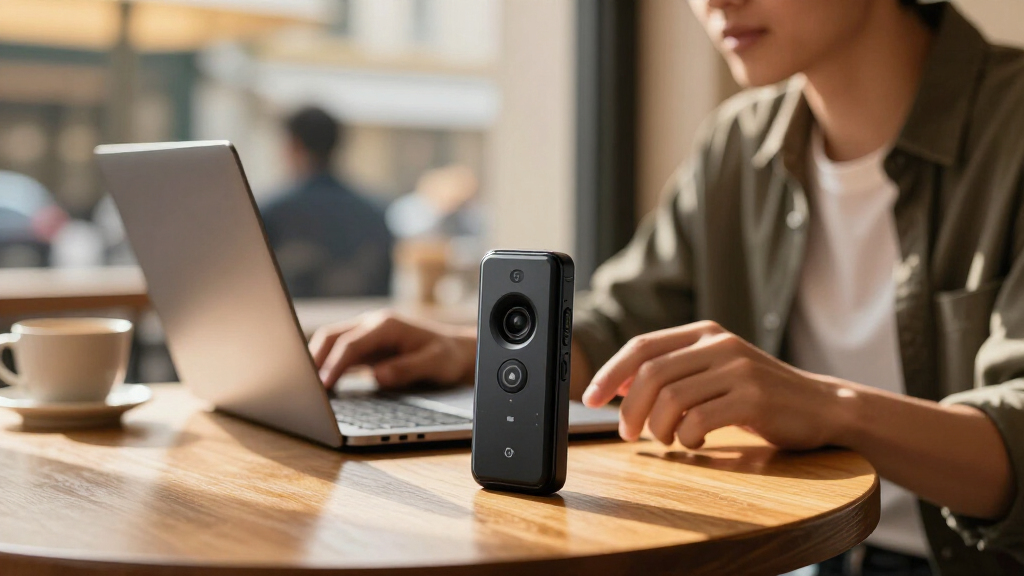
How We Picked
I compared the 15 gadgets by how well their stated features match common recording jobs: capturing meetings, lectures, calls, and quick personal notes. The criteria included recording controls, portability and placement, storage and transfer options, noise reduction claims, and whether transcription or summaries are central to the product. I gave more weight to a coherent workflow than to a large capacity number, since a recording only becomes useful notes when it can be found, transferred, and reviewed easily.
The order reflects role and versatility, not a claim that every device has the same feature set or independently verified performance. Dedicated AI note-taking models rank ahead for buyers seeking transcription and organization, while simple high-capacity recorders can make more sense for long audio capture or local file access. Specialized picks such as Bluetooth-earphone and wearable models rank for their distinct use cases, with tradeoffs in flexibility or reliance on connected software. Product names and listing details do not establish real-world transcription accuracy, so I treat those claims as features to verify for your language and recording conditions.
Factors to Consider When Choosing AI Voice Recorder Gadgets
Before choosing, decide what should happen after you press record. The right gadget depends on where the sound comes from, whether you need searchable text, and how much control you want over the resulting files. These broader checks can help you avoid buying around a headline feature that does not fit your routine.
Match the microphone to the sound source
A recorder on a desk, one clipped to clothing, and one used with Bluetooth earphones hear different sound sources. For a group meeting, placement near the speakers and room acoustics can matter more than a noise reduction label. For a lecture, a device close to the speaker may capture clearer speech than one left inside a bag. Call recording adds another layer: confirm that the product supports your phone and call setup before relying on it. Think through where the gadget will sit during your most common recording, then favor a design that makes that position practical. A feature list cannot make up for a microphone that is too far from the people speaking.
Treat transcription as a workflow, not a checkbox
“AI transcription” can mean anything from an included service to an app feature with limits or account requirements. Check which languages and accents are supported, whether summaries can be edited, and if transcripts remain accessible when you change devices. A useful test is to ask how many steps separate stopping a recording from finding a sentence in its transcript. If you handle confidential meetings, find out where audio and text are processed and stored. Buyers who mainly need an audio archive may be better served by easy file transfer than by a transcription feature they rarely use. Do not assume that every AI feature works offline or is included indefinitely.
Compare usable recording time, not just capacity
Storage capacity tells you how many files may fit, while battery life determines whether the recorder can capture the session in the first place. Long interviews and full-day events put more pressure on battery endurance, file management, and charging convenience. Ask whether recordings are split into manageable files and how quickly they can be transferred or backed up. USB-C and OTG options can simplify transfers, but confirm compatibility with the phone or computer you actually use. A large capacity is less useful if moving, naming, and finding files is cumbersome. For occasional short notes, easy access may matter more than maximum storage.
Choose a form factor you will keep within reach
A wearable model can capture quick thoughts without taking up desk space, while a magnetic design offers more placement choices around a workspace. A pocket recorder with physical controls may be easier to start quickly than opening an app, especially when a conversation begins unexpectedly. Small devices can also be easier to misplace or harder to operate without looking. Consider whether you need one-handed recording, visible status indicators, or a clip or magnet that suits your clothing and surfaces. A desk-focused device can be convenient for calls but may be awkward to carry between rooms. Pick the shape that fits your routine, not simply the smallest one.
Check file access and future portability
Some buyers want organized notes inside a companion app; others need audio files they can copy, rename, and archive independently. Before choosing an app-centered device, check available export formats and whether transcripts can be downloaded along with audio. For a simple digital recorder, confirm how it connects to your computer and whether its playback controls are suitable for reviewing long recordings. Keeping a separate backup is sensible when a recording has work or study value. This matters especially if your notes need to move into a shared folder or another writing tool. Favor the approach that matches where you already keep documents, so recordings do not become a second, disconnected archive.
Spend for the bottleneck you actually have
Paying more makes sense when a specific feature removes a recurring problem, such as capturing calls through earphones or turning many meetings into searchable notes. It is harder to justify extra complexity if you only need to record occasional reminders. Buyers often overvalue headline capacity and undercheck app access, supported languages, or how the device handles transfers. Write down your most common recording scenario and the one step that currently slows you down. Then compare options on that bottleneck instead of counting features. A simpler recorder can be the better choice when reliable capture and uncomplicated file access are your main needs.
Frequently Asked Questions
Should I choose an AI note taker or a conventional recorder with noise reduction?
Choose an AI note taker if you expect to search transcripts, review summaries, or turn meetings into written notes. A conventional recorder with noise reduction may suit you better when audio files are the main deliverable and you want direct controls or straightforward transfer. Noise reduction can help with background sound, but it does not guarantee accurate transcription. Check app requirements and service terms before treating AI features as part of your everyday workflow. Your choice should follow what you do after the recording ends.
Can a magnetic recorder reliably capture a meeting?
A magnet can make placement convenient, but it does not determine how clearly the recorder hears everyone. The recorder still needs to be near the speakers, and a distant voice or echoing room can reduce intelligibility. Consider whether the surface is secure and whether the microphone will face the conversation. For meetings with people seated around a large table, a single compact device may not capture every voice evenly. If clarity is essential, plan a placement check before the meeting begins.
What should I verify before buying a recorder for calls?
Confirm that the recorder works with your phone, operating system, earphones, and the type of calls you need to capture. The HiDock P1 is distinctive because its intended workflow involves Bluetooth earphones, but that specialization makes compatibility checks especially relevant. Ask whether it records both sides of the call and how you retrieve the audio or transcript afterward. Check local rules and workplace policies for recording conversations, too. A device that works well for desk calls may be less useful for in-person meetings or calls made away from your usual setup.
Are large storage numbers more important than transcription features?
That depends on whether you keep long audio archives or need searchable notes. Large-capacity options such as the 132GB and 136GB models may appeal if you want room for many recordings, but capacity does not indicate transcription quality or ease of review. If you revisit content by topic or quote, searchable text can save more time than extra space. Check how files transfer and whether transcripts can be exported before making the decision. For frequent long sessions, consider battery life alongside storage.
Is a wearable recorder a good choice for lectures and spontaneous notes?
A wearable design can stay accessible when you move around or need to capture quick thoughts without setting a recorder on a desk. The Plaud NotePin S is the roundup’s clearest fit for that style of use. For lectures, though, placement near the speaker and room noise still shape the result, so wearable convenience does not promise better audio. Check how recording starts and stops, whether controls are easy to use discreetly, and how recordings move into your notes afterward. If most of your sessions happen at a desk, a conventional recorder may be simpler.
Conclusion
For the broadest mix of dedicated recording and AI note-taking, I recommend the Plaud Note AI Voice Recorder as the best overall pick, provided its connected workflow fits your needs. The EVISTR L359 and the high-capacity digital recorders are better value candidates for buyers who prioritize storing and transferring audio over advanced note organization; compare their actual file and app requirements before deciding. For a premium, specialized setup, the HiDock P1 suits people who primarily record calls through Bluetooth earphones. Beginners who want a wearable way to capture quick notes can start with the Plaud NotePin S, while buyers seeking a more conventional pocket recorder may prefer one of the USB-C models. Choose a magnetic recorder for flexible placement, and favor an AI transcription model when searchable text and summaries are the main reason you are buying.
Fall Picks
fall essentials
As an affiliate, we earn on qualifying purchases.