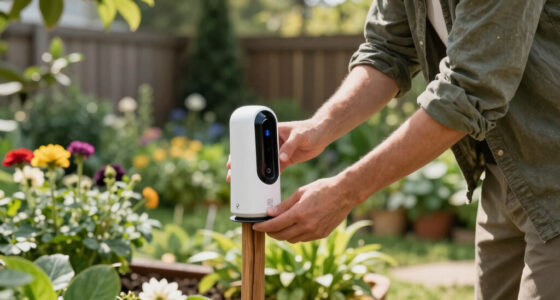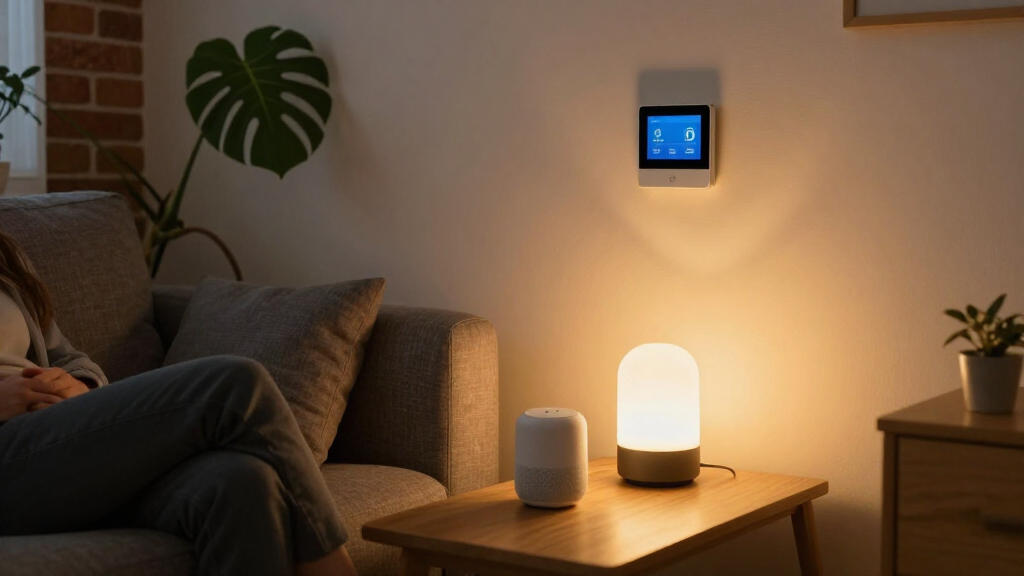

Among these AI smart home devices, the Amazon Echo Hub is my best overall pick for centralized Alexa control, while the Echo Dot (5th Gen) is a simpler entry point and the eufy SoloCam E42 suits buyers focused on outdoor security. The main choice is between a voice assistant or display for everyday routines and dedicated devices that secure a particular room, entry, or outdoor area. Assistant compatibility, placement, privacy, and whether a device needs ongoing power or network access can matter more than the word “AI” on the box. Some options add a screen, camera detail, or biometric access, but those features bring their own setup and ecosystem tradeoffs. Read on for how each pick differs and which one fits your home.

Get business pricing on tech for your team
- Business-only prices and quantity discounts
- Tax-exempt purchasing
- Multiple users, one account, clear invoices
Key Takeaways
- The Echo Hub is the strongest control-first choice in this lineup; the Echo Show models add more screen entertainment and visual information, but occupy more space.
- The Echo Dot (5th Gen) is the most approachable starting point for Alexa voice control, while the Echo Dot Max is the speaker pick for buyers who want a newer model and are willing to prioritize audio over a control panel.
- The two window cameras target a specific mounting situation; the 3K 5MP model lists a sharper resolution and a smart screen, while the 2K 3MP model is a more straightforward amazon.com/dp/B0DC96PPZK?tag=artificialintelligencemax-20&ascsubtag=dc-1092154″ target=”_blank” rel=”nofollow sponsored noopener”>amazon.com/dp/B0C5DPSW5Y?tag=artificialintelligencemax-20&ascsubtag=dc-1092154″ target=”_blank” rel=”nofollow sponsored noopener”>amazon.com/dp/B0DC91H3JK?tag=artificialintelligencemax-20&ascsubtag=dc-1092154″ target=”_blank” rel=”nofollow sponsored noopener”>amazon.com/dp/B0H3CMDY4H?tag=artificialintelligencemax-20&ascsubtag=dc-1092154″ target=”_blank” rel=”nofollow sponsored noopener”>indoor window camera.
- The eufy SoloCam E42 stands apart from the indoor devices with 4K resolution and solar power, making it the outdoor security specialist in this group.
- The Lockly Secure Pro serves a different job from the voice assistants: its biometric deadbolt and handle focus on entry access, so compatibility and lock installation deserve more attention than assistant features.
| Amazon Echo Hub (Newest Model), 8″ Smart Home Control Panel with Alexa+ |  | Best for Whole-Home Control | Screen: 8 inches | Voice assistant: Alexa+ | Connectivity: Wi-Fi, Bluetooth, Zigbee, Matter, Sidewalk, and Thread | VIEW LATEST PRICE | See Our Full Breakdown |
| 2K Indoor Wi-Fi Window Security Camera, 3MP |  | Best Value Indoor AI Camera | Resolution: 2K, 3MP | Night vision: Color | Detection: AI humanoid and motion detection | VIEW LATEST PRICE | See Our Full Breakdown |
| Amazon Echo Dot (5th Gen) Smart Speaker with Alexa – Glacier White |  | Best for Simple AI Routines | Dimensions: 3.9 × 3.9 × 3.5 inches | Weight: 10.7 oz (304g) | Driver: 1.6-inch full-range driver | VIEW LATEST PRICE | See Our Full Breakdown |
| Indoor Window Security Camera with Smart Screen, 3K 5MP, Color Night Vision, Motion Detection, Two-Way Audio, and Dual-Band Wi-Fi |  | Best Indoor Camera with At-a-Glance Viewing | Resolution: 3K, 5MP | Night vision: AI color night vision | Wi-Fi: Dual-band 2.4 GHz and 5 GHz | VIEW LATEST PRICE | See Our Full Breakdown |
| eufy Security SoloCam E42 4K Solar Security Camera |  | Best for Outdoor AI Tracking | Video resolution: 4K UHD | Field of view: 360° pan and tilt | Detection: AI motion detection and tracking | VIEW LATEST PRICE | See Our Full Breakdown |
| Amazon Echo Show 11 Smart Display, Full HD, Graphite |  | Best Hub-and-Display Combo | Display: 11-inch Full HD touchscreen | Audio: Spatial audio, up to 2x the bass of Echo Show 8 (2023) | Processor: AZ3 Pro chip | VIEW LATEST PRICE | See Our Full Breakdown |
| Gemini Home Speaker with AI Voice Assistant Access and Clock (BRS-180), Black |  | Best Bedside Sleep Companion | Model: BRS-180 | Connectivity: Bluetooth | Sleep sounds: 16 built-in, customizable via PC | VIEW LATEST PRICE | See Our Full Breakdown |
| Lockly Secure Pro Smart Lock with Handle – AI Biometric Fingerprint Deadbolt |  | Best Smart Security Upgrade | Model: Lockly Secure Pro Latch Edition (PGD628WE1) | Fingerprint capacity: 99 fingerprints | PIN capacity: 49 PIN codes | VIEW LATEST PRICE | See Our Full Breakdown |
| Amazon Echo Show 15 (Newest Model), 15.6-Inch Full HD Smart Display with Fire TV and Alexa |  | Best Family Command Center | Display: 15.6-inch Full HD (1080p) touchscreen | Entertainment: Built-in Fire TV, remote included | Video calling: Auto-framing camera, 3.3x zoom, noise reduction | VIEW LATEST PRICE | See Our Full Breakdown |
| Amazon Echo Show 11 (Newest Model) Smart Display with Alexa – Glacier White |  | Best Overall | Display: 10.95-inch Full HD, 1920 x 1200 | Camera: 13 MP, auto framing, 3.3x zoom | Audio: 2.8-inch woofer and 2 full-range drivers | VIEW LATEST PRICE | See Our Full Breakdown |
| Amazon Echo Dot Max (Newest Model) Smart Speaker with Alexa – Graphite |  | Best Multi-Tasker | Model: Echo Dot Max (newest) | Color: Graphite | Voice Assistant: Alexa (Alexa+ compatible) | VIEW LATEST PRICE | See Our Full Breakdown |
More Details on Our Top Picks
Amazon Echo Hub (Newest Model), 8″ Smart Home Control Panel with Alexa+
The Echo Hub is the most control-focused pick here: its wall-mountable dashboard puts compatible lights, cameras, routines, and security controls on one screen, while its built-in hub supports Zigbee, Matter, and Thread alongside Wi-Fi and Bluetooth. That makes it a stronger central organizer than the Echo Dot (5th Gen), which can trigger routines but is mainly a speaker you control by voice. The tradeoff is that the Hub is a dedicated screen, so it makes more sense in a shared, high-traffic spot than in every room. Mounting and tabletop accessories are sold separately, and Ring camera summaries and voice search require a compatible paid Ring subscription. I’d choose it for a household that wants visible, shared control and already uses Alexa-compatible devices.
Pros:- Customizable dashboard keeps frequently used devices and routines easy to reach
- Built-in hub connects compatible Zigbee, Matter, and Thread devices
- Wall-mounted screen gives household members shared access to cameras and security controls
- Includes multiple privacy controls and a microphone-off button
Cons:- Wall, in-wall cable, power-over-Ethernet, and tabletop accessories are sold separately
- Some Ring camera AI features require a paid compatible Ring subscription
Best for: Alexa households that want a shared wall panel for controlling devices, routines, and security
Not ideal for: Shoppers seeking an inexpensive voice-only controller or an out-of-box tabletop setup without buying extra accessories
- Screen:8 inches
- Voice assistant:Alexa+
- Connectivity:Wi-Fi, Bluetooth, Zigbee, Matter, Sidewalk, and Thread
- Built-in smart home hub:Yes
- Mounting:Wall mountable
- Installation options:Wall mount; optional in-wall cable pass-throughs, power-over-Ethernet adapter, or tabletop stand
- Privacy:Multiple privacy controls and microphone-off button
- Recycled materials:27% of device
Our verdict“Choose the Echo Hub if you want a shared screen to organize an Alexa-centered smart home, and skip it if voice control is enough.”
2K Indoor Wi-Fi Window Security Camera, 3MP
This 2K indoor camera covers the practical basics for monitoring a room: AI humanoid and motion detection, phone alerts, and color night vision. Compared with the Indoor Window Security Camera with Smart Screen, it gives up the rear display and two-way audio, but its no-drill magnetic mount is useful for renters or anyone who may reposition a camera. It also records continuously to a microSD card up to 256GB, letting owners keep footage locally without a cloud plan; the card itself is not included. Optional cloud storage adds a recurring-cost path for people who prefer remote backup. This camera’s appeal is straightforward detection and flexible placement, rather than richer interaction or higher resolution. I’d shortlist it for indoor monitoring where local recording matters more than an on-device screen.
Pros:- 2K, 3MP video with color night vision
- AI humanoid and motion detection can send phone alerts
- Magnetic and adhesive mounting avoids drilling
- Supports continuous loop recording to a microSD card
Cons:- MicroSD card must be purchased separately
- Cloud storage requires an optional paid subscription
- Lacks the rear display and two-way audio offered by the smart-screen window camera
Best for: Renters and budget-conscious households who want local indoor recording and flexible no-drill placement
Not ideal for: Buyers who want a built-in viewing screen, two-way audio, or included storage media
- Resolution:2K, 3MP
- Night vision:Color
- Detection:AI humanoid and motion detection
- Wi-Fi:2.4GHz and 5GHz
- Mounting:No-drill adhesive and magnetic mount
- Local storage:MicroSD up to 256GB; card sold separately
- Cloud storage:Optional paid subscription
- Recording:24/7 continuous loop recording
- Smart assistant compatibility:Alexa and Google Home
Our verdict“Pick this camera for flexible indoor placement and local recording, provided you are comfortable supplying the microSD card.”
Amazon Echo Dot (5th Gen) Smart Speaker with Alexa – Glacier White
The Echo Dot (5th Gen) is the easiest entry point in this group for voice-led routines: built-in motion and temperature sensors can trigger automations, while Alexa handles everyday requests and compatible smart-home commands. Those sensors give it a more active role than a basic speaker, and its eero Built-in feature can extend a compatible eero network by up to 1,000 square feet. Still, it is not a control panel like the Echo Hub, so people who want a visible shared dashboard should choose the Hub instead. The Dot’s compact size suits a bedside table or office, though its single mono driver limits fuller room-filling sound. Eero extension also depends on a compatible router and account linking. I’d pick this for small rooms where routines and voice control matter more than display or audio depth.
Pros:- Motion and temperature sensors enable sensor-based routines
- Compact footprint fits small rooms and bedside tables
- Can extend a compatible eero network by up to 1,000 square feet
- Supports Bluetooth streaming and multi-room audio with other Echo devices
Cons:- Single mono driver offers limited bass and sound separation
- Eero Built-in requires a compatible eero router and account linking
- Amazon Sidewalk is enabled by default and uses a portion of bandwidth
Best for: People setting up voice-controlled routines in a bedroom, office, or other small room
Not ideal for: Buyers who want a visual smart-home dashboard, richer stereo sound, or an eero extender without compatible eero equipment
- Dimensions:3.9 × 3.9 × 3.5 inches
- Weight:10.7 oz (304g)
- Driver:1.6-inch full-range driver
- Playback:Mono
- Wi-Fi:Dual-band 802.11a/b/g/n/ac, 2.4 and 5 GHz
- Smart home compatibility:Wi-Fi, Bluetooth Low Energy Mesh, and Matter
- Sensors:Motion and temperature
- Wi-Fi extender:Eero Built-in; up to 1,000 sq. ft. additional coverage
- Color:Glacier White
Our verdict“Choose the Echo Dot for compact, sensor-assisted Alexa routines, and choose the Echo Hub if you need shared visual control.”
Indoor Window Security Camera with Smart Screen, 3K 5MP, Color Night Vision, Motion Detection, Two-Way Audio, and Dual-Band Wi-Fi
The standout feature here is the rear smart screen: it can show the live camera feed as well as the date, time, weather, and temperature, making this more interactive than the 2K Indoor Wi-Fi Window Security Camera. The step up to 3K 5MP video, AI person detection, and two-way audio also gives it a stronger case for monitoring an entryway or room where someone may need to respond through the camera. Local 24/7 recording avoids a required cloud plan, although the storage details are less specific than the other camera’s stated microSD capacity. Its main placement constraint is power: this model needs a corded outlet, which can limit window positioning and leave a visible cable. I’d favor it when the on-device display and two-way communication justify that fixed setup.
Pros:- 3K 5MP video with AI color night vision
- Rear display shows the live feed, date, time, weather, and temperature
- AI person detection and instant alerts support targeted monitoring
- Two-way audio and local 24/7 recording are supported
Cons:- Corded electric power limits placement flexibility
- Cloud storage terms are not specified
- Local storage details do not state a capacity
Best for: Households that want a higher-resolution indoor camera with a live view and basic information visible on-device
Not ideal for: Renters or room layouts where a nearby power outlet and visible cord make window placement difficult
- Resolution:3K, 5MP
- Night vision:AI color night vision
- Wi-Fi:Dual-band 2.4 GHz and 5 GHz
- Detection:AI person motion detection
- Audio:Two-way audio
- Recording:24/7 recording supported
- Storage:Local storage; optional cloud storage
- Power:Corded electric
- Smart assistant compatibility:Amazon Alexa and Google Assistant
Our verdict“Choose this model if you want a camera that doubles as an at-a-glance display, and skip it if flexible, cable-free placement is a priority.”
eufy Security SoloCam E42 4K Solar Security Camera
The SoloCam E42 brings AI monitoring outdoors, pairing 4K video with motion detection and tracking for people, vehicles, and other activity. Its 360° pan-and-tilt view covers more of a yard than either fixed indoor window camera here, while SolarPlus 2.0 charging is designed to keep the battery running with two hours of direct sunlight per day. A motion-activated strobe and siren add an active deterrent that the indoor cameras do not offer. The tradeoffs are its 2.4 GHz-only Wi-Fi and a separately purchased microSD card for local storage up to 128GB. Unlike the indoor cameras, this pick is built for exterior coverage, so it is the better fit when tracking across an outdoor area matters more than indoor conversation or a screen.
Pros:- 4K UHD video with AI detection and tracking
- 360° pan-and-tilt view covers a broad outdoor area
- SolarPlus 2.0 charging is designed around two hours of direct sunlight daily
- Local microSD storage and motion-activated strobe and siren are supported
Cons:- MicroSD card is sold separately
- Supports 2.4 GHz Wi-Fi only
- Solar charging depends on access to direct sunlight
Best for: Homeowners seeking wide outdoor coverage with AI tracking and solar-assisted battery charging
Not ideal for: Buyers who need 5 GHz Wi-Fi, included local storage, or a camera intended for indoor use
- Video resolution:4K UHD
- Field of view:360° pan and tilt
- Detection:AI motion detection and tracking
- Solar charging:SolarPlus 2.0; 2 hours of direct sunlight daily
- Local storage:Up to 128GB microSD; card not included
- HomeBase compatibility:HomeBase S380 and S280
- Wi-Fi:2.4 GHz
- Power and battery:Battery powered; 44.3 Wh capacity
- Use and mount:Outdoor; wall mount
Our verdict“Choose the SoloCam E42 for solar-assisted outdoor tracking across a wide area, and skip it if your camera must use 5 GHz Wi-Fi.”
Amazon Echo Show 11 Smart Display, Full HD, Graphite
This Graphite Echo Show 11 splits the difference between the smaller Echo Show 8 and the wall-mounted Echo Show 15, and that middle ground is its whole appeal. The 11-inch Full HD screen gives you 60% more viewing area for recipes and video calls without demanding wall space, while the built-in smart home hub replaces a separate Zigbee or Matter bridge. Compared with the Echo Hub, this option trades some control-panel focus for real entertainment value — spatial audio with double the bass of the Show 8 makes it a legitimate kitchen speaker. The auto-framing camera with 3.3x zoom keeps you centered on calls. The tradeoff: newer Alexa+ features roll out unevenly, and the hub only helps if your bulbs and sensors actually speak a compatible protocol.
Pros:- Built-in smart home hub eliminates the need for a separate Zigbee or Matter bridge
- Full HD display with 60% more viewing area than the Echo Show 8
- Spatial audio with up to 2x the bass of the previous generation
- Auto-framing camera with 3.3x zoom for natural video calls
Cons:- Some Alexa+ features depend on regional or staged availability
- Hub benefits only materialize with compatible smart home devices
Best for: Homeowners building a Matter or Zigbee smart home who also want a capable kitchen display for recipes, calls, and music
Not ideal for: Buyers whose devices are all Wi-Fi based — the built-in hub adds nothing, and the Echo Show 15 or a cheaper speaker would serve better
- Display:11-inch Full HD touchscreen
- Audio:Spatial audio, up to 2x the bass of Echo Show 8 (2023)
- Processor:AZ3 Pro chip
- Smart home:Built-in smart home hub
- Camera:Centered auto-framing camera with 3.3x zoom
- Color:Graphite
Our verdict“The strongest all-around pick for anyone consolidating smart home control and everyday entertainment in one countertop device.”
Gemini Home Speaker with AI Voice Assistant Access and Clock (BRS-180), Black
Where the Echo Dot (5th Gen) is a general-purpose assistant, the Gemini Home Speaker is purpose-built for the nightstand. It bundles four devices into one: a Bluetooth speaker, a sound machine with 16 built-in sleep sounds that play without any phone or app, an RGB night light, and a dimmable clock. Compared with the Echo Dot, the pitch is offline simplicity — no account, no ecosystem, no always-listening microphone of its own. Voice assistant access works only through a paired phone or tablet, which is the honest tradeoff: you get Google Assistant or Siri indirectly, never hands-free on its own. Battery life caps at six hours, so overnight use means leaving it plugged in via USB-C most of the time.
Pros:- Four functions in one: speaker, sleep sound machine, night light, and clock
- Sleep sounds play without a phone, app, or internet connection
- Customizable sounds via PC plus adjustable sleep timers of 15, 30, or 60 minutes
- Runs on USB-C or its rechargeable battery for placement flexibility
Cons:- Wireless playback lasts only up to 6 hours, so overnight use requires plugging in
- No native voice assistant — audio only, and always through a paired device
Best for: Light sleepers and parents who want white noise, a night light, and a clock in one bedside unit without app setup
Not ideal for: Buyers who want a true standalone voice assistant — this speaker depends entirely on a paired device for any AI features
- Model:BRS-180
- Connectivity:Bluetooth
- Sleep sounds:16 built-in, customizable via PC
- Night light:Multiple RGB modes
- Clock:12-hour display with full, dimmed, and off settings
- Battery life:Up to 6 hours wireless playback
- Power:USB-C or rechargeable battery
- Voice assistant:Google Assistant, Siri, or paired device assistant
Our verdict“A niche but genuinely useful bedside pick for sleep-focused buyers who care more about soundscapes than smart home control.”
Lockly Secure Pro Smart Lock with Handle – AI Biometric Fingerprint Deadbolt
Most devices in this roundup watch or listen; the Lockly Secure Pro physically secures your home, and it does so with the fastest biometric entry here — 0.2-second fingerprint unlock for up to 99 registered users. Compared with camera-only options like the eufy SoloCam E42, this pick prevents entry rather than just recording it. The standout is the PIN Genie keypad, which scrambles digit positions after every use so shoulder-surfers can’t steal your code. Built-in Wi-Fi means remote locking, unlocking, and access alerts with no hub required, unlike the Echo Show 11’s Zigbee-dependent hub features. Real tradeoffs exist: iPhone users should note there’s no Apple Home Key support — you’d need Lockly’s Zeno series for that — and the four AA batteries demand periodic replacement.
Pros:- 0.2-second fingerprint unlock with capacity for 99 fingerprints and 49 PIN codes
- PIN Genie keypad rearranges digits after each entry to defeat onlookers
- Built-in Wi-Fi delivers remote control and alerts with no extra hub
- DIY installation fits standard US doors with adjustable backset and reversible handing
Cons:- No Apple Home Key support — iPhone users must use the app or keypad
- Runs on 4x AA batteries requiring periodic replacement
Best for: Households and small landlords who want fast fingerprint entry for many users and remote access alerts without buying a hub
Not ideal for: Apple HomeKit-centric households, since Home Key support requires the pricier Zeno series instead
- Model:Lockly Secure Pro Latch Edition (PGD628WE1)
- Fingerprint capacity:99 fingerprints
- PIN capacity:49 PIN codes
- Unlock speed:0.2 seconds
- Connectivity:Built-in Wi-Fi, no hub required
- Voice control:Alexa, Google Assistant
- Power:4x AA alkaline batteries
- Door fit:1-3/8″ to 2″ thick; 2-3/8″ or 2-3/4″ backset
Our verdict“The best choice in this lineup for buyers whose priority is physical access control with AI-fast biometrics rather than monitoring or entertainment.”
Amazon Echo Show 15 (Newest Model), 15.6-Inch Full HD Smart Display with Fire TV and Alexa
The Echo Show 15 plays a different role than any other device here: it’s a wall-mounted family dashboard, not a countertop gadget. Its 15.6-inch Full HD frame hosts customizable widgets for shared calendars, to-do lists, and weather — the household logistics that smaller displays like the Echo Show 11 handle more awkwardly at arm’s length. Unlike the control-focused Echo Hub, this model doubles as a built-in Fire TV, so the same screen that tracks soccer carpools streams shows in the kitchen. Video calling benefits from an auto-framing camera with noise reduction and a wide field of view, and a physical shutter plus mic-off button address privacy. The honest drawback: some streaming apps sit behind subscriptions, and at this size you’re committing to wall placement.
Pros:- Customizable widgets turn the screen into a shared family calendar and task hub
- Built-in Fire TV with included remote adds full streaming capability
- Auto-framing camera with noise reduction suits group video calls
- Physical camera shutter and mic-off button provide clear privacy control
Cons:- Some streaming services require separate paid subscriptions
- Form factor assumes wall mounting, limiting placement flexibility
Best for: Busy families who want a shared wall display for calendars, chore lists, and streaming in a central room
Not ideal for: Renters or anyone without a convenient wall-mount spot — this size is impractical on a nightstand or cramped counter
- Display:15.6-inch Full HD (1080p) touchscreen
- Entertainment:Built-in Fire TV, remote included
- Video calling:Auto-framing camera, 3.3x zoom, noise reduction
- Smart home:Voice and touchscreen control with dashboard
- Privacy:Mic/camera-off button and camera shutter
Our verdict“The pick for households that want one shared screen running the family’s logistics and entertainment rather than a personal desk device.”
Amazon Echo Show 11 (Newest Model) Smart Display with Alexa – Glacier White
The Glacier White Echo Show 11 earns the top spot because it packs the fullest spec sheet in this lineup into a still-reasonable footprint. The AZ3 Pro chip with a dedicated AI Accelerator and Omnisense sensing makes it the most future-ready device here for Alexa+ features like proactive suggestions and natural conversations. Unlike the Graphite Show 11 entry, this version’s spec sheet confirms a Zigbee, Matter, and Thread border router hub, plus Wi-Fi 6E and Bluetooth 5.4 — stronger connectivity than anything else in the roundup, including the Echo Show 15, which lacks the hub. A 2.8-inch woofer with dual full-range drivers delivers genuine room-filling sound. The tradeoffs are real though: Amazon Sidewalk is on by default, sharing a slice of your bandwidth, and it costs the most of the Show family.
Pros:- AZ3 Pro chip with AI Accelerator positions it best for upcoming Alexa+ capabilities
- Full hub support for Zigbee, Matter, and Thread in one device
- Wi-Fi 6E and Bluetooth 5.4 outclass every other display in this roundup
- Room-filling audio from a 2.8-inch woofer plus two full-range drivers
Cons:- Amazon Sidewalk enabled by default consumes a portion of your bandwidth
- Premium positioning makes it overkill if you only need music and timers
- No hands-free voice control when paired with macOS devices over Bluetooth
Best for: Smart home enthusiasts who want one device combining an AI-ready processor, tri-protocol hub, and premium audio
Not ideal for: Privacy-conscious buyers unwilling to disable Amazon Sidewalk, or anyone satisfied with a basic speaker like the Echo Dot
- Display:10.95-inch Full HD, 1920 x 1200
- Camera:13 MP, auto framing, 3.3x zoom
- Audio:2.8-inch woofer and 2 full-range drivers
- Wireless:Wi-Fi 6E, Bluetooth 5.4
- Smart home hub:Zigbee + Matter + Thread Border Router
- Processor:AZ3 Pro with AI Accelerator
- Sensors:Ambient temperature sensor
- Color:Glacier White
Our verdict“If you’re buying one AI smart home device to anchor the whole setup, this is the most complete and most future-proof option on this list.”
Amazon Echo Dot Max (Newest Model) Smart Speaker with Alexa – Graphite
Most smart speakers do one job well. The Echo Dot Max quietly does three: it fills a room with audio carrying nearly 3x the bass of the 2022 Echo Dot, it replaces a separate Zigbee/Thread smart home hub, and it extends your Wi-Fi by up to 1,000 sq. ft. via eero Built-in. That makes it the most condensed value proposition in this lineup. Compared with the standard Echo Dot (5th Gen), the jump is real if audio quality matters at all — the smaller Dot sounds thin beside it. And unlike the Echo Show 11 or Echo Hub, which cost more and center on screens, this option delivers voice-first control without paying for a display you may not glance at. The tradeoffs are specific: the eero extender only functions on an existing eero network, Alexa+ rollout varies by region, and an always-listening mic in a bedroom or office remains a genuine privacy consideration for some households.
Pros:- Room-filling sound with nearly 3x the bass of the 2022 Echo Dot
- Built-in smart home hub eliminates the need for separate hub hardware
- Doubles as an eero mesh extender adding up to 1,000 sq. ft. of coverage
- Supports multi-room pairing and Fire TV home theater configurations
Cons:- Wi-Fi extender feature only functions with an existing eero network
- Alexa+ availability is limited depending on region
- Always-listening design raises inherent privacy concerns
Best for: Alexa households already running eero mesh Wi-Fi who want stronger audio plus a hub without buying three separate devices
Not ideal for: Homes without an eero network — the Wi-Fi extension feature is dead weight — and anyone uncomfortable with an always-listening microphone in living spaces
- Model:Echo Dot Max (newest)
- Color:Graphite
- Voice Assistant:Alexa (Alexa+ compatible)
- Bass:Nearly 3x vs. Echo Dot (2022 release)
- Smart Home Hub:Built-in
- Wi-Fi Extender Coverage:Up to 1,000 sq. ft. (eero Built-in)
- Streaming Services:Amazon Music, Apple Music, Spotify, SiriusXM
- Multi-Room Audio:Supported, plus Fire TV home theater pairing
Our verdict“Buy this if you want the most capability packed into a single speaker-sized device — as long as you already have eero Wi-Fi and are comfortable with Alexa’s always-on microphone.”
How We Picked
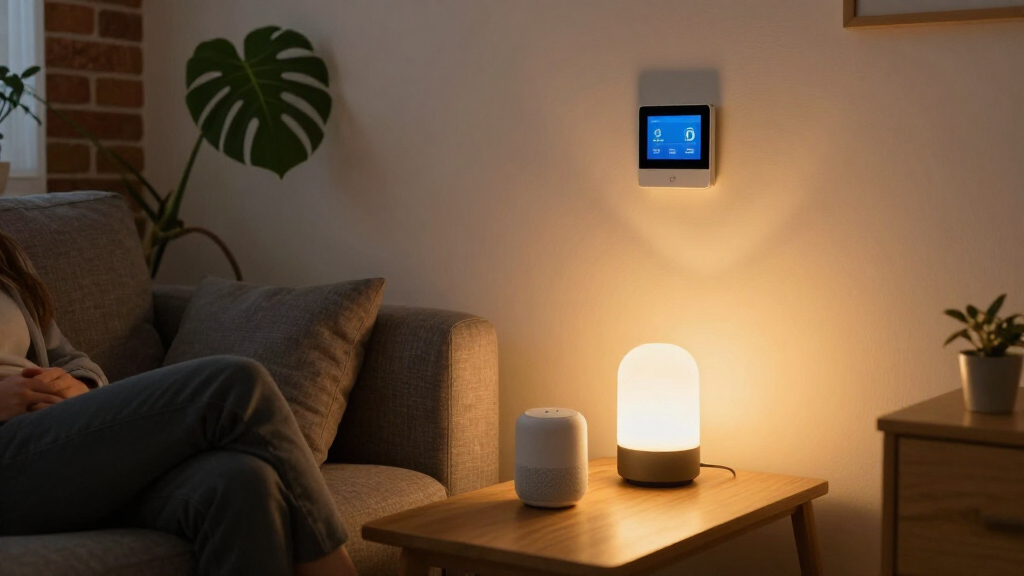
I ranked these AI smart home devices by how clearly each one solves a buyer need, how useful its stated features are in everyday use, and how much setup, placement, or ecosystem commitment it may require. For speakers and displays, I weighed the difference between hands-free voice control, at-a-glance home management, and a larger screen. For cameras, I compared their stated resolution and intended mounting or power setup; for the lock, I focused on access method and the practical demands of replacing a door lock.
The order favors versatility and a clear role first: the Echo Hub ranks highest as a dedicated control point, while the Echo Show 11 and 15 serve buyers who want screens for more than home controls. The Echo Dot models are lower-cost-in-complexity voice-first alternatives, and the security devices rank by their narrower jobs rather than by how many assistant features they claim. Product details provided here do not establish compatibility with every smart home platform or the quality of AI features, so I treat those as items buyers should verify before choosing.
Factors to Consider When Choosing AI Smart Home Devices
Choosing among these devices starts with the job you want done and the system you already use. A smart speaker, a wall-style control display, a camera, and a biometric lock solve different problems; adding several without a plan can leave you with overlapping controls and separate apps.
Start With the Job, Then Pick the Device
Write down the one home task that would make a noticeable difference: controlling lights, checking a room, monitoring an outdoor area, or managing entry. A speaker can handle spoken requests in a room, while a display makes controls and information visible to anyone nearby. A camera or lock addresses security tasks that an assistant speaker cannot replace. A common mistake is buying a screen because it looks like a hub, then discovering that it does not provide the controls or integrations needed for the devices already installed. Match the form factor to where and how you will use it before comparing feature lists.
Check Assistant and Device Compatibility
“Smart home” does not mean that every device works with every assistant or accessory. Check the exact model’s compatibility with your lights, sensors, locks, and routines, and confirm whether key functions depend on a particular ecosystem. Buyers combining brands should look for shared standards and verify what features still work when devices are controlled across platforms. A routine that needs several products to cooperate can be less useful if one link requires a separate app or account. Treat voice assistant access and cross-device control as distinct questions.
Choose Screen Size for Placement and Shared Use
A display earns its space when people in the household will use visual controls, video, or information without asking a speaker for it. A compact screen is easier to place near a kitchen counter or entry, while a larger display needs a suitable surface or mounting plan and becomes more prominent in the room. Before choosing, measure the intended location and check viewing distance, power access, and who needs to reach the controls. Larger screens can make shared use more practical, but they may duplicate a tablet or television already in the home. Choose the smallest display that serves the job you actually have.
Plan Camera Placement, Power, and Privacy
Camera resolution is only one part of getting useful footage: the view through glass, reflections, lighting, Wi-Fi coverage, and the angle all shape what a camera can capture. Window-specific models may fit a particular installation better than general indoor cameras, but confirm the placement instructions and whether the intended view is through the window. For outdoor coverage, consider whether solar exposure and mounting position suit the site rather than assuming a solar panel will remove all maintenance. Decide who can view recordings and how alerts or storage are handled before putting a camera in a shared space. A camera that cannot get a stable connection or a useful angle will not benefit from a higher resolution.
Treat Smart Locks as Door Hardware
A biometric lock affects daily entry and depends on a compatible door, correct fit, and reliable power, so check those details before choosing one. Confirm the door’s measurements and existing hardware requirements, then review what happens if the fingerprint reader, network, or batteries are unavailable. Consider whether other household members and visitors need access methods beyond a fingerprint. Smart lock features may depend on an app or connected ecosystem, while the mechanical fit remains necessary for basic operation. Prioritize a workable entry plan and clear access management over the appeal of a single high-tech feature.
Spend for Capabilities You Will Use
Paying for a larger display, higher camera resolution, or more advanced speaker makes sense only when that capability changes how you use the device. Buyers who mainly want a spoken timer or a few routines may be better served by a compact speaker than a screen. A household that shares visual controls may get more from a display, while someone monitoring a yard may value outdoor power and camera placement more than entertainment features. Avoid treating “AI” as a single performance measure: voice assistance, image capture, and biometric recognition are separate functions with different needs. Compare the specific task, ongoing upkeep, and ecosystem fit before adding premium features.
Frequently Asked Questions
Should I choose an Echo Hub or an Echo Show to control my smart home?
Choose the Echo Hub if a dedicated control point for compatible smart home devices is your main goal. An Echo Show makes more sense when you also want a screen for video, visual information, or other household uses. The 11-inch Show is a more compact display option than the 15.6-inch Show, which takes more space and suits a prominent shared location. Check that the devices and routines you want to control are supported by the exact model. The right pick depends on whether controls or general screen use will get more attention in your home.
Can I mix Alexa, Gemini, eufy, and Lockly devices in one smart home?
Possibly, but product names alone do not confirm which functions will work together. Check each device’s current compatibility details for your preferred assistant, network, app, and other accessories before buying. Even when basic control is available across brands, advanced routines or alerts may depend on the manufacturer’s own app. Pick one main way to manage daily tasks, then confirm that the devices you add support it. This can prevent a home setup that requires switching apps for routine actions.
Is a 3K window camera a better choice than a 2K window camera?
Higher stated resolution can provide more image detail, but it does not guarantee a more useful view through glass. Reflections, room lighting, camera angle, and the position of the window can affect the footage as much as the resolution. The 3K 5MP model in this roundup also lists a smart screen, while the 2K 3MP model has a simpler feature description. Compare installation requirements, Wi-Fi support, recording options, and privacy controls before deciding. If the camera cannot be positioned well, extra pixels may not solve the main problem.
Do I need a solar camera for outdoor monitoring?
A solar camera can suit an outdoor location where its panel can receive enough sunlight and its placement gives a useful view. It may reduce how often you need to handle power, but the site and seasonal light conditions still matter. A wired or battery-powered alternative may fit better in a shaded area or where mounting a panel is awkward. The SoloCam E42 is the outdoor-focused pick here, with 4K resolution and solar power listed among its features. Check its installation and connectivity requirements against the actual location before choosing.
What should I check before replacing my deadbolt with a biometric smart lock?
Start with the door’s thickness, backset, existing handle arrangement, and the lock’s installation requirements. Confirm how the Lockly Secure Pro handles access for people who cannot or do not want to use a fingerprint. Review backup entry options and battery behavior, including what you can do if the lock loses power or connectivity. Also check whether remote features require a specific app, hub, or ecosystem. A compatible fit and reliable fallback access matter more than adding the lock to a voice routine.
Conclusion
For most buyers who want a central Alexa control point, I recommend the Amazon Echo Hub as best overall. The Echo Dot (5th Gen) is my best value and beginner pick for straightforward voice control without committing to a display. Choose the Echo Show 15 as the premium screen option when a large shared display and its listed Fire TV features suit your space; pick the Echo Show 11 if you want a smaller display. For specific needs, the eufy SoloCam E42 is the outdoor security choice, the window cameras address indoor window placement, and the Lockly Secure Pro is for buyers who want biometric entry. Before deciding, verify compatibility and installation details for the devices you already own.
Fall Picks
fall essentials
As an affiliate, we earn on qualifying purchases.