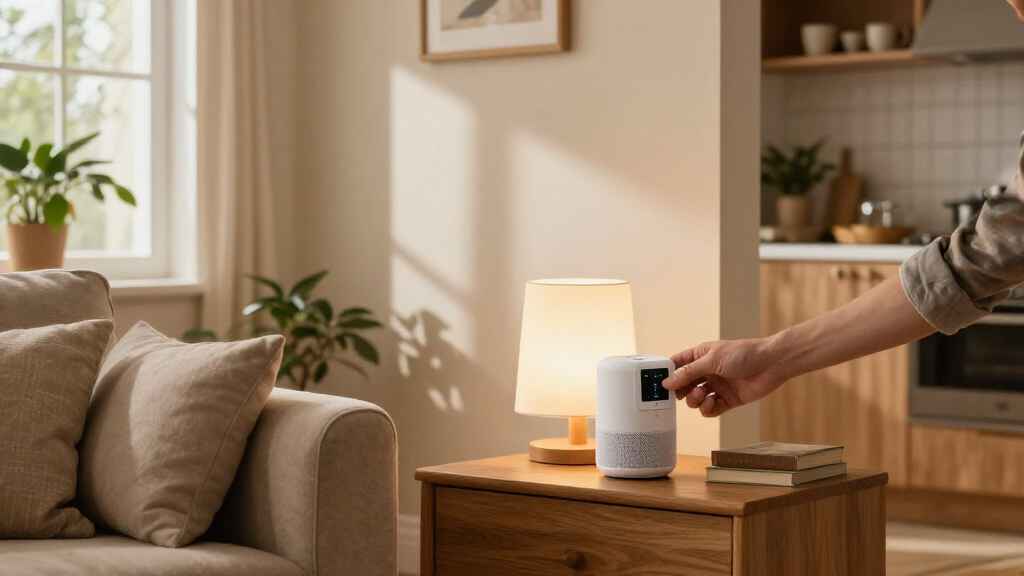

Choosing an AI-powered home automation system is less about picking the cleverest speaker and more about deciding how you want your devices, voice assistant, and household routines to work together. Amazon Alexa and Google Home are two of the most widely used options, and both can control lights, plugs, thermostats, cameras, and other connected devices. Their main difference is emphasis: Alexa tends to offer broader compatibility and more ways to customize routines, while Google Home makes particular sense if your household already relies on Google services or Nest devices.

Get business pricing on tech for your team
- Business-only prices and quantity discounts
- Tax-exempt purchasing
- Multiple users, one account, clear invoices

Home Assistant Green Smart Home Hub
- ✔ Operating system: Home Assistant OS
- ✔ Processor: Quad-core
- ✔ Memory: 4 GB LPDDR4X

LinknLink HomeClaw Smart Home Gateway with Home Assistant and OpenClaw AI
- ✔ Brand: LinknLink
- ✔ Model: HomeClaw
- ✔ Operating system: Linux

SwitchBot AI Smart Home Hub with OpenClaw Support and 16GB MicroSD Card
- ✔ Connectivity: Dual-band Wi-Fi
- ✔ Included storage: 16GB MicroSD card
- ✔ Expandable storage: Up to 1TB MicroSD card or 16TB external hard drive
That distinction affects everyday convenience, setup choices, and whether you may need to replace devices you already own. Alexa is often the stronger starting point for a mixed-brand smart home; Google Home is appealing for people who want voice control integrated with Google accounts and Nest products. The better choice depends on your devices, how much customization you want, and what you expect an assistant to do.
At a Glance
| Criteria | Amazon Alexa | Google Home | Winner |
|---|---|---|---|
| Device compatibility | Broad support across many smart home brands and device types; check specific models before buying. | Good compatibility, especially with Google and Nest products; verify support for each device. | A |
| Routines and automation | Flexible routines and device-based triggers, with available features varying by device and region. | Supports useful home and device automations; available controls depend on device and platform updates. | A |
| Voice assistant and services | Alexa voice assistant with Amazon services and compatible third-party integrations. | Google Assistant and Google services, with strong fit for users already in that ecosystem. | Depends |
| Setup and everyday use | Works through Alexa-enabled speakers, displays, and the Alexa app; experience varies by device. | Works through Google speakers, displays, and the Google Home app; setup is simplest with compatible devices. | Depends |
| Privacy and household controls | Offers privacy settings and controls, but households should review voice recording and connected-device settings. | Offers account and voice activity controls; review settings and permissions across Google-connected devices. | Tie |
| Value and ecosystem fit | Strong fit for mixed-brand homes and shoppers who want a wide range of compatible hardware. | Strong fit for Google-centric households and people already using Nest equipment. | Depends |
Home Assistant Green Smart Home Hub
Home Assistant Green is our best overall pick because it gives buyers a defined automation platform first, then lets them expand connectivity as their needs grow. Home Assistant OS comes preinstalled, and the fanless hub stores home data locally. That makes it a grounded option for people who want automations to depend less on cloud services and who are willing to spend time setting up their devices and routines.Compared with LinknLink HomeClaw, Green offers a simpler hardware proposition: Ethernet, USB and Bluetooth, rather than a listed Matter bridge, remote tunnel, Linux SSH and Docker environment. That simplicity is appealing if you mainly want a Home Assistant foundation rather than a compact server to configure. Its tradeoff is that Zigbee, Z-Wave and Thread require compatible USB devices; the hub does not include those radios as built-in connectivity. Initial setup also requires Ethernet, so it is not an entirely wireless first step.SwitchBot is the more focused choice if camera event recording is central to your setup, with support for up to eight compatible cameras and expandable storage. Green is more compelling as a flexible general automation base, but it does not list that camera-specific feature set. We would choose Green for a household that values local control and extensibility over a ready-made camera hub. Skip it if you expect every wireless protocol to be included out of the box or prefer a setup that avoids Home Assistant configuration.
Pros:
- Home Assistant OS is preinstalled for a direct route into automation.
- Fanless design runs silently.
- Local data storage supports a locally managed smart home.
- Two USB ports provide an expansion path for compatible Z-Wave, Zigbee and Thread devices.
Cons:
- Z-Wave, Zigbee and Thread require compatible USB devices.
- Initial setup requires an Ethernet connection.
Best for: Buyers seeking a quiet, locally managed Home Assistant foundation that they can expand with compatible USB radios and devices.
Not ideal for: People who need built-in Zigbee, Z-Wave or Thread radios, want wireless-only initial setup, or prioritize integrated camera recording.
Bottom line: For a flexible, locally managed smart home built around Home Assistant, Green is the clearest all-purpose starting point if you accept adding radios as needed.
“For a flexible, locally managed smart home built around Home Assistant, Green is the clearest all-purpose starting point if you accept adding radios as needed.”
LinknLink HomeClaw Smart Home Gateway with Home Assistant and OpenClaw AI
LinknLink HomeClaw is the choice for buyers who want their automation gateway to behave more like a small, configurable server. It combines Home Assistant and OpenClaw AI on Linux, with local device and automation processing, smartphone setup, Matter bridging and a built-in peer-to-peer tunnel for remote access. The stated offline operation and backup with auto-restore also make it appealing to owners who want their setup to remain manageable when they are away or after a restore.Against Home Assistant Green, HomeClaw offers more built-in software and administration options: SSH and Docker access join the smart home features, and it lists a Matter bridge for connecting compatible devices with Apple Home, Alexa and Google Home. Those extras give technically confident buyers room to customize, but they also mean a less appliance-like experience. Some advertised AI automations depend on describing routines and device needs through the system, so buyers should not assume every natural-language request will translate into a working routine without setup.HomeClaw is more general-purpose than SwitchBot’s camera-centered hub, but its connectivity still has limits. The listed support includes Matter bridging plus Zigbee and Wi-Fi devices; Z-Wave requires a separately sold USB dongle. Choose it over Green when remote access, Linux tools and the OpenClaw layer matter to your plans. Choose Green if you want the more straightforward Home Assistant hardware foundation and do not need those server features.
Pros:
- Supports local device and automation processing, including offline operation.
- Offers one-click Home Assistant setup, backups and automatic restore.
- Matter bridging connects compatible devices with Apple Home, Alexa and Google Home.
- Linux SSH and Docker access enable additional customization.
Cons:
- Z-Wave support requires a separately sold USB dongle.
- Some AI automation features depend on describing routines and device needs through the system.
Best for: Technically comfortable smart home owners who want Home Assistant, OpenClaw AI, Matter bridging, remote access and Linux customization in one gateway.
Not ideal for: Buyers who want an especially simple hub, require Z-Wave without an add-on, or expect AI routine creation to work without describing and configuring their needs.
Bottom line: HomeClaw is the most capable software-oriented pick here, provided its AI workflow and extra setup suit the way you want to manage a smart home.
“HomeClaw is the most capable software-oriented pick here, provided its AI workflow and extra setup suit the way you want to manage a smart home.”
SwitchBot AI Smart Home Hub with OpenClaw Support and 16GB MicroSD Card
When cameras are part of the automation plan, SwitchBot AI Smart Home Hub has the most distinct role in this group. It connects compatible SwitchBot devices and RTSP cameras, supports up to eight compatible cameras, and can store camera event recordings locally. An included 16GB MicroSD card gives that recording feature a starting point, while storage can be expanded by MicroSD card or an external hard drive. That makes it a more focused pick than Green or HomeClaw for buyers who want their home hub to bring connected devices and camera events together.The hub also includes Home Assistant and a Matter Bridge, which gives it broader smart home relevance than a camera recorder alone. But buyers should read the AI claim carefully: AI camera features require an AI+ subscription and compatible cameras. The supplied description does not promise that all camera features work with every RTSP model, so camera compatibility should factor into the decision. SwitchBot also does not provide IR control for TVs or air conditioners, a capability some buyers may expect from a hub.Compared with HomeClaw, SwitchBot specifies a camera capacity and storage expansion options, while HomeClaw emphasizes local automation, remote access and Linux customization. Compared with Green, SwitchBot is more ready-made for camera events but less clearly positioned as a general Home Assistant foundation. Pick it when camera integration and local event recording are central; skip it if you need subscription-free AI camera features, IR control, or a hub chosen primarily for extensible automation.
Pros:
- Stores camera event recordings locally.
- Includes Home Assistant and supports a Matter Bridge.
- Supports up to eight compatible cameras.
- Includes a 16GB MicroSD card with options to expand storage.
Cons:
- AI camera features require an AI+ subscription and compatible cameras.
- Does not provide IR control for TVs or air conditioners.
Best for: Households with compatible SwitchBot devices or RTSP cameras that want local event recording and a hub with Matter bridging.
Not ideal for: Buyers who want AI camera features without a subscription, need IR control for TVs or air conditioners, or do not have compatible cameras.
Bottom line: SwitchBot is the most relevant pick for camera-centered homes, but its AI value depends on compatible cameras and a subscription.
“SwitchBot is the most relevant pick for camera-centered homes, but its AI value depends on compatible cameras and a subscription.”
As an Amazon Associate we earn from qualifying purchases.
Key Differences
For a home with devices from several brands, Alexa is usually the safer first choice because its compatibility range is broad and its routines can accommodate varied devices. That advantage matters most when you are building a system over time or already own products from manufacturers that do not center on Google. Compatibility still needs to be checked by exact model: a platform logo on a product page does not guarantee that every feature will work.
Google Home is more compelling when Google services and Nest equipment already shape the household’s setup. It gives those users a coherent way to manage compatible devices and use voice control, without adding a separate ecosystem just for home automation. Both platforms can handle common tasks such as lights and thermostats, so the practical gap narrows for a small, straightforward setup. Neither is a universal winner on privacy or value: hardware prices, features, and settings vary, and the best value usually comes from extending equipment you already own.
Detailed Comparison
Device compatibility (Amazon Alexa wins — moderate)
Alexa wins by a moderate margin for households mixing brands because a broader selection of third-party products supports it. This can make it easier to add a new plug, sensor, or appliance without rebuilding the system. Google Home works well with many popular devices, especially Nest products, but check support for each model and feature before purchase.
Routines and automation (Amazon Alexa wins — moderate)
Alexa has a moderate advantage for people who want to tailor routines around multiple devices and triggers. This can make a morning or away-from-home routine more specific, provided the devices involved expose the needed controls. Google Home also supports useful automations, so the difference is smaller for simple schedules such as turning lights on at a set time.
Voice assistant and services (moderate difference)
This is a household preference rather than a clear platform win. Alexa pairs naturally with Amazon services and Alexa-enabled hardware; Google Home suits people already using Google accounts and services. For basic commands such as switching lights or setting a timer, either can work. Choose based on the services and voice experience your household already prefers.
Setup and everyday use (minor difference)
There is no consistent winner for every home. Google Home can feel straightforward when compatible Nest devices and Google accounts are already in place; Alexa can be convenient when the household already has Echo devices or a diverse set of compatible brands. The difference is minor for a few well-supported devices, but setup can become more involved when products need separate apps or have limited platform support.
Privacy and household controls (moderate difference)
Neither platform earns a broad win based on the assistant name alone. Both provide settings for reviewing or managing voice activity, and both connect to devices that may collect their own data. The practical choice is to review the controls for the exact speaker, camera, and account you plan to use. This is a moderate concern for privacy-focused households, where device selection and settings deserve attention before expanding the system.
Value and ecosystem fit (major difference)
The better value depends on what you already own, so this is a major practical decision even though neither platform always costs less. Alexa may avoid extra purchases in a mixed-brand home; Google Home can be the better-value extension for a household with Nest devices and Google-compatible equipment. Compare the cost of the needed speaker or hub and the specific devices you plan to control, rather than judging by one entry-level product.
Amazon Alexa: Pros and Cons
Pros:
- Broad compatibility across many smart home brands.
- Flexible routines suit households that want more customized automation.
- A practical choice for building a mixed-brand setup over time.
Cons:
- Feature support can vary by device, so compatibility needs checking before purchase.
- The range of options can mean comparing more models and settings.
- Less compelling if the household is already centered on Google and Nest.
Google Home: Pros and Cons
Pros:
- Natural fit for households already using Google services.
- Particularly appealing for homes with compatible Nest equipment.
- Covers common voice-control and home automation tasks.
Cons:
- Compatibility and control options vary across third-party devices.
- May be less suitable for homes built around a variety of brands.
- Value falls if switching requires replacing working Alexa-oriented equipment.
Who Should Choose What
Choose Amazon Alexa if:
- You own or expect to buy smart devices from several different brands.
- You want to build more customized routines across compatible devices.
- You use Alexa-enabled speakers already and want to extend that setup.
Choose Google Home if:
- Your household uses Google services and compatible Nest products.
- You want to manage a relatively straightforward collection of supported devices.
- You already have Google Home hardware and would rather extend it than switch platforms.
Skip both if: Skip both if your priority is a device that works entirely offline or you are unwilling to use an account and app to manage connected products. Check whether a simpler local-control system better matches your needs.
Value for Money
Paying more for a speaker, display, or hub is worthwhile only when it provides a feature you will use or avoids a larger ecosystem change. The platforms themselves do not make every compatible device equally useful, and a low-priced product may have limited automation controls. For a modest setup, start with the assistant you already own and confirm that the specific devices you want are supported. For a larger setup, compare the total cost of the speakers or hubs and accessories your planned routines require.
Alexa is often better value for a mixed-brand home because broad compatibility can reduce the need to replace equipment. Google Home can be the better value when compatible Nest devices and Google accounts are already in place. Paying a premium for either platform makes sense when its particular hardware or integration fits your household; otherwise, buying into a second system adds cost without a clear everyday benefit.
Final Verdict
For most people starting a mixed-brand smart home, choose Amazon Alexa: its broader compatibility and flexible routines make it easier to grow the system around varied devices. Choose Google Home if your household already relies on Google services or Nest products and you want to extend that setup with compatible equipment. The biggest deciding factor is the devices you own or plan to buy, not a general claim that one assistant is smarter. Before spending more, check support for your exact models and compare the cost of adding to your current ecosystem.
Frequently Asked Questions
Which is better for a smart home, Alexa or Google Home?
Alexa is usually the stronger pick for a mixed-brand home because it supports a broad range of devices. Google Home is a good fit for a household already using compatible Nest products and Google services. Check the exact devices you plan to control before choosing.
Can Alexa and Google Home control the same smart devices?
Many devices support both platforms, but support is not universal and some features may differ. Check the product’s compatibility details for the exact model and the functions you need, such as routines or sensor triggers.
Is it worth switching from Alexa to Google Home, or the other way around?
Switch when the other platform better matches your existing devices and services, or provides a feature you will use regularly. If your current setup handles your needs, replacing speakers and reconfiguring devices may cost more than the change is worth.
Which system is better value?
It depends on the equipment already in your home. Alexa can offer better value when you have devices from varied brands; Google Home can be more economical when you already own compatible Nest products and Google Home hardware. Compare the cost of extending each setup, rather than one speaker’s price.