
TL;DR
This article explores how local AI tools can turn a single video into a full suite of publishing assets—like descriptions, clips, and social posts—without needing internet or cloud services. It boosts privacy, cuts costs, and speeds up content creation for creators and publishers alike.
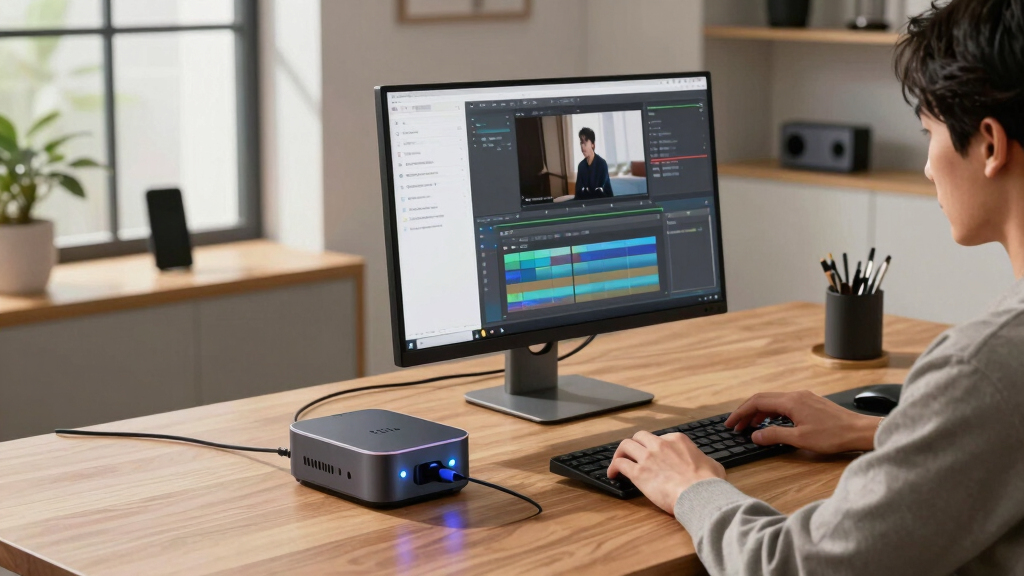
Imagine finishing a video and instantly having everything you need to publish across multiple platforms. No waiting, no uploading, no subscription fees. This isn’t some distant dream. It’s now possible with local AI tools that turn one video into a full publishing kit—completely on your own machine.
If you handle multiple channels, produce lots of content, or just want more control over your workflow, this approach could change everything. You get faster turnaround, better privacy, and a streamlined process. Let’s break down how it works and what you need to know.
Key Takeaways
- A ‘publishing kit’ can include titles, descriptions, clips, thumbnails, social posts, and transcripts—all generated from one video.
- Processing videos locally keeps your data private, avoids cloud fees, and grants full ownership of your content.
- Workflow steps are simple: upload, analyze, review, approve, and publish—faster and more control than cloud solutions.
- Limitations include asset accuracy and compatibility; manual review remains essential.
- Recent trends favor on-device automation, making workflows faster, cheaper, and more private.
As an affiliate, we earn on qualifying purchases.
What exactly is a ‘publishing kit,’ and what does it include?
A ‘publishing kit’ is a bundle of all the assets you need to publish your video content. Think of it as a one-stop shop: titles, descriptions, chapters, metadata, thumbnails, short clips, social posts, and transcripts. For example, after processing a 10-minute interview, you might get a catchy title, a detailed description with timestamps, a thumbnail idea, and clips for TikTok and Instagram—all generated automatically.
This kit helps you publish faster, maintain brand consistency, and repurpose content effortlessly. It’s like having a mini content factory on your desk.

As an affiliate, we earn on qualifying purchases.
What does ‘without the cloud’ really mean for your videos?
‘Without the cloud’ means all processing happens locally—on your own hardware—so your footage and data stay private. No uploading to third-party servers, no cloud subscriptions, just raw power on your machine. For instance, a creator working from a home studio can analyze and generate captions, clips, and metadata without ever sending their footage online.
This approach keeps your content private, reduces costs, and avoids recurring fees. Plus, you control every step, from raw video to published content, without third-party interference.

on-device video automation tools
As an affiliate, we earn on qualifying purchases.
As an affiliate, we earn on qualifying purchases.
Why now? The rise of local AI video tools and what it means for creators
Local AI video tools are gaining ground fast. They emphasize no cloud dependency, with many products offering free or one-time purchase models. For example, tools like UniFi AI Key focus on processing videos on-device, making it perfect for creators wary of monthly fees or data leaks [3].
Meanwhile, the workflow is shifting. AI now auto-generates chapters, summaries, and social assets early in the process—saving hours of manual work. This trend points to a future where automation is built into your own hardware, not just cloud services.

privacy-focused video editing software
As an affiliate, we earn on qualifying purchases.
As an affiliate, we earn on qualifying purchases.
What assets can a local publishing kit produce? A detailed look
From one video, a local AI tool can produce a variety of assets:
- Titles and descriptions scored for engagement
- Chapters with timestamps for easy navigation
- Thumbnails based on key moments
- Short clips optimized for TikTok, Reels, Shorts
- Social media posts tailored for each platform
- Full transcripts and captions
- Audio snippets or audiobooks
Understanding these outputs is crucial because they directly impact your content strategy. For example, generating multiple social posts and clips from a single video allows you to maximize reach across different audiences. The ability to produce transcripts and captions also enhances accessibility and SEO, which are key for expanding your reach and engagement. Different tools may excel at certain assets, so choosing one that aligns with your distribution goals can streamline your entire publishing process.

How the process works, from drop to published—step-by-step
It’s simple and fast:
- Drop or link: Upload your video file or paste a URL. The system recognizes the source and auto-detects your brand or channel.
- Understand: Background workers transcribe, analyze visuals, fuse data, and extract key topics—without leaving your machine. This step is vital because it sets the foundation for all subsequent assets. Accurate transcription and analysis ensure your titles, descriptions, and clips are relevant and engaging, which directly affects viewer retention and discoverability.
- Review: The draft assets appear in your review panel. You can tweak titles, swap clips, or regenerate assets as needed. This stage is crucial for quality control, allowing you to catch errors or mismatches before publishing, thus maintaining your brand voice and accuracy.
- Approve and publish: Once satisfied, hit publish. The package is sent to your platforms, all tracked and managed from one dashboard. This seamless process minimizes delays and ensures consistency across channels. Discover more about espionage technology and security gadgets.
For example, a YouTuber could upload a video, review auto-generated social clips and descriptions, then publish everything directly—no cloud needed. The speed and control this workflow offers can significantly enhance your content schedule and responsiveness to trends.

How the process works, from drop to published—step-by-step What’s in a ‘Publishing Package’? A closer look at the outputs
A ‘Publishing Package’ is a comprehensive content bundle. It includes:
Asset Type Details Titles & Descriptions Optimized for engagement, character limits, hashtags, and keywords. These are crafted based on analysis of your content and trending topics, ensuring they resonate with your target audience and improve discoverability. Chapters & Timestamps Structured breakdowns for easy navigation and SEO. Proper segmentation can help viewers find specific parts quickly, increasing watch time and viewer satisfaction. Thumbnails & Clips Auto-generated based on key moments, these assets are crucial for capturing attention and encouraging clicks. Well-chosen thumbnails can significantly boost click-through rates, while short clips serve as teasers for social platforms. Social Posts Platform-specific posts, from Twitter threads to Instagram captions. Tailoring content for each platform maximizes engagement and ensures consistency in messaging. Transcripts & Captions Full, editable transcripts for accessibility and SEO. These not only make your content accessible to a wider audience but also improve search engine rankings. All assets are stored together, ready for push-button publishing, saving hours of manual work. This integration reduces the risk of errors and ensures your content maintains a cohesive voice across all platforms.

What’s in a ‘Publishing Package’? A closer look at the outputs The review studio: make your edits and approve with confidence
The review stage is where you shape your assets. The studio offers three views:
- Console: The main workspace—see your video, assets, and approval panel side by side.
- Editor: Deep dive into individual assets—perfect for fine-tuning titles or adjusting clips.
- Atlas: The overview dashboard—track progress across all platforms and focus on what’s ready to go.
Every asset logs its origin—whether generated by a local model or a specific prompt—so you always know what’s behind your content. Tracking provenance is essential because it helps maintain transparency for your audience and ensures accountability in your editing process. If a mistake or inconsistency arises, knowing the source of each asset makes troubleshooting faster and more accurate. This clarity supports iterative improvements, allowing you to refine your workflows and ensure high-quality output every time.

The review studio: make your edits and approve with confidence The real benefits: privacy, speed, and control
Processing locally means your raw footage stays on your machine. No uploads, no third-party servers, no data leaks. For example, a journalist working on sensitive topics can analyze interviews without risking privacy breaches. This level of control is vital for industries dealing with confidential or proprietary content, where leaks could have serious repercussions. Additionally, local processing reduces the dependency on internet connectivity, ensuring you can work offline or in low-bandwidth environments without interruption.
Plus, speed is a major perk. Assets are generated in minutes, often while your video is still rendering. You can start editing titles or social posts right away, accelerating your publishing cycle. This rapid turnaround is especially valuable for breaking news or trending topics, where timing can determine success.
Finally, full control ensures your content remains yours—no cloud provider owns your data or sets limits on usage. This autonomy allows you to adapt workflows, implement custom branding, and retain full intellectual property rights—crucial for maintaining your creative independence and monetization strategies.

The real benefits: privacy, speed, and control What are the limitations? Be aware of what’s possible and what’s not
While local AI tools are powerful, they have limitations. Asset accuracy depends on the tool’s sophistication. For example, chapter detection might miss nuanced shifts or on-screen text might require manual correction. Understanding these limitations helps set realistic expectations and prevents frustration. Over-reliance on automation without manual oversight can lead to errors that diminish the quality or professionalism of your content.
Compatibility is another concern: some tools support only certain file formats or video lengths—like under 30 minutes or specific resolutions. This can restrict your workflow or require preprocessing steps. Being aware of these constraints allows you to plan accordingly and avoid bottlenecks.
And true automation isn’t perfect. Always review and edit assets to match your voice and style. Incorporating manual checks ensures your content aligns with your brand standards and maintains authenticity, which automated outputs alone may not guarantee.

What are the limitations? Be aware of what’s possible and what’s not Recent trends: more automation, less reliance on cloud, and what’s next
Recently, local AI tools have shifted towards greater automation and fewer cloud dependencies. The trend is clear: more features move onto your device, reducing costs and increasing privacy. This evolution is driven by advancements in hardware and AI models that operate efficiently offline, making powerful tools accessible without ongoing subscriptions.
For instance, some tools now auto-generate audiobooks or extract structured data from long videos—saving hours of manual editing [4]. These capabilities enable creators to repurpose content more effectively and respond quickly to emerging trends.
Looking ahead, expect even more integration, real-time processing, and smarter asset generation—all on your hardware. As AI models become more efficient, workflows will become increasingly seamless, allowing creators to produce high-quality content faster and with less manual intervention. This shift promises to democratize content creation further, empowering solo creators and small teams to compete with larger productions while maintaining full control over their assets.
Frequently Asked Questions
What exactly does a local AI tool generate from one video?
It can produce titles, descriptions, chapters, thumbnails, clips, transcripts, social posts, and sometimes even drafts for articles or newsletters—all from a single upload, right on your machine.
Does it need an internet connection to work?
Most local AI tools are designed to run offline once installed, processing videos entirely on your hardware. Some might require initial setup or occasional updates, but ongoing processing doesn’t need internet access.
What file formats and video lengths are supported?
Support varies by tool, but many handle common formats like MP4, MOV, and AVI, with lengths from a few minutes up to 30 or 60 minutes. Always check the specs to match your needs.
Can I edit the outputs before publishing?
Absolutely. The workflow includes review stages where you can tweak titles, adjust clips, or refine descriptions before hitting publish.
Is this suitable for solo creators or larger teams?
It works well for both. Solo creators benefit from speed and privacy, while teams can standardize assets and accelerate collaboration—all on local hardware.
Conclusion
Going local with your video workflow means more control, privacy, and speed. You turn one video into a full publishing kit without ever leaving your machine—no cloud, no fuss.
Imagine a future where your entire content pipeline runs smoothly inside your own hardware, giving you back hours and peace of mind. That’s the promise—and the power—of local AI publishing tools.

Recent trends: more automation, less reliance on cloud, and what’s next