🔍 Read the full analysis: A Guide To AI-Generated Halloween Decorations on ThorstenMeyerAI.com

Get business pricing on tech for your team
- Business-only prices and quantity discounts
- Tax-exempt purchasing
- Multiple users, one account, clear invoices
TL;DR
AI Halloween decorations can create custom visuals and audio or respond to visitors, but some products marketed as AI use only motion sensors and prerecorded effects. The source guide recommends checking how each feature works, whether it depends on an online service, and how the display will operate safely and reliably.
ThorstenMeyerAI.com has published a guide to AI-generated and responsive Halloween decorations, explaining how to tell those features apart from motion-triggered props that play fixed recordings. The guide says the distinction affects what a decoration can do, how much setup it needs, and whether it depends on an internet connection or handles visitor data.
The guide describes several different uses of AI in Halloween displays: generating art, dialogue or audio; recognizing spoken input; and analyzing camera images. A prop that plays the same growl whenever a motion sensor detects someone is automated, but does not use AI by itself. A character that uses speech recognition to respond to a visitor adds a more adaptive feature, though it may be less predictable and require more setup.
It recommends checking product details for what runs locally and what relies on an online service. Local playback can be less varied but may work more reliably, while online features can offer more adaptation and may transmit information. The guide also advises checking current capabilities, availability, pricing and privacy settings, since product details can change.
For a display, the guide favors a clear, tested scene over a collection of competing effects. A portrait could whisper as guests approach while a light changes color, for example. That coordination can make a scene feel deliberate, but internet-dependent devices may lag or fail if connectivity drops. A local recording or fallback light cue can keep the moment working.
A motion-triggered recording is automation; AI usually means a system generates or interprets content.
Use generated art, voices, or dialogue to personalize a scene, then review the results and usage terms.
Plan one clear visitor moment before choosing sensors, lights, speakers, or controllers.
Test offline behavior, sensor timing, audio, cable placement, and outdoor protection before Halloween night.
Tell visitors when a display processes faces or voices, limit collection, and provide a way to pass without interacting.
Reliable Effects Shape the Scare
The practical difference between a fixed trigger and an AI feature is what happens after a visitor arrives. A prerecorded shriek is repeatable; generated content or a speech-based character may vary. That flexibility can make an interaction feel more personal, but it adds possible points of failure, including noisy audio, delayed responses and setup problems.
For hosts, reliability and privacy matter alongside the effect itself. A display that depends on an online service may behave differently when a network is crowded or unavailable. Camera or speech features also make it useful to understand what information a device collects and where it is processed. The source guide does not make product-specific claims about collection practices; it urges buyers to check settings and service requirements.
Top picks for "generat halloween decoration"
As an affiliate, we earn on qualifying purchases.
From Sensors to Responsive Props
Halloween props have long used simple triggers: a motion detector starts a sound or movement. The guide places AI features alongside those familiar effects, rather than treating every electronic decoration as AI. Generated media can supply a custom portrait or lines for a character, while speech tools can support variable replies. These capabilities can be combined with lights and speakers, but a display does not need every component to be interactive.
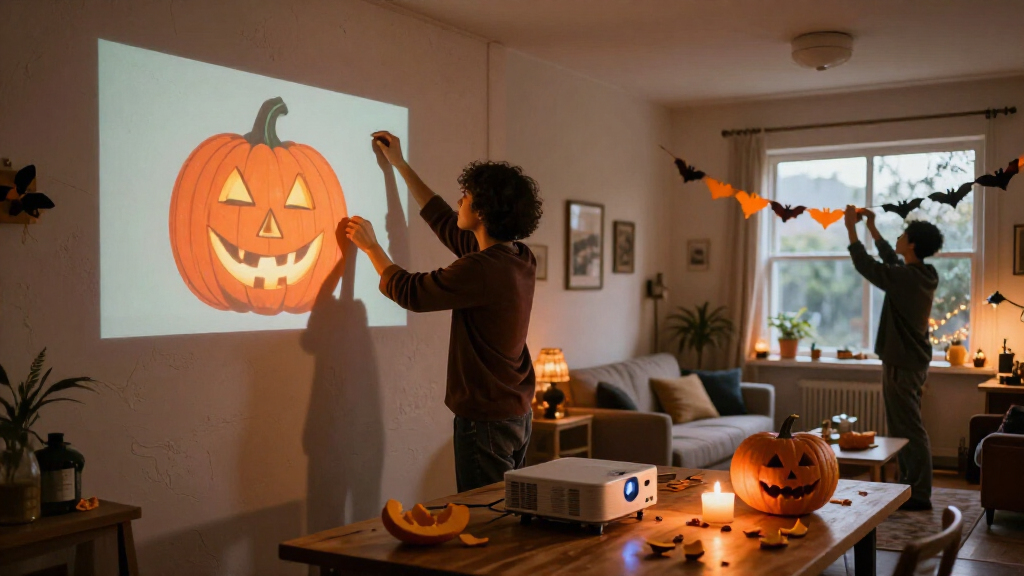
The guide suggests beginning with one visitor-facing moment, such as a scarecrow turning its head and whispering when someone reaches a gate. The creator can then draft visual or audio material and edit it, choose a trigger and output, and test the result from the visitor’s point of view. It cautions that generated material may need cleanup and that licenses can limit commercial use or sharing.
“A motion sensor that triggers a prerecorded shriek can still make an excellent scare, but by itself it is ordinary automation.”
— ThorstenMeyerAI.com guide
Product Features Vary by Device
The guide does not identify specific products or independently verify manufacturers’ claims. Current features, pricing and availability may change, and marketing language may not make clear whether a product generates content, recognizes speech, analyzes images or simply reacts to a sensor. It also remains product-specific whether processing happens on the device or through an online service, what data is transmitted, and how well a feature works in a noisy or crowded setting.
Check and Test Before Halloween
Before buying or setting up a display, check the product’s current feature list, privacy settings, connectivity requirements and any limits on using generated material. Then test the full scene in place, including the trigger, sound and lighting. Keep a local fallback—such as a recording or simple light cue—if an online feature is central to the timing. The guide offers planning advice; it does not announce a product launch or provide a schedule for further developments.
Key Questions
What makes a Halloween decoration AI-powered?
In the guide’s description, AI may generate media, recognize speech or analyze images. A motion sensor that starts the same recording is ordinary automation on its own.
Do AI decorations need an internet connection?
Some features may depend on an online service, while local playback can work without one. Check the specific product’s requirements and what happens if connectivity is lost.
What should I check before buying?
Review what the device actually does, its current price and availability, its privacy settings, and whether it processes information locally or online. Product details can change.
How can I make a display more dependable?
Build around one clear effect, test the trigger and outputs together, and keep a simple local cue available if a connected feature fails.
Source: ThorstenMeyerAI.com
Fall Picks
fall essentials
As an affiliate, we earn on qualifying purchases.