
AI transcription software ranges from portable recorders that create transcripts and summaries to desktop tools built for dictation or manual playback. For an all-around starting point, I’d put the HiDock H1E forward for people who want meeting notes alongside a multiport desk dock; the PenPower AI VoiceWriter stands out for direct dictation, while Express Scribe Pro with the Infinity foot pedal suits hands-on transcription work. The key tradeoffs are whether you need to capture audio, process existing recordings, or dictate directly—and whether you value portability, workflow control, or extra hardware. Translation, summaries, device compatibility, and subscription terms can also change which option fits. Read on for the full breakdown of all 12 picks and how I’d match them to different work styles.

Get business pricing on tech for your team
- Business-only prices and quantity discounts
- Tax-exempt purchasing
- Multiple users, one account, clear invoices
Key Takeaways
- The lineup splits into three distinct workflows: portable AI recorders capture conversations, PenPower focuses on dictation, and Express Scribe and Philips SpeechExec help users work through recorded audio.
- HiDock H1E pairs meeting notes with desk connectivity, so it makes more sense for a fixed workstation than for someone who needs a pocket recorder.
- Express Scribe’s foot-pedal options favor hands-on playback control; the bundled Infinity pedal is a more complete setup, while software-only versions leave hardware selection to the buyer.
- Translation and transcription appear together on several recorder listings, but buyers should distinguish live translation needs from producing a transcript of the original speech.
- Subscription and platform details deserve early attention: Philips SpeechExec is listed as a two-year subscription, while desktop choices vary by operating system and workflow.
| AI Voice Recorder with Magnetic Back, Transcription, Summaries, and Translation |  | Best Compact Recorder for App-Based Transcription | Storage: 32 GB | Audio format: WAV | Connectivity: Bluetooth and USB-C | VIEW LATEST PRICE | See Our Full Breakdown |
| MMQ AI Voice Recorder with Real-Time Translation and Transcription |  | Best for Multilingual Conversations | Model: F06 | Storage: 64 GB | Supported languages: More than 120 | VIEW LATEST PRICE | See Our Full Breakdown |
| AI Voice Recorder with Automatic Transcription and Real-Time Translation |  | Best for Long Recording Sessions | Storage: 32 GB | Battery life: Up to 50 hours | Recording capacity: Up to 2,270 hours | VIEW LATEST PRICE | See Our Full Breakdown |
| PenPower AI VoiceWriter Dictation and Writing Assistant for Windows and Mac |  | Best for Dictating and Editing Documents | Compatible devices: Laptop and desktop | Hardware interface: USB | Microphone form factor: Lavalier | VIEW LATEST PRICE | See Our Full Breakdown |
| OLZO AI Voice Recorder with Transcription and Summaries |  | Best for Organized Meeting Exports | Storage capacity: 16 GB | Recording time: Up to 45 hours | Microphones: Built-in dual ECM stereo microphones | VIEW LATEST PRICE | See Our Full Breakdown |
| Express Scribe Transcription Software with Foot Pedal Support | 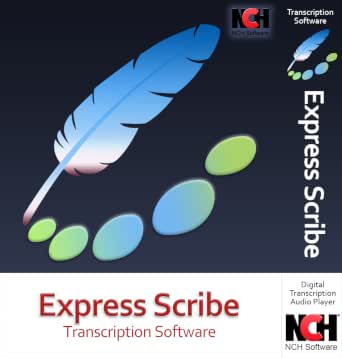 | Best for Encrypted Dictation Files | Delivery: Download | Supported media: Audio and video | File compatibility: Most formats, including encrypted dictation files | VIEW LATEST PRICE | See Our Full Breakdown |
| Philips SpeechExec Transcribe Software, 2-Year Subscription, Version 11.5 |  | Best for Dictation Team Workflows | Subscription term: 2 years | Software version: 11.5 | Operating system: Windows 10 Pro or Enterprise, 64-bit | VIEW LATEST PRICE | See Our Full Breakdown |
| Express Scribe Pro Transcription Software for PC or Mac |  | Best for Cross-Platform Manual Transcription | Platform: PC or Mac | Playback: Variable speed with constant pitch | Supported media: Audio and video | VIEW LATEST PRICE | See Our Full Breakdown |
| Express Scribe Pro Transcription Software with Infinity IN-USB-3 USB Foot Pedal |  | Best Bundled Foot-Pedal Kit | Included items: Infinity IN-USB-3 USB transcription foot pedal and Express Scribe Professional user license | Compatible devices: Personal computer | Hardware interface: USB 3.0 | VIEW LATEST PRICE | See Our Full Breakdown |
| Express Scribe Transcription Software | | Best for Basic Playback Control | Playback: Variable speed with constant pitch | Media support: Audio and video | File formats: Most formats, including encrypted dictation files | VIEW LATEST PRICE | See Our Full Breakdown |
| Comu Action Pro AI Voice Recorder with Automatic Document Generation and 70-Hour Battery |  | Best for Mobile, Multilingual Follow-Up | Microphones: Six: four omnidirectional, one directional, and one bone-conduction | Battery life: Up to 70 hours | Storage: 16 GB | VIEW LATEST PRICE | See Our Full Breakdown |
| HiDock H1E AI Meeting Note-Taker and 8-in-1 Docking Station |  | Best for Desk-Based Meeting Workflows | Transcription languages: 75 | Connectivity: 4K@60Hz HDMI, 1 Gbps Ethernet, 3 USB-C 3.2 ports, and 2 USB-A 3.2 ports | USB data transfer: Up to 5 Gbps | VIEW LATEST PRICE | See Our Full Breakdown |
| AI transcription software | Connectivity | Weight |
|---|---|---|
| AI Voice Recorder with Magneti | Bluetooth and USB-C | 52 g |
| MMQ AI Voice Recorder with Rea | Bluetooth | 28 g |
| AI Voice Recorder with Automat | Bluetooth, Wi-Fi, and USB Type-C | 40 g |
| PenPower AI VoiceWriter Dictat | — | 75 g |
| OLZO AI Voice Recorder with Tr | Wi-Fi 802.11 b/g/n and Bluetooth 5 | — |
| Express Scribe Transcription S | — | — |
| Philips SpeechExec Transcribe | — | — |
| Express Scribe Pro Transcripti | — | — |
| Express Scribe Pro Transcripti | — | — |
| Express Scribe Transcription S | — | — |
| Comu Action Pro AI Voice Recor | Bluetooth and Wi-Fi | 52 g |
| HiDock H1E AI Meeting Note-Tak | 4K@60Hz HDMI, 1 Gbps Ethernet, 3 USB-C 3.2 ports, and 2 USB-A 3.2 ports | 520 g |
More Details on Our Top Picks
AI Voice Recorder with Magnetic Back, Transcription, Summaries, and Translation
This recorder makes sense for buyers who want a small device for capturing audio and are comfortable handling transcription afterward in an app. It records WAV files, offers several microphone modes, and sends audio to the ZKEagle app for transcription, summaries, and translation. Bluetooth syncing is convenient for phone use, while USB-C provides a direct file-transfer option. Compared with the MMQ F06, it has less storage and a shorter stated continuous recording time, but it adds a 3.5 mm headphone jack and works with computers as well as mobile devices. The main tradeoff is that its AI features depend on the companion app rather than working as an independent transcription workflow. The recording-time figures also conflict: the specs list up to 8 hours continuous recording and up to 1,000 hours of recording capacity.
Pros:- Offers app-based transcription, summaries, and translation
- Supports noise-canceling, omnidirectional, and unidirectional microphone modes
- Transfers recordings over Bluetooth or USB-C
- Includes a 3.5 mm headphone jack
Cons:- Transcription and summaries require the companion app
- The stated 8-hour continuous recording time differs from the 1,000-hour recording-capacity claim
Best for: People who want a compact recorder for meetings or lectures and plan to review transcripts and summaries in the ZKEagle app.
Not ideal for: Users who need long continuous sessions, transcription without a companion app, or clear and consistent recording-time specifications.
- Storage:32 GB
- Audio format:WAV
- Connectivity:Bluetooth and USB-C
- Dimensions:55 × 82 × 4 mm
- Weight:52 g
- Continuous recording:Up to 8 hours
- Battery capacity:160 mAh
- Microphone modes:Noise cancellation, omnidirectional, and unidirectional
Our verdict“Choose this compact recorder if app-based AI features and flexible file transfer matter more than extended continuous recording.”
MMQ AI Voice Recorder with Real-Time Translation and Transcription
The MMQ F06 is the clearest fit here for people who need real-time language support alongside transcription. It advertises interpretation and transcription across more than 120 languages, plus speaker identification and AI summaries—useful when a conversation involves multiple people or languages. Its 28 g body, 64 GB storage, and up to 30 hours of recording make it easier to carry and better equipped for frequent sessions than the 52 g ZKEagle recorder. The two MEMS microphones have a stated pickup range of up to 5 meters, though that range alone cannot guarantee clean speech in a noisy room. Unlike the OLZO recorder, this model does not list Wi-Fi or Notion exports, and control requires a smartphone app. It also lacks a headphone jack, so it is less flexible for wired listening.
Pros:- Supports real-time interpretation and transcription in more than 120 languages
- Includes automatic speaker identification and AI summaries
- Provides 64 GB of storage and up to 30 hours of recording
- Lightweight design includes a magnetic phone case
Cons:- Requires a smartphone app for control
- No headphone jack is listed
- Connectivity is Bluetooth only, with no Wi-Fi option specified
Best for: Travelers, interviewers, and multilingual teams who need speaker-labeled transcripts and real-time interpretation from a pocketable recorder.
Not ideal for: People who want a standalone desktop workflow, wired headphone monitoring, or Wi-Fi-based syncing and export options.
- Model:F06
- Storage:64 GB
- Supported languages:More than 120
- Microphones:2 MEMS microphones
- Recording format:WAV
- Recording range:Up to 5 m (16.4 ft)
- Battery life:Up to 30 hours
- Weight:28 g
- Connectivity:Bluetooth
Our verdict“Pick the MMQ F06 for portable multilingual conversations where speaker labels and live interpretation matter more than broad connection options.”
AI Voice Recorder with Automatic Transcription and Real-Time Translation
With a stated 50-hour battery life, this card-sized recorder is aimed at buyers who need to capture extended stretches of audio before syncing for AI processing. It records without Wi-Fi or a smartphone connection, then uses its companion app for automatic transcription and meeting summaries. Its four omnidirectional microphones and bone-conduction microphone are paired with a stated pickup range of up to 5 meters, while Bluetooth, Wi-Fi, and USB-C offer more connection choices than the Bluetooth-only MMQ F06. Translation across more than 140 languages is a broader stated range than the MMQ’s 120-plus, but some translation features depend on compatible apps or online access. As with the ZKEagle model, transcription itself is app-dependent; this is a recording-first device, not a standalone transcript editor.
Pros:- Records without a smartphone or Wi-Fi connection
- Offers up to 50 hours of battery life
- Supports transcription and AI meeting summaries through its companion app
- Lists translation support in more than 140 languages
Cons:- Transcription and summaries require the companion app
- Some translation features depend on compatible apps or online access
Best for: Students, researchers, and meeting attendees who need long recordings captured offline and can process them later in an app.
Not ideal for: Buyers who need transcripts generated directly on the recorder or who depend on translation features that work fully offline.
- Storage:32 GB
- Battery life:Up to 50 hours
- Recording capacity:Up to 2,270 hours
- Microphones:1 bone-conduction microphone and 4 omnidirectional microphones
- Pickup range:Up to 5 m
- Dimensions:54 × 86 × 5.3 mm
- Weight:40 g
- Connectivity:Bluetooth, Wi-Fi, and USB Type-C
- Translation support:More than 140 languages
Our verdict“Choose this model for long, untethered recording sessions followed by app-based transcription and multilingual processing.”
PenPower AI VoiceWriter Dictation and Writing Assistant for Windows and Mac
PenPower AI VoiceWriter serves a different transcription need from the portable recorders in this roundup: it is built for dictating text directly into computer applications, then refining that text with proofreading, rewriting, and formatting tools. Its USB dongle and lavalier microphone suit people who compose reports, emails, or notes at a desk, while support for 33 dictation languages gives it wider input coverage than a single-language dictation tool. Compared with the MMQ F06 or OLZO recorder, VoiceWriter is less suited to capturing a meeting for later transcription; its listed digital recording time is under an hour, and the described setup relies on a compatible computer and mobile device. AI assistance is available in fewer languages than dictation. The one-time purchase with lifetime software updates may appeal to buyers who prefer desktop writing tools over a recorder-and-app workflow.
Pros:- Supports real-time voice typing across desktop applications
- Includes proofreading, rewriting, and formatting tools
- Offers dictation in 33 languages
- Includes lifetime software updates with a one-time purchase
Cons:- The described setup requires a compatible computer and mobile device
- AI assistance supports fewer languages than dictation
- Listed digital recording time is less than one hour
Best for: Writers and office professionals who want multilingual voice typing and AI editing tools inside Windows or Mac applications.
Not ideal for: People who need to record long meetings, transcribe existing audio files, or use AI writing assistance in all 33 dictation languages.
- Compatible devices:Laptop and desktop
- Hardware interface:USB
- Microphone form factor:Lavalier
- Supported operating systems:Windows 10 or later, macOS 13 or later, iOS 15 or later, and Android 9.0 or later
- Dictation languages:33
- AI assistance languages:Chinese, English, Japanese, Korean, French, German, Spanish, Italian, and Swedish
- Memory storage:4 GB
- Digital recording time:Less than 1 hour
- Weight:75 g
Our verdict“Choose VoiceWriter for computer-based dictation and editing, not as a substitute for a long-session meeting recorder like the OLZO.”
OLZO AI Voice Recorder with Transcription and Summaries
The OLZO stands out for turning recorded conversations into material that can move into a broader work system: it supports transcription, summaries, speaker labels, translation, and multiple export formats, including Notion. Its dual ECM stereo microphones have a stated pickup range of up to 20 feet, and Bluetooth or Wi-Fi syncing gives teams more transfer options than the Bluetooth-only MMQ F06. The listed allowance of 1,200 monthly transcription and summary minutes is useful for frequent meeting capture, but it also sets a defined limit buyers should check against their workload. Its 16 GB storage is lower than the MMQ’s 64 GB, though the OLZO lists up to 45 hours of recording. Direct phone call recording is not supported, so it is better for in-room conversations than capturing calls.
Pros:- Combines transcription, summaries, speaker labels, and translation in more than 100 languages
- Lists a microphone pickup range of up to 20 feet
- Offers Bluetooth and Wi-Fi syncing with multiple export formats and Notion support
- Records for up to 45 hours
Cons:- Does not support direct phone call recording
- Monthly transcription and summary allowance is 1,200 minutes
- Has 16 GB of storage, less than the MMQ F06’s 64 GB
Best for: Teams and professionals who record in-person meetings and want speaker-labeled summaries that can be exported to Notion or other formats.
Not ideal for: People who need direct phone call recording, more than 1,200 monthly transcription and summary minutes, or high onboard storage.
- Storage capacity:16 GB
- Recording time:Up to 45 hours
- Microphones:Built-in dual ECM stereo microphones
- Pickup range:Up to 6 m (20 ft)
- Connectivity:Wi-Fi 802.11 b/g/n and Bluetooth 5
- Compatible devices:Laptop, personal computer, smartphone, and tablet
- Monthly transcription and summary minutes:1,200
- Warranty:1 year
Our verdict“Choose the OLZO for in-person meeting workflows that benefit from speaker labels and organized exports, but skip it if call recording is a requirement.”
Express Scribe Transcription Software with Foot Pedal Support
Express Scribe with Foot Pedal Support suits transcriptionists who already have compatible hardware and need a flexible playback tool rather than automated speech recognition. It handles audio, video, and encrypted dictation files, while variable-speed playback with constant pitch can make fast recordings easier to follow without changing voices unnaturally. Hotkeys let you control playback while typing in another program, and USB foot-pedal support offers hands-free control.
Compared with Express Scribe Pro with the Infinity pedal, this option does not bundle a pedal, so it makes more sense if you own one or prefer keyboard controls. Its main limitation is the same as the other Express Scribe entries: it helps you play and control recordings, but the product details do not describe automatic transcription or AI-generated text. It is a practical fit for manual transcription workflows, not buyers seeking speech-to-text automation.
Pros:- Supports audio and video playback, including most formats and encrypted dictation files
- Variable-speed playback maintains constant pitch
- Compatible with professional USB foot pedals
- Hotkeys control playback while typing in another application
Cons:- The described features focus on manual playback rather than AI speech-to-text
- A compatible foot pedal is not listed as included
- Requires a separate application for typing and editing the transcript
Best for: Transcriptionists who work with varied or encrypted dictation files and already own a compatible USB foot pedal or use keyboard hotkeys
Not ideal for: Buyers who need automatic speech recognition, built-in AI summaries, or a foot pedal included in the package
- Delivery:Download
- Supported media:Audio and video
- File compatibility:Most formats, including encrypted dictation files
- Playback:Variable speed with constant pitch
- Playback controls:Professional USB foot pedals and hotkeys
- Works with:Other software, including Microsoft Word
Our verdict“Choose this version for flexible manual transcription of diverse or encrypted recordings if you already have a compatible pedal or prefer hotkeys.”
Philips SpeechExec Transcribe Software, 2-Year Subscription, Version 11.5
Philips SpeechExec Transcribe is the workflow pick here: it is designed to organize dictation files and completed documents between authors and transcriptionists, then track the status of that work. That makes it a better match for a coordinated office process than Express Scribe, whose listed strengths center on playback controls and manual typing. For a team handling recurring dictation, visibility into pending work can help clarify handoffs rather than leaving files scattered across individual inboxes.
The tradeoff is a narrower fit. The listed system requirement is Windows 10 Pro or Enterprise, 64-bit, which rules out many home and Mac setups, and the product is a two-year subscription rather than a one-time workflow tool. Its supplied details describe file and process management, not AI-generated transcripts. I would choose it for team coordination, not for automated transcription or broad platform flexibility.
Pros:- Organizes dictation files and resulting documents
- Supports coordination between authors and transcriptionists
- Lets users monitor transcription work status
Cons:- Requires Windows 10 Pro or Enterprise, 64-bit
- Sold as a two-year subscription
- Product details describe workflow management rather than AI transcription
Best for: Windows-based offices where authors and transcriptionists need organized dictation handoffs and visibility into work status
Not ideal for: Mac users, people on Windows editions other than Pro or Enterprise, and buyers seeking AI speech recognition instead of workflow management
- Subscription term:2 years
- Software version:11.5
- Operating system:Windows 10 Pro or Enterprise, 64-bit
- Workflow:Organizes dictation files and resulting documents
- Work coordination:Supports authors and transcriptionists
- Status tracking:Monitors work status
- Country of origin:Austria
Our verdict“Pick SpeechExec when managing dictation handoffs across a Windows office matters more than AI-generated transcripts or playback hardware.”
Express Scribe Pro Transcription Software for PC or Mac
Express Scribe Pro for PC or Mac is the most flexible software-only choice in this group for a manual transcription setup. It supports audio and video playback, variable speed with constant pitch, and keyboard controls; add a compatible foot pedal if you want hands-free operation. File delivery is another distinction: FTP, email, or a local network can bring recordings into the workflow, which is useful when audio comes from several people or locations.
Compared with the Express Scribe package with the Infinity IN-USB-3 pedal, this version leaves hardware selection to you, so it avoids tying the purchase to one included pedal but requires more setup. It is also more platform-flexible than Philips SpeechExec, whose stated requirement is Windows 10 Pro or Enterprise. The tradeoff for that flexibility is that these listed capabilities support human transcription, not AI speech recognition, and foot-controlled playback requires a compatible pedal.
Pros:- Available for PC or Mac
- Variable-speed playback maintains constant pitch across audio and video
- Supports keyboard hotkeys and compatible USB foot pedals
- Accepts files through FTP, email, or a local computer network
Cons:- A compatible foot pedal must be supplied separately for foot control
- The listed features support manual transcription rather than automatic AI transcription
- Users must choose and configure their own file-transfer and playback setup
Best for: PC or Mac users building a manual transcription workflow who receive recordings through email, FTP, or a local network
Not ideal for: People who want a bundled foot pedal, an automated AI transcript, or a turnkey team workflow for tracking authors and transcriptionists
- Platform:PC or Mac
- Playback:Variable speed with constant pitch
- Supported media:Audio and video
- File transfer:FTP, email, or local computer network
- Playback controls:Professional USB foot pedals or keyboard hotkeys
- Foot pedal:Compatible pedal required for foot-controlled playback
Our verdict“Choose this software-only version if you need PC or Mac support and flexible file intake, and are comfortable sourcing your own pedal.”
Express Scribe Pro Transcription Software with Infinity IN-USB-3 USB Foot Pedal
Express Scribe Pro with the Infinity IN-USB-3 is the straightforward hardware-and-software bundle for transcriptionists who want hands-free playback without sourcing a pedal separately. Its included foot control works with software that offers variable-speed and multi-channel playback, while video support and file management add flexibility for different recording tasks. The listed license has no subscription requirement, a useful distinction from the two-year Philips SpeechExec plan, which focuses more on team workflow than bundled playback hardware.
This kit is less flexible than the Express Scribe Pro PC or Mac software-only option because the package is built around a computer and a specific pedal. The product details list supported audio formats as MP3, WAV, and WMA, so buyers should check their recordings before choosing it. It also does not describe automatic speech recognition: the pedal controls playback while a person transcribes.
Pros:- Includes an Infinity IN-USB-3 USB foot pedal and Express Scribe Professional license
- Foot pedal enables hands-free playback control
- Supports variable-speed playback and multi-channel control
- No subscription is required for the included license
Cons:- Requires a personal computer
- Listed supported audio formats are MP3, WAV, and WMA
- License and download information are provided inside the box
Best for: Computer-based transcriptionists who want a compatible USB foot pedal and professional playback software in one package
Not ideal for: People who need a standalone recorder, automatic AI transcription, or a system that works without a computer
- Included items:Infinity IN-USB-3 USB transcription foot pedal and Express Scribe Professional user license
- Compatible devices:Personal computer
- Hardware interface:USB 3.0
- Supported audio formats:MP3, WAV, WMA
- Playback features:Variable speed and multi-channel control
- Foot pedal weight:2.3 lbs
- Warranty:1 year
- Subscription:No subscription required
Our verdict“Choose this bundle if you want a computer-based manual transcription setup with a pedal included and no subscription requirement.”
Express Scribe Transcription Software
Express Scribe Transcription Software is the leanest fit for a buyer who needs reliable playback controls for manual transcription. It plays audio and video, supports most formats including encrypted dictation files, and lets you slow or speed playback without shifting pitch. USB foot-pedal and hotkey controls let you keep attention on typing, making this a more practical choice than AI recorder hardware when the source recording already exists and a person will produce the transcript.
Compared with Express Scribe Pro for PC or Mac, the supplied description does not list platform coverage or file-transfer options such as FTP and email. It also lacks the bundled Infinity pedal found in the dedicated kit. Those omissions leave less detail for buyers choosing a complete setup, and the stated feature set does not include automatic speech recognition. I would select it for straightforward playback, not for AI-generated text or a fully specified workflow.
Pros:- Variable-speed playback maintains constant pitch
- Plays both audio and video
- Supports most file formats, including encrypted dictation files
- Works with compatible USB foot pedals and hotkeys
Cons:- No foot pedal is listed as included
- The listed features do not include automatic AI transcription
- Platform and file-transfer details are not specified in the supplied product information
Best for: Transcriptionists who need playback software for existing audio or video and plan to use hotkeys or an already-owned compatible pedal
Not ideal for: Buyers who expect AI transcription, need a pedal included, or want the PC/Mac and file-transfer details listed for the Pro software
- Playback:Variable speed with constant pitch
- Media support:Audio and video
- File formats:Most formats, including encrypted dictation files
- Playback controls:Compatible USB foot pedals and hotkeys
- Workflow:Playback while transcribing in other software
- Foot pedal:Compatible USB pedal supported; inclusion not specified
Our verdict“Choose this version for basic, flexible playback during manual transcription if you already have a control method and do not need AI-generated text.”
Comu Action Pro AI Voice Recorder with Automatic Document Generation and 70-Hour Battery
The Comu Action Pro suits people who want more than a transcript after a conversation: its companion app can produce summaries, translations, and editable follow-up documents. Support for 113 languages gives it broader stated language coverage than the HiDock H1E’s 75, which may help teams handling multilingual interviews or meetings. Its six-microphone array and compact, MagSafe-compatible design make it easier to carry and position with a smartphone than the desk-oriented HiDock. The tradeoff is that transcription and document tools depend on the app and website, so this is not a standalone workflow. Its 70-hour battery rating is a strong fit for frequent recording, though the 16 GB storage is less generous than the HiDock’s 32 GB. Choose it for portable, language-flexible capture, not for a dock-centered office setup.
Pros:- Transcription, summaries, and translation support 113 languages.
- Can generate editable documents and follow-up materials from recordings.
- Up to 70 hours of recording per charge.
- Compact 52 g body with a magnetic design compatible with MagSafe-enabled iPhones.
Cons:- AI features rely on the companion app and website rather than working as a standalone recorder.
- 16 GB storage is half the HiDock H1E’s stated 32 GB capacity.
- No headphone jack for direct wired listening.
Best for: Mobile professionals, journalists, and multilingual interviewers who want recordings turned into translated, editable notes and action items.
Not ideal for: People who need transcription without a companion app or website, or who want a desktop docking station with wired connectivity.
- Microphones:Six: four omnidirectional, one directional, and one bone-conduction
- Battery life:Up to 70 hours
- Storage:16 GB
- Weight:52 g
- Audio format:MP3
- Connectivity:Bluetooth and Wi-Fi
- Compatible devices:Smartphones
- Charging interface:USB-C
Our verdict“Choose the Comu Action Pro if portable recording and multilingual follow-up documents matter more than standalone use or dock connectivity.”
HiDock H1E AI Meeting Note-Taker and 8-in-1 Docking Station
The HiDock H1E is the most office-centered choice here: it combines meeting transcription and summaries with an 8-in-1 docking station for a computer setup. HDMI, Ethernet, and multiple USB ports can reduce desk clutter while keeping a meeting recorder close at hand. Its bidirectional noise cancellation is intended to improve captured speech, and VoiceMarks offer a way to mark useful moments. Compared with the portable Comu Action Pro, the HiDock is heavier at 520 g and supports fewer languages—75 versus 113—so it is less suited to travel or multilingual work. Its stated four-hour battery life also makes it a weaker fit for long recording stretches away from power. Some advanced note features require Pro membership, and auto-recording must be activated in the app.
Pros:- Transcription and summaries support 75 languages.
- Dock includes 4K HDMI, Ethernet, USB-C, and USB-A connectivity.
- Bidirectional noise cancellation is designed to improve meeting audio capture.
- Includes an open-ear earphone and has a 3.5 mm headphone jack.
Cons:- Some advanced note features require a paid Pro membership.
- Auto-recording must be activated manually in the app.
- Four-hour stated battery life and 520 g weight make it less suited to mobile use than the Comu Action Pro.
Best for: Desk-based teams and remote workers who want meeting transcription alongside HDMI, Ethernet, and USB expansion at one workstation.
Not ideal for: Frequent travelers, users who need long untethered recording sessions, or buyers who want every advanced note feature without a paid membership.
- Transcription languages:75
- Connectivity:4K@60Hz HDMI, 1 Gbps Ethernet, 3 USB-C 3.2 ports, and 2 USB-A 3.2 ports
- USB data transfer:Up to 5 Gbps
- Memory storage:32 GB
- Battery life:4 hours
- Digital recording time:1000 hours
- Microphone:Built-in mono microphone with noise cancellation
- Audio format:MP3
- Weight:520 g
Our verdict“Pick the HiDock H1E if you want AI meeting notes built into a connected desk setup and can accept the membership limits and short battery life.”
How We Picked
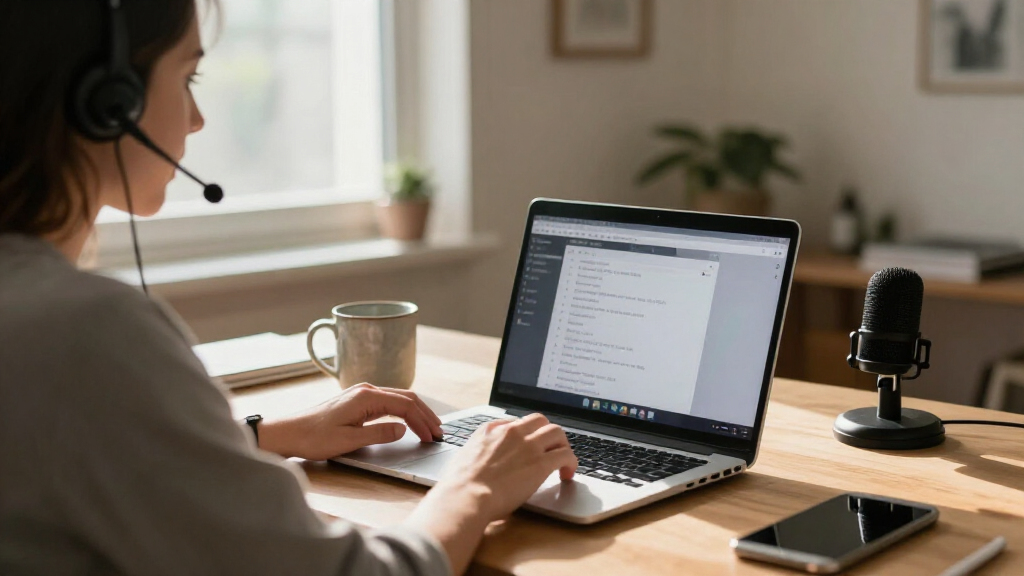
I ranked these products by how directly they address a recognizable transcription job, not by treating every device with an AI label as interchangeable. The main criteria were capture and transcription workflow, the usefulness of added functions such as summaries or translation, and how clearly the product fits a specific user: meeting attendees, dictation users, or people transcribing recorded audio. I also weighed practical ownership factors, including PC or Mac compatibility, the need for a separate recorder or foot pedal, and whether a subscription term could shape long-term use.
The order favors options with a clear role and a coherent end-to-end workflow, then places narrower tools where their strengths matter most. That is why a meeting-oriented dock can rank ahead for desk-based note-taking, while Express Scribe products make more sense for playback-heavy work and PenPower for direct dictation. The recorder models are differentiated by their advertised functions and form factors rather than assumed transcript accuracy; buyers should confirm language support, export options, and service terms before choosing.
Factors to Consider When Choosing AI Transcription Software
Before choosing software, decide what actually needs to happen between speech and a usable document. A recorder, a dictation assistant, and a playback tool can all produce text, but they solve different parts of the job. These checks can help prevent a mismatch between the tool’s workflow and your daily work.
Choose the speech workflow before the feature list
Start by identifying whether you need to record live speech, dictate into a document, or transcribe audio that already exists. These are separate tasks, even when product names use the same AI transcription language. A portable recorder can help capture an interview away from a computer, while desktop dictation software is built around speaking directly into a writing workflow. Playback software is more relevant when you need to move through existing recordings with control over speed and navigation. A common mistake is buying a recorder when the real bottleneck is reviewing hours of audio. Write down the source of your audio and the final format you need before comparing features.
Check how transcripts leave the tool
A transcript is only useful if it can reach the document, archive, or team process where it belongs. Look for the supported export formats and sharing path, then check whether summaries and translated text can be saved separately from the original transcript. If your work depends on timestamps, speaker labels, or searchable archives, verify those functions rather than assuming they are included. Buyers often focus on how text is generated and overlook what happens after generation. That can create extra copying, cleanup, or manual filing. Map one typical recording from capture to final delivery and confirm each step is supported.
Treat translation as a separate requirement
Transcription converts speech into text; translation renders meaning in another language, and the two capabilities may not share the same limits. If you work across languages, confirm which languages are supported, whether translation is live or post-recording, and whether the source-language transcript remains available. Do not assume a product advertising real-time translation will handle every language pair or workplace vocabulary equally well. A translated transcript may also need human review for names, technical terms, or sensitive decisions. For single-language meetings, paying attention to translation claims can distract from more relevant needs such as exports and playback controls. Match the language feature to a real use case before making it a deciding factor.
Compare the total workflow, not just the app
Some choices depend on extra hardware, while others include a recorder, a dock, or a foot pedal as part of the setup. That hardware can save time when it fits your work area, but it also adds compatibility checks and another item to maintain. Before choosing a bundle, confirm your computer’s operating system, available ports, and whether the included device works with your preferred recording or playback setup. If you already own a suitable recorder or pedal, software-only may be the cleaner choice. Buyers can otherwise pay for duplicate equipment or discover that an accessory does not suit their computer. Compare the complete workflow you will use, not a feature count.
Check ongoing access and data handling
A subscription-based product and a standalone software purchase can create different long-term commitments. Check the subscription duration, renewal terms, and included services before treating the initial setup as the whole cost of ownership. For sensitive recordings, review where audio is processed and stored, who can access transcripts, and how deletion works. Workplace policies may require local storage or approved services, regardless of how convenient a cloud feature seems. Avoid uploading confidential material until the provider’s handling practices fit your organization’s rules. These checks matter just as much for a one-person workflow as they do for a team.
Plan for correction and review
AI-generated text should be treated as a draft when accuracy matters, especially for names, numbers, specialist vocabulary, and overlapping speech. Estimate the time needed for human proofreading alongside recording and transcription time; a quick initial transcript can still require careful editing. Try a representative sample containing the accents, room conditions, and terminology you encounter most often. Compare the corrected output, not just the first draft, when deciding whether a workflow saves time. A tool with summaries may help you find key points, but summaries are not a substitute for a checked transcript. Set a review standard that matches the consequence of an error.
Frequently Asked Questions
Should I buy a recorder or transcription software for audio I already have?
Choose a recorder when capturing new conversations is part of the problem, such as recording interviews away from a desk. If your recordings already exist, a playback-focused tool such as Express Scribe or Philips SpeechExec may better match the work. Direct dictation tools address a different need: turning your speech into written text as you compose. Before buying, list your audio sources and test whether the product accepts the file types you actually use. The right category depends more on where your audio comes from than on the word “AI” in a product description.
Do I need a foot pedal for transcription?
A foot pedal is most helpful when you regularly pause, replay, or move through long recordings while keeping both hands free to type. For occasional short clips, keyboard controls may be enough and avoid extra hardware. If you choose an Express Scribe option, distinguish software-only versions from the bundle that includes an Infinity USB foot pedal. Check operating-system support and connection requirements before buying a pedal separately. The value comes from how often playback control interrupts your typing, not from the accessory itself.
Are meeting summaries enough, or do I need a full transcript?
Summaries work well for recalling decisions and action items, but they can omit wording, context, and details needed for a formal record. A transcript is a better fit when you need to quote accurately, search a conversation, or review what a speaker said. Some workflows benefit from both: use a summary for quick review and retain the transcript for verification. Decide whether the document is for personal memory, team follow-up, or an auditable record before choosing a summary-first tool. For high-consequence material, plan to check the source audio regardless of the output format.
What should I verify before relying on real-time translation?
Confirm the exact language pairs and whether the feature translates while people speak or only after a recording is processed. Check whether it also preserves a transcript in the original language, since that can help resolve ambiguous phrases. Test the feature with the accents, names, and specialist vocabulary likely to appear in your conversations. Translation output may need human review, particularly for contracts, medical discussions, or technical decisions. If you only need a transcript in one language, prioritize transcription workflow and export support instead.
How can I tell whether a subscription or included service will keep working for my workflow?
Read the product’s current terms for subscription length, renewal, and which features depend on an online service. The Philips SpeechExec listing specifies a two-year subscription, so buyers should check what access and updates that term covers. For recorder products, confirm whether transcription, summaries, or translation require a separate account or ongoing service. Also review data retention and deletion practices if recordings contain private or workplace information. If the service ends or your access changes, know whether you can still reach existing recordings and exported transcripts.
Conclusion
For a desk-based buyer who wants meeting notes alongside workstation connectivity, I’d choose HiDock H1E as the best overall fit in this lineup. Best value depends on what you already own: a software-only Express Scribe option avoids adding hardware when you have a compatible setup, while the pedal bundle makes more sense if playback control is part of the daily routine. PenPower AI VoiceWriter is my pick for beginners who mainly dictate and want a writing-focused workflow rather than a separate recording system. For a premium, purpose-built playback setup, consider Express Scribe Pro with the Infinity pedal; buyers who prioritize a two-year software subscription should examine Philips SpeechExec. Choose one of the portable recorder options when capturing speech away from your desk is the main need, and compare its translation, summary, and export details against your actual workflow before deciding.