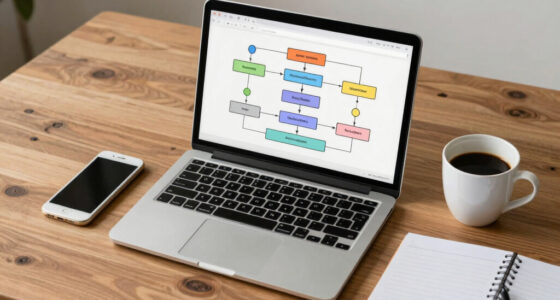

AI meeting note takers range from wearable recorders to pocket devices that capture speech and turn it into transcripts or summaries. My best overall pick is the Plaud Note Pro AI Voice Recorder, which stands out as a dedicated meeting recorder; the Plaud NotePin S suits people who want hands-free capture, while the Comu Action Pro appeals to buyers prioritizing long battery life and automatic documents. The main tradeoff is between discreet, convenient recording and the controls, workflow, and features of a larger device. Transcription language support, follow-up tools, and the need to manage recordings also vary across this lineup. Read on for the full breakdown and advice on matching a recorder to how you actually meet.

Get business pricing on tech for your team
- Business-only prices and quantity discounts
- Tax-exempt purchasing
- Multiple users, one account, clear invoices
Key Takeaways
- The lineup splits into pocket and wearable designs. Plaud Note and Note Pro models suit buyers who want a dedicated recorder, while NotePin options and the Gem wearable favor hands-free capture.
- Similar-looking products do not necessarily serve the same workflow. The standard Plaud Note, Note Pro, and Note Pro Flow Edition should be compared on their specific controls and AI workflow rather than treated as interchangeable.
- Battery claims can matter more than extra summary formats. The Comu Action Pro’s stated 70-hour battery makes it a candidate for extended recording schedules, though buyers should still check their real recording pattern and charging needs.
- Language support is a distinct selection factor. The AI Meeting Note Taker listing specifies 112 languages, which may appeal to multilingual users, but language count alone does not establish transcription accuracy for a particular accent or meeting.
- Several listings repeat the same product family or basic concept. Plaud NotePin S appears twice, and multiple pocket recorders differ by color or listing; compare model features and software terms, not just names or finish.
| Plaud NotePin S Wearable AI Voice Recorder |  | Best Wearable for Flexible Placement | Storage: 64 GB | Recording time: Up to 20 hours | Weight: 17.28 g | VIEW LATEST PRICE | See Our Full Breakdown |
| Pocket AI Voice Recorder with Automatic Transcription, Space Grey |  | Best for Phone-First Meeting Capture | Model: PKT 01 | Storage: 64 GB | Battery life: Up to 4 days | VIEW LATEST PRICE | See Our Full Breakdown |
| Plaud NotePin S Wearable AI Voice Recorder |  | Best for Long-Room-Range Wearable Capture | Storage: 64 GB | Battery life: Up to 20 hours | Recording distance: Up to 3 m (9.8 ft) | VIEW LATEST PRICE | See Our Full Breakdown |
| EurekaMind AI Voice Recorder and Note Taker |  | Best for Broad Language Support | Compatible devices: Mac, personal computer, and smartphone | Recording modes: Ambient recording and call recording | Transcription languages: 138 | VIEW LATEST PRICE | See Our Full Breakdown |
| Comu Action Pro AI Voice Recorder with Automatic AI Documents and 70-Hour Battery |  | Best for Long Recording Sessions | Microphones: Four omnidirectional, one directional, and one bone-conduction microphone | Battery life: Up to 70 hours | Recording time: Up to 70 hours | VIEW LATEST PRICE | See Our Full Breakdown |
| Comulytic Note Pro AI Voice Recorder |  | Best for Long Recording Sessions | Battery life: Up to 45 hours of continuous recording | Standby time: Up to 107 days | Storage: 16 GB | VIEW LATEST PRICE | See Our Full Breakdown |
| Plaud NotePin Wearable AI Voice Recorder, Sunset Purple, Non-S Version |  | Best Wearable Pick | Storage: 64 GB | Continuous recording: Up to 20 hours | Standby time: Up to 40 days | VIEW LATEST PRICE | See Our Full Breakdown |
| Plaud Note AI Voice Recorder, Black |  | Best for Phone Calls and In-Person Meetings | Storage: 64 GB | Recording time: Up to 30 hours | Standby time: Up to 60 days | VIEW LATEST PRICE | See Our Full Breakdown |
| AI Meeting Note Taker and Voice Recorder, 112 Languages, Silver |  | Best for Voice-Activated Capture | Dimensions: 51 × 21 × 11 mm | Weight: 1.76 oz | Material: Metal | VIEW LATEST PRICE | See Our Full Breakdown |
| Plaud Note Pro AI Voice Recorder, Black |  | Best for Room-Wide Capture | Microphones: Four built-in microphones | Microphone range: Up to 5 m (16.4 ft) | Storage: 64 GB | VIEW LATEST PRICE | See Our Full Breakdown |
| Pocket AI Voice Recorder, Auto Transcription, AI Note Taker, Sierra Blue |  | Best for Fast, One-Tap Capture | Storage: 64 GB | Battery life: Up to 4 days | Microphone: Built-in | VIEW LATEST PRICE | See Our Full Breakdown |
| Plaud Note Pro Flow Edition AI Voice Recorder |  | Best for Mixed In-Person and Online Meetings | Microphones: 4 built-in, 68 dB high-SNR | Recording distance: Up to 16.4 ft (5 m) | Recording time: Up to 50 hours | VIEW LATEST PRICE | See Our Full Breakdown |
| Gem Wearable AI Voice Recorder for Apple Watch Bands |  | Best Wearable Pick for Apple Watch Owners | Apple Watch compatibility: 38–49 mm; Series 1–11, SE, and Ultra | Recording time: Up to 20 hours | On-device storage: Up to 300 hours | VIEW LATEST PRICE | See Our Full Breakdown |
| Plaud Note Pro AI Voice Recorder, Silver |  | Best for Structured Meeting Documents | Microphones: 4 built-in | Microphone range: Up to 5 m (16.4 ft) | Storage: 64 GB | VIEW LATEST PRICE | See Our Full Breakdown |
| Pocket AI Voice Recorder with Auto Transcription, Baby Pink |  | Best for Cross-Recording Follow-Up Questions | Storage: 64 GB | Battery life: Up to 4 days | Microphone: Built-in with speech recognition | VIEW LATEST PRICE | See Our Full Breakdown |
| AI meeting note taker | Connectivity | Storage | Weight |
|---|---|---|---|
| Plaud NotePin S Wearable AI Vo | Bluetooth 5 | 64 GB | 17.28 g |
| Pocket AI Voice Recorder with | Bluetooth | 64 GB | — |
| Plaud NotePin S Wearable AI Vo | Bluetooth 5 | 64 GB | 17.28 g |
| EurekaMind AI Voice Recorder a | Bluetooth | — | 29 g |
| Comu Action Pro AI Voice Recor | Bluetooth 5 and Wi-Fi | — | 52 g |
| Comulytic Note Pro AI Voice Re | Wi-Fi, Bluetooth | 16 GB | 27.6 g |
| Plaud NotePin Wearable AI Voic | Bluetooth 5 | 64 GB | 16.6 g |
| Plaud Note AI Voice Recorder | — | 64 GB | 30 g |
| AI Meeting Note Taker and Voic | — | — | 1.76 oz |
| Plaud Note Pro AI Voice Record | Bluetooth 5 | 64 GB | 30 g (1.06 oz) |
| Pocket AI Voice Recorder | Bluetooth | 64 GB | — |
| Plaud Note Pro Flow Edition AI | Bluetooth 5 | 512 MB | Conflicting listings: 30 g and 85 g |
| Gem Wearable AI Voice Recorder | Bluetooth 5 | — | — |
| Plaud Note Pro AI Voice Record | — | 64 GB | 30 g (1.06 oz) |
| Pocket AI Voice Recorder with | Bluetooth | 64 GB | — |
More Details on Our Top Picks
Plaud NotePin S Wearable AI Voice Recorder
The Plaud NotePin S is the clearest choice here for people who want a recorder they can wear rather than leave beside a laptop. Its four attachment options—pin, clip, lanyard, and wristband—make it easier to position for in-person conversations, while up to 20 hours of recording suits a full day of meetings. It also turns audio into transcripts and summaries, with productivity integrations for moving notes into follow-up workflows. Compared with the Pocket AI Voice Recorder, this Plaud is more adaptable to clothing and room placement, but Pocket offers a longer stated battery life and conversation maps. The main tradeoff is the 300-minute monthly Starter Plan; frequent transcription can call for a plan upgrade. Its lack of a headphone jack also limits direct audio monitoring.
Pros:- Four included wearing options make placement adaptable across meeting settings.
- Records for up to 20 hours on a charge.
- Creates AI transcripts and summaries with productivity-tool integrations.
- Apple Find My support can help locate a misplaced device.
Cons:- The Starter Plan includes 300 transcription minutes per month; more requires a plan upgrade.
- No headphone jack for direct audio monitoring.
Best for: People who attend in-person meetings and want a lightweight recorder that can be clipped, pinned, or worn on a lanyard.
Not ideal for: Heavy transcription users who want generous included monthly minutes, or buyers who need a headphone jack for direct listening.
- Storage:64 GB
- Recording time:Up to 20 hours
- Weight:17.28 g
- Dimensions:0.83 × 2.01 × 0.43 in
- Microphone:Built-in; mono and stereo
- Recording range:Up to 3 m (9.8 ft)
- Connectivity:Bluetooth 5
- Included accessories:Magnetic pin, clip, lanyard, wristband, charging dock, and USB-C cable
- Transcription plan:Starter Plan includes 300 minutes per month
Our verdict“Choose the NotePin S if wearable placement matters more than a high included transcription allowance or extended battery life.”
Pocket AI Voice Recorder with Automatic Transcription, Space Grey
The Pocket AI Voice Recorder suits buyers who want meeting capture built around their phone: it attaches magnetically to MagSafe-compatible devices and starts recording with one tap. Its AI output goes beyond a basic recap, adding action items, conversation maps, and questions about recordings—useful when a meeting needs follow-up rather than just an archive. Compared with the Plaud NotePin S, Pocket is less flexible as a wearable, but its stated battery life of up to four days is much longer than Plaud’s 20-hour recording figure. Core features are included, while optional premium tools require a subscription, so buyers should check which capabilities they need before relying on them. The phone-centered design and smartphone compatibility also make it a weaker fit for people who want a standalone recorder workflow across computers.
Pros:- One-tap capture covers meetings, calls, and conversations.
- AI generates summaries, action items, conversation maps, and answers to questions about recordings.
- MagSafe-compatible attachment supports hands-free phone-based recording.
- Battery life is stated as up to four days.
Cons:- Additional premium tools require an optional subscription.
- Uses an included nonstandard battery.
Best for: Smartphone-first professionals who record calls or meetings and want AI-generated action items and searchable conversation context.
Not ideal for: People who need a wearable recorder, a computer-focused setup, or a device with a standard replaceable battery.
- Model:PKT 01
- Storage:64 GB
- Battery life:Up to 4 days
- Compatible devices:Smartphones
- Operating-system compatibility:iOS and Android
- Connectivity:Bluetooth
- MagSafe compatible:Yes
- Audio format:RealAudio
- Battery:One included nonstandard battery
Our verdict“Pick Pocket if phone attachment and richer meeting follow-up tools matter more than wearable versatility or computer compatibility.”
Plaud NotePin S Wearable AI Voice Recorder
This Plaud NotePin S is a strong match for buyers who want a wearable recorder with a stated 3 m capture distance and room to store recordings locally. Its 64 GB storage and up to 20 hours of battery life make it practical for recurring meetings, while the included pin, clip, lanyard, and wristband let users choose how to position it. Plaud software turns recordings into transcripts, summaries, and other documents. Compared with the Comu Action Pro, it is lighter and offers more wearable attachment choices, though Comu lists a much longer battery life and a six-microphone array. This version’s product data does not state a monthly transcription allowance, so buyers should verify current plan terms; the other NotePin S listing specifies 300 Starter Plan minutes. There is also no headphone jack.
Pros:- Four wearing accessories support different placements and meeting styles.
- Captures audio from up to 3 m (9.8 ft) away.
- Offers 64 GB of storage and up to 20 hours of recording.
- Plaud software creates transcripts, summaries, and other documents.
Cons:- The listed product data does not specify the transcription plan allowance, so plan limits should be checked.
- No headphone jack for direct monitoring.
Best for: People who want a light wearable for recurring in-person meetings and value flexible placement with local recording storage.
Not ideal for: Users prioritizing very long battery life, a multi-microphone setup, or a clearly specified high-volume transcription plan.
- Storage:64 GB
- Battery life:Up to 20 hours
- Recording distance:Up to 3 m (9.8 ft)
- Weight:17.28 g
- Dimensions:0.83 × 2.01 × 0.43 in
- Microphone:Built-in; mono and stereo
- Connectivity:Bluetooth 5
- Audio format:MP3
- Included accessories:Magnetic pin, clip, lanyard, wristband, charging dock, and USB-C cable
Our verdict“Choose this NotePin S for flexible, lightweight wearable capture, but verify transcription-plan terms before making it a high-volume workflow tool.”
EurekaMind AI Voice Recorder and Note Taker
The EurekaMind AI Voice Recorder stands out for buyers whose meetings span languages or recording situations: it lists 138 transcription languages and offers both ambient and call recording modes. Its AI workflow includes transcripts, summaries, speaker labels, and action items, making it more structured than a recorder that only produces a recap. The slim, 29 g form can attach magnetically to a phone or fit in a card holder. Compared with the Pocket AI Voice Recorder, EurekaMind supports Mac and personal computers as well as smartphones, while Pocket emphasizes MagSafe phone attachment and conversation maps. EurekaMind’s free plan includes unlimited transcription and summaries, but advanced tools such as reminders, calendar sync, and Ask Agent require an upgrade. Buyers should also weigh its nonstandard battery and lack of a headphone jack.
Pros:- Lists support for transcription in 138 languages.
- Ambient and call recording modes cover different meeting formats.
- AI output includes transcripts, summaries, speaker labels, and action items.
- Free plan includes unlimited transcription and summaries, with stated encrypted processing and storage.
Cons:- Reminders, calendar sync, and Ask Agent require an upgrade.
- Uses an included nonstandard battery and has no headphone jack.
Best for: Multilingual teams and phone-call recorders who need speaker labels and structured meeting notes across phones and computers.
Not ideal for: Buyers who need advanced planning tools included without an upgrade, or who prefer standard batteries and headphone monitoring.
- Compatible devices:Mac, personal computer, and smartphone
- Recording modes:Ambient recording and call recording
- Transcription languages:138
- Weight:29 g
- Dimensions:3.39 × 0.12 × 2.13 in
- Connectivity:Bluetooth
- Microphone:Built-in; speech-recognition operation
- Headphones jack:No
- Battery:One included nonstandard battery
Our verdict“Choose EurekaMind if language range and structured notes matter most, while treating its advanced tools as optional paid extras.”
Comu Action Pro AI Voice Recorder with Automatic AI Documents and 70-Hour Battery
The Comu Action Pro is the endurance pick in this group: its listed up to 70-hour battery life can suit travel, long events, or users who do not want to charge between frequent recordings. Audio passes through six microphones—four omnidirectional, one directional, and one bone-conduction—before the app creates searchable transcripts, summaries, and editable follow-up materials. It also supports transcription and translation in 113 languages. Compared with the Plaud NotePin S, Comu offers far longer stated recording time and a more elaborate microphone array, but it weighs 52 g rather than 17.28 g and has only 16 GB of storage. Its magnetic mount and USB-C charging are convenient, though accessing AI-generated content depends on the Comu app or website. That reliance may not suit buyers seeking a more independent device workflow.
Pros:- Up to 70 hours of recording on a charge suits extended use between charging sessions.
- Six-microphone array combines omnidirectional, directional, and bone-conduction microphones.
- Supports transcription and translation in 113 languages.
- MagSafe-compatible magnetic mounting and USB-C charging simplify setup.
Cons:- Transcripts and AI-generated content require the Comu app or website.
- At 52 g, it is heavier than the 17.28 g Plaud NotePin S.
- Its 16 GB storage is smaller than the 64 GB listed for both NotePin S models.
Best for: Frequent meeting recorders, travelers, and multilingual users who value extended battery life and editable AI follow-up documents.
Not ideal for: Buyers who want a lightweight wearable, larger local storage, or access to transcripts without relying on a companion app or website.
- Microphones:Four omnidirectional, one directional, and one bone-conduction microphone
- Battery life:Up to 70 hours
- Recording time:Up to 70 hours
- Storage capacity:16 GB
- Screen size:0.95 in
- Weight:52 g
- Connectivity:Bluetooth 5 and Wi-Fi
- Charging interface:USB-C
- Mounting:MagSafe-compatible magnetic ring
Our verdict“Pick the Comu Action Pro for long recording runs and broad language support, provided its app-based workflow and smaller storage fit your routine.”
Comulytic Note Pro AI Voice Recorder
The Comulytic Note Pro is a practical choice when long, unattended recording matters more than the longest listed storage capacity. Its triple-microphone array, noise reduction, and recording range of up to 5 meters are suited to capturing discussion across a small meeting room, while up to 45 hours of continuous recording means fewer charging interruptions than the Plaud NotePin. Local 16 GB storage and Wi-Fi transfers give it a useful offline workflow, and the companion app adds transcripts, summaries, action items, and translation. The tradeoff is that its storage is smaller than the 64 GB Plaud Note and Plaud Note Pro, and cloud syncing depends on the app plan. Its ultra-thin magnetic design is convenient, but there is no headphone jack for direct wired listening.
Pros:- Up to 45 hours of continuous recording supports long sessions between charges.
- Triple-microphone array with noise reduction and a stated recording range up to 5 meters.
- 16 GB of local storage plus Wi-Fi transfers supports recording away from a phone.
- Companion app can produce transcripts, summaries, action items, and translations.
Cons:- 16 GB is less local storage than the 64 GB Plaud Note and Plaud Note Pro.
- Cloud sync and storage depend on the companion app plan.
- No headphone jack for wired playback.
Best for: People who record long in-person meetings or interviews and want a thin recorder with local storage and app-generated action items.
Not ideal for: Users who need a large local archive or predictable cloud access without an app plan, since storage is 16 GB and cloud features depend on the plan.
- Battery life:Up to 45 hours of continuous recording
- Standby time:Up to 107 days
- Storage:16 GB
- Microphones:Triple-mic array
- Recording range:Up to 5 meters
- Audio formats:MP3, WAV
- Connectivity:Wi-Fi, Bluetooth
- Weight:27.6 g
Our verdict“Choose the Comulytic Note Pro for long recording sessions and magnetic portability, but pick a 64 GB alternative if you need more local archive space.”
Plaud NotePin Wearable AI Voice Recorder, Sunset Purple, Non-S Version
The Plaud NotePin suits people who want their recorder on their person, not on the table. Its thumb-sized wearable format can be worn as a necklace, wristband, clip, or pin, making it less obtrusive than the flat Plaud Note Pro during conversations where setting a recorder down is awkward. The app handles transcription and summaries in more than 100 languages, while 64 GB of storage gives it much more room for recordings than the Comulytic Note Pro. The main compromise is runtime: its 20 hours of continuous recording is below the Comulytic’s 45 hours and the Plaud Note Pro’s up-to-50-hour Endurance mode. This is the non-S version, and specific wear styles may call for separately purchased accessories, so buyers should check what mounting option they need.
Pros:- Wearable design supports necklace, wristband, clip, or pin use.
- 64 GB of local storage provides room for recordings between transfers.
- Transcription and summaries support more than 100 languages.
- Built-in Find My support can help locate the recorder.
Cons:- Up to 20 hours of continuous recording is shorter than the Comulytic Note Pro and Plaud Note Pro runtimes.
- Some wear styles may require separately purchased accessories.
- No headphone jack for direct wired listening.
Best for: Interviewers, mobile professionals, and people who need to capture conversations hands-free while moving between locations.
Not ideal for: Buyers who record long sessions without charging or want a full set of wearable accessories included for a specific wearing style.
- Storage:64 GB
- Continuous recording:Up to 20 hours
- Standby time:Up to 40 days
- Languages:Up to 112
- Connectivity:Bluetooth 5
- Audio format:MP3
- Weight:16.6 g
- Microphone:Built-in
Our verdict“Pick the NotePin when hands-free, wearable capture matters more than the longer recording runtimes of the Comulytic Note Pro or Plaud Note Pro.”
Plaud Note AI Voice Recorder, Black
The Plaud Note earns its place through two-purpose recording: it has modes for phone calls as well as in-person conversations, which makes it more flexible than the wearable Plaud NotePin when calls are a regular part of the workday. Its slim 30 g body holds 64 GB of local storage, and the app and web tools can transcribe in 112 languages and turn recordings into summaries, mind maps, and to-do lists. Typed notes and images add context beyond the audio itself. Compared with the newer Plaud Note Pro, this model lists up to 30 hours of recording rather than as much as 50 hours in Endurance mode, and its included Starter Plan is capped at 300 transcription minutes per month. Buyers should also note the lack of a headphone jack.
Pros:- Dedicated phone-call and in-person recording modes cover two common meeting situations.
- 64 GB of local storage supports offline recording.
- Transcription tools support 112 languages.
- Summaries, mind maps, to-do lists, typed notes, and images help organize meeting context.
Cons:- Included Starter Plan provides 300 transcription minutes per month.
- Up to 30 hours of recording is less than the Plaud Note Pro’s maximum Endurance-mode runtime.
- No headphone jack for wired playback.
Best for: Professionals who need one compact recorder for both phone calls and in-person meetings, with multilingual transcription and structured summaries.
Not ideal for: People who routinely transcribe more than 300 minutes monthly on the included plan or need the longer recording capacity of the Plaud Note Pro.
- Storage:64 GB
- Recording time:Up to 30 hours
- Standby time:Up to 60 days
- Transcription languages:112
- Included transcription plan:Starter Plan with 300 minutes per month
- Microphone modes:Mono and stereo
- Audio format:WAV
- Weight:30 g
Our verdict“Choose the Plaud Note for call-and-room recording in one device, but opt for the Plaud Note Pro if longer recording runtime is your priority.”
AI Meeting Note Taker and Voice Recorder, 112 Languages, Silver
This silver Note Pro stands out for voice-activated recording, a useful way to capture spoken discussion without manually starting every session. Its compact metal body and transcription and translation support for 112 languages make it appealing to buyers who want a straightforward recorder for meetings and calls. Compared with the Plaud Note, though, the supplied data does not specify local storage capacity, battery runtime, or a companion-plan allowance, leaving less clarity about how it fits into a sustained AI note-taking workflow. It also lacks an external microphone input and external memory support, so there is little room to expand its recording setup or capacity. No built-in speaker means playback needs another route, and the product information does not detail the summary or export workflow beyond file preview and export.
Pros:- Voice-activated recording can reduce the need to start each capture manually.
- Supports transcription and translation in 112 languages.
- Compact metal construction weighs 1.76 oz.
- File preview and export provide options for reviewing and moving recordings.
Cons:- No external microphone support limits recording setup flexibility.
- No external memory support; the supplied product data does not state built-in capacity.
- No built-in speaker, and the listed details do not specify battery runtime or transcription-plan limits.
Best for: Buyers seeking a compact metal recorder with voice-activated capture and multilingual transcription or translation for routine meetings.
Not ideal for: Teams that need to connect an external microphone, add storage, or compare AI transcription allowances and battery runtime before choosing.
- Dimensions:51 × 21 × 11 mm
- Weight:1.76 oz
- Material:Metal
- Color:Silver
- Recording format:MP3
- Playback format:MP3
- Languages:112
- Voice-activated recording:Yes
Our verdict“Choose this model for voice-activated multilingual capture, but favor the Plaud Note if clearly stated storage, recording time, and AI tools matter more.”
Plaud Note Pro AI Voice Recorder, Black
The Plaud Note Pro is the strongest fit here when capturing a group conversation from a table is more important than wearable convenience. Four microphones and a stated range of up to 5 meters help it cover speakers beyond the person nearest the recorder, while the small display shows recording status and battery level at a glance. Its 64 GB of storage and up to 50 hours in Endurance mode outlast the Plaud NotePin’s 20-hour continuous-recording figure, although the standard Plaud Note also offers 64 GB and up to 30 hours. The device can turn conversations into summaries and work documents, but the included Starter Plan allows 300 transcription minutes per month, and online meeting recording requires Plaud Desktop. That software dependency may matter to people who need a hardware-only workflow.
Pros:- Four microphones are rated for capture from up to 5 meters.
- 64 GB of storage and up to 50 hours of recording in Endurance mode.
- 0.95-inch display shows recording status and battery level.
- AI tools can create summaries and structured work documents.
Cons:- Starter transcription plan is limited to 300 minutes per month.
- Online meeting recording requires Plaud Desktop.
- No headphone jack for direct wired listening.
Best for: Teams and professionals recording in-person group meetings who want room-range microphones, visible recording status, and structured outputs.
Not ideal for: People seeking a wearable recorder or a self-contained online meeting workflow without Plaud Desktop or a monthly transcription limit.
- Microphones:Four built-in microphones
- Microphone range:Up to 5 m (16.4 ft)
- Storage:64 GB
- Display:0.95 inches
- Recording time:Up to 30 hours in Enhance mode or 50 hours in Endurance mode
- Microphone modes:Mono, stereo
- Connectivity:Bluetooth 5
- Weight:30 g (1.06 oz)
Our verdict“Choose the Plaud Note Pro for room-wide in-person capture and long recording sessions, but skip it if you need wearable use or unrestricted online-meeting recording.”
Pocket AI Voice Recorder, Auto Transcription, AI Note Taker, Sierra Blue
One-tap recording is the main reason I’d choose this pocket recorder: it is designed to capture a meeting or passing idea without the setup of a larger recording workflow. Its AI can turn audio into summaries, action items, and searchable conversation maps, giving it a broader review layer than a basic voice recorder. The magnetic attachment also suits iPhone users who want the device close at hand. Compared with the Plaud Note Pro AI Voice Recorder, Silver, this pick emphasizes quick capture and phone-friendly convenience rather than a detailed microphone and recording-mode specification. The tradeoff is that advanced transcription and organization features require an optional subscription, so buyers should check which tools are included before relying on them for a regular workflow. Its listed dimensions also make it less pocket-small than the name suggests.
Pros:- One-tap recording makes spontaneous capture straightforward.
- AI summaries, action items, and conversation maps help turn recordings into follow-up material.
- MagSafe compatibility supports hands-free attachment to compatible devices.
- Listed 64 GB storage and up to four days of battery life support extended use between charging.
Cons:- Advanced transcription and organization features require an optional subscription.
- The listed 1.77 × 3.2 × 7.4-inch dimensions appear large for a product described as pocket-sized.
- The supplied specifications do not state microphone pickup range or recording formats beyond the listed RealAudio format.
Best for: People who want a simple, phone-compatible recorder for quick meetings, calls, and ideas, with AI summaries and action items.
Not ideal for: Buyers who need clearly documented microphone performance or want advanced transcription and organization without a subscription.
- Storage:64 GB
- Battery life:Up to 4 days
- Microphone:Built-in
- Connectivity:Bluetooth
- Compatible devices:Smartphone
- Audio format:RealAudio
- Dimensions:1.77 × 3.2 × 7.4 in
- MagSafe compatibility:Yes
Our verdict“Choose this Sierra Blue model for uncomplicated, phone-friendly capture and AI follow-up, but check the subscription terms and size before buying.”
Plaud Note Pro Flow Edition AI Voice Recorder
The Flow Edition’s four microphones and stated pickup range of up to 16.4 feet make it suited to shared-room conversations where the recorder may not sit beside every speaker. It also supports phone-call recording, while Plaud Desktop adds a route for online meetings; that gives it broader meeting coverage than the Gem Wearable AI Voice Recorder, which is built around wearing the recorder with a compatible Apple Watch. Recordings transfer to the Plaud app for transcription, summaries, and structured documents, and the small display helps show recording status. The tradeoffs are meaningful: the included Starter Plan allows 300 transcription minutes per month, and the product data conflicts on weight, listing both 30 g and 85 g. Its storage is listed at just 512 MB, far less than the Silver Plaud Note Pro’s 64 GB, so buyers handling a large archive should compare that figure carefully.
Pros:- Four built-in microphones have a stated pickup range of up to 16.4 feet.
- Supports in-person conversations and phone-call recording, with Plaud Desktop available for online meetings.
- Transfers recordings to the Plaud app for transcripts, summaries, and structured documents.
- Slim design includes a display for recording status and battery level.
Cons:- The Starter Plan is limited to 300 transcription minutes per month.
- Product information lists conflicting weights of 30 g and 85 g.
- Listed 512 MB storage is much lower than the 64 GB in the Plaud Note Pro AI Voice Recorder, Silver.
Best for: People who switch between conference-room discussions, phone calls, and online meetings and want one recorder workflow for all three.
Not ideal for: Heavy transcription users who need more than 300 included minutes each month, or buyers who need dependable, clearly stated storage and weight figures.
- Microphones:4 built-in, 68 dB high-SNR
- Recording distance:Up to 16.4 ft (5 m)
- Recording time:Up to 50 hours
- Battery life:Average 30 hours
- Storage:512 MB
- Display:0.95 in
- Connectivity:Bluetooth 5
- Included transcription plan:Starter Plan, 300 minutes per month
- Weight:Conflicting listings: 30 g and 85 g
Our verdict“Pick the Flow Edition for flexible meeting sources and room pickup, but verify its weight and storage details and plan around the monthly transcription allowance.”
Gem Wearable AI Voice Recorder for Apple Watch Bands
Wearable, on-wrist capture is Gem’s defining difference: the recorder fits an included strap for compatible Apple Watch models, so it can stay accessible without being held or placed on a table. It records for up to 20 hours per charge and stores up to 300 hours of audio, while its AI supports summaries, decisions, and action items in 153 languages and regional variants. A red LED and tactile feedback indicate recording, a useful signal for a device worn close to the body. Compared with the Plaud Note Pro AI Voice Recorder, Silver, Gem favors hands-free wear and language breadth over a slim standalone recorder with 64 GB of storage. Its biggest limitation is compatibility: the watch is not included, and this is not a sensible choice for people who do not already own a compatible model. Water resistance covers sweat and rain, not swimming or showers.
Pros:- Wearable strap design keeps the recorder accessible without holding it or placing it on a table.
- Records for up to 20 hours per charge and stores up to 300 hours of audio.
- Supports transcription in 153 languages and regional variants, with summaries, decisions, and action items.
- Recording is signaled by a red LED and tactile feedback rather than always-on recording.
Cons:- A compatible Apple Watch is required and is not included.
- IPX5 resistance is for sweat and rain; the device is not suitable for swimming or showers.
- Transcription minutes and some advanced AI features depend on the selected plan.
Best for: Apple Watch owners who want discreet, wearable meeting capture and multilingual transcription for conversations on the move.
Not ideal for: People without a compatible Apple Watch, buyers who need a standalone recorder, or anyone who needs to record around water.
- Apple Watch compatibility:38–49 mm; Series 1–11, SE, and Ultra
- Recording time:Up to 20 hours
- On-device storage:Up to 300 hours
- Memory capacity:4 GB
- Transcription languages:153 languages and regional variants
- Microphone pickup range:Up to 16.4 ft (5 m)
- Water resistance:IPX5; sweat and rain, not swimming or showers
- Connectivity:Bluetooth 5
- Included accessories:Co-wear strap, USB-C charging dock, and quick start guide
Our verdict“Choose Gem if you already own a compatible Apple Watch and want wearable multilingual capture; skip it if you need a standalone recorder.”
Plaud Note Pro AI Voice Recorder, Silver
The Silver Plaud Note Pro stands out when the goal is not just preserving audio but turning a conversation into tailored summaries and structured work documents. Its four microphones have a stated range of up to 5 meters, and its slim 30 g body, 0.95-inch display, and 64 GB storage make it a better-defined portable recorder than the Pocket AI Voice Recorder, Sierra Blue, whose listed dimensions are much larger. Recording time reaches 30 hours in Enhance mode or 50 hours in Endurance mode, letting buyers choose between those modes based on their recording needs. The tradeoff is that its included Starter Plan is limited to 300 transcription minutes per month, and online meeting capture requires Plaud Desktop. It also lacks a headphone jack, so buyers who expect wired monitoring should look elsewhere.
Pros:- Four microphones have a stated pickup range of up to 5 meters.
- Compact 30 g design includes a display for recording status and battery level.
- 64 GB storage and up to 50 hours of recording in Endurance mode support extended capture.
- AI tools can turn conversations into tailored summaries and structured work documents.
Cons:- The included Starter Plan provides 300 transcription minutes per month.
- Online meeting recording requires Plaud Desktop.
- No headphone jack is provided.
Best for: Professionals who record in-person meetings or calls and need transcripts converted into organized summaries and work documents.
Not ideal for: People who need online-meeting recording without desktop software, wired headphone monitoring, or transcription beyond the included monthly allowance.
- Microphones:4 built-in
- Microphone range:Up to 5 m (16.4 ft)
- Storage:64 GB
- Recording time:30 hours in Enhance mode; 50 hours in Endurance mode
- Display:0.95 in
- Weight:30 g (1.06 oz)
- Thickness:2.99 mm (0.12 in)
- Audio format:WAV
- Included transcription plan:Starter Plan, 300 minutes per month
Our verdict“Choose the Silver Plaud Note Pro for a compact recorder that turns meetings into work-ready documents, provided its software and transcription limits fit your routine.”
Pocket AI Voice Recorder with Auto Transcription, Baby Pink
This Baby Pink Pocket AI recorder offers more than a transcript-and-summary routine: its stated ability to ask questions across recordings can help people revisit recurring topics without manually locating each passage. One-tap capture, action items, and conversation maps give it a useful meeting-to-follow-up flow, while MagSafe attachment and up to four days of battery life favor phone-centered use. Compared with the Gem Wearable AI Voice Recorder, this is a pocketable smartphone companion rather than an Apple Watch accessory, so it does not depend on owning a compatible watch. It is less fully specified than the Plaud Note Pro AI Voice Recorder, Silver: the supplied data does not give microphone range or a detailed recording-mode breakdown. Core features are included, but premium tools require an optional subscription, so buyers should confirm whether their intended AI functions fall inside the included set.
Pros:- One-tap recording supports quick capture of meetings, calls, and conversations.
- Transcription, summaries, action items, and conversation maps support post-meeting follow-up.
- Questions across recordings can help retrieve information from earlier conversations.
- MagSafe compatibility and up to four days of battery life suit phone-centered use.
Cons:- Additional premium tools require an optional subscription.
- The supplied product data does not specify microphone pickup range or recording modes.
- Smartphone compatibility is listed, so buyers seeking a standalone desktop meeting recorder should compare other options.
Best for: Smartphone users who want quick meeting capture and a way to query information across multiple recordings.
Not ideal for: Buyers who need published microphone pickup measurements, detailed recording specifications, or every advanced AI feature without a subscription.
- Storage:64 GB
- Battery life:Up to 4 days
- Microphone:Built-in with speech recognition
- Connectivity:Bluetooth
- Compatible devices:Smartphones
- MagSafe compatibility:Yes
- Color:Baby Pink
- Batteries:1 included
Our verdict“Choose the Baby Pink Pocket recorder if cross-recording questions and phone-friendly capture matter more than detailed hardware specifications.”

How We Picked
I ranked these products around their usefulness as AI meeting note takers, not as general-purpose voice recorders. The main criteria were recording format and placement, transcription and AI document workflow, stated battery and language capabilities, ease of starting and retrieving a recording, and whether the design fits recurring meetings. I also weighed practical ownership questions such as app dependence, storage and export options, subscription terms, and how much setup a buyer may face.
The Plaud Note Pro leads as the most meeting-focused dedicated recorder in this group, while the NotePin S earns a separate place for wearable, hands-free capture. The Comu Action Pro stands out for its stated battery life and automatic documents, and the more compact or less clearly differentiated pocket models rank lower when their listings provide fewer distinct reasons to choose them. Duplicate product names and color variants are not treated as separate feature breakthroughs; buyers should verify the exact model and included software before choosing.
| AI meeting note taker | Connectivity |
|---|---|
| Plaud NotePin S Wearable AI Vo | Bluetooth 5 |
| Pocket AI Voice Recorder with | Bluetooth |
| Plaud NotePin S Wearable AI Vo | Bluetooth 5 |
| EurekaMind AI Voice Recorder a | Bluetooth |
| Comu Action Pro AI Voice Recor | Bluetooth 5 and Wi-Fi |
| Comulytic Note Pro AI Voice Re | Wi-Fi, Bluetooth |
| Plaud NotePin Wearable AI Voic | Bluetooth 5 |
| Plaud Note AI Voice Recorder | — |
| AI Meeting Note Taker and Voic | — |
| Plaud Note Pro AI Voice Record | Bluetooth 5 |
| Pocket AI Voice Recorder | Bluetooth |
| Plaud Note Pro Flow Edition AI | Bluetooth 5 |
| Gem Wearable AI Voice Recorder | Bluetooth 5 |
| Plaud Note Pro AI Voice Record | — |
| Pocket AI Voice Recorder with | Bluetooth |
Factors to Consider When Choosing AI Meeting Note Takers
Choosing among AI meeting note takers is less about chasing the longest feature list and more about deciding how you record, process, and use notes after a meeting. These broader checks can prevent a convenient recorder from becoming an awkward extra step in your workflow.
Choose a recording style you will use consistently
A wearable can make spontaneous, hands-free capture easier, while a pocket recorder gives you a deliberate device to place near a meeting or carry between rooms. Neither design is automatically more discreet or better suited to every setting, so think about where it will sit and whether you need to start recording without handling a phone. A common mistake is choosing the smallest form factor without checking how it is activated or how clearly it captures voices at a distance. For remote calls, confirm whether the device records call audio directly or relies on room playback. For in-person meetings, placement and microphone pickup may matter more than the recorder’s size. Pick the format that fits your regular meeting routine, not an occasional scenario.
Check the full path from recording to usable notes
A transcript is only one step; the useful outcome may be searchable text, a concise summary, action items, or a document you can share. Before buying, find out which of those outputs are generated automatically and which require editing or extra prompts. Check whether the companion app makes it easy to label meetings, search older recordings, and export notes into your existing tools. A device that creates polished summaries but makes files difficult to retrieve can add friction rather than save time. Buyers often focus on AI features while overlooking the everyday work of organizing and sharing results. Prioritize the output you will actually use after each meeting.
Treat language counts as a starting point, not a guarantee
A large supported-language list can be useful for multilingual teams, but it does not tell you how well a recorder handles your language, accent, specialist vocabulary, or code-switching. Look for details on which languages work for transcription and which are available for summaries or translation, since those capabilities may differ. If meetings regularly switch languages, confirm whether the tool can handle that within one recording rather than requiring a manual setting change. Test a short sample with representative speech when a return window permits. Also check whether transcripts can be corrected and whether those edits carry through to summaries. This matters more than a headline language count when accuracy affects decisions or records.
Calculate the ongoing software and privacy fit
Some recorders rely on companion apps or cloud processing, so the purchase decision includes more than the hardware. Review any usage limits, subscription requirements, export restrictions, and data-retention controls before choosing a model. For work meetings, ask whether your organization permits recording and where audio and transcripts are stored. Do not assume a physical recorder is private simply because it is separate from a phone. Buyers who need dependable access to old notes should check storage and backup behavior, while privacy-focused users may favor clear deletion and processing controls. The right choice is the one your workplace allows and your team can use responsibly.
Match battery capacity to recording habits
Battery life matters most when you record long sessions or several meetings without a chance to recharge; for occasional short calls, portability and quick access may count more. Compare stated battery figures with the conditions behind them, since continuous recording, wireless connections, and screen or app activity can affect runtime. The Comu Action Pro’s stated 70-hour battery is a notable spec in this lineup, but it should be weighed against its size, workflow, and other requirements. Think about charging cadence as well as headline capacity: a device that charges easily between meetings may suit a daily office routine. Avoid paying extra for endurance you will rarely use. Choose a buffer that covers your longest realistic day, not every possible emergency.
Compare model generations and listing details carefully
This roundup includes repeated Plaud NotePin S listings, multiple colors, and several models with similar names. Color usually does not change the recording workflow, while a generation or edition change can affect controls, software, or included accessories. Read the exact model name and check what is in the box before comparing options. Verify whether a “Flow” or “Pro” label refers to a genuinely different workflow rather than a bundle or finish. Also confirm compatibility with your phone and operating system. This simple check helps prevent paying for a name or variant that does not add a feature you need.
Frequently Asked Questions
Can I use an AI meeting note taker for both in-person meetings and online calls?
Many recorders can capture in-person speech, but online calls are less straightforward because a device placed on a desk may only pick up audio from speakers. Check whether the product supports direct call recording, computer audio capture, or a specific conferencing workflow. If it relies on room playback, sound quality can vary with speaker volume, room noise, and microphone placement. Also check your workplace rules and local consent requirements before recording calls. Choose based on the type of meeting you attend most often, then confirm the other use case works acceptably.
Do I need to pay for a subscription to get transcripts and AI summaries?
That depends on the product and its current software terms, so check the plan details for the exact model before purchasing. Distinguish between transcription, summaries, translation, storage, and export, since a free allowance may cover only some functions or limit usage. Ask whether paid access is required immediately or only after an included quota is used. If you record frequently, estimate your typical monthly hours rather than relying on a short trial. A lower-cost device can become a less economical choice if its core workflow depends on a recurring plan you do not want.
Will a recorder capture accurate notes when several people speak or interrupt each other?
Accuracy can fall when people talk over one another, sit far from the microphone, or use specialized terms, regardless of the device’s AI features. Microphone placement, room acoustics, and the number of speakers all affect how usable the transcript will be. Check whether the software separates speakers and lets you correct names or wording afterward. For a meeting where precise decisions matter, plan to review the transcript and summary rather than treating them as a definitive record. A short test in the same room can reveal more than a general accuracy claim.
Should I choose a wearable recorder or a pocket recorder?
Choose a wearable if hands-free capture is the priority and you need to record without setting a device on the table. A pocket recorder is a better fit when you prefer a dedicated unit that can be placed near the speakers or used deliberately for a scheduled session. Consider activation controls, microphone position, comfort, and how clearly other people can tell that recording is underway. Do not assume a wearable is automatically more discreet or captures distant voices better. The right form is the one that suits your meeting environment and recording habits.
What should I check before using an AI recorder for confidential work meetings?
Start by checking company policy and any consent rules that apply to the people in the meeting. Then review whether audio is uploaded for processing, how long recordings and transcripts are retained, who can access them, and whether you can delete or export them. Confirm that the app and account controls meet your organization’s security requirements rather than relying on the device’s physical design. If cloud processing is not permitted, ask whether the product offers an approved alternative before recording sensitive discussions. When the rules are unclear, do not record until you have permission.
Conclusion
For the broadest meeting-focused fit, I recommend the Plaud Note Pro AI Voice Recorder as best overall. The Comu Action Pro is the standout value-oriented choice for buyers who prioritize its stated long battery life and automatic documents, while the Plaud Note Pro Flow Edition is the best premium candidate for people who want a more workflow-led option and have confirmed its exact software features. Beginners who want a wearable approach can start with the Plaud NotePin S, while buyers seeking a hands-free Apple Watch-band format should compare the Gem Wearable AI Voice Recorder. For multilingual needs, investigate the 112-language recorder closely and verify performance in your actual languages; for simple pocket capture, compare the pocket models by app terms, export options, and recording controls. My final advice is to choose the recorder whose capture style and post-meeting workflow match your routine, then verify privacy and software terms before buying.
Black Friday Picks

Sonos Play Portable Wi-Fi and Bluetooth Speaker, Black
As an affiliate, we earn on qualifying purchases.