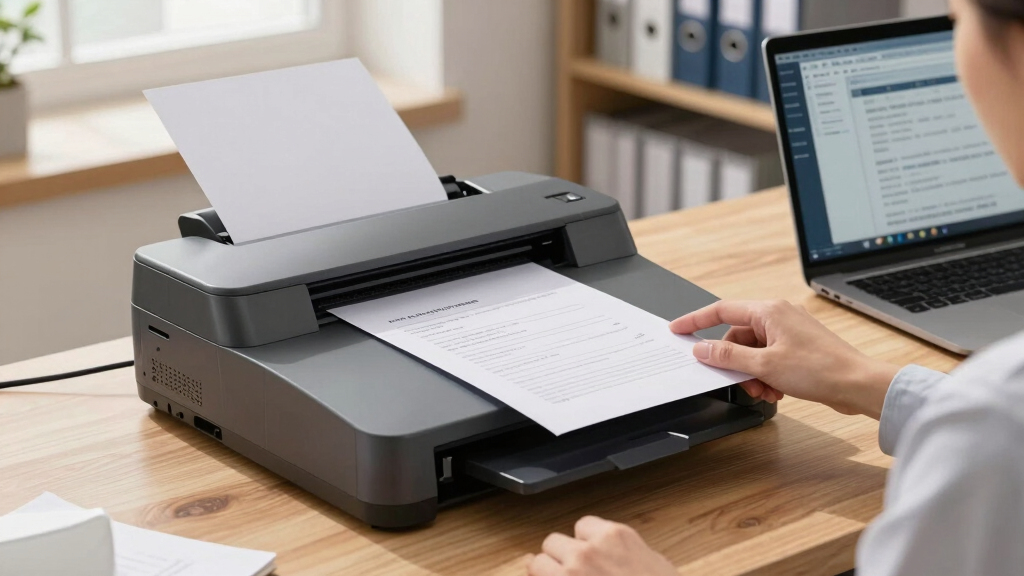

Finding the best document scanners for legal offices involves balancing speed, accuracy, and reliability, all while handling sensitive legal documents securely. The Canon imageFORMULA DR-C225 II stands out as the best overall choice due to its fast processing and durable build, ideal for busy law firms. For portability, the Epson WorkForce ES-50 offers a compact design that’s perfect for mobile legal professionals. Meanwhile, the ScanSnap iX2500 provides a user-friendly experience with a large touchscreen and high capacity. The main tradeoffs involve choosing between high-end features and budget constraints—more advanced models often come with a higher price tag, while lower-cost options may sacrifice some speed or durability. Keep reading for a complete breakdown to help you find the best fit for your legal office.


More Details on Our Top Picks
Canon imageFORMULA DR-C225 II Office Document Scanner, Black – 3258C002
The Canon imageFORMULA DR-C225 II impresses with its upright, space-efficient design, making it ideal for busy legal offices that need to maximize desk real estate. Unlike the ScanSnap iX2500, which offers advanced cloud integration and a large touchscreen, this model focuses on simplicity and reliability, handling a wide variety of document types at 25 pages-per-minute with duplex scanning. The built-in software simplifies conversion to searchable PDFs, but its image quality may fall short for detailed graphics or high-resolution needs—something the Plustek PS186 handles better for specific scanning tasks. The tradeoff is that it sacrifices some high-end features for a compact footprint. This scanner is perfect for legal offices prioritizing ease of use, versatility, and space efficiency without requiring the latest tech bells and whistles.
Pros:- Compact, space-saving upright design
- Handles diverse document types reliably
- Fast duplex scanning at 25 ppm
Cons:- Image quality may be insufficient for detailed graphics
- Limited advanced software features compared to higher-end models
Best for: Small to medium legal practices needing reliable, space-saving document conversion.
Not ideal for: Offices that require high-resolution graphics scanning or advanced cloud features.
- Scanner Type:Sheetfed
- Connection Type:USB
- Resolution:600 dpi
- Sheet Capacity:30 sheets
- Color Depth:24-bit
- Dimensions:6.1 x 11.8 x 8.7 inches
- Weight:6 pounds
- Supported OS:Windows & Mac
Bottom line: This scanner suits legal offices that value simplicity, space efficiency, and reliable document handling over high-end image quality.
Canon imageFORMULA R30 – Office Document Scanner, Auto Document Feeder, Duplex Scanning, Plug-and-Scan Capability, No Software Installation Required
The Canon imageFORMULA R30 stands out for its straightforward plug-and-play setup, making it highly accessible for legal offices that prefer quick deployment without complex software installations. Compared with the Epson ES-50, which is portable but slower and with fewer features, the R30 offers a higher sheet capacity and duplex scanning at 25 pages-per-minute, suitable for batch processing. Its built-in software simplifies scanning workflows and integrates well with common office applications, but its image quality may not match the clarity of more premium scanners like the Epson Workforce ES-400 II. This model’s main tradeoff is its limited resolution, which might be a concern for detailed document images or graphics. It makes the most sense for offices prioritizing ease, speed, and affordability over high-resolution imaging.
Pros:- Simple plug-and-play setup without software installation
- High-capacity 60-sheet automatic feeder
- Reliable duplex scanning at 25 ppm
Cons:- Lower resolution may affect image detail for graphics
- Limited advanced customization options
Best for: Legal offices seeking a reliable, no-fuss scanner with quick setup and integrated software.
Not ideal for: Offices that require detailed image quality or high-resolution scans for graphics-heavy documents.
- Scanner Type:Sheetfed
- Connection Type:USB
- Resolution:600 dpi
- Sheet Capacity:60 sheets
- Duplex Scanning:Yes
- Speed:25 ppm
- Supported OS:Windows & Mac
- Software:Built-in
Bottom line: Ideal for fast, straightforward document scanning needs in legal environments without extensive imaging requirements.
Epson WorkForce ES-50 Portable Sheet-Fed Document Scanner for PC and Mac
The Epson WorkForce ES-50 is tailored for legal professionals who need quick, portable scanning capabilities. Its ultra-lightweight design and single-sheet feeding make it perfect for on-the-move tasks, such as court visits or remote client meetings. With a fast scan time of 5.5 seconds per page and compatibility with both Windows and Mac, it excels at quick, single-page scans but lacks the bulk for batch processing or high-volume workflows, unlike the ScanSnap iX2500. Its 600 dpi resolution is adequate for text-based documents but may fall short for detailed graphics or high-resolution images. The main tradeoff is its limited paper handling capacity, making it less suitable for bulk scanning. This device makes the most sense for legal professionals who need portability and speed for individual documents rather than large batches.
Pros:- Compact and lightweight for portability
- Fast scan speed of 5.5 seconds per page
- USB-powered, no external power needed
Cons:- Limited to single-sheet scans at a time
- Lower capacity unsuitable for high-volume workflows
Best for: Legal practitioners needing portable, fast scanning during fieldwork or mobile environments.
Not ideal for: Offices requiring high-volume batch scanning or detailed high-resolution imaging.
- Scanner Type:Single-sheet portable
- Connection Type:USB
- Resolution:600 dpi
- Scan Speed:5.5 sec per page
- Media Handling:ID cards, receipts
- Weight:9.44 ounces
- Supported OS:Windows & Mac
- Software:Included, OCR
Bottom line: Perfect for legal professionals who require quick, portable document scanning on the go, but not for bulk digitization projects.
Epson Workforce ES-400 II Color Duplex Desktop Document Scanner for PC and Mac with Auto Doc Filler (ADF), Image Adjustment Tools
The Epson Workforce ES-400 II is designed for legal offices with high-volume scanning needs. Its 50-sheet auto document feeder and duplex scan speed of 35 pages per minute make it far more capable for large batches than the ScanSnap iX2400. The inclusion of image adjustment tools like auto crop, background removal, and dirt detection ensures consistent quality across scans, which is essential for maintaining professional document standards. While its resolution at 300 dpi is sufficient for text and basic graphics, it doesn’t match the high-res capabilities of premium models like the Epson Workforce ES-50. Its main tradeoff is larger size and higher price, but it delivers unmatched efficiency for bulk scanning workflows in a busy legal setting. This model is best for offices with substantial daily scanning volume.
Pros:- High-speed scanning at 35 ppm duplex
- 50-sheet automatic document feeder
- Image adjustment tools for consistent quality
Cons:- Larger footprint and higher cost
- Limited resolution for detailed graphics
Best for: Large legal offices needing fast, high-capacity document processing with advanced image tools.
Not ideal for: Small offices or mobile professionals who need lightweight, portable scanners.
- Scanner Type:Desktop, ADF
- Connection Type:USB & Mac-compatible
- Resolution:300 dpi
- Sheet Capacity:50 sheets
- Speed:35 ppm duplex
- Features:Auto crop, background removal
- Supported OS:Windows & Mac
Bottom line: This scanner is a top choice for busy legal offices with high-volume, batch document workflows needing efficiency and image quality tools.
ScanSnap iX2400 High-Speed Simple One-Touch Button Color Document, Photo & Receipt Scanner with 100 Page Auto Document Feeder for Mac or PC, Black
The ScanSnap iX2400 stands out as the top choice for legal offices that prioritize speed and user-friendliness. Its impressive duplex scanning rate of up to 45 pages per minute and a large 100-sheet feeder make batch processing of legal documents, contracts, and receipts straightforward. Compared with the Canon imageFORMULA R40, which offers similar automation but at a slightly slower pace, the iX2400’s dedicated one-touch operation and smart cleanup features cut down on manual adjustments, saving valuable time. Its stable USB connection ensures consistent performance, minimizing interruptions during busy days. However, the reliance on proprietary software like ScanSnap Home can be a drawback if integration with other document management systems is needed. This model makes the most sense for busy legal teams seeking fast, reliable scanning with minimal fuss.
Pros:- Blazing-fast scanning speeds up to 45 ppm
- Large 100-sheet automatic document feeder reduces manual feeding
- One-touch operation simplifies batch scanning with minimal training
- Automatic cleanup features for clear, usable images
Cons:- Proprietary software can limit flexibility with other document management systems
- Wired USB connection, while reliable, lacks wireless flexibility
- Higher price point may be a barrier for very small or budget-conscious offices
Best for: Legal professionals who need quick, bulk scanning with organized digital files and minimal setup time
Not ideal for: Small practices with very limited desk space, since the compact design may still be too bulky for tiny workstations
- Scanner Type:Document, Photo, Receipt
- Connection Type:USB
- Resolution:600 dpi
- Standard Sheet Capacity:100
- Wattage:17 watts
- Dimensions:6.26″D x 11.5″W x 6.34″H
- Weight:7.1 pounds
Bottom line: This scanner makes an excellent choice for busy legal offices that require rapid, high-volume document processing with simple operation.
Plustek PS186 Desktop Document Scanner, with 50-Pages Auto Document Feeder (ADF). for Windows 7/8 / 10/11 (Intel/AMD only)
The Plustek PS186 is tailored for offices that need flexible scanning options along with advanced data categorization. Its support for up to 50 pages in the feeder makes it ideal for smaller batches of legal documents, receipts, or contracts. Unlike the ScanSnap iX2400, which emphasizes speed, the PS186 offers extensive customization of scan settings, including support for 1D and 2D barcodes, enabling automatic sorting and categorization of complex case files. This makes it a good fit for legal teams handling diverse document types that require detailed organization. On the downside, its slower throughput and limited sheet capacity mean it’s less suited to high-volume environments. It’s a strong choice for offices seeking tailored workflows and barcode-enabled automation.
Pros:- Supports up to 50 pages in the feeder
- Supports 1D and 2D barcode recognition for automatic categorization
- Highly customizable scan settings for various document types
- Supports saving as searchable PDFs with OCR
Cons:- Slower scanning speeds compared to high-volume models
- Limited sheet capacity reduces efficiency for large batches
- Requires Windows-only support, limiting Mac compatibility
Best for: Legal offices needing customizable scan settings and barcode-based document management for moderate workloads
Not ideal for: High-volume practices that require rapid batch processing, as its speed and capacity are limited
- Scanner Type:Document
- Connection Type:USB
- Max Pages in Feeder:50
- OCR & Searchable PDFs:Yes
- Barcode Support:1D and 2D
- Wattage:Not specified
Bottom line: This scanner is ideal for legal teams needing detailed document organization and barcode automation over smaller batches.
Canon imageFORMULA R40 Office Document Scanner Receipt Edition, for PC and Mac, Scan & Extract Data to QuickBooks Online, Color Duplex Scanning, Auto Document Feeder, Easy Setup for Office Or Home Use
The Canon imageFORMULA R40 is designed for offices that need to streamline scanning of receipts, invoices, and financial documents. Its ability to automatically extract data directly into QuickBooks Online makes it particularly useful for legal offices handling numerous financial records. With a high scanning speed of up to 40 pages per minute and color duplex scanning, it handles large stacks efficiently. Compared to the Plustek PS186, which emphasizes customization, the R40 prioritizes automation and ease of data extraction, reducing manual entry errors. However, its focus on receipts and financial documents means it may not be as versatile for complex legal case files requiring detailed organization. It’s an excellent choice for offices that want quick, accurate data capture with minimal manual input.
Pros:- Supports high-speed duplex scanning up to 40 ppm
- Automatic data extraction into QuickBooks Online
- Color duplex scanning for detailed images
- Supports a wide variety of document sizes and types
Cons:- Less suited for organizing complex legal case files
- Primarily focused on receipts and financial documents, limiting versatility
- Requires software setup for data extraction, adding initial complexity
Best for: Legal offices that frequently scan and extract data from receipts, invoices, and financial documents
Not ideal for: Offices needing to scan large volumes of diverse document types beyond financial records, as its features are tailored for data extraction
- Scanner Type:Document, Receipt
- Connection Type:USB
- Speed:Up to 40 ppm
- Color Duplex:Yes
- Data Extraction:Yes, to QuickBooks
- Dimensions:Not specified
Bottom line: This scanner is well-suited for legal practices focused on financial document management and data extraction with quick turnaround.

How We Picked
To determine the best document scanners for legal offices, I evaluated each product based on performance, ease of use, build quality, and security features. Speed of scanning, document capacity, and compatibility with legal workflows were key factors, along with how well each device managed sensitive data. I also considered maintenance needs, software integration, and overall value for law firms of different sizes. Products were ranked by how they balance these factors to meet the demands of busy legal environments, ensuring that each pick addresses specific office needs while offering reliable, consistent performance.Factors to Consider When Choosing Best Document Scanners For Legal Offices
Choosing the right document scanner for a legal office involves more than just picking the fastest or cheapest model. It requires understanding how features translate into real-world benefits, especially when handling sensitive documents and maintaining workflow efficiency. Here are key factors to consider before making a purchase:Speed and Capacity
Legal offices often process large volumes of documents, so a scanner with high pages per minute (PPM) and a sizable automatic document feeder (ADF) can drastically improve productivity. However, faster models tend to cost more and may consume more power, so weigh your daily volume against your budget. For most law firms, a scanner that can handle at least 30 pages per minute with a 50-100 page ADF strikes a good balance between speed and cost.
Security and Data Privacy
Legal documents contain sensitive information, making security features like encryption, user authentication, and secure data transfer essential. Look for scanners that support secure network connections and offer software options for encrypted storage. Avoid models lacking these features if your firm handles confidential data regularly, as data breaches can have serious legal and reputational consequences.
Compatibility and Workflow Integration
Ensure the scanner integrates smoothly with your existing case management or document management systems. Compatibility with both Mac and Windows is critical, and features like cloud connectivity or direct export to legal software can save time. Investing in a model that easily connects with your firm’s workflow reduces manual steps and minimizes errors, which is vital when managing legal records.
Ease of Use and Maintenance
A user-friendly interface and straightforward setup are key, especially in busy offices where staff may not be tech experts. Consider models with large touchscreens or simple one-touch scanning. Additionally, check for availability of support and ease of maintenance, as frequent downtime or complex troubleshooting can disrupt your legal operations. Regular cleaning and software updates should be manageable without professional help.
Price and Total Cost of Ownership
While budget-friendly options are tempting, they might lack durability or key features needed for legal work. A higher initial investment in a premium model can pay off through greater reliability, lower maintenance costs, and better security. Always consider the total cost of ownership, including consumables, software licenses, and potential repairs, to choose a scanner that offers long-term value.
Frequently Asked Questions
Can a portable scanner meet the volume demands of a busy law firm?
Portable scanners like the Epson WorkForce ES-50 are designed for mobility and quick scans on the go, making them suitable for small-scale tasks or lawyers who frequently travel. However, they typically have lower page capacities and slower speeds compared to desktop models. For high-volume daily processing, a dedicated desktop scanner with higher speed and capacity will better serve the needs of a busy legal office, though portable options can complement larger setups for on-the-move tasks.
Are wireless scanners secure enough for legal documents?
Wireless scanners can be secure if they support encryption and authentication protocols. Many models offer Wi-Fi security features that protect data during transfer, but the security level depends on your network’s setup as well. For sensitive legal documents, choose a wireless scanner with built-in encryption and ensure your Wi-Fi network is protected by strong passwords and encryption standards like WPA3. Combining hardware security with secure network practices helps maintain confidentiality.
Is duplex scanning necessary for legal offices?
Duplex scanning, which allows double-sided document scanning in a single pass, can significantly improve efficiency in legal offices, especially when handling contracts or multi-page pleadings. It reduces manual flipping and speeds up workflows. While duplex models tend to cost a bit more upfront, the time saved often justifies the investment in busy environments that process large volumes of double-sided documents regularly.
How important is OCR (Optical Character Recognition) in legal document scanning?
OCR is vital for legal offices because it transforms scanned images into searchable, editable text. This capability enables quick searches, case organization, and integration with legal research tools, saving hours of manual effort. Higher-quality OCR features, especially those optimized for legal fonts and formatting, are worth paying extra for, as they improve accuracy and reduce the need for manual corrections.
Should I prioritize scanners with high page capacity or faster speeds?
Both high page capacity and fast speeds improve productivity, but your choice depends on your typical workflow. If your office processes large batches daily, a high-capacity feeder combined with a speed of at least 30 ppm will reduce downtime. For smaller volumes, a less expensive model with adequate speed might suffice. Balancing these features ensures you avoid bottlenecks without overspending on unnecessary high-end specs.
Conclusion
For busy legal offices that prioritize overall reliability and security, the Canon imageFORMULA DR-C225 II makes an excellent choice. Smaller firms or solo practitioners seeking portability and flexibility may find the Epson WorkForce ES-50 or ScanSnap iX2400 perfect. Those with high-volume needs and a bigger budget should consider high-end models like the ScanSnap iX2500 for seamless workflow integration. Budget-conscious firms will appreciate models like the Plustek PS186, which balances affordability with core functionality. Ultimately, understanding your firm’s specific document volume, security needs, and workflow will guide you to the best scanner for your legal practice.