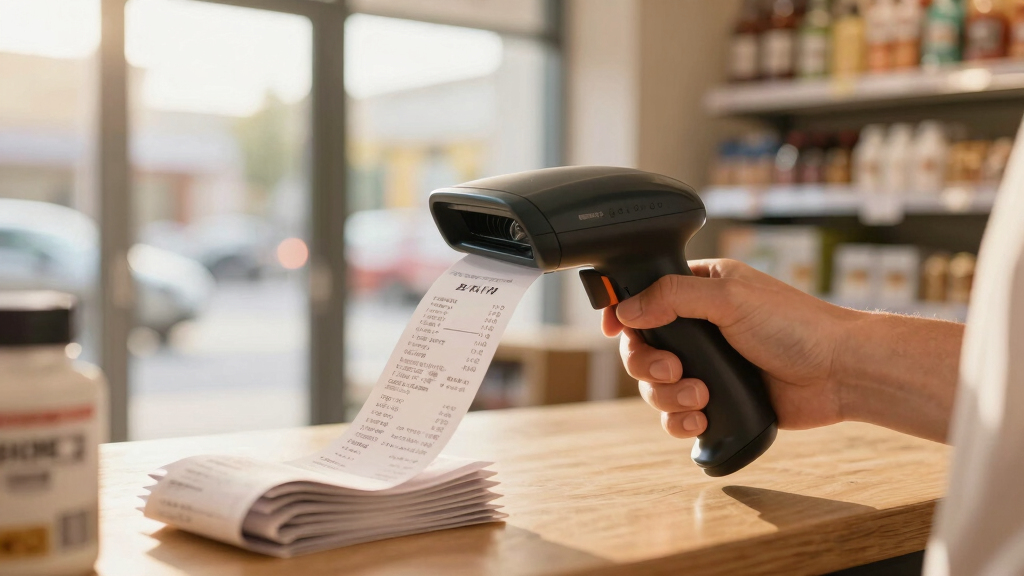

If your business handles a high volume of receipts daily, choosing the right scanner can make a significant difference. The best scanners for receipt-heavy businesses need to combine speed, accuracy, and ease of use to keep your workflow smooth. The ScanSnap iX1300 stands out for its balance of affordability and reliable duplex scanning, while the Epson RapidReceipt RR-600W offers advanced data management for larger operations. However, tradeoffs like size, cost, and software complexity often challenge buyers. Keep reading for a detailed breakdown of the top options and what makes each one unique.
Key Takeaways
- High-volume receipt scanning calls for models with large auto document feeders and quick throughput, like the Epson RR-600W.
- Portability is crucial for mobile or remote receipt processing, favoring compact, lightweight scanners such as the Brother DS-640.
- Software features and data management capabilities can significantly improve productivity, especially for businesses managing large archives.
- Duplex scanning and high resolution are less critical than speed and ease of use for receipt-heavy workflows.
- Price varies widely; investing in a more expensive model often yields better durability and smarter software options.


More Details on Our Top Picks
Doxie Pro – Duplex Document Scanner and Receipt Scanner for Home and Office with Amazing Software for Mac and PC
This pick stands out for its combination of duplex scanning, compact design, and seamless software integration, making it ideal for receipt-heavy businesses that need reliable, high-quality scans. Compared with the ScanSnap iX1300, the Doxie Pro offers a collapsible feeder that handles delicate or thick papers without jamming, but it requires a wired connection, which might limit mobility. Its duplex feature ensures both sides of receipts are captured in a single pass, saving time during busy periods. The software interface simplifies organization and sharing with cloud services like Dropbox and Evernote, reducing setup hassles. The main tradeoff is its slightly higher price and the need for wired operation, which might not suit mobile teams. Best for small business owners, home offices, or anyone needing dependable duplex receipts scanning in a compact form.
Pros:- High-quality duplex scans with automatic cropping and contrast boost
- Compact, lightweight design fits into small spaces or drawers
- Intuitive software works with Mac and PC for easy organization
Cons:- Requires a wired USB connection, limiting mobility
- Higher price point compared to simpler models
Best for: Small business owners, home office managers, or professionals who need reliable duplex scanning with software ease.
Not ideal for: Highly mobile users or teams who prefer wireless setups and greater portability, as it relies on a wired connection.
- Scanner Type: duplex document scanner
- Connection Type: USB
- Resolution: 600 dpi
- Media Type: Paper
- Weight: Just over 3 pounds
- Software Compatibility: Mac and PC
Bottom line: This scanner is perfect for users needing duplex, high-quality scans in a compact, reliable package despite its wired limitation.
ScanSnap iX1300 Compact Wireless or USB Double-Sided Color Document, Photo & Receipt Scanner with Auto Document Feeder and Manual Feeder for Mac or PC, Black
This model makes sense for those who prioritize wireless flexibility and space-saving design, handling receipts and documents at speeds up to 30ppm with minimal setup. Compared with the Epson RapidReceipt RR-60, the iX1300 offers wireless connectivity and a larger sheet capacity, but it may be less suitable for extremely long or bulky receipts due to its smaller feeder. The single-touch operation with automatic de-skew and contrast adjustment reduces user effort, making it ideal for busy environments. Its sleek size fits even tight desks, but it trades off some speed and capacity compared to larger, desktop scanners. Best for small businesses or home offices needing fast, wirelessly connected receipt scanning without clutter.
Pros:- Compact design fits small spaces and desks
- Wireless and USB connectivity for flexible placement
- Fast 30ppm duplex scanning with automatic features
Cons:- Limited sheet capacity compared to larger desktop models
- Less suitable for lengthy receipts or batches
Best for: Small business owners, freelancers, or home office users wanting wireless convenience and fast duplex scanning.
Not ideal for: High-volume scanning needs or long receipts that exceed its sheet capacity, as it’s optimized for quick, daily use rather than large batches.
- Scanner Type: Document and receipt scanner
- Connection Type: Wireless and USB
- Resolution: 600 dpi
- Sheet Capacity: 50 sheets
- Speed: 30 ppm duplex
- Media Type: Paper, plastic cards
Bottom line: This scanner is ideal for those seeking a space-efficient, wireless receipt scanner with quick setup and operation for everyday use.
ScanSnap iX2500 Wireless or USB High-Speed Cloud Enabled Document, Photo & Receipt Scanner with Large 5″ Touchscreen and 100 Page Auto Document Feeder for Mac or PC, Black
This pick excels in high-volume environments thanks to its large 100-sheet feeder, 45ppm scanning speed, and a user-friendly touchscreen. It surpasses the ScanSnap iX1300 in capacity and automation, making it better suited for busy receipt-heavy businesses that process many documents daily. The built-in Wi-Fi 6 ensures fast, secure wireless operation, and the extensive cloud support simplifies file management. The main tradeoff is its size and cost—it’s larger and pricier, which may be overkill for small or infrequent scanning needs. Despite this, its advanced features and capacity make it a standout for large-scale receipt processing. Ideal for mid-sized offices, retail, or service businesses with substantial scanning demands.
Pros:- High-capacity 100-page feeder for large batches
- Fast 45ppm duplex scan speed
- Large 5-inch touchscreen for easy operation
Cons:- Bulkier and more expensive than entry-level models
- Overkill for low-volume needs
Best for: Mid-sized businesses or teams needing high capacity, speed, and cloud integration for receipt and document management.
Not ideal for: Small home offices or individuals with low volume needs, due to its size and price point.
- Scanner Type: High-speed document scanner
- Connection Type: Wireless and USB
- Resolution: 600 dpi
- Sheet Capacity: 100 pages
- Speed: 45 ppm duplex
- Media Type: Paper
Bottom line: This scanner is best for busy environments that require high capacity and automation despite its larger footprint and cost.
Epson RapidReceipt RR-60 Mobile Tax Receipt and Color Document Scanner with Complimentary Data Management Software for PC & Mac
This model is perfect for on-the-go receipt and document scanning, especially with its lightweight design and AI-powered data extraction. It excels over larger scanners like the Epson RR-600W in portability, weighing under 10 oz, yet still provides high-resolution scans and automatic categorization for receipts and invoices. Its ability to connect via USB or mobile app makes it ideal for mobile professionals or small teams that need quick, organized scans without bulky equipment. The tradeoff involves its single-sheet capacity and slower speed—up to 10 pages per minute—so it’s not suited for high-volume batch processing. Best for mobile professionals, freelancers, or small teams needing lightweight, AI-enabled receipt management.
Pros:- Ultra-lightweight and portable for on-the-go use
- AI-powered data extraction and categorization
- Multiple connection options including mobile app
Cons:- Single-sheet capacity limits batch processing
- Slower than larger desktop scanners
Best for: Mobile workers, freelancers, or small teams requiring portable, AI-enhanced receipt scanning and organization.
Not ideal for: High-volume processing or batch scanning, as it’s designed for quick, individual receipt scans.
- Scanner Type: Mobile receipt scanner
- Connection Type: USB, mobile app
- Resolution: 600 dpi
- Sheet Capacity: 1 sheet per scan
- Speed: Up to 10 ppm
- Media Type: Paper
Bottom line: This scanner is ideal for mobile professionals seeking lightweight, intelligent receipt capture and organization on the move despite its limited capacity.
Epson WorkForce ES-50 Portable Sheet-Fed Document Scanner for PC and Mac
This scanner makes a strong case for users who need quick, portable scanning of individual receipts or documents without fuss. Compared to the Epson RR-60, the ES-50 is even smaller and lighter, fitting easily into a pocket or bag, making it perfect for fieldwork or travel. It offers a fast 5.5 seconds per page scan speed, which is suitable for sporadic receipt scanning rather than batch processing. The inclusion of TWAIN driver support ensures compatibility with most imaging software, but it’s limited to single sheets, making it unsuitable for high-volume receipt processing. The main tradeoff is its minimal capacity, which is offset by portability and speed for quick, ad hoc scans. Ideal for mobile professionals or field workers who need fast, reliable, single-page scans.
Pros:- Extremely lightweight and portable, fits into a pocket
- Fast 5.5 seconds per page scan speed
- Supports TWAIN driver for broad software compatibility
Cons:- Limited to single-sheet scans, unsuitable for batch processing
- Not designed for high-volume environments
Best for: Travelers, field workers, or mobile professionals who need rapid, single-sheet receipt scans in a compact form.
Not ideal for: High-volume receipt processing or batch scanning, as it only handles one sheet at a time.
- Scanner Type: Portable sheet-fed scanner
- Connection Type: USB
- Resolution: 600 dpi
- Media Size: Up to 8.5 x 72 inches
- Scan Speed: 5.5 seconds per page
- Weight: 1.19 pounds
Bottom line: This scanner is perfect for quick, single-page scans on the move, but not for bulk receipt processing.
Epson RapidReceipt RR-600W Wireless Desktop Color 2-Sided Document & Tax Receipt Scanner with ScanSmart AI PRO Data Management Software for PC & Mac Touchscreen & 100-Page Auto Document Feeder
The Epson RapidReceipt RR-600W stands out for its ability to handle high volumes of receipts and documents efficiently, thanks to its 100-page auto feeder and dual-sided scanning that captures both sides in a single pass at up to 35 pages per minute. Its ScanSmart AI PRO technology converts data into smart, categorization-ready formats, which makes it ideal for businesses that need structured digital records for accounting software like QuickBooks or TurboTax. Compared to the Brother DS-640, this model offers faster duplex speeds and a more advanced AI data extraction, but it comes with a higher price and larger footprint. The touchscreen interface adds to its user-friendliness, reducing reliance on a PC. However, its complexity and cost might be overkill for small-scale users or those with limited space. Overall, this scanner makes the most sense for busy offices that require high throughput and integrated data management—though it might be less suited for occasional or low-volume use.
Pros:- High-speed duplex scanning up to 35 ppm
- Smart AI data extraction for easy integration with financial software
- Robust 100-page auto document feeder with skew and staple protection
- Intuitive 4.3″ color touchscreen for PC-free operation
Cons:- Relatively high price point may be a barrier for small businesses
- Larger footprint could be inconvenient for tight spaces
- Complex software setup might require more technical familiarity
Best for: Medium to large receipt-heavy businesses needing fast, reliable data extraction and integration.
Not ideal for: Small home offices or infrequent users who prefer a portable, lower-cost scanner with minimal features.
- Scanner Type:Document & Tax Receipt Scanner
- Connection Type:USB, Wireless
- Resolution:Up to 600 dpi
- Speed:Up to 35 ppm duplex
- Media Type:Receipts, invoices, documents
- Touchscreen:4.3-inch color LCD
Bottom line: This scanner is ideal for busy, receipt-heavy businesses that need fast, automated data processing and are willing to invest in a premium device.
Brother DS-640 Compact Mobile Document Scanner, (Model: DS640)
The Brother DS-640 makes a solid choice for professionals who need quick, portable scanning on the move. Its lightweight design (about 1.5 pounds) and compact size allow it to fit in a bag or pocket, making it ideal for fieldwork or mobile offices. Scanning at 16 pages per minute, it handles both color and black-and-white documents efficiently, though it’s slower than the Epson RR-600W. The device connects via micro USB 3.0, powering directly from a laptop, which means no external power source is needed. Its built-in software suite supports multiple scan destinations, including cloud services and OCR, streamlining document management. Unlike the Epson, its slower speed and limited capacity mean it’s better suited for light, occasional use rather than high-volume receipt processing. The device’s durability and ease of use are definite pluses, but it may fall short for businesses handling dozens of receipts daily.
Pros:- Highly portable and lightweight, fits in bags or pockets
- No external power needed; powered via USB from laptop
- Supports multiple scan outputs including cloud and OCR
- Automatic image enhancement features
Cons:- Slower than desktop scanners, at 16 ppm
- Limited capacity makes it less suitable for high-volume workflows
- Build quality, while durable, may not withstand heavy daily use as well as larger models
Best for: Mobile professionals or small office owners needing portable, quick scanning without heavy-duty throughput.
Not ideal for: Large offices or receipt-heavy businesses requiring high-speed batch scanning and robust data extraction.
- Scanner Type:Portable Document Scanner
- Connection Type:Micro USB 3.0
- Resolution:300 dpi
- Speed:16 ppm
- Media Type:Receipts, ID cards, business cards
- Weight:1.5 lbs
Bottom line: This scanner excels for mobile professionals who need quick, reliable scans on the go, but it’s less suited for high-volume receipt processing in a dedicated office setting.

How We Picked
To identify the best scanners for receipt-heavy businesses, I evaluated each model based on several key factors: scanning speed, capacity, ease of use, software integration, and durability. Models with auto document feeders capable of handling large batches were prioritized, as they save time during high-volume scanning. Reliability and build quality also played a role, ensuring the scanner withstands frequent use. I compared features across different price points to highlight options that offer the best value and performance for businesses with heavy receipt documentation needs. The ranking reflects a balance of these factors, favoring products that maximize efficiency and ease of operation.Factors to Consider When Choosing Best Scanners For Receipt-heavy Businesses
Choosing the right scanner for a receipt-heavy business involves considering several critical factors beyond basic features. Speed and capacity are vital, but so is compatibility with your existing software and overall cost of ownership. It’s also important to think about portability if you need to scan receipts on the go or at multiple locations. Durability and ease of maintenance can extend the lifespan of your investment, especially in a busy environment. By understanding these broader aspects, you can select a scanner that truly enhances your workflow.Scanning Speed and Capacity
High throughput is essential when processing large volumes of receipts daily. Look for scanners with fast scan speeds—ideally over 20 pages per minute—and large auto document feeders that can handle 50 or more pages at once. This reduces downtime and keeps your workflow moving smoothly, especially during busy periods. Avoid models with slow speeds or small capacities, which can create bottlenecks and frustration over time.
Software and Data Management
Effective software can dramatically streamline your receipt management process. Features like automatic cropping, OCR, and easy export options help convert paper receipts into organized digital files quickly. For larger operations, integrated data management solutions or cloud connectivity are worth the investment, saving time and reducing manual data entry errors. Be cautious of models with limited or complicated software that could slow you down instead of helping.
Portability and Size
If your receipt processing occurs in multiple locations or requires mobile scanning, compact and lightweight models are preferable. Portable scanners like the Brother DS-640 excel in these scenarios, but they may sacrifice some capacity or speed. Conversely, larger desktop scanners often provide higher capacity and faster throughput but are less convenient for on-the-move use. Consider your workflow environment when choosing size and portability.
Durability and Maintenance
A scanner in a busy receipt environment needs to withstand frequent use. Look for models with sturdy construction and easy access for cleaning and maintenance. Some scanners include features like automatic jam detection and removal, which reduce downtime. Investing in a durable machine can save money long-term by avoiding costly repairs or replacements due to wear and tear.
Cost and Total Value
While budget models can be tempting, they often come with tradeoffs such as slower speeds, smaller capacities, or less reliable software. For businesses with high-volume needs, spending more on a premium model can pay off through increased productivity and durability. Consider the total cost of ownership, including consumables, software upgrades, and maintenance, before making a purchase decision.
Frequently Asked Questions
How do I choose a scanner that can handle large volumes of receipts daily?
For high-volume receipt processing, prioritize scanners with large auto document feeders—preferably 50 pages or more—and fast scan speeds over 20 pages per minute. Reliability is key, so look for models with sturdy build quality and good reviews for durability. Software features like batch processing and OCR also help streamline the workflow, ensuring you can handle large stacks efficiently without frequent jams or slowdowns.
Is wireless connectivity necessary for a receipt scanner in my business?
Wireless connectivity offers flexibility, especially if receipts are processed from multiple locations or if desk space is limited. It allows for easy integration with cloud storage and scanning apps, reducing clutter and cable management. However, wired models often provide more stable connections and potentially faster data transfer, which can be more reliable in busy environments. Choose based on your workspace setup and mobility needs.
What software features should I look for in a receipt scanner?
Effective software features include automatic cropping, OCR for searchable documents, and straightforward export options. These tools save time by simplifying the organization and digitalization of receipts. Additionally, cloud integration and batch processing capabilities are valuable for managing high volumes and ensuring your digital records stay organized and accessible. Avoid models with complex or limited software that could slow down your workflow.
How important is portability for a receipt scanner?
Portability becomes essential if you need to scan receipts in multiple locations or during business trips. Compact, lightweight models like the Brother DS-640 excel in these scenarios, offering quick setup and easy transport. However, they might lack high capacity or speed, so if your workflow is stationary, larger desktop scanners could offer better value. Consider your typical environment and whether mobility outweighs capacity needs.
Is it worth investing in a more expensive scanner?
Higher-priced models generally offer faster speeds, larger capacities, and more reliable software, making them well-suited for busy receipt-heavy workflows. They often come with better build quality and longer-lasting components, reducing repair costs over time. While the initial investment might be higher, the increased efficiency and durability can lead to savings and smoother operations in the long run, especially for larger or more demanding businesses.
Conclusion
For small businesses just starting with receipt management, the Epson WorkForce ES-50 provides a simple, affordable solution. Larger operations requiring rapid processing and extensive data management should consider the Epson RapidReceipt RR-600W as the best overall choice. Budget-conscious buyers will find the Brother DS-640 offers portability and decent capacity at a lower price. For those seeking premium features and maximum reliability, the ScanSnap iX2500 delivers advanced software integration. Your ideal scanner depends on your volume, workspace, and budget, but these selections cover the most common needs effectively.