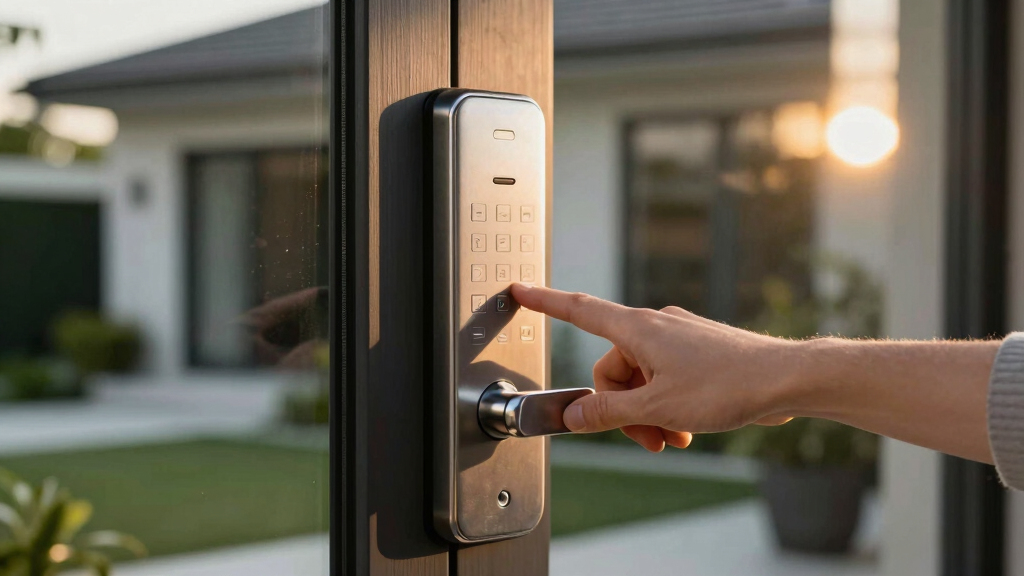

Finding the best smart keypad deadbolt for your home means balancing security, convenience, and budget. The Schlage Encode stands out as the overall top choice for its reliable Wi-Fi connectivity and compatibility with smart home systems. For those seeking advanced features, the ULTRALOQ U-Bolt Pro offers a versatile 8-in-1 access method, including fingerprint and auto-unlock. Meanwhile, the Yale Assure Lock 2 shines for its seamless integration with smart home platforms and straightforward setup. Each of these options presents tradeoffs—such as cost, ease of use, or feature richness—that influence the best fit for different users. Continue reading for a detailed breakdown of these options and how to choose the right lock for your needs.
Key Takeaways
- The top-ranked smart keypad deadbolts combine reliable Wi-Fi connectivity with user-friendly interfaces.
- Advanced access methods like fingerprint and auto-unlock significantly enhance convenience but often come at a higher price.
- Compatibility with popular smart home ecosystems like Alexa and Google Home remains a key deciding factor.
- Installation ease varies, with some locks requiring professional setup while others are simple DIY projects.
- Price range is broad, but investing in a well-built lock typically offers better long-term security and durability.


More Details on Our Top Picks
Schlage Encode Smart Wi-Fi Deadbolt Lock with Touchscreen Keypad, Keyless Front Door Entry, App Control, Alexa, Google Home and Airbnb Compatible, Matte Black, BE489WB CEN 622
This Schlage Encode model stands out for its seamless Wi-Fi connectivity, allowing control and monitoring from anywhere via the Schlage Home app. Compared to the Yale Assure Lock 2, it offers a more straightforward setup without requiring an additional hub, making it ideal for tech-savvy homeowners. Its built-in encrypted connection and customizable alarm for forced entry provide peace of mind, though the all-in-one Wi-Fi module means limited flexibility if you want to upgrade or switch to Zigbee or Z-Wave systems. The touchscreen is fingerprint-resistant, and auto-lock features simplify daily routines. However, reliance on AA batteries and potential Wi-Fi outages are tradeoffs. This pick makes the most sense for those who prioritize security, remote access, and easy installation without extra hubs.
Pros:- Built-in Wi-Fi for direct control without hubs
- Secure encryption and customizable alarm system
- Easy to install with a screwdriver, no hardwiring
Cons:- Battery life is up to six months, requiring frequent replacements
- Wi-Fi dependency can lead to connectivity issues
Best for: Homeowners who want a high-security, Wi-Fi-connected deadbolt with remote management and easy DIY installation
Not ideal for: Users seeking Z-Wave or Zigbee compatibility or a more budget-friendly option, as it is premium-priced and Wi-Fi dependent
- Control Method:Touchscreen Keypad
- Connectivity Protocol:Wi-Fi
- Recommended Uses:Front Door, Airbnb
- Materials & Finish:Zinc, Matte Black
- Item Dimensions:0.9 x 3 x 5 inches
- Item Weight:3.4 Pounds
Bottom line: This deadbolt is perfect for those wanting a high-security, Wi-Fi-enabled lock with minimal setup and remote control capabilities.
ULTRALOQ U-Bolt Pro WiFi Smart Lock with Door Sensor, 8-in-1 Keyless Entry Door Lock with Fingerprint ID, App Remote Control, Built-in WiFi Keypad Deadbolt, Auto Unlock, IP65 Waterproof, Easy Install
The ULTRALOQ U-Bolt Pro is a flexible choice for households needing multiple unlocking options, including fingerprint, keypad, app, and voice control. Compared to the Philips Wi-Fi Lock with Handle, it offers a more comprehensive set of entry methods and a built-in door sensor that checks door status, making it ideal for busy families or rental properties. Its ANSI Grade 1 certification guarantees high security, and the weatherproof IP65 rating suits outdoor use. The auto-lock feature and remote control via app enhance convenience, but the installation process can be slightly more involved than simpler deadbolts. The reliance on Wi-Fi means potential connectivity hiccups, and its bulkier design may not suit minimalist aesthetics. This lock best serves those seeking a robust, multi-entry solution with smart automation features.
Pros:- 8-in-1 entry options including fingerprint and keypad
- Built-in Wi-Fi with no hub required
- Weatherproof IP65 for outdoor durability
Cons:- Slightly larger and heavier, less suited for sleek door designs
- Wi-Fi reliance can cause connectivity issues
Best for: Families or property managers needing a durable, multi-entry smart lock with remote monitoring and automation
Not ideal for: Users looking for slim, minimalistic deadbolts or those on a tight budget due to its higher price point and complexity
- Control Method:Fingerprint, Keypad, App
- Connectivity Protocol:Wi-Fi
- Recommended Uses:Home, Rental, Office
- Materials & Finish:Aluminum, Metal
- Item Dimensions:2.95 x 2.95 x 1.19 inches
- Item Weight:2.8 Pounds
Bottom line: Ideal for active households or rental applications requiring multiple access methods and remote monitoring in all weather conditions.
Yale Assure Lock 2 Keypad Smart Deadbolt with Wi-Fi – Black Suede Keyless Entry Lock for Front Door, Vacation Rental, Airbnb & Property Managers – Electronic Code Entry, YRD410-CB1-BSP
The Yale Assure Lock 2 excels in managing multiple guest access through temporary codes, making it a top choice for vacation rentals and property managers. Its included Yale Connect Wi-Fi Bridge allows remote control and activity monitoring, similar to the Schlage Encode but with more integrated auto-lock and DoorSense features. Compared to the Philips Wi-Fi Lock with Handle, it offers a more straightforward app experience tailored for rental hosts. Its auto-lock and DoorSense sensors improve security, while the battery-powered operation ensures functionality during outages. However, the required bridge adds a layer of complexity and cost, and the lock’s bulk may not fit all door styles. This lock is best suited for hosts who need to control access remotely and automate check-ins for guests.
Pros:- Easily share temporary, active door codes via app
- Includes Yale Connect Wi-Fi Bridge for remote access
- Auto Lock and DoorSense for enhanced security
Cons:- Requires the additional Yale Wi-Fi Bridge for remote control
- Bulkier design may not suit all doors
Best for: Vacation rental hosts or property managers needing programmable codes and remote access management
Not ideal for: Homeowners looking for sleek, minimalist locks or those preferring Z-Wave/Zigbee systems for broader home automation
- Control Method:Keypad, App
- Connectivity Protocol:Wi-Fi
- Recommended Uses:Vacation Homes, Rentals
- Materials & Finish:Aluminum, Black Suede
- Item Dimensions:13.2 x 9.7 x 4.5 inches
- Item Weight:3.08 Kilograms
Bottom line: Perfect for rental hosts and property managers seeking reliable, remote programmable access with auto-lock features.
Philips Wi-Fi Smart Lock with Handle, Keyless Entry Keypad Door Lock with Handle, Front Door Deadbolt Set with WiFi Gateway, App Control, Fingerprint Unlock, PIN Code Unlock, Auto Locking
The Philips Wi-Fi Smart Lock with Handle combines style and versatility, featuring a handle design with multiple unlocking methods including fingerprint, PIN, app, and auto-lock. Compared to the TEEHO Keyless Entry, it offers a more refined aesthetic and integrated handle, making it suitable for those who want a visually appealing lock that also provides high-tech features. Its included Wi-Fi gateway enables remote control, activity logs, and real-time notifications, ideal for busy households or stylish outdoor setups. The lock’s IP54 weather resistance and easy installation make it a strong outdoor candidate. However, it requires the gateway for full smart functionality, which adds to the cost and complexity. This lock is best for users wanting a stylish, feature-rich outdoor lock with multiple access options.
Pros:- Multiple unlocking methods including fingerprint and PIN
- Stylish handle design with weather resistance
- Includes Wi-Fi gateway for remote control and activity logs
Cons:- Requires the gateway for full smart features
- Slightly more complex installation process
Best for: Homeowners seeking an elegant, multi-method outdoor lock with remote access and activity tracking
Not ideal for: Budget-conscious buyers or those preferring Z-Wave/Zigbee integrations, as it depends on the gateway and Wi-Fi
- Control Method:Fingerprint, PIN, App
- Connectivity Protocol:Wi-Fi
- Recommended Uses:Outdoor Front Door
- Materials & Finish:Aluminum, Metal
- Item Dimensions:13.2 x 9.7 x 4.5 inches
- Item Weight:3.08 Kilograms
Bottom line: Ideal for users who want a stylish, outdoor-ready smart lock with multiple entry options and remote access capabilities.
TEEHO TE001 Keyless Entry Door Lock with Keypad – Smart Deadbolt Lock for Front Door with 2 Keys – Auto Lock – Easy Installation – Matte Black
The TEEHO TE001 offers solid basic security with keypad entry, auto lock, and simple installation, making it ideal for budget-conscious users. Compared to the Philips Wi-Fi Lock with Handle, it lacks remote control capabilities but excels in straightforward, offline security with a reliable mechanical deadbolt and user-friendly keypad. Its compatibility with standard doors and quick setup make it suitable for home use or secondary entrances. The absence of app control and automation features is a tradeoff, but for those who prefer a dependable, no-fuss lock, it provides good value. Battery life up to a year and low battery alerts mitigate maintenance concerns. This lock is best for users who want a simple, reliable keypad lock without smart features or Wi-Fi dependency.
Pros:- Affordable with reliable keypad entry
- Auto lock feature enhances security
- Easy to install with just a screwdriver
Cons:- No remote control or app integration
- Limited to basic keypad and mechanical key access
Best for: Budget-conscious homeowners or renters seeking a straightforward keypad deadbolt with auto-lock and easy installation
Not ideal for: Smart home enthusiasts or those needing remote access or automation features, as it is a basic, offline lock
- Control Method:Keypad, Mechanical Key
- Connectivity Protocol:None
- Recommended Uses:Front Door, Secondary Entry
- Materials & Finish:Aluminum Alloy, Matte Black
- Item Dimensions:3 x 4.88 x 0.88 inches
- Item Weight:0.5 Kilograms
Bottom line: This lock is ideal for those wanting a dependable, simple keypad deadbolt without the complexity of smart home features.
TEEHO TE001 Keyless Entry Door Lock with Keypad – Smart Deadbolt Lock for Front Door with 2 Keys – Auto Lock – Easy Installation – Satin Nickel
This option stands out for its straightforward installation and reliable security features, making it ideal for homeowners who want a quick upgrade without complex setup. Compared with higher-end models like the Philips Wi-Fi Lock, the TEEHO lock doesn’t offer remote control through an app, but it compensates with ease of use and affordability. The lock supports 20 access codes, including temporary ones, and features an auto-lock function, ensuring your door is always secured after entry. Its durable aluminum alloy construction and weather resistance make it suitable for outdoor use. However, it lacks smart home compatibility and remote access, which could be a limitation for tech-savvy users. The low battery indicator and simple keypad control make daily operation hassle-free. This pick makes the most sense for those prioritizing quick installation and affordability over remote control features.
Pros:- Simple, quick installation with just a screwdriver
- Reliable physical security with sturdy weather-resistant build
- Supports up to 20 user codes, including temporary access
Cons:- Lacks remote control or smart home integration
- No app connectivity for real-time management
- Limited to physical keypad operation only
Best for: Homeowners seeking a cost-effective, easy-to-install keypad deadbolt for primary entrances.
Not ideal for: Users wanting remote control or integration with smart home ecosystems like Alexa or Google Assistant.
- Material:Aluminum alloy
- Weather Resistance:IP54
- Auto Lock Time:10-99 seconds
- Battery Life:Up to 365 days
- Access Codes:20 user codes + temporary code
- Control Type:Push button keypad
Bottom line: This is a solid choice for budget-conscious homeowners who value ease and durability over remote access features.
Philips Wi-Fi Door Lock, WiFi Smart Lock Keyless Entry Deadbolt for Front Door, Compatible with Alexa & Google Assistant, Remote Control, Built-in WiFi, APP Fingerprint Passcode Unlock, Auto Locking
This model makes the most sense for busy households that want flexible access options and remote management, setting it apart from non-connected locks like the TEEHO. With built-in Wi-Fi, it allows remote locking, unlocking, and real-time alerts directly from your smartphone, eliminating the need for additional hubs. The ability to create up to 100 custom passcodes, plus fingerprint and voice control, makes it highly versatile for family, guests, or renters. Its compatibility with Alexa and Google Assistant means voice commands are seamless, providing hands-free convenience. However, the lock relies on batteries (not included), and its Wi-Fi only supports 2.4GHz networks within a 65-foot range, which could be restrictive in larger homes. Installation is straightforward, but the reliance on Wi-Fi may be a concern for users in areas with unstable internet. This pick is ideal for tech-savvy users who want remote access, voice control, and extensive code management.
Pros:- Remote control via smartphone from anywhere
- Supports voice commands with Alexa & Google Assistant
- Creates up to 100 custom passcodes and shares unlimited one-time codes
Cons:- Requires batteries (not included) and Wi-Fi connection
- Limited to 2.4 GHz networks, range may be restrictive
- Dependence on internet can impact reliability
Best for: Tech-oriented homeowners who need remote access and voice control for convenience and security.
Not ideal for: Users with unreliable Wi-Fi or those who prefer non-connected, standalone deadbolts.
- Connectivity:Built-in Wi-Fi
- Supported Platforms:Alexa & Google Assistant
- Number of Codes:Up to 100
- Control Method:App, fingerprint, passcode, voice
- Batteries:4 AA batteries (not included)
- Range:Up to 65ft
Bottom line: This lock is best suited for households that value remote access, voice control, and extensive user management over basic local security alone.
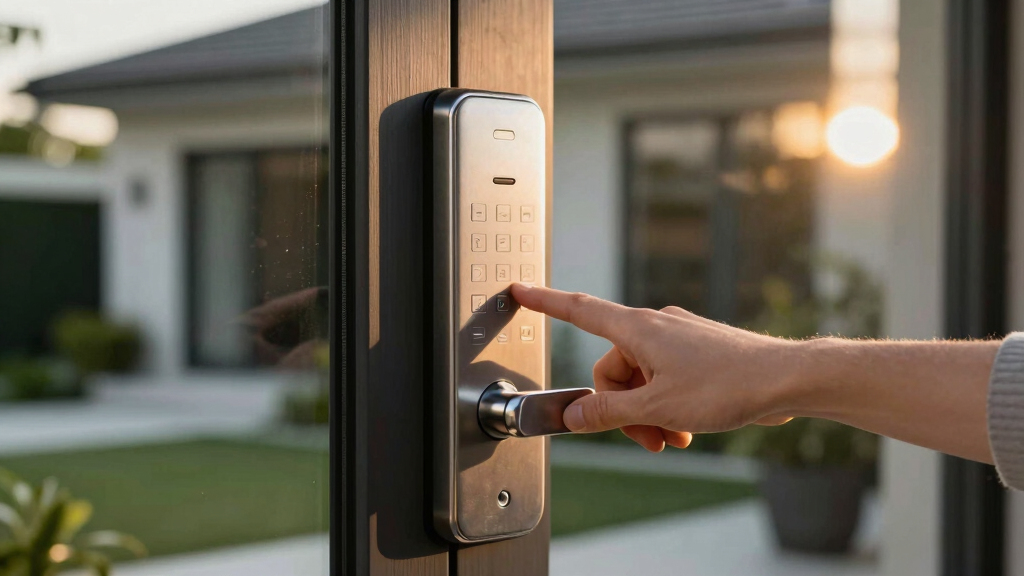
How We Picked
I focused on evaluating each lock based on performance, ease of installation, build quality, and smart home integration. Reliability of wireless connectivity and app functionality were critical, as these impact day-to-day use. I also considered user interface simplicity and the variety of access options, balancing features against cost. The ranking reflects a combination of these factors, prioritizing security, convenience, and value for different types of users—from new homeowners to tech enthusiasts.Factors to Consider When Choosing Best Smart Keypad Deadbolt
Choosing the best smart keypad deadbolt involves more than just picking the most feature-rich model. It’s important to consider how the lock will fit into your existing smart home setup, your security needs, and your budget. Understanding key factors like connectivity, ease of installation, and access methods can help you avoid common mistakes and select a lock that truly enhances your home’s security and convenience.Connectivity and Compatibility
When selecting a smart deadbolt, verify whether it offers Wi-Fi, Z-Wave, or Bluetooth connectivity, and ensure compatibility with your smart home ecosystem. Wi-Fi models, like the Schlage Encode, provide direct remote control without additional hubs, making setup straightforward. Compatibility with platforms like Alexa or Google Assistant can simplify voice control and automation. Choosing a lock that integrates smoothly with your existing setup minimizes frustration and maximizes convenience.
Ease of Installation and Use
Installation complexity varies significantly. Some models are designed for DIY setup with straightforward instructions, while others may require professional installation. Consider whether the lock’s mounting system matches your door type and whether it includes all necessary tools. An intuitive interface and clear app controls are equally important—complex setups or confusing apps can diminish the lock’s usability, especially for those less tech-savvy.
Security Features and Build Quality
Look beyond the touchscreen or keypad—evaluate the lock’s physical construction and security certifications. Features like tamper alarms, auto-locking, and encryption protocols safeguard your home against unauthorized access. Higher-quality materials and weatherproofing, like IP65 ratings, ensure durability for outdoor use. Remember, a more expensive lock often offers better resistance to picking or forced entry, making it a worthwhile investment for long-term security.
Access Methods and User Management
Different locks support various access options—keypad codes, fingerprint, smartphone app, or physical keys. Decide which methods suit your lifestyle and household. For families or rental properties, flexible user management, such as temporary codes or remote sharing, adds convenience. Keep in mind that more access options can also introduce more points of failure or complexity, so balance these features with your comfort level and security priorities.
Price and Long-Term Value
Prices range widely, from budget-friendly models to premium options with advanced features. While lower-cost locks may suffice for basic needs, investing in a more robust, feature-rich model often pays off in added security and convenience. Consider the total cost of ownership, including potential professional installation or ongoing subscription fees for premium app services. The best value balances cost with durability and feature set tailored to your needs.
Frequently Asked Questions
Can I install a smart keypad deadbolt myself?
Many smart keypad deadbolts are designed for DIY installation, featuring straightforward mounting systems and step-by-step instructions. However, some models may require tools or technical know-how, especially if existing door preparations differ. If your door is standard and you’re comfortable with basic tools, most locks can be installed in under an hour. For complex setups or incompatible door types, professional installation could be a safer choice to ensure proper security and functionality.
Will my smart deadbolt work if the Wi-Fi goes out?
Most models with Wi-Fi connectivity rely on an active internet connection for remote control and alerts. In case of Wi-Fi outages, many locks still function locally via keypad or physical key, if available. Some models also include backup options like keypad PINs or physical keys to maintain access. For critical security, consider a lock with local access features or battery backup to prevent lockout during connectivity issues.
Are fingerprint or biometric options worth the extra cost?
Biometric access methods can provide quick, keyless entry and reduce the risk of forgotten codes, making them attractive for busy households. However, they often come at a premium and may require additional setup or maintenance. Their reliability can vary depending on fingerprint quality and environmental factors. If convenience and speed are priorities, investing in a lock with biometric options can be worthwhile, but for budget-conscious buyers, keypad-only models still offer robust security.
How secure are smart keypad deadbolts against hacking?
Most reputable models employ encryption and security protocols designed to thwart hacking attempts. Features like two-factor authentication, secure app communication, and firmware updates enhance security. However, no device is entirely invulnerable; keeping firmware updated and using strong, unique codes reduces risks. For highly sensitive applications, choosing a lock with advanced security certifications and robust encryption is advisable.
What should I prioritize: smart features or traditional durability?
Balancing smart features with physical durability depends on your specific needs. If convenience and remote access matter most, prioritize models with reliable Wi-Fi and user-friendly apps. For long-term security in harsh weather, focus on build quality, weatherproof ratings, and tamper resistance. Ideally, select a lock that offers a strong combination of both—secure, durable hardware paired with intuitive smart functionalities—to ensure lasting protection and ease of use.
Conclusion
For general homeowners seeking reliable, easy-to-use security, the Schlage Encode emerges as the best overall pick thanks to its robust Wi-Fi and compatibility. Budget-conscious buyers may lean toward simpler keypad models like the TEEHO TE001, which offers essential features at a lower price. Tech enthusiasts or those with advanced smart home setups will appreciate the ULTRALOQ U-Bolt Pro for its diverse access options. For premium users prioritizing seamless integration and sleek design, the Yale Assure Lock 2 fits best. Each of these options addresses different priorities—security, convenience, or value—making it easier to choose based on your specific needs.