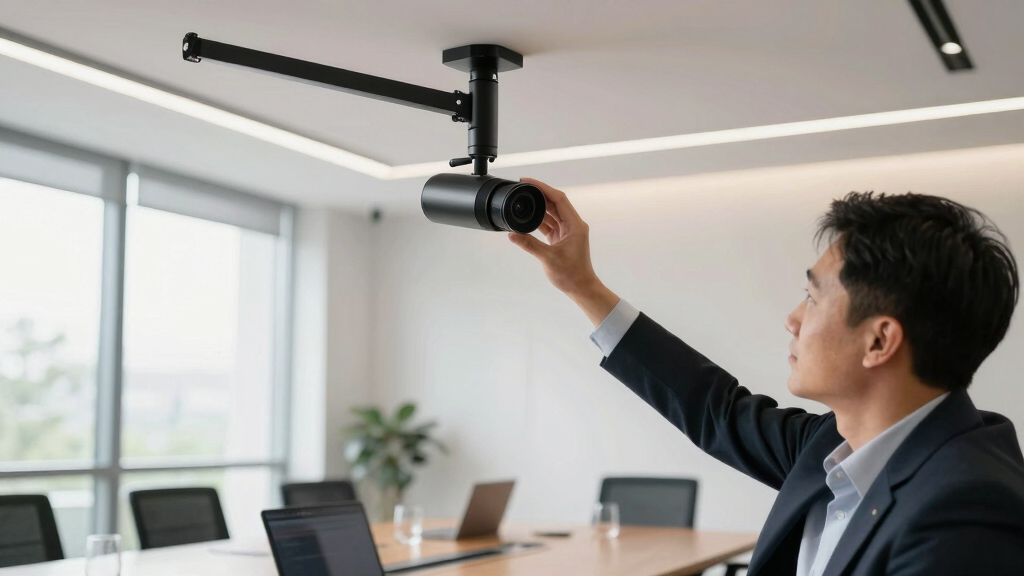

For professionals seeking the best 4K PTZ webcams in 2026, the options combine high image quality with versatile control features. The OBSBOT Tiny 3 AI stands out for its advanced spatial audio and gesture control, ideal for high-end streaming setups. The Insta360 Link 2 Pro offers superb low-light performance and professional-grade sensors, perfect for detailed broadcasts. However, tradeoffs exist—higher-priced models often provide more features but may be overkill for casual use. Continue reading for a detailed comparison to help you match the right webcam to your needs.

Get business pricing on tech for your team
- Business-only prices and quantity discounts
- Tax-exempt purchasing
- Multiple users, one account, clear invoices
Key Takeaways
- The top picks balance image quality, sensor size, and AI tracking features for professional-grade clarity.
- Higher-priced models like the Insta360 Link 2 Pro deliver better low-light performance and sensor quality, but come with higher investment.
- AI tracking and gesture control are recurring features that enhance usability in live production environments.
- Build quality and connectivity options vary significantly, influencing ease of integration into existing setups.
- Tradeoffs often involve choosing between advanced features and simpler, more affordable designs for beginners.


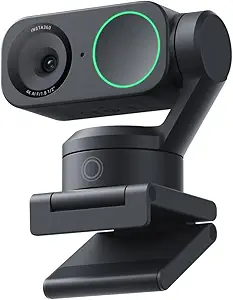


More Details on Our Top Picks
OBSBOT Tiny 3 AI-Powered Spatial Audio 4K Webcam, AI Tracking PTZ Camera with 1/1.28″ Sensor, Tri-Mic, Voice & Gesture Control, 120FPS, HDR, Web Cam for PC, Laptop, Streaming, Meeting, Switch 2, etc.
The OBSBOT Tiny 3 stands out for its compact size combined with a powerful 1/1.28″ CMOS sensor, delivering stunning 4K clarity and ultra-smooth 120FPS motion, which surpasses typical webcams like the Tiny 2 in resolution and processing. Its upgraded AI tracking is capable of locking onto multiple targets with impressive accuracy, making it ideal for presenters, streamers, or educators who need dynamic framing. Compared to the Tiny 2, it offers richer spatial audio via a triple-mic array and more advanced AI modes, but this comes with a larger size and higher price point. The voice and gesture controls add a layer of hands-free convenience that professionals will appreciate. However, the webcam’s feature set may be overkill for simple video calls, and its premium price might deter casual users. Overall, this pick makes the most sense for those who want professional-grade features in a small form factor, and are willing to invest accordingly.
Pros:- Stunning 4K resolution with 120FPS for ultra-smooth footage
- Advanced AI tracking for multiple targets and scenarios
- Tri-mic array with spatial audio for professional sound quality
- Gesture and voice control for touchless operation
Cons:- Relatively high cost for a webcam, may be overkill for simple use
- Larger size compared to basic webcams, less portable
Best for: Content creators, educators, and professionals requiring flexible AI tracking in a compact design.
Not ideal for: Budget-conscious users or those needing only basic HD video quality for casual meetings.
- Sensor Type:1/1.28″ CMOS
- Video Resolution:4K@30FPS
- Frame Rate:120FPS
- Audio System:Tri-Mic Spatial Audio
- Focus Type:Auto & Manual
- Connectivity:USB-C
- Size:Small, lightweight
Bottom line: This webcam is perfect for professionals who need high-quality video and flexible AI features in a small package.
OBSBOT Tiny 2 Webcam 4K Voice Control PTZ, AI Tracking Multi-Mode & Auto Focus, Web Camera with 1/1.5″ Sensor, Gesture Control, 60 FPS, HDR Light Correction, Webcam for PC, Streaming, Meeting, etc.
The OBSBOT Tiny 2 offers a significant upgrade over the Tiny 2 Lite, featuring a 1/1.5″ CMOS sensor that improves low-light performance and image clarity, making it suitable for professional environments. Its four AI tracking modes—upper body, close-up, hand, and zone—provide versatile framing options that outperform typical webcams, including the Lite, especially in more dynamic scenarios. The addition of voice control is a game-changer, allowing hands-free operation during meetings or streams, which is not available on most competitors. Auto focus is rapid at 0.3 seconds, ensuring sharp visuals even when moving or changing focus points. While more affordable than the high-end OBSBOT models, it still commands a premium, and some advanced features like SDK support are better suited for power users. Overall, this webcam is a smart choice for those who want flexible AI tracking without the hefty price of flagship models.
Pros:- Large 1/1.5″ sensor for better low-light and color accuracy
- Four versatile AI tracking modes for various scenarios
- Fast 0.3-second autofocus ensures crisp images
- Voice control for touchless operation
Cons:- Higher price point compared to Lite models
- Some advanced features require extra setup or SDK knowledge
Best for: Business professionals, educators, and streamers who need adaptable AI tracking with easy voice control.
Not ideal for: Casual users or those on a tight budget who only need basic webcam functions.
- Sensor Type:1/1.5″ CMOS
- Video Resolution:4K@30FPS
- Frame Rate:60FPS
- Focus Type:Auto
- Connectivity:USB-C
- Special Features:Voice control, multi-mode AI tracking
Bottom line: Ideal for professionals who need reliable AI tracking and superior image quality at a reasonable price point.
PTZ Camera 4K UHD with 20X Optical Zoom,Video Conference Room Camera,Live Streaming for Church Worship,USB HDMI IP POE Work with Vmix,Zoom,OBS,YouTube,Facebook Livestream
The PTZ Camera 4K UHD with 20X Optical Zoom is designed for large venues like churches, conference halls, or event spaces where detailed and flexible framing is essential. Its 20X optical zoom and 340° pan combined with 120° tilt give it a broader range than typical webcams, enabling coverage of entire stages or large rooms. The high-resolution 4K at 30FPS ensures sharp, professional-quality footage, and its compatibility with streaming platforms like OBS, vMix, and Zoom makes it a versatile choice for complex setups. Unlike smaller PTZ cameras, this model’s 2.89kg weight and extensive control options make it more suitable for dedicated setups than portable or desktop use. The price reflects its advanced capabilities, and it requires some technical knowledge for installation and operation. It’s perfect for organizations seeking a professional-grade PTZ solution, but not ideal for casual or small-scale use.
Pros:- 20X optical zoom delivers detailed shots from a distance
- High-resolution 4K UHD at 30FPS for crisp visuals
- Wide pan and tilt range for flexible coverage
- Supports multiple connectivity options including HDMI, IP, and POE
Cons:- Heavy and large, not portable or suitable for desktop use
- Requires technical setup and configuration
Best for: Large venues, churches, or production teams needing high-quality, long-range PTZ control for streaming or recording.
Not ideal for: Small offices or casual streamers who don’t need extensive zoom or PTZ features.
- Zoom:20X optical
- Resolution:4K UHD
- Frame Rate:30FPS
- Pan/Tilt Range:340°/120°
- Connectivity:HDMI, IP, POE
- Weight:2.89 kg
Bottom line: Best suited for large-scale professional environments where detailed coverage and high image quality matter most.
OBSBOT Tiny 2 Lite 4K Webcam for PC, AI Tracking PTZ Streaming Camera with 1/2″ Sensor, Gesture Control, 60 FPS, HDR, Microphones, Web Camera for Desktop Computer, Laptop, Meeting, Video Calls, etc.
The OBSBOT Tiny 2 Lite offers remarkable value, packing a 1/2″ sensor and 4K resolution into a compact, easy-to-use package that rivals much pricier webcams. Its AI auto-tracking and gesture controls make it ideal for educators, remote workers, or small broadcasters who want professional-looking footage without breaking the bank. The HDR and low-light capabilities improve image quality in diverse environments, and the plug-and-play setup means no technical hassle. While it doesn’t have the advanced multi-target tracking of the flagship Tiny 3 or the extensive zoom of dedicated PTZs, it provides crisp, smooth video at 60FPS, perfect for live streams or high-quality video calls. The main tradeoff is that it’s not as feature-rich or adjustable as the higher-end models, and it lacks some advanced customization options. Still, for its price, this webcam offers exceptional performance for professionals on a budget.
Pros:- Excellent 4K image quality with HDR in a compact form
- AI tracking and gesture control for hands-free operation
- Good low-light performance and smooth 60FPS video
- Easy setup and user-friendly interface
Cons:- Limited zoom capabilities compared to dedicated PTZ cameras
- Fewer customization options for advanced users
Best for: Small business owners, educators, and streamers seeking high-quality 4K video with AI tracking at an accessible price.
Not ideal for: Large-scale event productions or users requiring extensive zoom and advanced PTZ controls.
- Sensor Type:1/2″ CMOS
- Video Resolution:4K@30FPS
- Frame Rate:60FPS
- Focus:Auto
- Connectivity:USB-C
- Features:AI tracking, gesture control, HDR
Bottom line: This webcam is a smart choice for professionals who want high-quality 4K footage and AI features without the high price of full PTZ systems.
Insta360 Link 2 – PTZ 4K Webcam for PC/Mac, 1/2″ Sensor, AI Tracking, HDR, AI Noise-Canceling Mic, Gesture Control for Streaming, Video Calls, Gaming, Works with Zoom, Teams, Twitch & More
The Insta360 Link 2 elevates the webcam experience with a large 1/2″ sensor, capturing true-to-life 4K HDR video that rivals DSLR quality in a webcam. Its AI tracking and gesture controls make it highly adaptable for streamers, educators, and professionals who demand flexibility. Unlike smaller webcams like the Tiny 2 Lite, the Link 2 offers advanced features such as DeskView and Whiteboard modes, perfect for educational or presentation settings. The AI noise-canceling mic enhances audio clarity, complementing its visual excellence. The flexible pan, tilt, and zoom capabilities, combined with intuitive software, make it a versatile tool for various creative setups. Its price reflects its premium features, but it remains accessible for serious content creators. Some users may find the software complex, and it’s not optimized for ARM-based Windows, so compatibility can be a concern. Overall, a top-tier choice for those who want a professional-grade webcam with DSLR-like capabilities.
Pros:- Large 1/2″ sensor delivers stunning, true-to-life HDR 4K video
- Advanced AI tracking with multiple modes and gesture control
- Features DeskView and Whiteboard modes for creative flexibility
- AI noise-canceling mic for clear audio
Cons:- Premium price may be prohibitive for casual users
- Complex software setup for some users
Best for: Streamers, educators, and professionals seeking DSLR-quality video with versatile AI tracking and creative modes.
Not ideal for: Casual users or those with limited budgets who only need basic video conferencing features.
- Sensor Type:1/2″ CMOS
- Video Resolution:4K HDR
- Frame Rate:30FPS
- Features:AI tracking, DeskView, gesture control
- Audio:AI noise-canceling mic
- Connectivity:USB-C
Bottom line: Ideal for content creators and professionals who need DSLR-like video quality and versatile AI features in a webcam.
Insta360 Link 2 Pro – 4K PTZ Webcam for PC/Mac, 1/1.3” Sensor, Low-Light, AI Tracking, HDR, Directional Noise-Canceling Mics, Supports Stream Deck, Zoom, Teams, Twitch for Streaming or Meetings
The Insta360 Link 2 Pro stands out for its large 1/1.3” sensor, delivering sharper, more detailed 4K footage and superior low-light performance compared to the EMEET PIXY. Its AI tracking and gesture controls offer a seamless, hands-free experience, making it ideal for dynamic environments like live streaming or interactive meetings. Unlike the TONGVEO 4K NDI PTZ with its extensive connectivity options, the Link 2 Pro emphasizes ease of use with built-in AI features and smartphone control, but it does have compatibility limitations with ARM-based Windows systems. The dual-mic noise-canceling system and DSLR-like bokeh effect further elevate its professional look. However, the lack of native NDI support means it’s less suited for complex multi-camera setups. BestFor professionals needing flexible, high-quality video with minimal technical fuss. NotIdealFor those requiring extensive broadcast hardware integration or ARM Windows compatibility.
Pros: Large 1/1.3” sensor for excellent image quality, AI tracking with gesture control, High-quality directional microphones, HDR support.
Cons: Limited compatibility with ARM Windows, No native NDI support, Higher price point.
Verdict: This webcam is perfect for professionals seeking a versatile, easy-to-use device with top-tier image quality and smart features.- Sensor Type:1/1.3” CMOS
- Video Resolution:4K at 30fps
- Audio:Directional Noise-Canceling Mics
- Features:AI Tracking, HDR, Gesture Control
- Connectivity:USB-C
- Compatibility:Windows, Mac, Stream Deck support
TONGVEO 4K NDI PTZ Camera AI Auto-Tracking 20X Optical Zoom HDMI IP Live Streaming SDI USB3.0 PoE LAN Supports for Church Worship Event Video Conference YouTube OBS vMix Zoom Teams and More
The TONGVEO 4K NDI PTZ excels in environments demanding high flexibility, offering official NDI integration, SDI, HDMI, and PoE support, making it a top choice for large-scale productions like churches or studios. Its 20x optical zoom surpasses the EMEET PIXY’s fixed lens, enabling close-up shots without additional hardware. The AI auto-tracking, which uses facial and body recognition, maintains subjects in frame with smooth movement, but the setup can be complex for beginners. Compared to the Insta360 Link 2 Pro, it is less portable but provides more professional connectivity options. Its long cable support and long-range power via PoE simplify large installations, though the device’s size and complexity might be overkill for small teams or casual users. BestFor large-scale broadcasters or houses of worship needing multiple output options. NotIdealFor small offices or those prioritizing simple plug-and-play setups.
Pros: Extensive connectivity including SDI and PoE, 20x optical zoom for versatile framing, AI auto-tracking with facial recognition, supports long cable runs.
Cons: Complex setup, Bulky form factor, Higher cost.
Verdict: This camera is ideal for professional productions requiring robust connectivity and zoom capabilities, but less suited for quick, simple deployments.- Resolution:4K at 30fps
- Zoom:20x optical
- Output Options:HDMI, SDI, IP/NDI, USB3.0, PoE
- Features:AI Auto-Tracking, Facial & Body Recognition
- Connectivity:HDMI, SDI, LAN, USB3.0, PoE
- Ideal For:Large venues, live streaming, broadcast studios
EMEET PIXY Dual-Camera AI-Powered PTZ Camera 4K, AI Tracking, PDAF&AI Autofocus 0.2s, 1/2.55” Sony Sensor, 3 Mics, Presets, Gesture Control, 4K Webcam for Streaming and OBS/Twitch/Switch 2 Compatible
The EMEET PIXY offers a compelling balance of high-quality 4K imaging and advanced AI tracking in a compact form. Its dual-camera system, including a Sony 1/2.55” sensor, delivers crisp, professional-looking footage comparable to higher-end setups like the Insta360 Link 2 Pro. The fast 0.2s autofocus and AI-driven tracking make it excellent for dynamic scenes such as fitness or product demos, especially with its gesture control. Unlike the TONGVEO 4K NDI, PIXY is much easier to set up and more portable, but it lacks the extensive connectivity and zoom capabilities of larger PTZ cameras. Its three microphones and noise suppression modes provide clear audio, suitable for small to medium-sized studios or streaming setups. However, its fixed zoom lens and limited output options mean it’s less adaptable for large, complex environments. BestFor content creators who need professional quality in a small, user-friendly package. NotIdealFor large-scale broadcast environments or those needing extensive hardware integration.
Pros: Compact size, Fast AI auto-focus, Dual-camera clarity, Built-in microphones with noise suppression.
Cons: Limited zoom and connectivity options, No SDI or extensive output support, Basic tripod setup.
Verdict: This webcam is perfect for creators seeking studio-grade video with AI tracking in a portable form, but it’s less suited for complex multi-camera setups.- Sensor Type:1/2.55” Sony CMOS
- Video Resolution:4K at 30fps
- Audio:3 Microphones, Noise Cancellation Modes
- Features:AI Tracking, PDAF & AI Autofocus 0.2s, Gesture Control
- Connectivity:USB 2.0
- Ideal For:Small studios, online streaming, content creation
EMEET PIXY Dual-Camera AI-Powered PTZ Camera 4K with Tripod, AI Tracking, PDAF&AI Autofocus 0.2s, 1/2.55” Sony Sensor, 3 Mics, Presets, 4K Webcam for Streaming, OBS/Twitch/Switch 2 Compatible
The EMEET PIXY Kit offers a versatile solution with its included adjustable tripod, enabling a wide range of angles for portrait, fitness, or multi-scene streaming. Its dual-camera system, featuring a Sony 1/2.55” sensor, ensures high-quality 4K footage similar to the EMEET PIXY but with added flexibility for different shot compositions. The AI auto-tracking and 0.2s autofocus excel at keeping subjects centered during movement, making it ideal for interactive or live demo content. The tripod’s 360° swivel and height adjustability provide customization for various environments. Its three microphones and noise suppression modes support clear audio, making it a complete studio-grade setup. Compared with the Insta360 Link 2 Pro, it offers more physical flexibility but lacks some advanced features like HDR or smartphone control. It’s best suited for creators demanding dynamic camera angles and portability. NotIdealFor those needing extensive hardware or broadcast-level connectivity.
Pros: Adjustable tripod with 360° swivel, High-quality dual-camera system, Rapid 0.2s autofocus, Portable and versatile for different scenes.
Cons: Limited connectivity options, No native NDI or SDI, Requires separate purchase for remote control.
Verdict: This kit is ideal for creators who need flexible angles and professional-quality content in a portable, easy-to-use package.- Sensor Type:1/2.55” Sony CMOS
- Video Resolution:4K at 30fps
- Zoom:No optical zoom
- Features:AI Tracking, PDAF&AI Autofocus 0.2s, Presets, Gesture Control
- Connectivity:USB 2.0, Tripod Mount
- Ideal For:Content creators needing flexible angles and portable setup

How We Picked
Our evaluation focused on core factors relevant to professional use: image quality, sensor size, AI tracking accuracy, ease of control, build quality, and value for the price. We prioritized webcams that offer true 4K output with reliable autofocus and tracking, as these are essential for high-quality broadcasts. Additional features like multiple control modes, audio quality, and connectivity options also influenced rankings. Products were ordered based on how well they balance these features with affordability, making them suitable for different professional scenarios—from high-end studios to versatile conference rooms.Factors to Consider When Choosing Best 4K PTZ Webcams For Professionals
Choosing the best 4K PTZ webcam for professional use involves understanding several key factors. Beyond resolution, consider sensor size, autofocus reliability, and AI tracking accuracy to ensure your camera can handle dynamic movement and varying lighting conditions. Connectivity options like SDI, HDMI, or IP streaming influence integration into existing workflows. Also, think about ease of use—features like gesture control and presets can streamline operations during live events. Finally, evaluate build quality and support, especially if the camera will be a long-term investment.Sensor Size and Image Quality
Sensor size directly impacts image clarity and low-light performance. Larger sensors, such as 1/1.3” or 1/1.28”, tend to produce sharper, more detailed images with better color accuracy. In professional contexts, this translates into cleaner visuals even in challenging lighting. Smaller sensors may be more affordable but often compromise detail and dynamic range, which can be noticeable in broadcast or production workflows. Always match sensor size with your specific resolution needs and lighting conditions.
AI Tracking and Autofocus
Reliable AI tracking and autofocus are vital for dynamic environments where the subject moves frequently. These features allow the camera to keep the subject centered without manual adjustments. However, the quality of AI tracking varies—some models excel in fast-paced scenarios, while others may struggle with complex backgrounds. Consider models with customizable presets for quick scene changes, and test how well the tracking performs in your typical environment before committing.
Connectivity and Control Options
Professional setups demand flexible connectivity—look for webcams with HDMI, SDI, or IP streaming options to match your existing hardware. Control features like pan, tilt, zoom, and presets should be intuitive and accessible, either via remote control, software, or physical buttons. Some models support integration with streaming software or hardware switchers, which simplifies live production. Beware of models with limited control options, as they can add complexity during critical live moments.
Build Quality and Durability
Since these webcams are often used in demanding environments, durability matters. Metal bodies or reinforced housings tend to last longer and resist wear and tear, especially in multi-user settings. Consider ease of installation—compact, lightweight designs are easier to deploy in various setups. Support and warranty offerings also factor into long-term reliability, particularly for high-cost models intended for daily professional use.
Additional Features and Value
Features like multiple microphone inputs, HDR support, and gesture control enhance usability but often come at a premium. While these extras can improve your workflow, they are not strictly necessary for every professional scenario. Balance your feature wishlist with your budget, and prioritize core capabilities like image quality and tracking. Sometimes, a simpler model with robust performance can outperform feature-heavy options at a lower cost.
Frequently Asked Questions
Is 4K resolution necessary for professional video conferencing?
While 4K resolution offers sharper images and more detail, it is not always necessary for routine video calls. However, for professional streaming, webinars, or multi-camera setups where high image fidelity is crucial, 4K provides significant advantages. It allows for better cropping and zooming in post-production or during live editing without losing quality. Consider your audience and production scale before investing in 4K—if your primary use is casual conferencing, a high-quality 1080p webcam might suffice.
How important is AI tracking in a professional PTZ webcam?
AI tracking greatly simplifies operation in dynamic settings by keeping the subject centered automatically. For professionals who need to switch focus quickly or operate solo, this feature reduces the need for manual adjustments and maintains a polished appearance. However, AI tracking quality varies; some models handle complex movements and backgrounds better than others. If precise framing and minimal setup are priorities, investing in a webcam with advanced AI tracking is worthwhile, but always check reviews for real-world performance.
Can I use these webcams with existing streaming software like OBS or vMix?
Most of these webcams are designed to work seamlessly with popular streaming and video conferencing software like OBS, vMix, Zoom, and Teams. They typically connect via USB, HDMI, or IP, making integration straightforward. However, some higher-end models with SDI or HDMI output may require additional capture cards for use with computers lacking native support. Confirm compatibility with your current setup and consider whether additional hardware is necessary to maximize the webcam’s capabilities.
Are higher-priced webcams worth the investment for small businesses?
Higher-priced webcams often deliver superior image quality, better low-light performance, and more advanced controls—benefits that can be vital for professional branding and presentation. For small businesses that rely heavily on video communication or streaming, these features can justify the investment by enhancing perceived professionalism. However, if your use is infrequent or limited to simple conference calls, a more affordable model with solid 4K output may be sufficient. Evaluate your production needs, volume, and future growth plans before choosing a premium option.
What should I prioritize if I need a webcam for live streaming in varying lighting conditions?
In environments with inconsistent lighting, look for webcams with HDR support, larger sensors, and good light correction features. These elements help maintain image clarity and color accuracy, even in challenging lighting. AI-based light adjustment and automatic exposure settings also improve image stability. Avoid models with fixed exposure or poor low-light performance, as these will require manual adjustments or may produce dull visuals. Prioritize cameras that adapt smoothly to changing conditions for seamless live streams.
Conclusion
For high-end professional use, the Insta360 Link 2 Pro emerges as the best overall choice, thanks to its exceptional sensor and low-light capabilities. The OBSBOT Tiny 3 AI offers advanced AI features and spatial audio, making it ideal for content creators and high-quality streams. Budget-conscious buyers or those new to professional setups should consider the OBSBOT Tiny 2 Lite, which balances performance and affordability. For specific needs like church services or multi-camera setups, models with optical zoom and extensive connectivity, such as the PTZ Camera 4K UHD with 20X Zoom, are best suited. Ultimately, your choice should align with your production environment, budget, and desired control features.Fall Picks
fall essentials
As an affiliate, we earn on qualifying purchases.