Among these nine options, CyberLink PowerDirector 2027 Ultra is my best overall pick for buyers who want AI-assisted editing alongside a full desktop editor. PowerDirector 2027 Ultimate is the more feature-focused CyberLink choice, while Adobe Premiere Elements 2027 suits people who prefer guided tools and a simpler editing workflow. The main tradeoffs are automation versus hands-on control, beginner-friendly guidance versus room to grow, and a one-time license versus a time-limited or subscription license. Read on for the full comparison, including which options suit specific budgets, platforms, and creative needs.

Get business pricing on tech for your team
- Business-only prices and quantity discounts
- Tax-exempt purchasing
- Multiple users, one account, clear invoices
Key Takeaways
- CyberLink PowerDirector 2027 Ultra leads the lineup for a balanced mix of AI assistance and a broad editing environment; the Ultimate edition is the alternative for buyers prioritizing its higher-tier feature set.
- The CyberLink products appear in multiple versions and bundles, so buyers should compare the edition and included software rather than assuming every PowerDirector listing offers the same tools.
- Adobe Premiere Elements 2027 focuses on guided editing, while Adobe Premiere’s one-year subscription points toward a different commitment and workflow; license type matters as much as the AI label.
- The Photoshop Elements and Premiere Elements bundles add photo-editing software, which can be useful for mixed-media creators but may add little for people who only edit video.
- Nero Video Maker is the lineup’s alternative to the more prominent CyberLink and Adobe families, but buyers should weigh its fit against their need for AI-specific tools and advanced editing flexibility.
| CyberLink PowerDirector 2027 Ultra Video Editing Software for Windows |  | Best Overall for AI-Assisted Timeline Editing | Platform: Windows | License: Subscription-free, one-time purchase | Included credits: 500 credits for the first year | VIEW LATEST PRICE | See Our Full Breakdown |
| Adobe Premiere Elements 2027 Video Editing Software, 3-Year License, PC/Mac Online Code |  | Best for Guided Editing on PC or Mac | License term: 3 years | Platform: Windows PC and macOS | Activation: Online activation required | VIEW LATEST PRICE | See Our Full Breakdown |
| CyberLink PowerDirector 2026 and PhotoDirector 2026 for Windows |  | Best Lifetime Bundle for Video and Photo Creators | Included software: CyberLink PowerDirector 2026 and PhotoDirector 2026 | License: Lifetime license for both applications | Operating system: Windows 10 or 11 (64-bit) | VIEW LATEST PRICE | See Our Full Breakdown |
| Nero Video Maker Video Editing Software for Windows |  | Best for Templates and High-Resolution Exports | License: Lifetime license | Devices: 1 PC | Operating system: Windows 11 or Windows 10 | VIEW LATEST PRICE | See Our Full Breakdown |
| CyberLink PowerDirector 2026 Video Editing Software for Windows |  | Best for Captions, Audio Cleanup, and Recording | Platform: Windows | Version: 2026 | Product type: Video editing software | VIEW LATEST PRICE | See Our Full Breakdown |
| Adobe Photoshop Elements & Premiere Elements 2027, 3-Year License for PC and Mac |  | Best for Photo-and-Video Editing Together | License term: 3 years | Compatibility: PC and Mac | Windows requirement: Windows 11 version 24H2 or later, 64-bit | VIEW LATEST PRICE | See Our Full Breakdown |
| Adobe Photoshop Elements & Premiere Elements 2027 Student and Teacher Edition |  | Best for Eligible Students and Educators | License term: 3 years | License type: Student and Teacher Edition | Platform: PC and Mac | VIEW LATEST PRICE | See Our Full Breakdown |
| CyberLink PowerDirector 2027 Ultimate AI Video Editing Software for Windows (PC Online Code) |  | Best Subscription-Free AI Video Toolkit | Platform: Windows | License model: One-time purchase; subscription-free | Included AI credits: 500 credits for the first year | VIEW LATEST PRICE | See Our Full Breakdown |
| Adobe Premiere AI-Powered Video Editing Software, 1-Year Subscription for PC and Mac |  | Best for Professional Video Workflows | Subscription: 1 year | Platform: PC and Mac; iPhone app included | Activation: Required; online code | VIEW LATEST PRICE | See Our Full Breakdown |
| AI video editing software | Platform |
|---|---|
| CyberLink PowerDirector 2027 U | Windows |
| Adobe Premiere Elements 2027 V | Windows PC and macOS |
| CyberLink PowerDirector 2026 a | — |
| Nero Video Maker Video Editing | — |
| CyberLink PowerDirector 2026 V | Windows |
| Adobe Photoshop Elements & Pre | — |
| Adobe Photoshop Elements & Pre | PC and Mac |
| CyberLink PowerDirector 2027 U | Windows |
| Adobe Premiere AI-Powered Vide | PC and Mac; iPhone app included |
More Details on Our Top Picks
CyberLink PowerDirector 2027 Ultra Video Editing Software for Windows
I rank PowerDirector 2027 Ultra first for buyers who want AI tools inside a traditional Windows editing workflow. Its combination of Auto Reframe, motion tracking, color tools, and green screen editing can handle varied projects without relying on a single automated editing mode. Screen recording also makes it a practical fit for tutorial creators who need to bring captured footage into the same editor. Compared with the PowerDirector 2026 standalone edition, this version includes 500 credits for its first year, giving eligible users some access to credit-based AI features. The tradeoff is that those credits are limited, and some generative or agentic tools may require additional purchases. I’d skip it if you need macOS support or want every AI feature included without credit limits.
Pros:- Pairs AI-assisted editing with a timeline and drag-and-drop workflow.
- Auto Reframe helps adapt footage to multiple video formats.
- Includes screen recording, motion tracking, color grading, and green screen editing.
- Provides 500 credits for the first year.
Cons:- Some generative and agentic AI features may require additional credits.
- Windows only, so it does not suit Mac-based editing workflows.
Best for: Windows creators who edit varied footage, make tutorials, and want AI-assisted tools alongside timeline control.
Not ideal for: Mac users and buyers who want unlimited access to generative AI features without managing or purchasing credits.
- Platform:Windows
- License:Subscription-free, one-time purchase
- Included credits:500 credits for the first year
- AI and editing features:AI editing tools, motion tracking, color grading, green screen editing
- Reframing:Auto Reframe
- Recording:Screen recording
Our verdict“Choose PowerDirector 2027 Ultra for a broad Windows editing toolkit with AI assistance, provided you’re comfortable with limits on credit-based features.”
Adobe Premiere Elements 2027 Video Editing Software, 3-Year License, PC/Mac Online Code
Premiere Elements 2027 is my pick for buyers who want a structured path from simple edits to more hands-on work. Its Quick, Guided, and Advanced modes let beginners follow prompts while leaving room to take more control later; that makes it a gentler starting point than the more feature-dense PowerDirector 2027 Ultra. AI tools for trimming, color and lighting adjustments, audio fixes, and title art support common cleanup tasks, while 360° and VR editing broaden the project types it can handle. The main tradeoff is the three-year license, rather than a lifetime license, and online activation is required. It also has demanding OS and hardware requirements, so I’d check compatibility before choosing it over CyberLink’s Windows-only options.
Pros:- Quick, Guided, and Advanced modes accommodate different editing skill levels.
- AI tools assist with trimming, color and lighting, audio, and title art.
- Supports 360° and VR video editing and stop-motion movie creation.
- Works on supported Windows PCs and macOS systems.
Cons:- The license lasts three years and requires online activation.
- Recent operating systems and comparatively capable hardware are required.
- Windows on ARM and Intel-based Macs are not supported.
Best for: New and developing editors on a supported Windows PC or Apple silicon Mac who want guided lessons and a gradual move into more advanced editing.
Not ideal for: Buyers seeking a lifetime license, editing on Windows on ARM or an Intel-based Mac, or running older operating systems and hardware.
- License term:3 years
- Platform:Windows PC and macOS
- Activation:Online activation required
- Operating system:Windows 11 version 24H2 or later; macOS 15.5 or later or macOS 26.5 or later
- Processor:64-bit; Intel Core 9th Generation or newer or AMD equivalent on Windows; Apple silicon M1 or newer on macOS
- Memory:8 GB minimum; 16 GB recommended for HD and 32 GB or more for 4K
- Storage:10.5 GB for Windows; 8.2 GB for macOS
- Display and GPU:1440 × 900 minimum; 1920 × 1080 or higher recommended; 4 GB VRAM recommended
Our verdict“Pick Premiere Elements 2027 if guided editing and PC-or-Mac support matter more to you than a lifetime license or broad hardware compatibility.”
CyberLink PowerDirector 2026 and PhotoDirector 2026 for Windows
This bundle earns a distinct place for Windows creators who work with both moving and still images. PowerDirector 2026 and PhotoDirector 2026 provide lifetime licenses for their respective jobs, while video tools such as screen and webcam recording make the package useful for tutorials and presentations. Object masking and removal, image enhancement, and batch photo editing give the photo app a clear role beyond the video editor. Compared with the standalone PowerDirector 2026, the main reason to choose this bundle is the included photo application—not a different video-editing workflow. Its limits are also clear: it requires 64-bit Windows 10 or 11, and generative AI tools use separately purchased credits. I’d choose it over Premiere Elements only if permanent access and the paired photo editor matter more than Mac compatibility and guided modes.
Pros:- Includes both PowerDirector 2026 and PhotoDirector 2026.
- Provides lifetime licenses for both applications.
- Photo tools include object masking and removal, image enhancement, and batch editing.
- PowerDirector supports screen and webcam recording.
Cons:- Requires a 64-bit Windows 10 or 11 computer.
- Generative AI tools use credits sold separately.
- The bundled photo editor adds little value for buyers focused only on video.
Best for: Windows creators who edit video and photos, especially those who want lifetime licenses and screen or webcam capture in their workflow.
Not ideal for: Mac users, people who only need video editing, or buyers who expect generative AI credits to be included.
- Included software:CyberLink PowerDirector 2026 and PhotoDirector 2026
- License:Lifetime license for both applications
- Operating system:Windows 10 or 11 (64-bit)
- Format:Box with printed download code; no physical disc
- AI credits:Generative AI tools use credits sold separately
- Video recording:Screen and webcam recording
- Photo editing features:Object masking and removal, image enhancement, batch editing
Our verdict“Choose this bundle over the standalone PowerDirector 2026 if you want lifetime video and photo editing software in one Windows package.”
Nero Video Maker Video Editing Software for Windows
Nero Video Maker is the template-heavy option in this group: its library of over 1,000 templates and effects gives creators a fast way to build slideshows and stylized edits without designing every element from scratch. Multi-track editing, green screen, picture-in-picture, and motion tracking add room to shape the result, while exports up to 8K suit users who need high-resolution output. Its AI offering is described as AI media management, which is less specific than the masking, captioning, and audio tools listed for PowerDirector 2026. That makes Nero a better match for template-led projects than for buyers choosing software chiefly for detailed AI editing assistance. Compared with Premiere Elements, it is less oriented around guided learning, and the supplied details do not specify its hardware requirements or particular AI functions.
Pros:- Includes over 1,000 templates and effects for building projects quickly.
- Supports multi-track editing, green screen, picture-in-picture, and motion tracking.
- Exports in HD, 4K, and 8K.
- Includes a lifetime license for one PC.
Cons:- AI capabilities are described broadly as media management, with fewer specific tools detailed than PowerDirector 2026.
- Supports Windows 10 and 11 only.
- The supplied product details do not specify hardware requirements.
Best for: Windows creators making template-led videos or slideshows who want multi-track editing, visual effects, and HD-through-8K export options.
Not ideal for: Editors seeking clearly specified AI functions such as speech-to-text captions or audio denoising, or buyers who need a Mac version.
- License:Lifetime license
- Devices:1 PC
- Operating system:Windows 11 or Windows 10
- Export resolution:HD, 4K, and 8K
- Templates and effects:Over 1,000
- Editing features:Multi-track editing, green screen, picture-in-picture, motion tracking
- AI feature:AI media management
Our verdict“Choose Nero Video Maker if templates and high-resolution exports matter more than a clearly defined set of AI editing tools.”
CyberLink PowerDirector 2026 Video Editing Software for Windows
PowerDirector 2026 stands out for practical AI assistance aimed at common editing chores: speech-to-text captions, audio denoise, object masking, and background removal. Those tools can help creators produce clearer, more accessible videos without treating AI as the entire editing process. Screen and webcam recording, exported as separate clips, is especially useful for tutorial makers who want control over their captured material. Compared with PowerDirector 2027 Ultra, this version has a clearly listed captioning and noise-reduction feature set, while Ultra adds Auto Reframe and includes 500 first-year credits. There are limits: frame interpolation works only on Intel AI PCs, and generative AI uses separately purchased credits. I’d favor this standalone edition for focused recording and cleanup tasks, not for buyers seeking the newest listed reframing tools.
Pros:- Captures screen and webcam together and exports them as separate clips.
- Includes AI tools for object masking and background removal.
- Speech-to-text can generate captions in multiple languages.
- Audio denoise helps clean up recorded sound.
Cons:- Frame interpolation is available only on Intel AI PCs.
- Generative AI tools require separately purchased credits.
- Windows-only software does not fit Mac workflows.
Best for: Windows tutorial creators and video makers who need screen-and-webcam capture, speech-to-text captions, and audio cleanup.
Not ideal for: Editors without an Intel AI PC who specifically need frame interpolation, or buyers unwilling to purchase separate generative AI credits.
- Platform:Windows
- Version:2026
- Product type:Video editing software
- Included format:Box with download code
- Screen recording:Captures screen and webcam together; exports as separate clips
- AI features:Object masking, background removal, audio denoise, speech-to-text, frame interpolation
- Frame interpolation availability:Intel AI PCs only
- Generative AI credits:Sold separately
Our verdict“Pick PowerDirector 2026 for Windows if captions, audio cleanup, and flexible screen recording are your main editing needs.”
Adobe Photoshop Elements & Premiere Elements 2027, 3-Year License for PC and Mac
This bundle’s main advantage is breadth: it pairs Premiere Elements video editing with Photoshop Elements, so buyers can manage still images and video in one approachable package. Quick, Guided, and Advanced modes let newer editors follow help through common tasks while leaving room to take more control. AI tools can automate edits such as distraction removal and background replacement, and organization features like automatic tagging can help sort growing media libraries. Compared with Adobe Premiere AI-Powered Video Editing Software, this edition is less focused on professional video workflows and mobile-to-desktop project movement; its draw is the included photo editor and three-year license. The tradeoff is that it needs a recent operating system, an internet connection for activation, and substantial memory for 4K projects. It also excludes Windows on ARM and Intel Macs.
Pros:- Combines photo and video editing applications in one bundle
- Quick, Guided, and Advanced modes suit different skill levels
- AI tools automate edits such as removing distractions and replacing backgrounds
- Automatic tagging and face recognition help organize media
Cons:- Activation and online content require an internet connection
- Does not support Windows on ARM or Intel Mac processors
- 4K editing calls for 32 GB or more of memory
Best for: Home creators who edit both photos and videos and want guided tools on a supported Windows PC or Apple-silicon Mac
Not ideal for: Video professionals who need Premiere’s advanced workflow, or owners of Windows on ARM PCs and Intel Macs
- License term:3 years
- Compatibility:PC and Mac
- Windows requirement:Windows 11 version 24H2 or later, 64-bit
- Mac requirement:macOS 15.5 or later or macOS 26.5 or later; Apple silicon M1 or newer
- Memory:8 GB minimum; 16 GB recommended for HD; 32 GB or more for 4K
- Storage:14.7 GB for Windows; 12 GB for macOS
- Display:1440 × 900 minimum; 1920 × 1080 or higher recommended
- Activation:Internet connection required
Our verdict“Choose this bundle if you want guided AI-assisted editing for both photos and videos, and do not need a professional video-first workflow.”
Adobe Photoshop Elements & Premiere Elements 2027 Student and Teacher Edition
This edition suits eligible learners and teachers who want photo and video tools in a single package, with the same three-level editing approach as the standard Elements bundle. Quick and Guided modes can help newcomers work through edits, while Advanced mode gives them more direct control. Its AI-assisted options include distraction removal and image generation, alongside creative effects, animations, and 360° video editing. Compared with the standard Adobe Photoshop Elements & Premiere Elements 2027, the defining difference is eligibility verification, not a separate editing workflow; buyers should confirm they qualify before choosing it. It also differs from CyberLink PowerDirector 2027 Ultimate, which is built around Windows video editing and offers tools such as screen recording. Here, photo editing is part of the appeal, but the package requires online activation and downloads, and larger projects need ample memory and storage.
Pros:- Includes Quick, Guided, and Advanced editing modes
- AI features support image generation and photo and video edits
- Adds creative effects, collages, animations, and 360° video editing
- Combines photo and video editing in one package
Cons:- Student or teacher eligibility must be verified
- Internet is required for activation and online content downloads
- Memory and storage needs rise for larger media projects
Best for: Students and educators who qualify for the edition and want guided photo and video editing for class projects or personal media
Not ideal for: Buyers who cannot verify student or teacher eligibility, or editors seeking a Windows-only video production tool with screen recording
- License term:3 years
- License type:Student and Teacher Edition
- Platform:PC and Mac
- Operating systems:Windows 11 version 24H2 or later; macOS 15.5 or later or macOS 26.5 or later
- Processor requirements:Windows: Intel Core 9th Generation or newer, or AMD equivalent with AVX2 and SSE4.2; Mac: Apple silicon M1 or newer
- Memory:8 GB required; 16 GB recommended for HD; 32 GB or more for 4K
- Storage:14.7 GB for Windows; 12 GB for macOS
- GPU:4 GB VRAM recommended
- Internet:Required for activation and downloading online content
Our verdict“Pick this edition if you qualify and want an approachable photo-and-video bundle with creative tools for learning and personal projects.”
CyberLink PowerDirector 2027 Ultimate AI Video Editing Software for Windows (PC Online Code)
PowerDirector 2027 Ultimate is the video-first pick for Windows editors who want a broad set of AI-assisted production tools without an ongoing subscription. Its features span chat-based editing, object removal, storytelling, video generation, motion tracking, screen recording, and audio cleanup. That range makes it more suited to varied video projects than the photo-and-video-focused Adobe Photoshop Elements & Premiere Elements 2027, while the included screen recorder adds a practical option for tutorials and gameplay captures. The tradeoff is that this is Windows-only, and some AI features use credits and may cost extra after the included 500 credits for the first year. Compared with Adobe Premiere AI-Powered Video Editing Software, it offers a subscription-free license model, but Premiere includes an iPhone app and project movement between mobile and desktop. Choose PowerDirector for its tool breadth, not cross-platform flexibility.
Pros:- Covers AI editing, object removal, storytelling, and video generation
- Includes audio cleanup tools such as speech enhancement and wind removal
- Motion tracking, screen recording, HDR output, and social sharing support varied projects
- Subscription-free one-time-purchase license model
Cons:- Windows-only, with no Mac version listed
- Some AI features use credits and may cost extra
- The included 500 AI credits apply only to the first year
Best for: Windows creators who want AI-assisted editing, screen recording, and audio cleanup in a subscription-free desktop tool
Not ideal for: Mac or iPhone-first editors, and buyers who want unrestricted access to every AI feature without credit-related costs
- Platform:Windows
- License model:One-time purchase; subscription-free
- Included AI credits:500 credits for the first year
- Video features:AI editing, object removal, storytelling, video generation, motion tracking, screen recording, HDR output
- Audio features:Speech enhancement, wind removal, audio denoise, de-reverb, voice changer
- Delivery format:PC online code
Our verdict“Choose PowerDirector if you edit on Windows and value a wide AI video toolkit without a recurring subscription, while accepting credit limits on some features.”
Adobe Premiere AI-Powered Video Editing Software, 1-Year Subscription for PC and Mac
Adobe Premiere is the video-focused choice for editors who need a more professional toolkit and want AI to speed up time-consuming tasks. Subject masking, clip extension, caption generation, and footage search can reduce manual work, while effects, color tools, titles, and audio enhancements support a fuller editing workflow. The included iPhone app lets users move projects between mobile and desktop, a capability not listed for CyberLink PowerDirector 2027 Ultimate. In return, Premiere requires a one-year subscription and recent operating systems, and its 4K guidance calls for 32 GB or more of RAM. It also lacks the bundled photo editor found in Adobe Photoshop Elements & Premiere Elements 2027. This makes more sense for buyers prioritizing video production and cross-device project access than for casual editors seeking a combined photo-and-video package.
Pros:- AI tools assist with masking, clip extension, captions, and footage search
- Professional effects, color tools, titles, and audio enhancements support detailed editing
- Projects can move between the iPhone app and desktop
- Available for PC and Mac
Cons:- Requires a one-year subscription and online activation
- Needs recent operating systems and capable hardware
- 4K work calls for 32 GB or more of memory
Best for: Video creators who need professional desktop editing, AI-assisted masking and captions, and the option to continue projects on iPhone
Not ideal for: Casual editors who want a photo editor bundled in, prefer a non-subscription license, or use older operating systems
- Subscription:1 year
- Platform:PC and Mac; iPhone app included
- Activation:Required; online code
- Operating systems:Windows 11 version 24H2 or later; macOS 14 Sonoma or later
- Minimum RAM:8 GB; 16 GB required for Windows on ARM
- Recommended RAM:16 GB for HD; 32 GB or more for 4K
- Minimum GPU memory:4 GB on Windows; 4 GB for compatible discrete graphics on Mac
- Minimum display resolution:1920 × 1080
- Available storage:8 GB
Our verdict“Choose Premiere if professional video tools and iPhone-to-desktop project movement matter more than a one-time license or bundled photo editing.”
How We Picked
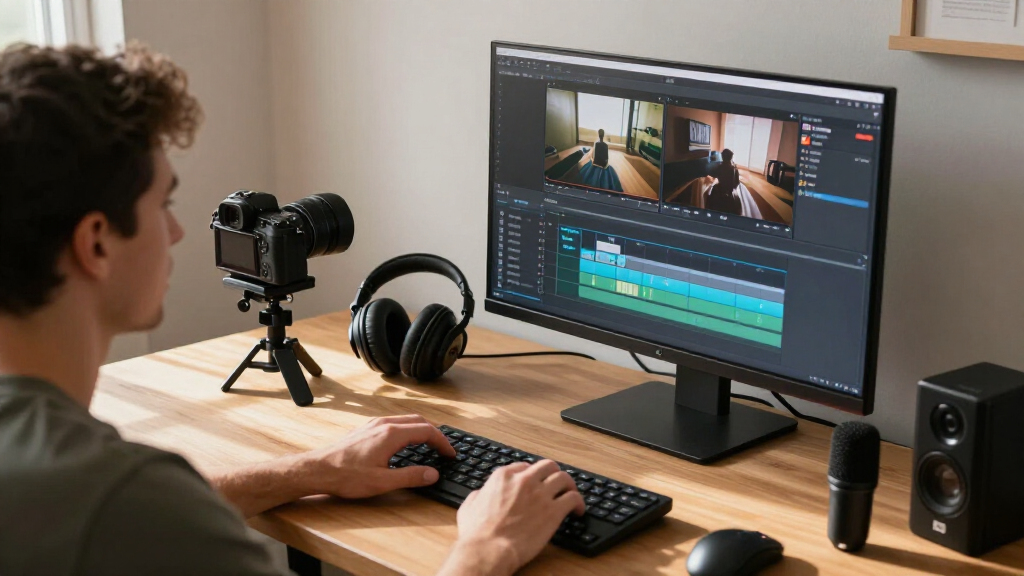
I compared these products as AI video editing software, not simply as general video editors. The main factors were how well each option balances AI assistance with practical editing control, how approachable its workflow appears for its intended user, and whether the listing makes its platform, edition, and license clear. I also considered whether a bundle adds useful value for a video creator or includes software that a video-only buyer may not need.
The ranking favors options that appear to offer a strong balance of AI-oriented editing and a wider creative workflow. That puts PowerDirector 2027 Ultra first as the most balanced pick, with PowerDirector 2027 Ultimate close behind for buyers seeking the higher-tier CyberLink edition. Adobe Premiere Elements ranks as a more guided option, while the Elements bundles, older PowerDirector editions, Nero, and the subscription-based Adobe Premiere listing serve narrower needs. These listings do not establish that every version includes identical AI tools, so buyers should confirm the exact edition and license before choosing.
| AI video editing software | Platform |
|---|---|
| CyberLink PowerDirector 2027 U | Windows |
| Adobe Premiere Elements 2027 V | Windows PC and macOS |
| CyberLink PowerDirector 2026 a | — |
| Nero Video Maker Video Editing | — |
| CyberLink PowerDirector 2026 V | Windows |
| Adobe Photoshop Elements & Pre | — |
| Adobe Photoshop Elements & Pre | PC and Mac |
| CyberLink PowerDirector 2027 U | Windows |
| Adobe Premiere AI-Powered Vide | PC and Mac; iPhone app included |
Factors to Consider When Choosing AI Video Editing Software
Choosing AI video editing software is about finding the right balance between automation, editing control, and the way you plan to work. I would check these broader factors before focusing on a product name or the number of AI features advertised.
Decide What You Want AI to Do
AI features can refer to very different tasks, from generating captions and cleaning up footage to helping arrange or enhance a project. Start with the task that currently takes you the most time, then check whether the specific edition offers that function. A tool that speeds up rough cuts may not help much if your main need is audio cleanup or captions. Avoid choosing based on a broad AI claim without confirming the exact feature and its limits. For recurring work, a reliable shortcut for one bottleneck can matter more than a long list of tools you rarely use.
Balance Automation With Creative Control
Automated edits can get a project moving, but they may not match your pacing, visual style, or intended story. If you often revise scenes frame by frame, prioritize a timeline and controls that let you adjust the result after AI assistance. Guided workflows can save time for simple projects, but a workflow that hides its editing controls may feel restrictive as your skills grow. A common mistake is treating automation as a replacement for reviewing the final cut. Choose software that makes it easy to accept, refine, or discard AI-generated changes.
Match the Workflow to Your Experience
New editors may benefit more from clear prompts and guided steps than from a large collection of advanced controls. More experienced editors may value a flexible timeline and familiar tools even if the interface takes longer to learn. Think about the projects you will make over the next year, not only the first video you want to finish. A simple editor can be a good fit for occasional family or social clips, while regular client or channel work may call for more room to organize and revise projects. If you are unsure, prioritize a workflow that supports manual editing after its guided or AI-assisted steps.
Check the Exact Edition, Platform, and License
Product families often include several editions, bundles, and license terms, and their features can differ. Verify the operating system listed for the version you plan to buy, especially when a product name also appears in Windows-only and PC/Mac listings. A subscription or time-limited license works differently from a license that does not have the same stated term, so match the commitment to how regularly you edit. Check whether the listing describes a standalone video editor, a bundle, or an online code. Comparing the exact product names can prevent paying for a package or license format that does not match your setup.
Judge Bundles by What You Will Actually Use
A video-and-photo bundle can be useful if the same projects involve still images, thumbnails, or photo corrections. If you only work with video, bundled photo software may not add meaningful value to your workflow. Consider how often you move between photo and video tasks and whether sharing a software family would simplify your work. Do not treat a larger bundle as automatically better; more included apps can mean more tools to learn and maintain. The best fit is the package whose added components serve work you already do or plan to do.
Plan for Output and Future Projects
Before committing, think about where your finished videos will be watched and how often you will need to revise them. A personal clip, a stream of short social videos, and a longer presentation can place different demands on editing speed, control, and project organization. Check the software’s stated export options and system requirements against your computer and intended destinations. Also consider whether you may need to reopen old projects after changing computers or ending a subscription. Planning around the full project lifecycle helps prevent a quick AI-assisted edit from becoming difficult to update later.
Frequently Asked Questions
Should I choose PowerDirector 2027 Ultra or PowerDirector 2027 Ultimate?
Both are CyberLink’s 2027 Windows options in this roundup, but the product names alone do not establish which specific AI tools or extras are included in each edition. I would compare the exact feature lists and license details for the two listings before deciding. Ultra is my balanced overall recommendation, while Ultimate is the better direction if its listed additions match tools you expect to use. Do not assume that the higher-tier name automatically means a better fit for your projects. Confirm the included capabilities for the exact version being sold.
Is Premiere Elements a better starting point than Adobe Premiere?
Premiere Elements is the more natural starting point for someone who wants guided editing and does not need a subscription-based workflow. Adobe Premiere’s one-year subscription may suit editors who specifically want that product’s workflow and accept its license term. The right choice depends on how much control you want and how you prefer to pay for access, not just on the Adobe name. Check which AI-assisted tools are included in each exact listing before assuming their capabilities are interchangeable. If your projects are occasional and straightforward, the guided option may be easier to live with.
Does the Photoshop Elements and Premiere Elements bundle make sense for video-only work?
It can, but only if the photo software has a role in your workflow or the bundle’s terms make sense for your needs. Video-only editors should compare it with a standalone video product so they are not choosing based on an extra app they will leave unused. The bundle may fit creators who prepare still assets alongside their videos. Also compare the two listed bundle editions, since their names and intended eligibility differ. Verify the license requirements for the Student and Teacher Edition before selecting it.
Can I assume the 2026 and 2027 PowerDirector listings have the same AI features?
No. A shared product family does not prove that separate model years or editions include identical tools. Compare the version-specific feature lists, system requirements, and license terms for each listing. The 2026 options may still fit a buyer whose needs match their stated capabilities, but the 2027 products are the clearer starting point for someone comparing the newest entries in this roundup. Check whether a bundle includes PhotoDirector if that matters to your work. Make the choice from the exact specifications rather than the family name alone.
What should I verify before buying an AI video editor online?
Confirm that the product supports your computer’s operating system and that the license format is one you are comfortable using. Check whether the listing provides an online code, a subscription term, or another form of access, and review any eligibility rules for education editions. Then verify the AI functions you need in the specific version, rather than relying on general product-family descriptions. Look for export options that match your intended platforms and project types. These checks can rule out a poor fit before you spend time installing and learning the software.
Conclusion
For most buyers seeking a balanced desktop editor with AI assistance, I recommend CyberLink PowerDirector 2027 Ultra as the best overall. Choose PowerDirector 2027 Ultimate as the best premium direction if its edition-specific additions suit your workflow, and compare the exact listed features before buying. For value, look at the 2026 PowerDirector options or Nero Video Maker only after confirming their feature sets and license terms match your needs. Adobe Premiere Elements 2027 is my pick for beginners who value guided editing, while the Photoshop Elements bundles make more sense for creators who also work with photos. Choose the Adobe Premiere subscription when its workflow and stated one-year license fit your ongoing editing plans.
Halloween Picks
halloween
As an affiliate, we earn on qualifying purchases.