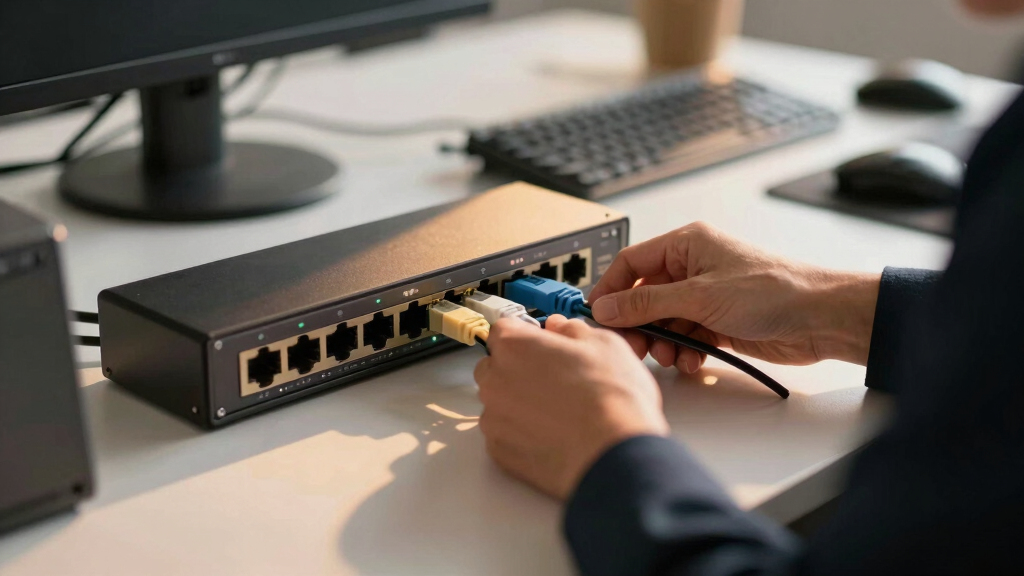

Choosing the best multi-gig switches for prosumer offices involves balancing performance, cost, and ease of setup. The top overall pick, the NETGEAR 5-Port 2.5G Multi-Gigabit Ethernet Unmanaged Switch (MS305), offers reliable 2.5Gbps ports with straightforward plug-and-play operation, making it ideal for most prosumer setups. For those prioritizing gaming or high-bandwidth tasks, the D-Link 5-Port 2.5GB Unmanaged Gaming Switch (DMS-105) stands out with its fanless design and simple deployment. The main tradeoffs involve choosing between higher port counts, multi-gig support, and features like SFP ports versus simpler, more affordable models. Keep reading for a detailed breakdown to help you find the best fit for your office needs.

Get business pricing on tech for your team
- Business-only prices and quantity discounts
- Tax-exempt purchasing
- Multiple users, one account, clear invoices
Key Takeaways
- Multi-gig support (2.5Gbps and higher) significantly improves future-proofing for prosumer networks.
- Unmanaged switches dominate this category, emphasizing ease of use and affordability, but limit advanced features.
- Including SFP+ ports adds flexibility for fiber uplinks, which matters for larger or more complex setups.
- Build quality and cooling (fanless designs) influence switch longevity and noise levels in office environments.
- Port count varies from 5 to 8+; consider future growth when selecting a switch to avoid bottlenecks.




More Details on Our Top Picks
NETGEAR 5-Port 2.5G Multi-Gigabit Ethernet Unmanaged Network Switch (MS305) – with 5 x 2.5Gbps Ports, Desktop or Wall Mount, Metal Case
This NETGEAR MS305 stands out for its straightforward setup and robust hardware, making it ideal for prosumer offices upgrading from traditional gigabit switches. Compared to the D-Link DMS-105, it offers a similar 2.5G port count but adds sturdy metal construction and a fanless design that ensures silent operation even under load. Its energy-efficient features and 3-year warranty provide peace of mind, but the absence of managed features limits fine-tuning options. The switch’s plug-and-play approach suits users who want reliable high-speed connectivity without complexity. If you need advanced management or VLAN support, this might not be the best choice, but for seamless high-speed expansion, it excels. Best suited for prosumers who want a reliable, silent, high-speed unmanaged switch with versatile mounting options.
Pros:- Robust metal case for durability
- Fanless, silent operation
- Plug-and-play setup with high-speed ports
Cons:- Lacks managed features such as VLAN or QoS controls
- No built-in web interface for advanced configuration
Best for: Prosumer office users seeking a high-speed, unmanaged, silent switch with durable build quality.
Not ideal for: Businesses requiring managed features like VLAN configuration or network segmentation.
- Number of Ports:5
- Compatible Devices:Desktop, Wall Mount
- Data Transfer Rate:2.5Gbps per port
- Switch Type:Unmanaged
- Color:Metal Gray
- Power Supply:Included
- Warranty:3 years
Bottom line: This switch is perfect for prosumer environments prioritizing high-speed, silent operation without the need for management features.
D-Link 5-Port 2.5GB Unmanaged Gaming Switch with 5 x 2.5G – Multi-Gig, Network, Fanless, Plug & Play (DMS-105),Black
This D-Link DMS-105 makes a compelling case for budget-conscious prosumers who want 2.5G speeds without extra cost. It offers a similar 5-port configuration as the NETGEAR MS305 but emphasizes compatibility with Wi-Fi 6 devices and multicast optimization through IGMP snooping, which benefits streaming and gaming setups. Its fanless, metal case ensures quiet operation, and the plug-and-play design simplifies deployment. Compared with the NETGEAR GS308v3, it provides comparable speed but at a lower price point, though it lacks advanced management features. Its focus on high-speed connectivity and durability makes it ideal for those who want a straightforward upgrade but can forgo management and VLAN options. This switch is best for users needing reliable multi-gig connectivity at a budget, especially in gaming or media-rich environments.
Pros:- Fanless, silent, durable metal case
- Supports Wi-Fi 6 high-speed devices
- Plug-and-play setup with 2.5G ports
Cons:- No managed or VLAN features
- Limited to unmanaged operation, less control over traffic
Best for: Home office or prosumer users looking for an affordable, high-speed unmanaged switch for streaming, gaming, or NAS connections.
Not ideal for: Offices requiring network segmentation, VLANs, or detailed traffic management.
- Number of Ports:5
- Compatible Devices:Wi-Fi 6 APs, NAS, Gaming PC
- Data Transfer Rate:2.5Gbps
- Switch Type:Unmanaged
- Color:Black
- Power Supply:Included
Bottom line: Ideal for budget-conscious prosumers needing fast, reliable, unmanaged multi-gig connectivity for media and gaming devices.
TRENDnet 7-Port Multi-Gig Gaming Switch, TEG-S327, 5 x 1G RJ-45 Base-T Ports, 2 x 2.5G RJ-45 Ports, 20Gbps Switching Capacity, Wall Mountable, Plug & Play, Lifetime Protection, Black
The TRENDnet TEG-S327 is tailored for gamers and prosumers looking to maximize multi-gig performance across multiple devices. It combines two 2.5G ports with five gigabit ports, offering flexibility for high-bandwidth applications like 4K streams and gaming. The 20Gbps switching capacity supports multiple devices operating simultaneously without bottlenecks, and the lifetime warranty adds confidence. Its TAA and NDAA compliance make it suitable for more professional environments, including government. Compared to the NETGEAR GS308v3, it provides more ports with multi-gig support but at a slightly higher price. Its wall-mount design and plug-and-play ease suit setups where space is limited and simplicity is desired. However, it still lacks managed features, which can be a drawback for advanced network control. This switch is ideal for prosumers wanting a versatile, multi-device, multi-gig setup with durability and simplicity.
Pros:- Supports 2.5G and gigabit ports simultaneously
- High 20Gbps switching capacity
- TAA and NDAA compliance for professional use
Cons:- No managed or VLAN features
- Limited to unmanaged operation
Best for: Gamers, streamers, and prosumers needing multi-gig ports for multiple high-bandwidth devices with reliable performance.
Not ideal for: Offices requiring VLANs, QoS, or managed network segmentation.
- Number of Ports:7
- Compatible Devices:Gaming, Streaming, NAS
- Data Transfer Rate:2.5Gbps and 1Gbps
- Switch Type:Unmanaged
- Color:Black
- Warranty:Lifetime
Bottom line: This switch is perfect for prosumers with multiple high-bandwidth devices who want straightforward, reliable multi-gig networking.
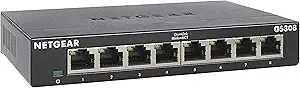
NETGEAR 8-Port Gigabit Ethernet Unmanaged Essentials Switch (GS308) – Home Network Hub, Office Ethernet Splitter, Plug-and-Play, Silent Operation, Desktop or Wall Mount
The NETGEAR GS308 offers a proven, reliable solution for expanding gigabit networks in small offices or home setups. Its 8 ports provide ample connectivity, with auto-negotiation and non-blocking architecture supporting seamless data flow. Compared to the GS108X, it emphasizes simplicity over multi-gig support, making it ideal for environments where gigabit speed suffices. Its silent, fanless design and durable metal case make it suitable for noise-sensitive spaces. However, its limitation to gigabit ports means it can’t handle multi-gig speeds, which might be a bottleneck for future-proofing. Nonetheless, for users who need straightforward, plug-and-play expansion at gigabit speeds without management complexity, the GS308 remains a top choice. This switch is well-suited for small offices or prosumers needing reliable gigabit connectivity without management features.
Pros:- Reliable, non-blocking gigabit ports
- Silent, fanless operation
- Durable metal construction
Cons:- Limited to gigabit speeds, no multi-gig support
- No management or VLAN features
Best for: Small offices or home prosumers looking for a simple, silent gigabit switch for expanding current networks.
Not ideal for: Environments requiring multi-gig or managed network features like VLAN or QoS.
- Number of Ports:8
- Compatible Devices:Computers, Servers
- Data Transfer Rate:1Gbps
- Switch Type:Unmanaged
- Color:Yellow
- Warranty:3 years
Bottom line: This switch provides dependable gigabit expansion for small offices or prosumers prioritizing simplicity and silence.
NETGEAR 5-Port Gigabit Ethernet Unmanaged Essentials Switch (GS305) – Home Network Hub, Office Ethernet Splitter, Plug-and-Play, Silent Operation, Desktop or Wall Mount
The NETGEAR GS305 is a compact, highly reliable gigabit switch ideal for prosumers with space constraints. Its 5 ports support plug-and-play setup with auto-negotiation, making it suitable for simple network expansion in small offices or home setups. Its fanless, metal design ensures low noise and durability, with silent operation perfect for noise-sensitive environments. While it doesn’t support multi-gig speeds or VLAN management, its simplicity and high build quality make it a favorite for those who value straightforward performance. Compared with larger switches like the GS308, the GS305’s smaller footprint is advantageous for limited spaces, though it offers fewer ports. It’s best for users who want a minimalistic, reliable gigabit uplink without fuss. This switch is ideal for users needing a space-saving, silent gigabit expansion point in a prosumer environment.
Pros:- Compact, space-saving design
- Silent, fanless operation
- Durable metal case
Cons:- Limited to gigabit speeds, no multi-gig support
- No managed features
Best for: Prosumer users with limited space seeking a simple, silent gigabit switch for small network expansion.
Not ideal for: Environments requiring multi-gig support or advanced network management.
- Number of Ports:5
- Compatible Devices:Computers, Office Devices
- Data Transfer Rate:1Gbps
- Switch Type:Unmanaged
- Color:Purple
- Warranty:3 years
Bottom line: Perfect for small environments needing a reliable, low-profile gigabit switch with silent operation.
UGREEN 2.5Gb Switch, 6-Port Ethernet Switch, 5 x 2.5Gb + 1 x 10Gb SFP+, Standard/Link Aggregation to 5Gbps/VLAN 3 Modes, Plug & Play Metal Unmanaged Ethernet Splitter, Desktop/Wall Mount, for NAS, PC
This UGREEN switch stands out for its combination of multiple 2.5Gb ports with a dedicated 10Gb SFP+ port, making it ideal for small teams needing fast NAS access and backbone links. Unlike the NETGEAR GS108MX, it offers flexible modes like VLAN and link aggregation, which improve network management but introduce complexity for beginners. Its rugged metal case ensures durability and heat dissipation, suitable for desktop or wall mounting. However, the absence of a PoE feature and the need for compatible SFP modules (sold separately) are notable tradeoffs. This model makes the most sense for prosumers who want high-speed multi-gig connectivity with advanced network management capabilities.
Pros:- Supports 2.5Gbps speeds across five ports for fast local transfers
- Includes a 10Gb SFP+ port for flexible fiber or copper uplinks
- Supports VLAN, link aggregation, and jumbo frames for advanced network management
- Metal enclosure ensures durability and heat dissipation
Cons:- Requires separate purchase of SFP modules; no built-in fiber support included
- Lacks PoE support, limiting power options for connected devices
- Complex configuration modes may overwhelm casual users
Best for: Small offices with NAS, high-speed file transfer needs, and network segmentation requirements
Not ideal for: Small home users or those seeking simple plug-and-play solutions without VLAN or link aggregation needs
- Ports:5 x 2.5Gb, 1 x 10Gb SFP+
- Supported Modes:Standard, Link Aggregation, VLAN
- Speed:Up to 5Gbps aggregate with link aggregation
- Build:Metal case with heat dissipation
- Mounting:Desktop and Wall-mount
- Protection:4KV lightning and surge protection
Bottom line: Ideal for prosumers aiming for flexible, high-speed backbone and NAS connections, but less suited for simple home setups.
NETGEAR 8-Port 1G/10G Gigabit Ethernet Unmanaged Switch (GS108X) – with 1 x 10G SFP+, Desktop or Wall-Mount, Limited Lifetime Protection
This NETGEAR GS108X excels in offering eight gigabit ports with a single 10G uplink, making it a solid choice for expanding small networks or adding a high-speed backbone connection. Compared with the TP-Link TL-SG108S-M2, it provides a dedicated 10G uplink port with a simple plug-and-play setup, ideal for users needing immediate high-speed uplinks without complex configuration. Its fanless design ensures silent operation, perfect for quiet office environments, and the lifetime warranty adds peace of mind. A tradeoff is that it does not support multi-gig speeds on all ports, limiting local device speeds to 1G. This switch makes sense for small offices looking to upgrade uplink capacity while maintaining straightforward deployment.
Pros:- Includes one 10G/Multi-Gig uplink port for future-proofing
- Fanless, silent operation suitable for quiet environments
- Durable metal case with lifetime warranty
- Simple plug-and-play setup without configuration
Cons:- Only one 10G port limits local speed enhancements
- No PoE support for powering devices
- Ports are limited to 1G on local connections
Best for: Small offices needing a reliable, high-speed uplink and future expansion options
Not ideal for: Home users or small teams requiring multi-gig speeds on all ports or PoE features
- Ports:8 x 1G, 1 x 10G SFP+
- Design:Fanless, metal enclosure
- Mounting:Desktop and Wall-mount
- Warranty:Limited Lifetime
- Operation:Plug & Play
- Uplink Speed:10G
Bottom line: Perfect for small offices prioritizing a high-speed uplink with easy deployment, but less suited for multi-gig local device connections.
TP-Link TL-SG108S-M2 | 8-Port Multi-Gigabit 2.5G Ethernet Switch | Unmanaged Network Switch | Ethernet Splitter | Plug & Play | Desktop/Wall Mount | Silent Operation
This TP-Link switch makes a compelling case for budget-conscious prosumers requiring 2.5Gbps speeds across multiple ports, with a straightforward setup similar to the NETGEAR GS108MX but at a lower price point. Its industry-leading fanless design ensures silent operation, and auto-negotiation between 100Mb, 1G, and 2.5G ports guarantees compatibility with a broad range of devices. Compared with the NETGEAR GS108MX, it offers a similar number of ports, though it lacks the multi-gig uplink feature, focusing instead on local multi-gig speeds. The switch is ideal for small offices or home labs where performance per dollar is a priority, but it doesn’t support VLAN or link aggregation, making it less suited for complex network setups.
Pros:- Supports 8 ports at 2.5Gbps for fast local data transfer
- Fanless, silent operation
- Plug & Play, simple deployment
- Auto-negotiates link speed for compatibility
Cons:- No uplink port for fiber or high-speed backbone
- Lacks VLAN, link aggregation, and PoE
- Limited to local device speeds
Best for: Budget-conscious prosumers needing multi-gig speeds for local devices without complex network management
Not ideal for: Small offices requiring advanced features like VLAN or uplink fiber connectivity
- Ports:8 x 2.5Gbps
- Design:Fanless, desktop/wall mount
- Operation:Plug & Play
- Speed:Up to 2.5Gbps per port
- Use Case:Small offices, home labs
- Price:Budget-friendly
Bottom line: Excellent choice for budget prosumers seeking high-speed local connections without advanced network features.
NETGEAR 8-Port 1G/10G Multi-Gigabit Ethernet Unmanaged Switch (GS108MX) – with 1 x 10G/Multi-gig RJ-45 Ethernet Uplink, Desktop or Wall Mount, and Limited Lifetime Protection
This NETGEAR GS108MX is tailored for small networks needing a simple yet effective upgrade to their uplink bandwidth, featuring eight 1G ports and a dedicated 10G uplink. Compared with the GS108X, it offers a similar setup but with a focus on affordable gigabit speeds and a single 10G uplink for future scalability. Its fanless design ensures silent operation, and the lifetime warranty enhances its reliability. The tradeoff is that local ports are limited to 1G, which may not satisfy users needing multi-gig local device speeds. This switch is best suited for offices where expanding uplink capacity is a priority without complex configuration or multi-gig local connections.
Pros:- Includes a dedicated 10G uplink for future-proofing
- Fanless, silent operation suitable for quiet environments
- Durable metal case with lifetime warranty
- Plug & Play setup without configuration
Cons:- Limited to 1G speeds on local ports
- No PoE support
- Single uplink limits bandwidth on local devices
Best for: Small offices seeking to upgrade uplink speed and maintain simple, reliable connectivity
Not ideal for: Home users or small teams with requirements for multi-gig local device speeds or PoE
- Ports:8 x 1G, 1 x 10G uplink
- Design:Fanless, metal case
- Mounting:Desktop and Wall-mount
- Warranty:Limited Lifetime
- Operation:Plug & Play
- Speed:1G on ports, 10G uplink
Bottom line: Ideal for small offices prioritizing uplink capacity and simple deployment, but not for multi-gig local device needs.

How We Picked
These switches were selected based on their performance, build quality, ease of deployment, and value for prosumer office environments. Priority was given to models supporting multi-gig speeds (2.5Gbps and above), with a focus on unmanaged options for straightforward setup. We evaluated the technical specs, user reviews, and durability to identify reliable choices that balance cost and capability. Products are ranked primarily on their support for current and future bandwidth demands, with secondary considerations for expandability and noise levels. This approach ensures recommendations serve a broad range of prosumer office needs while highlighting clear distinctions between options.Factors to Consider When Choosing Best Multi-gig Switches For Prosumer Offices
When choosing a multi-gig switch for a prosumer office, understanding certain features can help avoid common pitfalls. The right switch should balance speed, port flexibility, ease of management, and build quality. Overpaying for unnecessary features can inflate costs, while overlooking critical specs might limit your network’s performance. Here are key factors to keep in mind to make an informed decision.Port Support and Speed
Assess how many devices need connection now and in the future. Multi-gig ports (2.5Gbps, 5Gbps, or 10Gbps) are essential for high-bandwidth tasks like large file transfers or 4K video streaming. Choosing a switch with a few multi-gig ports and additional gigabit ports can provide flexibility, but over-investing in 10Gbps ports might not be necessary for all setups. Consider your current needs and potential growth to avoid bottlenecks while avoiding paying for unused high-speed ports.
Management and Usability
Unmanaged switches are attractive for prosumer offices due to their plug-and-play nature, but they lack features like VLAN support or traffic prioritization. If your network requires segmentation or advanced control, managed switches become more relevant, though they add complexity and cost. Evaluate whether your setup benefits from management features or if simplicity suffices, especially if you prioritize quick setup and minimal maintenance.
Build Quality and Noise Levels
Office environments favor switches that operate quietly and are built with durable materials. Fanless designs are preferable for noise-sensitive spaces, but they may run hotter, so good build quality becomes critical. Metal cases generally indicate better longevity and heat dissipation, reducing the risk of failure over time. Think about placement—desktop, wall mount, or rack—and choose accordingly to match your workspace layout.
Uplink Options and Expandability
Integrating fiber or higher-speed uplinks via SFP+ ports adds flexibility for future expansion, especially in larger or more complex networks. Not all switches include SFP ports, so if your office plans to grow or requires fiber connectivity, prioritize models with these options. Conversely, if your setup remains straightforward, standard Ethernet ports may suffice, allowing savings without sacrificing performance.
Cost and Value
While higher port counts and advanced features increase costs, they can prevent costly upgrades later. Balance your current needs with future growth potential. Budget options often cover essential multi-gig performance but might lack durability or full feature sets. Investing a bit more can deliver longer-term reliability and better performance, especially when considering network stability and scalability.
Frequently Asked Questions
Do I need managed switches for my prosumer office?
Managed switches are beneficial if you need advanced control features like VLANs, traffic prioritization, or network segmentation. For basic multi-gig connectivity and straightforward setups, unmanaged switches often provide all the performance you need without added complexity. Consider your current network management needs and future plans before opting for managed options, as unmanaged switches generally suffice for most prosumer environments.
Is 2.5Gbps support enough for my office?
In most prosumer offices, 2.5Gbps ports offer a significant upgrade over traditional gigabit speeds, supporting faster file transfers, streaming, and cloud backups. If your team handles large files or uses bandwidth-intensive applications, 2.5Gbps support provides ample headroom. However, if you anticipate even higher demands or future-proofing, look for switches with 5Gbps or 10Gbps ports, especially for uplinks or core connections.
Should I prioritize SFP+ ports in my switch?
SFP+ ports are valuable for connecting fiber links or high-speed uplinks, especially in larger or more complex setups. They add flexibility and can future-proof your network by supporting higher bandwidth uplinks. If your office has fiber infrastructure or plans to expand, investing in switches with SFP+ ports makes sense. For smaller, straightforward networks, standard Ethernet ports may be sufficient and more cost-effective.
How important is build quality for a prosumer switch?
Build quality affects both the longevity and reliability of your switch. Metal cases and fanless designs tend to last longer and operate more quietly, making them suitable for office environments. Cheaper plastic models might save money upfront but could fail sooner or generate excessive noise. Consider your workspace layout and choose a switch that balances durability, noise, and aesthetic fit.
Can I mix multi-gig switches with gigabit-only devices?
Yes, most multi-gig switches are backward compatible with gigabit devices, so you can connect older equipment without issue. The overall network speed will be limited to the slowest device, but having multi-gig ports enables faster connections for newer devices. This flexibility allows you to upgrade incrementally without replacing all your hardware at once, making multi-gig switches a smart investment for future-proofing your office network.
Conclusion
For most prosumer offices, the NETGEAR 5-Port 2.5G Multi-Gigabit Ethernet Unmanaged Switch (MS305) offers the best balance of performance, simplicity, and value, making it ideal for general use. Those seeking the best bang for their buck might consider the TP-Link TL-SG108S-M2, which delivers solid multi-gig support at an affordable price. If your setup demands advanced features or fiber connectivity, the UGREEN 2.5Gb Switch or NETGEAR 8-Port 10G Models cater to more complex needs. Beginners should prioritize plug-and-play, while larger or future-proofed networks benefit from higher port counts and SFP options. Tailor your choice to your current setup and growth plans to ensure reliable, high-speed connectivity in your office. As an affiliate, we earn on qualifying purchases.Fall Picks
fall essentials