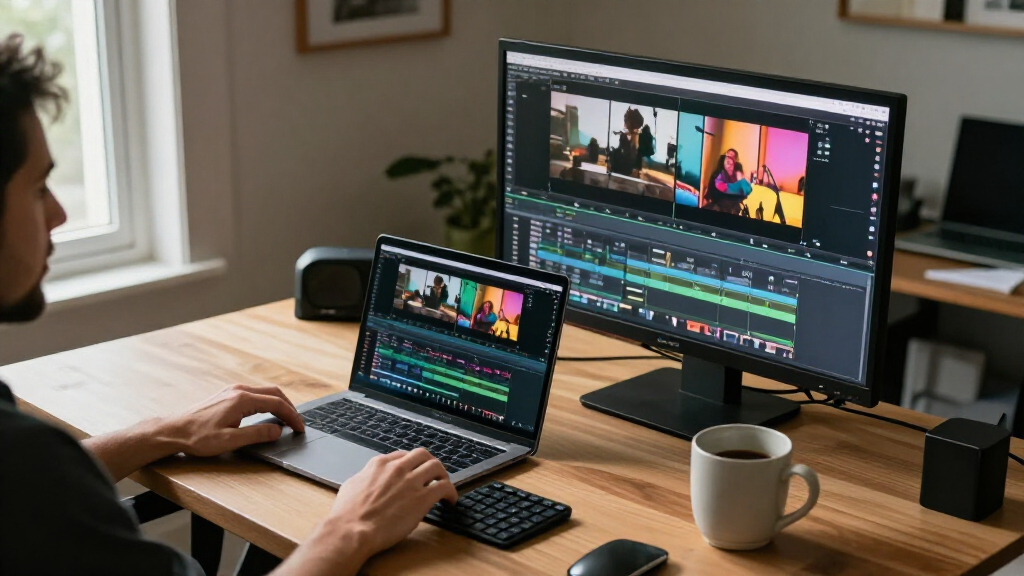

When searching for AI video editing software, the goal is to find tools that combine powerful automation with user-friendly interfaces. The best overall pick is Adobe Premiere Elements 2027, thanks to its advanced AI features and seamless integration with Adobe’s ecosystem. For those on a budget, VideoPad Video Editor offers solid automation at a lower price point, while CyberLink PowerDirector 2027 Ultimate stands out for its fast rendering and extensive effects. However, many options face tradeoffs between ease of use and depth of control, or between automation and customization. Continue reading for a detailed breakdown of each option and which one best fits your needs.

Get business pricing on tech for your team
- Business-only prices and quantity discounts
- Tax-exempt purchasing
- Multiple users, one account, clear invoices
Key Takeaways
- Top-ranked software balances AI automation with user control, making it suitable for both novices and professionals.
- Pricing varies widely; the most advanced tools often come with higher costs, but some budget options still deliver strong AI features.
- Ease of use is a common strength among the best picks, but a few high-end options sacrifice simplicity for advanced capabilities.
- Compatibility with Windows or Mac can limit choices, so platform-specific features influence the best fit.
- AI features like auto-editing, scene detection, and background removal are now standard, but their quality varies across products.
| Movavi Video Editor 2026 for Mac — Personal License |  | Best for Mac Beginners | Platform: Mac | License: Personal | Subtitle styles: 30+ | VIEW LATEST PRICE | See Our Full Breakdown |
| Nero Video Maker Video Editing Software for Windows |  | Best for Effects and High-Resolution Exports | Operating system: Windows 10 and Windows 11 | License: Lifetime license for 1 PC | Supported resolutions: HD, 4K, 8K | VIEW LATEST PRICE | See Our Full Breakdown |
| Adobe Photoshop Elements & Premiere Elements 2027, 3-Year License, PC/Mac Online Code |  | Best for Photo-and-Video Creators | License term: 3 years | Platform: Windows 11 or macOS | Windows processor: 64-bit Intel Core 9th Generation or newer, or AMD equivalent; AVX2 and SSE4.2 required | VIEW LATEST PRICE | See Our Full Breakdown |
| CyberLink PowerDirector 2027 Ultimate Video Editing Software for Windows |  | Best for AI-Assisted Video Editing | Platform: Windows | License: Subscription-free, one-time purchase | Included AI credits: 500 credits for the first year | VIEW LATEST PRICE | See Our Full Breakdown |
| CyberLink PowerDirector 2026 and PhotoDirector 2026 Editing Software for Windows |  | Best Lifetime Bundle for Mixed-Media Creators | Included software: CyberLink PowerDirector 2026 and PhotoDirector 2026 | Operating system: Windows 10 or Windows 11, 64-bit | License: Lifetime licenses; one-time purchase | VIEW LATEST PRICE | See Our Full Breakdown |
| CyberLink PowerDirector 2026 Video Editing Software for Windows |  | Best for AI-Assisted Creator Workflows | Operating system: Windows 11 | Format: Download | AI editing tools: AI frame interpolation and AI object masking | VIEW LATEST PRICE | See Our Full Breakdown |
| Corel VideoStudio Ultimate 2021 Video Editing Software for PC |  | Best for Effects-Heavy Editing on Older Windows PCs | Platform: PC download | Operating system: Windows 7, 8, or 10 (64-bit) | Minimum RAM: 4 GB | VIEW LATEST PRICE | See Our Full Breakdown |
| Adobe Photoshop Elements & Premiere Elements 2027 Student & Teacher Edition, 3-Year License |  | Best for Student and Teacher Creative Projects | License term: 3 years | Edition: Student & Teacher | Platform: PC and Mac | VIEW LATEST PRICE | See Our Full Breakdown |
| VideoPad Video Editor |  | Best for Basic Noncommercial Editing | Platform: Download | License: Free version | Usage restriction: Non-commercial use | VIEW LATEST PRICE | See Our Full Breakdown |
| VideoPad Video Editor for Windows |  | Best for Lightweight Editing on Older Windows PCs | Platform: Windows | Supported operating systems: Windows 8, Windows 7, Windows Vista, Windows XP | Processor: Celeron 2.1 | VIEW LATEST PRICE | See Our Full Breakdown |
| VEGAS Pro Edit 21 Video and Audio Editing Software (1 License, PC Online Code) |  | Best for Hands-On Windows Editors | License: 1 license | Platform: PC | Operating system: Windows 10 or 11 | VIEW LATEST PRICE | See Our Full Breakdown |
| Adobe Premiere Elements 2027 – AI‑Powered Video Editing Software (3‑Year License) |  | Best for Guided Editing | License: 3-year license | Operating system: Windows 11 (24H2 or later) or macOS 15.5/26.5 | Processor: Intel Core 9th Gen or newer / AMD equivalent with AVX2 and SSE4.2; Apple silicon M1 or newer | VIEW LATEST PRICE | See Our Full Breakdown |
| Corel VideoStudio Pro 2020 Video Editing Software for PC |  | Best for Effects Variety on Older Windows PCs | Platform: PC | Operating systems: Windows 10, Windows 8, or Windows 7 (64-bit) | Processor: Intel Core i3 or AMD A4 for standard video; Intel Core i7 or AMD Athlon A10 for HD and UHD | VIEW LATEST PRICE | See Our Full Breakdown |
| CyberLink PowerDirector 2026 Video Editing Software for Windows |  | Best for AI-Assisted Capture and Cleanup | Platform: Windows | Format: Box with download code | Software type: Video editing software | VIEW LATEST PRICE | See Our Full Breakdown |
| AI video editing software | Platform | License |
|---|---|---|
| Movavi Video Editor 2026 for M | Mac | Personal |
| Nero Video Maker Video Editing | — | Lifetime license for 1 PC |
| Adobe Photoshop Elements & Pre | Windows 11 or macOS | — |
| CyberLink PowerDirector 2027 U | Windows | Subscription-free, one-time purchase |
| CyberLink PowerDirector 2026 a | — | Lifetime licenses; one-time purchase |
| CyberLink PowerDirector 2026 V | — | — |
| Corel VideoStudio Ultimate 202 | PC download | — |
| Adobe Photoshop Elements & Pre | PC and Mac | — |
| VideoPad Video Editor | Download | Free version |
| VideoPad Video Editor for Wind | Windows | — |
| VEGAS Pro Edit 21 Video and Au | PC | 1 license |
| Adobe Premiere Elements 2027 | — | 3-year license |
| Corel VideoStudio Pro 2020 Vid | PC | — |
| CyberLink PowerDirector 2026 V | Windows | — |
More Details on Our Top Picks
Movavi Video Editor 2026 for Mac — Personal License
For Mac users who want AI assistance without a sprawling editing workflow, Movavi Video Editor 2026 pairs familiar drag-and-drop editing with practical automation. Its automatic subtitles, noise removal, and silence removal can cut down repetitive cleanup, while background replacement adds a quick way to change a shot’s setting. Compared with the Windows-only Nero Video Maker, Movavi is the clear fit for Mac, but Nero offers multi-track tools and exports up to 8K. Movavi’s 180+ filters and 30+ subtitle styles give creators room to shape a consistent look; playback speed up to 100× is useful for time-lapse effects or compressing footage. The tradeoff is a personal-use license and Mac-only support, so it is a weaker choice for commercial work or mixed-platform teams.
Pros:- AI subtitle generation and noise and silence removal reduce manual cleanup
- More than 180 filters plus transitions, titles, and overlays support quick visual styling
- Playback speed control up to 100× enables fast-motion effects and time-lapse edits
- 30+ subtitle styles make it easier to match captions to a video’s look
Cons:- Mac-only support excludes Windows users and mixed-platform teams
- Personal license may not fit commercial production needs
Best for: Mac users making personal videos, tutorials, or social clips who want automated subtitle and audio cleanup in an approachable editor
Not ideal for: Commercial editors and Windows users, since this listing is Mac-only and the license is personal
- Platform:Mac
- License:Personal
- Subtitle styles:30+
- Playback speed:Up to 100×
- Filters:180+
- AI features:Automatic subtitles, noise removal, silence removal, background replacement
Our verdict“Choose Movavi if you edit personal videos on a Mac and value quick AI cleanup over advanced, commercial-oriented workflows.”
Nero Video Maker Video Editing Software for Windows
Nero Video Maker suits Windows editors who want a large effects library and room to export high-resolution projects without paying for a subscription. Its multi-track timeline, green screen, picture-in-picture, and motion tracking offer more conventional editing depth than Movavi’s beginner-friendly Mac focus. The advertised 1,000+ templates and effects can speed up stylized edits, while HD, 4K, and 8K export options leave headroom for demanding display formats. Its AI media tools are part of the package, though the supplied details give less emphasis to specific AI editing tasks than CyberLink PowerDirector 2027’s object removal, chat-based editing, and audio cleanup. Nero’s main limitations are its Windows 10 or 11 requirement and a license restricted to one PC, which makes it less convenient for editors who move between computers.
Pros:- Exports in HD, 4K, and 8K
- Includes over 1,000 templates and effects
- Multi-track editing, green screen, picture-in-picture, and motion tracking support layered projects
- Lifetime license avoids recurring subscription fees
Cons:- Runs only on Windows 10 and Windows 11
- License is limited to one PC
- AI tools are described less specifically than PowerDirector 2027’s named AI editing features
Best for: Windows video makers who want a broad template and effects library, multi-track editing, and export options up to 8K
Not ideal for: Mac users or editors who need to install their software on multiple PCs
- Operating system:Windows 10 and Windows 11
- License:Lifetime license for 1 PC
- Supported resolutions:HD, 4K, 8K
- Templates and effects:Over 1,000
- Editing features:Multi-track editing, green screen, picture-in-picture, motion tracking
- AI feature:AI-powered media tools
Our verdict“Pick Nero if you use Windows and prioritize a large effects collection and high-resolution export over a clearly defined suite of AI editing tools.”
Adobe Photoshop Elements & Premiere Elements 2027, 3-Year License, PC/Mac Online Code
This Adobe bundle is the most natural fit here for creators who work with photos as well as video: Photoshop Elements and Premiere Elements put both jobs in one package. Premiere Elements offers Quick, Guided, and Advanced editing modes, so a new editor can follow structured instructions before taking more control. AI-assisted removal, background replacement, and detail sharpening add practical fixes, while automatic tagging, sorting, and face recognition help organize a growing library. Compared with the video-first CyberLink PowerDirector 2027 Ultimate, this bundle gives photo editing equal weight, but PowerDirector lists a wider set of dedicated video and audio AI tools, including speech enhancement and object removal. The three-year license is not a lifetime license, and activation requires internet access. Buyers should also check the detailed hardware and storage requirements before choosing it.
Pros:- Combines photo editing and video editing in one bundle
- Quick, Guided, and Advanced modes accommodate different editing skill levels
- AI tools can remove distractions, replace backgrounds, and sharpen details
- Automatic tagging, sorting, and face recognition help organize media
Cons:- License lasts three years rather than providing lifetime access
- Internet connection is required for activation and online content downloads
- Requires compatible recent operating systems and hardware, with higher memory recommendations for HD and 4K
Best for: Family, travel, and creator users who regularly edit both photos and videos and want guided tools alongside more advanced controls
Not ideal for: Video-only editors seeking a lifetime license or a broad set of specialized AI video and audio tools
- License term:3 years
- Platform:Windows 11 or macOS
- Windows processor:64-bit Intel Core 9th Generation or newer, or AMD equivalent; AVX2 and SSE4.2 required
- Mac processor:Apple silicon M1 or newer
- Memory:8 GB required; 16 GB recommended for HD; 32 GB or more for 4K
- Storage:14.7 GB for Windows; 12 GB for macOS
- Display:1440 × 900 required; 1920 × 1080 or higher recommended
- Activation:Internet connection required
Our verdict“Choose this Adobe bundle if photo editing and guided video workflows matter as much as dedicated video AI features.”
CyberLink PowerDirector 2027 Ultimate Video Editing Software for Windows
PowerDirector 2027 Ultimate earns the strongest AI-focused role in this group because its tools reach across both editing and cleanup: chat-based editing, object removal, story creation, subtitle generation, and audio repair are all listed. That makes it more suited to creators who want AI to assist with several stages of a project, rather than mainly adding captions and removing noise as in Movavi Video Editor 2026. It also includes HDR output, 4K preview, motion tracking, screen recording, and Auto Reframe, a useful mix for creators publishing to varied social formats. The one-time, subscription-free license is appealing, but some generative or agentic features may need extra paid credits, and the included 500 credits apply only to the first year. Buyers should not treat every AI tool as unlimited.
Pros:- AI features cover chat-based editing, object removal, storytelling, subtitles, and audio cleanup
- HDR output and 4K preview support higher-quality editing and delivery
- Auto Reframe and social formatting tools help adapt footage for different platforms
- Subscription-free, one-time purchase includes 500 AI credits for the first year
Cons:- Some generative and agentic AI features may require separately purchased credits
- Included AI credits are limited to the first year
- Windows-only platform excludes Mac users
Best for: Windows creators who want AI help with editing, subtitles, object removal, audio cleanup, and formatting videos for social platforms
Not ideal for: Editors who need Mac support or expect ongoing access to generative AI tools without buying extra credits
- Platform:Windows
- License:Subscription-free, one-time purchase
- Included AI credits:500 credits for the first year
- Video features:HDR output, 4K preview, motion tracking, screen recording, Auto Reframe
- Audio features:Speech enhancement, wind removal, audio denoise, de-reverb, voice changer
- AI editing features:Chat-based editing, object removal, storytelling, subtitles, audio cleanup
- Delivery format:PC online code
Our verdict“Choose PowerDirector 2027 Ultimate if you want the broadest set of named AI video and audio tools here and accept limits on AI credits.”
CyberLink PowerDirector 2026 and PhotoDirector 2026 Editing Software for Windows
This CyberLink bundle is a practical pick for Windows users who want to keep both video and photo editing in one lifetime-licensed package. PowerDirector 2026 handles video, while PhotoDirector 2026 adds photo tools such as object masking, removal, image enhancement, and batch editing. Compared with the Adobe Elements bundle, this one offers lifetime licenses rather than a three-year term, though Adobe supports Windows and macOS while this CyberLink package is Windows-only. Its AI features are useful for targeted cleanup and image work, but it is less clearly positioned for broad AI-assisted video editing than PowerDirector 2027 Ultimate, which lists chat editing, story creation, and audio tools. Generative AI also requires separately purchased credits, so the one-time license does not mean every AI feature is included. Delivery is a printed download code, not a disc.
Pros:- Includes PowerDirector 2026 and PhotoDirector 2026 for video and photo workflows
- Lifetime licenses for both applications come with a one-time purchase
- Photo tools include object masking, removal, image enhancement, and batch editing
- Screen and webcam recording add useful capture options
Cons:- Requires Windows 10 or Windows 11, 64-bit
- Generative AI features require separately purchased credits
- The box contains a printed download code, with no physical disc
Best for: Windows users who edit both video and photos and prefer lifetime software licenses over a time-limited bundle
Not ideal for: Mac users or creators whose main priority is a wide range of built-in generative video AI tools
- Included software:CyberLink PowerDirector 2026 and PhotoDirector 2026
- Operating system:Windows 10 or Windows 11, 64-bit
- License:Lifetime licenses; one-time purchase
- Delivery format:Printed download code in a box; no physical disc
- AI credits:Generative AI tools require credits sold separately
- AI and editing features:Object masking and removal, image enhancement, batch editing, screen and webcam recording
Our verdict“Pick this bundle if you want lifetime Windows video and photo software, but choose PowerDirector 2027 Ultimate for a more explicitly AI-centered video workflow.”
CyberLink PowerDirector 2026 Video Editing Software for Windows
CyberLink PowerDirector 2026 earns this role by pairing AI-assisted editing with practical production tools: object masking can isolate subjects for targeted edits, while frame interpolation can create smoother motion. Screen and webcam recording also lets tutorial makers capture both their desktop and their presentation in one workflow. Compared with VideoPad Video Editor, this is the more AI-focused choice; VideoPad is better suited to straightforward edits and basic effects. PowerDirector’s tradeoff is its Windows 11 requirement, which rules out older PCs and Mac users. Its features also suit creators who want to shape recorded footage, not buyers seeking only a simple trimming tool.
Pros:- AI object masking supports selective edits around subjects
- AI frame interpolation can smooth motion in suitable footage
- Screen and webcam recording supports tutorial production
- Brand asset management helps keep recurring content visually consistent
Cons:- Requires Windows 11
- Its AI features may be unnecessary for simple edits
- The supplied product information does not specify hardware requirements
Best for: Windows 11 creators making tutorials, branded clips, or videos that benefit from masking and motion-smoothing tools
Not ideal for: Mac users, people with older Windows systems, and buyers who only need basic clip trimming
- Operating system:Windows 11
- Format:Download
- AI editing tools:AI frame interpolation and AI object masking
- Recording:Screen and webcam recording
- Color tools:Color adjustment
- Brand tools:Brand asset management
Our verdict“Choose PowerDirector 2026 if you have Windows 11 and want AI-assisted editing alongside screen recording and brand tools.”
Corel VideoStudio Ultimate 2021 Video Editing Software for PC
Corel VideoStudio Ultimate 2021 suits editors who want a wide toolbox for effects and layered projects more than a distinctly AI-led workflow. It combines color grading, masking, stabilization, split-screen editing, screen recording, and 360° video support with a large effects and template library. Compared with CyberLink PowerDirector 2026, its listed strengths lean toward breadth of traditional editing tools rather than named AI features such as frame interpolation and object masking. Its broad format of work comes with practical limits: it is an older release, requires 64-bit Windows, and benefits from a stronger processor and more memory for HD or UHD projects. Blu-ray burning also needs a separate plug-in, so disc-focused buyers should check that workflow before choosing it.
Pros:- Combines color grading, masking, stabilization, and split-screen editing
- Includes more than 2,000 effects, AR stickers, and project templates
- Supports screen recording and 360° video editing
- Offers export, online sharing, and disc creation options
Cons:- Requires a 64-bit Windows PC and internet access for installation, registration, and updates
- HD and UHD editing calls for more RAM and a faster processor than the minimum
- Blu-ray burning requires a separate plug-in
Best for: Windows PC editors who want a large effects library, 360° editing, and tools for masking, stabilization, and split-screen projects
Not ideal for: Mac users, buyers seeking clearly specified AI editing features, or anyone who needs Blu-ray burning included without an extra plug-in
- Platform:PC download
- Operating system:Windows 7, 8, or 10 (64-bit)
- Minimum RAM:4 GB
- Recommended RAM:8 GB or more for HD and UHD video
- Minimum processor:Intel Core i3 or AMD A4 series for standard video
- Recommended processor:Intel Core i7 or AMD Athlon A10 for HD and UHD video
- Minimum graphics memory:512 MB VRAM
- Minimum installation space:10 GB
- Disc creation:DVD burner required for DVD and AVCHD; Blu-ray burning requires a separate plug-in
Our verdict“Pick VideoStudio Ultimate 2021 for effects-rich editing on a capable Windows PC, but choose PowerDirector 2026 if named AI tools matter more.”
Adobe Photoshop Elements & Premiere Elements 2027 Student & Teacher Edition, 3-Year License
Photoshop Elements & Premiere Elements 2027 Student & Teacher Edition is the most versatile pick here for eligible users who move between photos and video. Its Quick, Guided, and Advanced modes offer different levels of control, while AI tools for generating backgrounds and title art add creative options beyond the video-editing focus of CyberLink PowerDirector 2026. Premiere Elements also covers trimming, effects, soundtracks, and projects such as stop-motion animations. The main tradeoff is scope: this is a photo-and-video bundle, not a dedicated AI video editor, so buyers focused only on advanced video workflows may prefer a more video-specific tool. Eligibility verification is required, the license runs for three years, and activation depends on an internet connection.
Pros:- Quick, Guided, and Advanced modes accommodate different editing experience levels
- AI tools can generate images, backgrounds, and title art
- Combines photo retouching with video trimming, effects, and soundtracks
- Supports creative outputs such as collages and stop-motion animations
Cons:- Requires student or teacher eligibility verification
- Three-year license term is not a perpetual license
- Internet access is required for activation and online content
Best for: Verified students and teachers who want approachable photo and video tools for class projects, social clips, and creative experiments
Not ideal for: Buyers who are not eligible for the education edition, need a perpetual license, or want a video-only editor with no photo tools
- License term:3 years
- Edition:Student & Teacher
- Platform:PC and Mac
- Delivery:Online code
- Minimum operating systems:Windows 11 version 24H2 or later; macOS 15.5 or later or macOS 26.5 or later
- Processor:64-bit; Intel Core 9th Generation or newer or AMD equivalent on Windows; Apple silicon M1 or newer on Mac
- Memory:8 GB minimum; 16 GB recommended for HD and 32 GB or more for 4K media
- Storage:14.7 GB for Windows; 12 GB for macOS
- Internet:Required for activation and downloading online content
Our verdict“Choose this bundle if you qualify for the education edition and want guided photo and video editing in one package.”
VideoPad Video Editor
VideoPad Video Editor is the simplest fit in this group for basic noncommercial projects: it supports video and picture editing, effects, transitions, audio tools, and sharing or disc-burning options. But its supplied feature set does not specify AI editing tools, so it falls short of the roundup’s AI focus compared with CyberLink PowerDirector 2026, which lists AI masking and frame interpolation. VideoPad makes more sense for someone assembling uncomplicated clips than for a creator who needs automated edits or advanced AI-assisted effects. The free version is restricted to non-commercial use and includes trial features, so anyone producing work for a business or client should check the license terms and consider another option.
Pros:- Supports editing both video and pictures
- Includes effects, transitions, and audio tools
- Provides options for online sharing and disc burning
Cons:- The free version is restricted to noncommercial use
- Trial features are included in the free version
- The listed product details do not specify AI editing features
Best for: Hobbyists making simple, noncommercial videos who need basic editing, audio tools, and export or disc options
Not ideal for: Commercial creators and buyers specifically seeking AI-powered editing features
- Platform:Download
- License:Free version
- Usage restriction:Non-commercial use
- Editing:Video and picture editing
- Effects:Effects and transitions
- Audio:Audio tools
- Sharing and output:Online sharing and disc burning
Our verdict“Choose the free VideoPad edition for simple personal projects, not for commercial work or an AI-focused editing workflow.”
VideoPad Video Editor for Windows
VideoPad Video Editor for Windows is the practical pick for buyers with older hardware who want a basic timeline editor rather than AI-driven automation. Its listed requirements are modest, and drag-and-drop editing, more than 50 effects and transitions, color adjustments, text overlays, and audio mixing cover common home-video tasks. Compared with the free VideoPad Video Editor listing, this Windows version spells out import formats and export destinations, including YouTube and disc formats. Neither listing specifies AI tools, so this is a mismatch for readers choosing primarily for AI-assisted editing. The stated support for older Windows releases may suit legacy PCs, but buyers should confirm compatibility with their current setup; activation and registration are also required for permanent licensing.
Pros:- Low listed hardware requirements suit some older PCs
- Drag-and-drop editing includes audio mixing, color adjustments, and text overlays
- More than 50 effects and transitions, including chroma key
- Supports a broad range of imports and exports, including YouTube and disc formats
Cons:- The supplied specifications list older Windows versions rather than current releases
- AI editing features are not specified
- Permanent licensing requires product activation and registration
Best for: Owners of older Windows PCs who need lightweight tools for home videos, basic effects, audio mixing, and common export formats
Not ideal for: Creators seeking AI editing features, or buyers who need clearly listed support for current Windows versions
- Platform:Windows
- Supported operating systems:Windows 8, Windows 7, Windows Vista, Windows XP
- Processor:Celeron 2.1
- RAM:512 MB
- Hard disk space:100 MB
- Visual effects and transitions:More than 50
- Import formats:Video and image formats including AVI, MPEG, WMV, MP4, MOV, JPG, PNG, and GIF
- Export options:DVD, CD, Blu-ray, HD-DVD, video files, mobile devices, and YouTube
- Delivery format:Download with product activation code
Our verdict“Pick this VideoPad edition for basic editing on an older Windows PC, but look elsewhere if AI tools or current-system support are your priority.”
VEGAS Pro Edit 21 Video and Audio Editing Software (1 License, PC Online Code)
VEGAS Pro Edit 21 suits Windows editors who want AI assistance inside a timeline-focused workflow rather than an editor built mainly around guided automation. Its masking, compositing, colorization, upscaling, and repair tools can help with targeted visual changes, while VST3 support gives audio editors room to use compatible plugins. Compared with Adobe Premiere Elements 2027, VEGAS offers a more effects- and timeline-oriented toolset; Premiere Elements is easier to approach through its Quick and Guided modes and adds organization features such as face recognition. The tradeoff is that VEGAS asks more of the computer: it requires Windows 10 or 11, at least 16 GB of RAM, and an internet connection. GPU-accelerated exports can help speed rendering, but this is a better fit for capable PCs than lightweight setups.
Pros:- AI-assisted masking and compositing support targeted visual effects
- Effects, transitions, titles, layers, and colorization tools suit varied timeline projects
- VST3 plugin support expands audio editing options
- GPU acceleration can speed up exports
Cons:- Runs only on Windows 10 or 11
- Requires at least 16 GB of RAM and an internet connection
Best for: Windows editors who want hands-on timeline control, AI-assisted masking, and audio work with VST3 plugins
Not ideal for: Mac users, beginners seeking guided editing, and owners of PCs with less than 16 GB of RAM
- License:1 license
- Platform:PC
- Operating system:Windows 10 or 11
- Minimum CPU:4 × 2.5 GHz
- Minimum RAM:16 GB
- Internet connection:Required
- Audio plugin support:VST3
- Export acceleration:GPU acceleration
Our verdict“Choose VEGAS Pro Edit 21 if you want a feature-rich Windows timeline editor with AI-assisted visual tools and have a capable PC.”
Adobe Premiere Elements 2027 – AI‑Powered Video Editing Software (3‑Year License)
Premiere Elements 2027 is the most approachable pick here for buyers who want AI-assisted editing without starting from a blank timeline. Its Quick, Guided, and Advanced modes let a beginner follow editing prompts and later take more control, while automated trimming, color adjustments, and audio fixes can speed up routine cleanup. Compared with VEGAS Pro Edit 21, Elements puts more emphasis on guided workflows, media organization, and sharing; VEGAS offers VST3 audio plugins and a more effects-focused toolset. Elements also adds 360°/VR and stop-motion support, though demanding 4K projects call for 32 GB or more of RAM. Buyers should weigh its relatively strict operating system and hardware requirements, plus the need for internet access for activation and online features.
Pros:- Quick, Guided, and Advanced modes accommodate different experience levels
- AI tools automate trimming, color adjustments, and audio fixes
- Supports 360°/VR and stop-motion projects
- Automatic tagging, face recognition, and cloud import help organize footage
Cons:- Windows on ARM processors are not supported
- 4K editing calls for 32 GB or more of RAM
- Internet is required for activation and online features
Best for: New and intermediate editors who want guided lessons, automated cleanup, and room to move into more advanced editing
Not ideal for: Windows on ARM users or editors with older computers, limited storage, or plans to edit 4K on modest memory
- License:3-year license
- Operating system:Windows 11 (24H2 or later) or macOS 15.5/26.5
- Processor:Intel Core 9th Gen or newer / AMD equivalent with AVX2 and SSE4.2; Apple silicon M1 or newer
- RAM:8 GB minimum; 16 GB recommended for HD; 32 GB+ for 4K
- Storage:10.5 GB free on Windows or 8.2 GB on macOS; SSD recommended
- Display resolution:1440 × 900 minimum; 1920 × 1080 or higher recommended
- Graphics:4 GB GPU VRAM recommended
- Internet connection:Required for activation and online features
Our verdict“Choose Premiere Elements 2027 if guided editing and automated organization matter more to you than a lightweight system requirement.”
Corel VideoStudio Pro 2020 Video Editing Software for PC
Corel VideoStudio Pro 2020 is a tools-and-effects pick for Windows buyers whose projects call for templates, overlays, screen recording, or DVD menus more than AI-driven editing. Its 1,500-plus filters and effects provide plenty of ways to style photo and video projects, and the modest listed minimum of 4 GB RAM makes its baseline requirements less demanding than VEGAS Pro Edit 21, which specifies 16 GB. That comparison comes with a major caveat: HD and UHD work calls for a stronger processor and at least 8 GB RAM, and the provided feature list does not describe AI editing tools. Its support for Windows 7, 8, and 10 may suit older systems, but buyers should check their setup and workflow needs before choosing this older release.
Pros:- Includes more than 1,500 filters and effects
- Combines screen recording, stop-motion, green-screen effects, and DVD menu creation
- Supports exporting, uploading, and burning projects to DVD
- Lists lower minimum memory requirements than VEGAS Pro Edit 21
Cons:- The provided product details do not specify AI editing tools
- HD and UHD editing calls for a stronger processor and at least 8 GB of RAM
- Requires 64-bit Windows and an internet connection for installation, registration, and updates
Best for: Windows users on older PCs who want a large effects library, screen recording, stop-motion, or DVD authoring
Not ideal for: Editors seeking AI-powered features, current guided workflows, or a Mac version
- Platform:PC
- Operating systems:Windows 10, Windows 8, or Windows 7 (64-bit)
- Processor:Intel Core i3 or AMD A4 for standard video; Intel Core i7 or AMD Athlon A10 for HD and UHD
- RAM:4 GB minimum; 8 GB or more recommended for HD and UHD
- Graphics:512 MB VRAM minimum
- Display resolution:1024 × 768 minimum
- Storage:6 GB minimum
- Included tools:Screen recording, stop-motion animation, DVD menu creation, and green-screen effects
- Internet connection:Required for installation, registration, and updates
Our verdict“Choose VideoStudio Pro 2020 for a broad collection of traditional editing tools on a compatible Windows PC, but skip it if AI features are your priority.”
CyberLink PowerDirector 2026 Video Editing Software for Windows
CyberLink PowerDirector 2026 brings capture and cleanup into one Windows editing package: it records screen and webcam footage, then offers AI-assisted object masking, background removal, audio denoising, and speech-to-text captions. That mix makes it more suited to tutorials and narrated clips than Corel VideoStudio Pro 2020, whose listed strengths center on effects, stop-motion, and DVD tools. Compared with Premiere Elements 2027, PowerDirector’s supplied feature list calls out screen capture and brand asset management, while Elements offers guided editing modes and media tagging. There are two limits to factor into a workflow: frame interpolation is available only on Intel AI PCs, and generative AI tools require separately purchased credits. Buyers should check those dependencies before counting them as part of their regular editing process.
Pros:- Captures screen and webcam together and exports them as separate clips
- AI-assisted object masking and background removal support targeted edits
- Audio denoising and speech-to-text captions can streamline tutorial cleanup
- Brand asset management helps organize reusable creative materials
Cons:- Frame interpolation is limited to Intel AI PCs
- Generative AI tools require separately purchased credits
- The provided product details do not specify minimum hardware requirements
Best for: Windows creators making screen tutorials or narrated videos who want captions, audio cleanup, and background removal
Not ideal for: Mac users, buyers who need frame interpolation on non-Intel AI PCs, or editors who want generative AI without separate credits
- Platform:Windows
- Format:Box with download code
- Software type:Video editing software
- Screen recording:Captures screen and webcam together; exports as separate clips
- Frame interpolation:Available on Intel AI PCs only
- Generative AI tools:Require separately purchased AI credits
- AI editing tools:Object masking, background removal, and audio denoising
- Captioning:Speech-to-text captions in multiple languages
Our verdict“Choose PowerDirector 2026 if screen capture, captions, and AI-assisted cleanup match your Windows video workflow.”
How We Picked
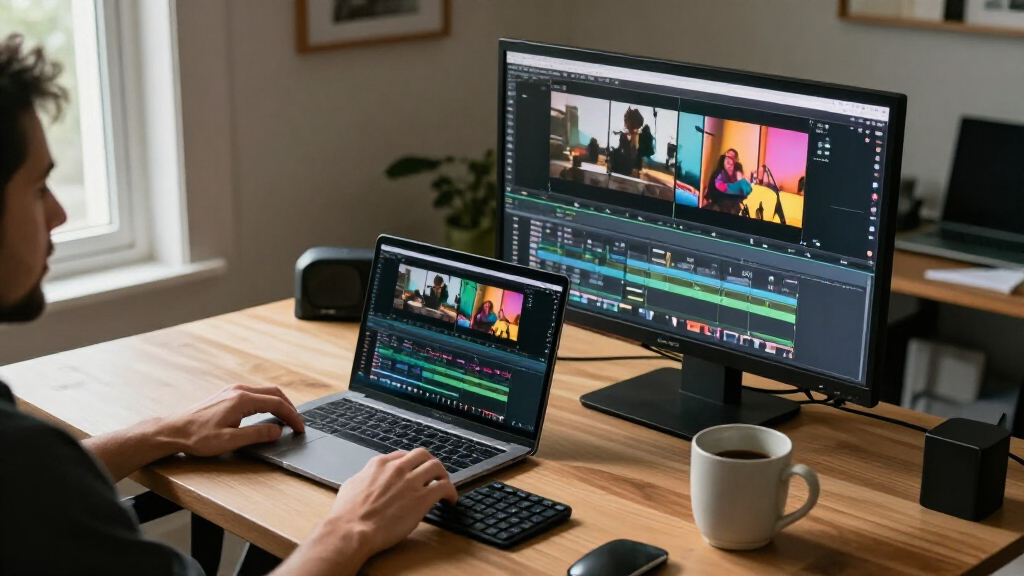
Our evaluation focused on the core capabilities that matter most in AI video editing software: performance of automation features, usability for different skill levels, build quality, and overall value. We compared each product’s AI-powered tools, such as auto-cuts, scene detection, and background removal, to see how effectively they reduce editing time. Ease of use was assessed based on interface clarity and learning curve, while versatility was gauged by available effects and export options. Price-to-feature ratio played a key role, ensuring we highlighted options that deliver solid AI performance without unnecessary complexity or cost. The ranking reflects a balanced view of automation quality, user experience, and value for different user types.Factors to Consider When Choosing AI Video Editing Software
Choosing the right AI video editing software involves more than just comparing features. It’s important to consider how well the tool’s automation capabilities align with your skill level, the platform you use, and your editing goals. Here are key factors to guide your decision:Automation Features and AI Capabilities
Focus on how advanced the AI features are—such as auto-cut, scene detection, and background removal. More sophisticated AI can significantly cut down editing time, but may also reduce user control. Decide whether you prefer a tool that offers full automation or one that provides AI-assisted suggestions you can tweak manually.
Ease of Use and Learning Curve
Consider whether the interface is intuitive and straightforward. Beginners should prioritize tools with guided workflows and clear tutorials, while experienced editors might prefer more complex options that offer deeper control. A steeper learning curve can be a barrier or an opportunity for growth, depending on your experience level.
Platform Compatibility and Integration
Ensure the software supports your operating system—Windows or Mac—and check for integration with other tools you use. Compatibility issues can hinder workflows and limit access to certain features, so matching the platform with your setup is essential for smooth editing sessions.
Pricing and Value
Evaluate whether the software’s cost aligns with its features. Premium options often include more AI tools and better support, but budget-friendly choices can still deliver impressive automation. Consider subscription versus one-time purchase models and assess long-term value based on your editing frequency.
Output Quality and Export Options
Check the available formats, resolutions, and export presets. AI editing is only part of the process; your final video quality depends on the output options. Make sure the software supports your desired delivery channels and quality standards, especially if you’re producing professional content.
Frequently Asked Questions
Can AI video editing software replace manual editing entirely?
While AI video editing software can automate many tasks such as scene detection, auto-cuts, and background removal, it often still requires manual adjustments for the best results. Fully automated editing is improving, but for complex projects or creative control, human oversight remains essential. These tools are best seen as accelerators rather than complete replacements for manual editing.
Is AI video editing software suitable for professional use?
Many AI editing tools now offer professional-grade features, making them suitable for certain workflows. However, professionals often need precise control over every aspect of their edits, so they might prefer software that balances automation with manual options. For quick turnarounds or rough edits, AI tools can save significant time, but high-end productions may still rely on traditional editing suites.
How much learning curve is involved with AI video editing software?
The learning curve varies widely across options. User-friendly tools with guided workflows can be mastered quickly, especially by beginners. More advanced software with extensive automation and customization might require some initial time investment. Consider your own comfort level and whether you prefer a quick setup or a more feature-rich environment for growth.
Do AI features improve with updates, or do I need to buy new software?
Most reputable AI video editing programs receive regular updates that improve existing features and sometimes add new capabilities. Subscription-based models tend to keep pace with ongoing development, whereas one-time purchases may see limited updates. Staying current with updates can provide ongoing improvements without needing to switch software entirely.
What common mistakes should I avoid when choosing AI video editing software?
A common mistake is prioritizing features over usability, leading to frustration or underuse of powerful tools. It’s also easy to overlook platform compatibility or output quality. Always test the AI features with your typical projects before committing, and be cautious of overly complex interfaces that may slow down your workflow rather than accelerate it.
Conclusion
For most users, the best overall choice is Adobe Premiere Elements 2027 for its balanced mix of advanced AI features and user-friendly design. VideoPad Video Editor offers superb value for budget-conscious creators who need decent automation without breaking the bank. Beginners should consider Corel VideoStudio Ultimate with its intuitive interface and helpful guides. For those seeking professional-grade automation and extensive effects, CyberLink PowerDirector 2027 Ultimate makes a compelling case. Ultimately, your choice depends on your skill level, platform, and specific editing needs—use this guide to find the best fit and streamline your video production process.