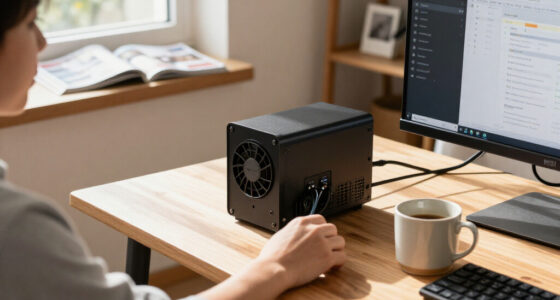

AI meeting note takers range from dedicated recorders to wearables, and my best overall pick is the Plaud Note Pro AI Voice Recorder for buyers prioritizing a focused recording device and AI-generated meeting notes. The viaim NoteKit stands out as an all-in-one meeting assistant, while the Plaud NotePin S suits people who want a wearable format. The main tradeoffs are recording convenience, transcription and summary features, storage, and how much setup or ongoing service a device may require. A recorder that is easy to carry may offer fewer controls than a desk-focused device, while extra AI features can add complexity. Read on for my full comparison and guidance on choosing the right fit.

Get business pricing on tech for your team
- Business-only prices and quantity discounts
- Tax-exempt purchasing
- Multiple users, one account, clear invoices
Key Takeaways
Plaud Note Pro leads the shortlist for buyers who want a dedicated AI recorder; the Note and NotePin S offer different form factors within the same product family.
Wearable convenience comes with a different workflow: the NotePin S and Memoket Gem are aimed at people who want recording close at hand rather than a device placed on a table.
Unlimited-transcription claims need careful checking. The AI Voice Recorder and EurekaMind models foreground this benefit, but buyers should verify plan terms and what counts as unlimited.
Storage and connection details affect day-to-day use. Several products advertise 64GB storage or dedicated recorder hardware, but onboard space alone does not explain how recordings move into notes.
These products are not interchangeable with meeting software. A standalone recorder can suit in-person conversations, while a meeting assistant such as viaim NoteKit may better match a workflow centered on online meetings.
| AI Voice Recorder with Automatic Transcription and Real-Time Translation |  | Best for Multilingual Meetings | Storage: 32 GB | Microphones: 1 bone-conduction microphone and 4 omnidirectional microphones | Microphone pickup range: Up to 5 meters | VIEW LATEST PRICE | See Our Full Breakdown |
| Memoket Gem Wearable AI Voice Recorder for Apple Watch Bands |  | Best for Apple Watch Wearers | Compatible Apple Watch sizes: Series 1–11, SE, and Ultra; 38–49 mm | Connectivity: Bluetooth 5 | Recording range: Up to 16.4 ft (5 m) | VIEW LATEST PRICE | See Our Full Breakdown |
| viaim NoteKit AI Meeting Assistant and Voice Recorder |  | Best for Structured Meeting Follow-Up | Transcription coverage: 78 languages and 145 dialects | Recording modes: 3 | Microphones: Dual built-in microphones | VIEW LATEST PRICE | See Our Full Breakdown |
| Pocket AI Voice Recorder with Transcription and 64GB Storage, Space Grey |  | Best for Searching Past Meetings | Model: PKT 01 | Color: Space Grey | Storage capacity: 64 GB | VIEW LATEST PRICE | See Our Full Breakdown |
| Plaud NotePin S Wearable AI Voice Recorder |  | Best Wearable for Flexible Placement | Connectivity: Bluetooth 5 | Microphone: Built-in; mono and stereo | Audio format: MP3 | VIEW LATEST PRICE | See Our Full Breakdown |
| Plaud Note Pro AI Voice Recorder, Black |  | Best for Long, In-Person Meetings | Microphones: 4 built-in | Pickup range: Up to 5 m (16.4 ft) | Recording time: Up to 30 hours in Enhance mode; up to 50 hours in Endurance mode | VIEW LATEST PRICE | See Our Full Breakdown |
| BOYA Notra Neo AI Voice Recorder |  | Best for Phone-Centered Recording | Microphones: Dual MEMS, built-in | Pickup range: Up to 5 m | Recording modes: Ambient sound, phone calls, headset conversations | VIEW LATEST PRICE | See Our Full Breakdown |
| Comulytic Note Pro AI Voice Recorder with Transcription and Meeting Notes |  | Best for Long Recording Between Charges | Microphone: Built-in triple-mic array | Microphone range: Up to 5 meters | Storage: 16 GB | VIEW LATEST PRICE | See Our Full Breakdown |
| Plaud Note AI Voice Recorder with Transcription and Summaries, Black |  | Best for Flexible Meeting Notes | Storage: 64 GB | Continuous recording: Up to 30 hours | Standby time: Up to 60 days | VIEW LATEST PRICE | See Our Full Breakdown |
| AI Voice Recorder and Note Taker with Unlimited Transcription |  | Best for High-Volume Standard Transcription | Storage: 64 GB | Battery life: Over 30 hours | Recording time: 30 hours | VIEW LATEST PRICE | See Our Full Breakdown |
| EurekaMind AI Voice Recorder and Note Taker with Unlimited Transcription |  | Best for Unlimited Transcription | Dimensions: 3.39 × 0.12 × 2.13 in | Weight: 29 g (1.02 oz) | Thickness: 3 mm | VIEW LATEST PRICE | See Our Full Breakdown |
| Pocket AI Voice Recorder with Automatic Transcription, Sierra Blue |  | Best for Searchable Conversation Recaps | Storage capacity: 64 GB | Battery life: Up to 4 days | MagSafe compatibility: Yes | VIEW LATEST PRICE | See Our Full Breakdown |
| Vobot AI Voice Recorder with Smart Transcription, Summaries, and NFC Business Card |  | Best for Offline Capture and Networking | Storage capacity: 8 GB | Battery life: Approximately 30 hours | Transcription languages: 145 | VIEW LATEST PRICE | See Our Full Breakdown |
| Comulytic Note Pro AI Voice Recorder |  | Best for Long Recording Sessions | Model: LA558 | Storage capacity: 16 GB | Supported languages: 113 | VIEW LATEST PRICE | See Our Full Breakdown |
| Plaud Note Pro AI Voice Recorder with Magnetic Case, Silver |  | Best for Structured Work Documents | Microphones: Four built-in microphones | Microphone range: Up to 5 m (16.4 ft) | Storage capacity: 64 GB | VIEW LATEST PRICE | See Our Full Breakdown |
| AI meeting note taker | Connectivity |
|---|---|
| AI Voice Recorder with Automat | Bluetooth, Wi-Fi, USB-C, NFC |
| Memoket Gem Wearable AI Voice | Bluetooth 5 |
| viaim NoteKit AI Meeting Assis | Bluetooth 5.3 |
| Pocket AI Voice Recorder with | — |
| Plaud NotePin S Wearable AI Vo | Bluetooth 5 |
| Plaud Note Pro AI Voice Record | — |
| BOYA Notra Neo AI Voice Record | — |
| Comulytic Note Pro AI Voice Re | — |
| Plaud Note AI Voice Recorder w | — |
| AI Voice Recorder and Note Tak | — |
| EurekaMind AI Voice Recorder a | Bluetooth |
| Pocket AI Voice Recorder with | Bluetooth |
| Vobot AI Voice Recorder with S | — |
| Comulytic Note Pro AI Voice Re | Wi-Fi and Bluetooth |
| Plaud Note Pro AI Voice Record | Bluetooth 5 |
More Details on Our Top Picks
AI Voice Recorder with Automatic Transcription and Real-Time Translation
This card-sized recorder is the strongest fit here for meetings where participants use different languages. Its 140+ language translation support goes beyond the transcription language counts listed for the Memoket Gem and Plaud NotePin S, while four omnidirectional microphones plus a bone-conduction microphone give it a flexible capture setup. It can record without Wi-Fi or a phone, so the audio capture itself does not depend on a live connection. The tradeoff is that recordings must be transferred to the companion app for transcription and AI summaries; it is not a fully standalone note-making workflow. App-dependent extras such as voice cloning also rely on compatible software and connectivity. Choose it for language flexibility and independent recording, not for instant summaries on the device.
Pros:- Supports real-time translation in more than 140 languages
- Records without Wi-Fi or a smartphone connection
- Four omnidirectional microphones and a bone-conduction microphone
- 32 GB of storage and up to 50 hours of continuous recording
Cons:- Transcription and AI summaries require transferring recordings to the companion app
- Voice cloning and other app features depend on compatible software and connectivity
Best for: Teams with multilingual meetings that want a pocketable recorder and translation tools in a companion app
Not ideal for: Buyers who need meeting transcripts and summaries generated directly on the recorder without app transfers
- Storage:32 GB
- Microphones:1 bone-conduction microphone and 4 omnidirectional microphones
- Microphone pickup range:Up to 5 meters
- Continuous recording time:Up to 50 hours
- Dimensions:54 × 86 × 5.3 mm
- Weight:40 g
- Connectivity:Bluetooth, Wi-Fi, USB-C, NFC
- Translation languages:140+
Our verdict“Choose this recorder if multilingual capture and long standalone recording matter more than getting summaries without using an app.”
Memoket Gem Wearable AI Voice Recorder for Apple Watch Bands
The Memoket Gem makes the most sense for people who want a recorder on their wrist rather than a separate device in a pocket. It attaches beside a compatible Apple Watch, then uses the companion app to transcribe in 153 languages and produce summaries, decisions, and action items. Compared with the Plaud NotePin S, it is more tied to a particular wearing setup: the NotePin S includes several ways to wear it, while the Gem’s included wristband is designed around Apple Watch compatibility. Its 300 hours of on-device storage is generous for holding recordings between app sessions, though the starter transcription plan is limited to 300 minutes per month. IPX5 resistance and recording indicators suit active use, but the Apple Watch itself is not included.
Pros:- Transcribes in 153 languages and creates summaries, decisions, and action items
- Stores up to 300 hours of recordings on device
- IPX5 resistance helps protect against sweat and rain
- Red LED and haptic feedback indicate when recording is active
Cons:- Apple Watch is not included, and wrist wear depends on a compatible watch setup
- Included Starter Plan provides 300 transcription minutes per month
- Pendant and clip accessories are sold separately
Best for: Apple Watch owners who want a wrist-worn recorder with multilingual transcription and clear recording indicators
Not ideal for: Buyers without a compatible Apple Watch setup or anyone who needs more than 300 monthly transcription minutes on the included plan
- Compatible Apple Watch sizes:Series 1–11, SE, and Ultra; 38–49 mm
- Connectivity:Bluetooth 5
- Recording range:Up to 16.4 ft (5 m)
- Continuous recording:Up to 20 hours
- On-device storage:300 hours
- Memory capacity:4 GB
- Water resistance:IPX5
- Included transcription plan:300 minutes per month
Our verdict“Pick the Gem if you already wear a compatible Apple Watch and want an always-at-hand recorder, but skip it if you need a standalone wearable or more included transcription time.”
viaim NoteKit AI Meeting Assistant and Voice Recorder
The viaim NoteKit is aimed at people who want more than a transcript: it turns recorded discussions into summaries, to-do lists, and mind maps. That makes it a stronger follow-up tool than the Memoket Gem when organizing tasks and ideas matters more than wearable convenience. Its 78 languages and 145 dialects offer broad language coverage, and three recording modes with one-press controls keep recording simple. Dual microphones are rated for pickup up to 16.4 feet, but the device records for only up to eight hours, shorter than the Plaud NotePin S or the multilingual card recorder in this lineup. The NoteKit also depends on the viaim app and authorization for AI functions; its listed Bluetooth compatibility is specifically associated with viaim RecDot earbuds. It suits desk-based workflows better than a general-purpose wearable.
Pros:- Generates summaries, to-do lists, and mind maps from recordings
- Supports 78 languages and 145 dialects
- Dual microphones have a stated pickup range of up to 16.4 feet
- One-press recording and pause controls simplify capture
Cons:- Recording time is limited to up to eight hours
- Transcription and AI features require the viaim app and authorization
- Bluetooth compatibility is specifically noted for viaim RecDot earbuds
Best for: People who manage computer-based meetings and need transcripts converted into task lists and visual meeting maps
Not ideal for: Frequent travelers seeking long recording sessions or buyers who want AI features without the viaim app and authorization
- Transcription coverage:78 languages and 145 dialects
- Recording modes:3
- Microphones:Dual built-in microphones
- Microphone pickup range:Up to 16.4 ft (5 m)
- Compatible operating systems:Windows 10+ and macOS
- Connectivity:Bluetooth 5.3
- Recording time:Up to 8 hours
- Security:AES-256/TLS encryption
Our verdict“Choose the NoteKit for structured meeting follow-up on a computer, not for the longest recording runtime or an app-independent workflow.”
Pocket AI Voice Recorder with Transcription and 64GB Storage, Space Grey
Pocket’s clearest differentiator is Ask Pocket: instead of only scanning a transcript, users can ask questions about recorded conversations. Alongside summaries, action items, and conversation maps, that gives it a more search-oriented workflow than the viaim NoteKit, which emphasizes structured outputs such as to-do lists and mind maps. The 64 GB storage and battery life of up to four days support keeping the recorder ready across multiple meetings, while MagSafe compatibility offers hands-free placement with compatible devices. However, some premium tools require a subscription, so buyers should check which capabilities are included before relying on them. The product data also lists unusually large dimensions for a compact recorder, making its pocketability less clear than the slim card recorder or wearable Plaud NotePin S.
Pros:- Ask Pocket can answer questions based on recorded conversations
- Creates summaries, action items, and conversation maps
- 64 GB of storage
- Up to four days of battery life and MagSafe compatibility
Cons:- Some premium tools require an optional subscription
- Listed dimensions make its portability less clear than slimmer wearable alternatives
- Uses a nonstandard battery
Best for: Professionals who often need to retrieve details from past conversations by asking questions about their recordings
Not ideal for: Buyers who want every advanced feature included without a subscription or need a clearly compact, lightweight recorder
- Model:PKT 01
- Color:Space Grey
- Storage capacity:64 GB
- Compatible devices:Smartphones, iOS, and Android
- Hardware interface:Bluetooth
- Battery life:Up to 4 days
- MagSafe compatible:Yes
- Included AI features:Transcription, summaries, action items, conversation maps, Ask Pocket
Our verdict“Pick Pocket if question-based retrieval from recorded meetings is your priority and you are comfortable checking subscription limits.”
Plaud NotePin S Wearable AI Voice Recorder
The Plaud NotePin S is the most adaptable wearable in this group: it can be used as a clip, pin, necklace, or wristband, with all four accessories included. That gives it an advantage over the Apple Watch-dependent Memoket Gem for buyers who want to change how they wear a recorder, and its 17.28 g weight keeps it suited to all-day carry. Plaud’s software can transcribe conversations, create tailored summaries, and turn notes into structured documents, while 64 GB storage and up to 20 hours of battery life support regular meeting use. Its stated pickup range is three meters, shorter than the five-meter range listed for the Gem and several other options. Buyers also need to use the Plaud software workflow, and recording requires attention to consent and local privacy laws.
Pros:- Includes pin, clip, lanyard, and wristband wearing accessories
- Lightweight at 17.28 g with up to 20 hours of battery life
- 64 GB storage and a charging dock are included
- Software creates transcripts, tailored summaries, and structured documents
Cons:- Stated voice pickup range is up to 3 meters, shorter than the Memoket Gem’s listed range
- Does not have a headphone jack
- Recording requires attention to others’ consent and local privacy laws
Best for: Consultants, interviewers, and mobile professionals who want a lightweight recorder with several included wearing options
Not ideal for: Buyers needing a longer stated microphone range or a recorder with a headphone jack
- Connectivity:Bluetooth 5
- Microphone:Built-in; mono and stereo
- Audio format:MP3
- Storage capacity:64 GB
- Battery life:Up to 20 hours
- Recording time:1,200 minutes
- Weight:17.28 g
- Transcription languages:112
- Security standards:ISO 27701, SOC 2, HIPAA, GDPR, EN 18031
Our verdict“Choose the NotePin S if flexible, low-weight wear matters more than maximum pickup distance or a headphone connection.”
Plaud Note Pro AI Voice Recorder, Black
The Plaud Note Pro suits people who need a dedicated recorder for long meetings away from a laptop. Its four microphones and stated pickup range of up to 5 meters are geared toward capturing voices around a room, while the status display makes it easier to check recording and battery status at a glance. Compared with the standard Plaud Note, this model offers more microphones and longer recording in Endurance mode; both provide 64 GB of storage and Plaud’s summary tools. The tradeoff is that the included plan covers only 300 transcription minutes per month, and online meeting recording requires Plaud Desktop. I’d choose it for in-person sessions, not as a self-contained answer for every video call.
Pros:- Four microphones with a stated pickup range of up to 5 meters suit meetings where speakers are spread around a room.
- Endurance mode supports up to 50 hours of recording, with 64 GB of local storage.
- A 0.95-inch display shows recording status and battery level.
- Can turn recordings into tailored summaries and structured work documents.
Cons:- Online meeting recording requires Plaud Desktop.
- The included Starter Plan limits transcription to 300 minutes per month.
- Its small display is for status checks rather than reviewing notes or transcripts.
Best for: People who record frequent in-person meetings and want a slim recorder with room-oriented microphone coverage and long recording endurance.
Not ideal for: People who primarily need automatic online-meeting capture or transcribe more than 300 minutes monthly without a plan change.
- Microphones:4 built-in
- Pickup range:Up to 5 m (16.4 ft)
- Recording time:Up to 30 hours in Enhance mode; up to 50 hours in Endurance mode
- Storage:64 GB
- Display:0.95 inches
- Dimensions:2.13 x 3.37 x 0.12 inches
- Weight:30 g (1.06 oz)
- Included transcription:Starter Plan with 300 minutes per month
Our verdict“Choose the Plaud Note Pro for long in-person meetings and extended recording, but look elsewhere if online capture or generous included transcription is your priority.”
BOYA Notra Neo AI Voice Recorder
The BOYA Notra Neo is a compact choice for people whose meetings move between phone calls, headset conversations, and nearby in-person chats. Those three recording modes give it a more phone-centered remit than the Plaud Note, which also records calls and in-person meetings but pairs that hardware with a broader set of note inputs and productivity tools. BOYA lists support for 114 languages and structured summaries in its companion app, while magnetic attachment and USB-C charging make the recorder easy to carry with a compatible phone. Its limitations are less about the feature list than the available detail: the stated weight conflicts between the description and product information, and the magnetic mount is only specified for compatible phones and surfaces. I’d pick it for a phone-first workflow, not for buyers seeking a clearly documented desktop meeting system.
Pros:- Supports ambient, phone-call, and headset-conversation recording.
- Companion app offers AI transcription and structured summaries.
- Lists support for 114 languages.
- Magnetic attachment, USB-C charging, and up to 20 hours of continuous recording suit mobile use.
Cons:- The listed weight is inconsistent: 34.5 g in the description and 15 g in product information.
- Magnetic attachment is specified only for compatible phones and surfaces.
- Its 8 GB storage is less than the 64 GB offered by both Plaud Note models in this roundup.
Best for: Phone-first users who record calls, headset conversations, and occasional in-person discussions and want app-based transcripts and summaries.
Not ideal for: Buyers who need confirmed computer compatibility, a dependable stated weight, or a recorder designed primarily for online desktop meetings.
- Microphones:Dual MEMS, built-in
- Pickup range:Up to 5 m
- Recording modes:Ambient sound, phone calls, headset conversations
- Storage:8 GB
- Continuous recording:Up to 20 hours
- Digital recording time:Approximately 1,000 hours
- Charging interface:USB-C
- Supported languages:114
Our verdict“Choose the BOYA Notra Neo if phone and headset recording are your main needs, but favor a Plaud model for more clearly specified storage and a broader meeting workflow.”
Comulytic Note Pro AI Voice Recorder with Transcription and Meeting Notes
The Comulytic Note Pro makes the most sense for buyers who value long continuous recording over a large local archive. It offers up to 45 hours of recording and a triple-microphone array, alongside a slim magnetic body that can attach to a phone or notebook. Compared with the Plaud Note Pro, Comulytic lists a longer continuous recording time, but its 16 GB storage is much smaller than Plaud’s 64 GB. Its app includes transcription, basic summaries, action items, and translation, though cloud services and advanced features depend on the selected plan. AES encryption and a small Gorilla Glass display add practical touches, but there is no headphone jack, and the included battery is described as nonstandard. I’d favor it for long sessions and basic notes, not for buyers who need extensive onboard storage or advanced AI without plan conditions.
Pros:- Up to 45 hours of continuous recording supports long sessions between charges.
- Triple-microphone array has a stated range of up to 5 meters.
- App features include transcription, basic summaries, action items, and translation.
- Slim 3 mm design comes with three magnetic accessories and an OTG adapter.
Cons:- 16 GB of storage is substantially less than the 64 GB in the Plaud Note Pro and Plaud Note.
- Advanced AI features and cloud services depend on the selected plan.
- No headphone jack, and the included battery is specified as nonstandard.
Best for: People who record lengthy interviews, lectures, or meeting days and want basic transcription and action items in a slim magnetic device.
Not ideal for: Users who keep large archives locally, require a headphone jack, or expect advanced cloud features without checking plan terms.
- Microphone:Built-in triple-mic array
- Microphone range:Up to 5 meters
- Storage:16 GB
- Continuous recording:Up to 45 hours
- Display:0.78-inch Gorilla Glass
- Recording formats:MP3, WAV
- Thickness:3 mm
- Security:AES encryption; CCPA-compliant
Our verdict“Pick the Comulytic Note Pro for lengthy recording sessions and core meeting notes, but choose a higher-storage alternative if you keep a large local library.”
Plaud Note AI Voice Recorder with Transcription and Summaries, Black
The standard Plaud Note stands out for adding context to a recording, not just producing a transcript. Users can combine audio with typed notes, images, and highlighted moments, then generate summaries, mind maps, and to-do lists. That makes it a more flexible note-taking companion than the BOYA Notra Neo, whose listed workflow focuses on transcription and structured summaries. It also supports phone calls and in-person meetings, with 64 GB of storage in a slim 30 g body. The main compromise is the included 300 transcription minutes per month; regular long-meeting users may need a different plan. Compared with the Plaud Note Pro, it has fewer microphones and a shorter maximum recording time, but its varied note inputs may matter more to people who annotate meetings as they happen.
Pros:- Combines audio recordings with typed notes, images, and highlighted moments.
- Generates summaries, mind maps, and to-do lists.
- Supports phone calls and in-person meetings, with a vibration conduction sensor for call recording.
- Slim 30 g design offers 64 GB of storage and up to 30 hours of recording.
Cons:- The included Starter Plan provides 300 transcription minutes per month.
- Additional transcription minutes or plan features may require an upgrade or purchase.
- Its listed recording time is shorter than the Plaud Note Pro’s maximum Endurance mode.
Best for: People who want to pair recordings with typed notes, images, and highlights, then turn them into structured follow-ups.
Not ideal for: Heavy transcribers who need more than 300 included minutes monthly, or buyers who prioritize the Plaud Note Pro’s four microphones and longer Endurance mode.
- Storage:64 GB
- Continuous recording:Up to 30 hours
- Standby time:Up to 60 days
- Transcription languages:112
- Weight:30 g (1.06 oz)
- Dimensions:0.12 x 2.13 x 3.43 inches
- Recording modes:Phone calls and in-person meetings
- Included transcription:Starter Plan with 300 minutes per month
Our verdict“Choose the Plaud Note for meetings where your own annotations matter as much as the recording, but consider the Note Pro for longer sessions and a four-microphone array.”
AI Voice Recorder and Note Taker with Unlimited Transcription
This AI Voice Recorder and Note Taker is aimed at people who want to transcribe often without counting standard transcription minutes. The Recolx app produces transcripts, summaries, speaker labels, and action items, while the stated unlimited standard transcription contrasts with the monthly minute allowances listed for both the Plaud Note and Plaud Note Pro. It also has 64 GB of storage, more than 30 hours of battery life, Wi-Fi syncing, and exports to Word, PDF, and MP3. That combination suits users who move notes into other tools after a meeting. The catch is that advanced transcription and AI analysis require a Pro Plan, and cloud storage runs through the app. Compared with Comulytic Note Pro, this device offers more local capacity, but buyers should check which AI features are included before relying on it for automated analysis.
Pros:- Lists unlimited standard transcription, unlike the monthly minute allowance on the Plaud models.
- Generates summaries, speaker labels, and action items through the Recolx app.
- 64 GB of storage and over 30 hours of battery life suit frequent recording.
- Wi-Fi syncing and Word, PDF, and MP3 exports support flexible handoff.
Cons:- Advanced transcription and AI analysis require a Pro Plan.
- Cloud storage is available through the app, which may not suit buyers seeking a local-only workflow.
- The product data does not specify a microphone pickup range.
Best for: People who transcribe meetings frequently and need standard transcripts plus exports for document-based workflows.
Not ideal for: Buyers who need advanced AI analysis included without a Pro Plan, or who prefer recordings and notes to avoid app-based cloud storage.
- Storage:64 GB
- Battery life:Over 30 hours
- Recording time:30 hours
- Microphone:Built-in stereo
- Recording modes:Ambient recording and call recording
- Transcription:Unlimited standard transcription
- Export formats:Word, PDF, MP3, and other formats
- Security:AES-256 encryption
Our verdict“Choose this recorder for frequent standard transcription and flexible exports, but verify the Pro Plan terms if advanced AI analysis is central to your workflow.”
EurekaMind AI Voice Recorder and Note Taker with Unlimited Transcription
Unlimited transcription and summaries make EurekaMind a strong fit for people who record meetings often and want to avoid a fixed monthly transcription allowance. It also handles ambient conversations and phone calls, a broader capture mix than the face-to-face focus of some recorders. Its 3 mm magnetic body can ride on a phone or slip into a wallet, keeping it less obtrusive than the Comulytic Note Pro, which adds a display and more onboard storage. The tradeoff is that some useful follow-up tools, including reminders, calendar sync, and advanced Ask AI features, require an upgrade. It also has no headphone jack. I’d choose EurekaMind for routine recording volume; buyers who want stronger onboard controls or a clearly specified storage capacity should compare it with Comulytic or Plaud Note Pro.
Pros:- Free plan includes unlimited transcription and AI summaries.
- Supports both ambient recording and phone call recording.
- Slim, lightweight body attaches magnetically to a phone or fits in a wallet.
- Creates speaker labels and action items alongside transcripts.
Cons:- Reminders, calendar sync, and some Ask AI features require a premium upgrade.
- No headphone jack.
- The supplied specifications do not state onboard storage capacity.
Best for: People who record frequent meetings and calls and want unlimited transcription and summaries on the free plan.
Not ideal for: Buyers who need calendar-linked follow-ups without an upgrade, a headphone jack, or clearly specified onboard storage.
- Dimensions:3.39 × 0.12 × 2.13 in
- Weight:29 g (1.02 oz)
- Thickness:3 mm
- Recording modes:Ambient recording and call recording
- Transcription:Unlimited
- Languages:138
- Connectivity:Bluetooth
- Security certifications:ISO 27001, ISO 27701, ISO 20000, ISO 9001
Our verdict“Choose EurekaMind if you want frequent meeting and call transcription without a stated monthly cap on the free plan, and can live without some upgraded workflow tools.”
Pocket AI Voice Recorder with Automatic Transcription, Sierra Blue
Pocket earns its place for buyers who want more than a transcript: it turns recordings into summaries, action items, and conversation maps, then lets users query them with Ask Pocket. That question-and-answer workflow gives it a different emphasis from EurekaMind, whose strongest stated advantage is unlimited transcription and summaries on its free plan. Pocket pairs the software with 64 GB of storage and up to four days of battery life, useful for people who want to keep recordings on hand between charges. MagSafe compatibility can make hands-free phone attachment convenient, though it depends on having a compatible device. The tradeoff is that some advanced features require an optional subscription, and the listed RealAudio format may not suit every export or playback workflow. I’d pick Pocket for recall and querying, not for buyers seeking the clearest audio-format flexibility.
Pros:- Creates transcripts, summaries, action items, and conversation maps.
- Ask Pocket can answer questions based on recorded conversations.
- 64 GB of storage and up to four days of battery life.
- MagSafe compatibility supports hands-free attachment to compatible devices.
Cons:- Some advanced features require an optional subscription.
- The listed audio format is RealAudio, which may not fit every playback or export workflow.
- Hands-free MagSafe attachment depends on a compatible device.
Best for: Professionals who keep a library of conversations and want to ask questions about recordings or review visual conversation maps.
Not ideal for: Buyers who need a clearly documented, broadly compatible audio format or want every advanced feature included without an optional subscription.
- Storage capacity:64 GB
- Battery life:Up to 4 days
- MagSafe compatibility:Yes
- Connectivity:Bluetooth
- Audio format:RealAudio
- Microphone:Built-in
- Compatible devices:Smartphones
- Included features:Recording, transcription, summaries, action items, conversation maps, Ask Pocket
Our verdict“Choose Pocket if searchable, queryable conversation recaps matter more than avoiding a subscription or having a more familiar listed audio format.”
Vobot AI Voice Recorder with Smart Transcription, Summaries, and NFC Business Card
Vobot is the most networking-oriented pick here: alongside phone-call and face-to-face recording, it adds NFC business card sharing and magnetic attachment. Its dual noise-reducing microphones, offline audio storage, and app-based syncing suit people who want to capture first and process recordings later. That offline option distinguishes it from a workflow centered on immediate online assistance, while Comulytic Note Pro puts more emphasis on long recording endurance and cloud backup. Vobot’s recorder is rated for about 30 hours of recording, with 8 GB of storage, but its AI allowance is limited to 600 minutes per month during the first year. Call capture also uses a bone-conduction microphone, and encrypted recordings require the paired app for access. I’d favor it for mobile professionals who exchange contact details and value offline files, not for heavy transcription workloads.
Pros:- Records both phone calls and face-to-face conversations.
- Offline recording allows audio capture before syncing through the app.
- Dual microphones are described as supporting voice capture from up to 16 ft away.
- Slim magnetic design includes NFC business card sharing.
Cons:- AI transcription and summaries are limited to 600 minutes per month during the first year.
- Phone-call recording uses a bone-conduction microphone.
- Encrypted recordings can only be accessed through the paired app.
Best for: Mobile professionals who record both calls and in-person meetings, share contact details through NFC, and want offline audio capture.
Not ideal for: People with consistently high transcription volume, or buyers who need direct access to encrypted recordings without the paired app.
- Storage capacity:8 GB
- Battery life:Approximately 30 hours
- Transcription languages:145
- AI minutes:600 per month during the first year
- Microphones:Dual built-in microphones; mono operation
- Recording:Phone-call, face-to-face, and offline recording
- Weight:33.4 g
- Connectivity interface:USB 2.0
Our verdict“Choose Vobot for offline capture and NFC networking features, but look elsewhere if your monthly transcription needs may exceed its stated allowance.”
Comulytic Note Pro AI Voice Recorder
For buyers who may record for long stretches, Comulytic’s up to 45 hours of continuous recording and 16 GB of onboard storage are its clearest advantages. A triple-microphone array with noise reduction is specified for pickup up to 5 meters, giving it a more meeting-room-oriented setup than the wallet-thin EurekaMind. The 0.78-inch display adds a quick way to check recorder status, while Wi-Fi syncing and cloud backup through the app can simplify moving files into a continuing workflow. Basic transcription and summaries are included with the Starter Plan, but advanced AI tools require a plan upgrade. There’s no headphone jack, and its recording range is specified at 5 meters rather than the longer distance claimed for Vobot’s dual microphones. I’d choose Comulytic for endurance and onboard controls, not for buyers who want the broadest AI access without a plan change.
Pros:- Up to 45 hours of continuous recording.
- 16 GB of storage with Wi-Fi syncing and app-based cloud backup.
- Triple-microphone array with noise reduction and a stated range up to 5 meters.
- Compact aluminum body includes a 0.78-inch display.
Cons:- Advanced AI features require a plan upgrade.
- No headphone jack.
- Its stated 5-meter recording range is shorter than Vobot’s claimed microphone pickup distance.
Best for: People recording long meetings, workshops, or interviews who value extended battery life, onboard storage, and a status display.
Not ideal for: Buyers who need advanced AI features without upgrading a plan, a headphone jack, or a recorder optimized for very long-distance pickup.
- Model:LA558
- Storage capacity:16 GB
- Supported languages:113
- Microphones:Triple-microphone array
- Recording range:Up to 5 meters
- Recording time:Up to 45 hours
- Display:0.78 inches
- Connectivity:Wi-Fi and Bluetooth
Our verdict“Choose Comulytic if long recording sessions and onboard status checks matter more than unrestricted access to advanced AI features.”
Plaud Note Pro AI Voice Recorder with Magnetic Case, Silver
Plaud Note Pro suits buyers who need meeting recordings to become structured work documents, not just readable transcripts. Its four microphones, mono and stereo modes, and stated 5-meter range support room conversations, while 64 GB of storage leaves more space than the Comulytic Note Pro’s 16 GB. The 0.95-inch display and magnetic case add practical recording-status checks and phone attachment without making the 30 g recorder bulky. It can also capture online meetings through Plaud Desktop, an advantage for remote teams, though that adds a computer-based step that Pocket’s recording-and-querying approach does not require in the same way. The main limit is the 300-minute monthly Starter Plan; frequent users may need another plan. I’d choose Plaud for polished document workflows and capacity, but not for unlimited transcription on the included plan.
Pros:- AI tools create transcripts, summaries, and structured work documents.
- Four microphones support mono and stereo recording, with a stated range up to 5 meters.
- 64 GB of storage and recording modes rated for up to 50 hours.
- Online meeting recording is supported through Plaud Desktop.
Cons:- Starter Plan includes 300 transcription minutes per month.
- Online meeting recording requires Plaud Desktop.
- No headphone jack.
Best for: Consultants, managers, and project teams who turn meetings into structured documents and need both in-person and online meeting capture.
Not ideal for: Heavy transcription users who need more than 300 included minutes per month, or buyers who want online recording without Plaud Desktop.
- Microphones:Four built-in microphones
- Microphone range:Up to 5 m (16.4 ft)
- Storage capacity:64 GB
- Recording time:Up to 30 hours in Enhance mode; up to 50 hours in Endurance mode
- Weight:30 g (1.06 oz)
- Thickness:2.99 mm (0.12 in)
- Connectivity:Bluetooth 5
- Starter transcription plan:300 minutes per month
- Security standards:ISO 27701, SOC 2, HIPAA, GDPR, EN 18031
Our verdict“Choose Plaud Note Pro if structured work documents, online meeting capture, and generous onboard storage outweigh the included plan’s monthly transcription limit.”

How We Picked
I ranked these AI meeting note takers by how clearly their stated features serve the full meeting-notes workflow: capturing speech, turning it into usable text, and helping a buyer retrieve or act on the result. I gave more weight to products with a clearly differentiated role, practical recording format, and explicit transcription or summary functions than to broad claims without enough detail to compare. I also considered whether the device appears suited to in-person meetings, online calls, wearable capture, or general-purpose recording.
The order reflects the usefulness of the available product information, not a claim that every device performs identically across rooms, accents, or meeting platforms. A more specialized option may rank lower overall but still be the better choice for a particular buyer. I treated subscription limits, privacy practices, connectivity, and compatibility as buying checks when details were not established by the product names alone; readers should confirm those terms before choosing.
| AI meeting note taker | Connectivity |
|---|---|
| AI Voice Recorder with Automat | Bluetooth, Wi-Fi, USB-C, NFC |
| Memoket Gem Wearable AI Voice | Bluetooth 5 |
| viaim NoteKit AI Meeting Assis | Bluetooth 5.3 |
| Pocket AI Voice Recorder with | — |
| Plaud NotePin S Wearable AI Vo | Bluetooth 5 |
| Plaud Note Pro AI Voice Record | — |
| BOYA Notra Neo AI Voice Record | — |
| Comulytic Note Pro AI Voice Re | — |
| Plaud Note AI Voice Recorder w | — |
| AI Voice Recorder and Note Tak | — |
| EurekaMind AI Voice Recorder a | Bluetooth |
| Pocket AI Voice Recorder with | Bluetooth |
| Vobot AI Voice Recorder with S | — |
| Comulytic Note Pro AI Voice Re | Wi-Fi and Bluetooth |
| Plaud Note Pro AI Voice Record | Bluetooth 5 |
Factors to Consider When Choosing AI Meeting Note Takers
Picking an AI recorder is less about collecting the most features and more about matching the device to how meetings happen in your work. These questions can help separate a useful note-taking workflow from a recorder that leaves you with extra setup and cleanup.
Match the Capture Format to Your Meetings
Start by identifying where the conversations you need captured actually happen. A standalone recorder can be convenient for in-person meetings, interviews, or rooms where participants share one table, while an online-meeting assistant may fit calls that already run through a computer. Wearables such as clip-on or band-based devices can reduce the chance of leaving a recorder behind, but their placement may affect how well they capture a group. Avoid choosing a wearable just because it is compact if most of your meetings involve several people seated around a room. Check whether the recording method is permitted by your workplace and suitable for the people being recorded. The best format is the one you can use consistently without interrupting the conversation.
Separate Transcription From Useful Meeting Notes
A transcript records what was said; a meeting note system should also help you find decisions, assignments, and follow-ups. Product names often advertise summaries or smart notes, but those labels do not tell you how editable, searchable, or structured the output will be. Before buying, look for examples of the actual note format and ask whether you can correct speaker names or fix transcription errors. If your team needs accountable action items, a polished paragraph summary may not be enough. For interviews or research, a searchable transcript may matter more than an automated recap. Choose around the output you will use after the meeting, not the most impressive AI label.
Check Transcription Limits and Ongoing Terms
“Unlimited transcription” can sound simple, but the exact terms may depend on an account, plan, fair-use policy, or feature eligibility. Confirm whether transcription is included with the device, whether summaries use a separate allowance, and what happens if a subscription ends. Also check which languages and translation features are supported for your expected conversations; a product title alone cannot confirm coverage or accuracy. A lower-complexity recorder may be a better fit if you only need occasional transcripts and want fewer account dependencies. Buyers with frequent meetings should calculate how much audio they expect to process before choosing a plan. Treat ongoing access as part of the buying decision, not an afterthought.
Plan for Storage, Transfer, and Retrieval
Storage capacity matters most when recordings remain on the device for long periods or when internet access is limited. It matters less if audio is routinely transferred to a phone or computer and then archived elsewhere. Check how files move off the recorder, whether the companion software is required, and whether recordings remain accessible in a usable format. A large storage figure does not automatically mean a simple backup process. Think about how you will label and search old meetings, especially if you record several conversations each week. The useful measure is not only how much audio fits, but how easily you can recover the right note later.
Treat Privacy and Consent as Part of the Workflow
Meeting audio can include personal, business, or confidential information, so review where recordings and transcripts are processed and stored. Check whether cloud processing is involved, how deletion works, and whether an organization can control access to shared notes. A device that records discreetly may be convenient, but it can also make it easier to overlook consent and workplace rules. Establish a simple routine: tell participants when recording begins, confirm permission where required, and remove files that no longer need to be retained. If your work handles sensitive material, prioritize clear data controls over extra summary features. A recorder is only a sound choice when its use fits the policies of the people and organization involved.
Choose Controls You Will Use, Not Features You May Ignore
More features can add setup steps, account requirements, and choices that slow down an ordinary meeting. A beginner may prefer a clear record button and a simple path from audio to transcript, while a power user may welcome integrations, translation, or more detailed note controls. Try to map the advertised workflow from starting a recording through exporting or sharing the result. Look for likely friction points such as phone pairing, app dependence, or a need to manage separate files. If you mainly need a dependable record of conversations, a simpler product can be easier to adopt across a team. Pay for added capability only when it solves a recurring problem in your actual meetings.
Frequently Asked Questions
Should I choose a dedicated recorder or an AI assistant for online meetings?
Choose based on where the audio originates. A dedicated recorder is a natural fit for in-person discussions, interviews, and conversations where you want a separate device, while an online-meeting assistant may fit calls conducted on a computer. Check whether the assistant supports the platforms your team uses and whether it joins calls in a way your organization permits. A recorder may be more flexible across rooms, but you will need to place it where it can capture participants clearly. If your schedule includes both formats, compare how each option handles the one you record most often rather than assuming one device will serve every setting equally well.
Does a product advertising unlimited transcription mean I will never pay for processing?
Not necessarily. The phrase may depend on an included plan, an account, fair-use limits, or conditions that are separate from the hardware purchase. Check whether transcription, summaries, translation, and storage each have their own limits. Look for renewal terms and confirm what happens to access to past transcripts if a plan changes or expires. If the terms are unclear, ask the seller or service provider before relying on the device for routine work. Estimate your monthly recording volume so you can compare the actual service conditions with your expected use.
Can I use a wearable AI recorder for group meetings?
You may be able to, but wearing a recorder does not guarantee clear audio from every person in a room. Distance, clothing, room noise, and where participants sit can all affect the capture. For a group discussion, a device placed centrally may capture voices differently from one attached to a person or watch band. Check whether the product is intended for nearby speech or broader room pickup, and try a short permitted recording in your normal setting before relying on it. If accurate attribution matters, confirm whether the software can distinguish speakers and how much manual correction it may require.
What should I verify before recording confidential work meetings?
Review your employer’s recording policy and the consent rules that apply to the meeting participants. Then check where audio and transcripts are stored, who can access them, whether cloud processing is used, and how files can be deleted. Ask whether the device or its companion service offers account controls suitable for your organization. A discreet form factor does not remove the need to notify participants or follow internal rules. If you cannot confirm the data-handling terms, avoid recording sensitive discussions until you have clear approval.
Is onboard storage more important than transcription features?
It depends on your recording habits and how the files are managed. Onboard capacity can help if you record often, work offline, or do not transfer files immediately. Transcription tools matter more when you need searchable text, summaries, or follow-up notes rather than audio archives alone. Check the transfer and export process as well: storage has limited value if recordings are awkward to retrieve or move into your existing workflow. For occasional meetings, a straightforward transcript path may matter more than a large capacity figure. For frequent field recording, both storage and dependable file handling deserve attention.
Conclusion
For most buyers seeking a dedicated device, I recommend the Plaud Note Pro as the best overall starting point in this lineup. For a possible best-value choice, compare the Pocket AI Voice Recorder models against your required transcription and storage workflow, then confirm service terms before deciding; their product names alone do not establish which offers the better ongoing deal. The Plaud Note Pro is also my best premium direction for buyers who want a more feature-focused recorder, while beginners may prefer the simpler device-and-app workflow that best matches their meetings. For wearable capture, look at the Plaud NotePin S or Memoket Gem; for an online-meeting-centered workflow, consider viaim NoteKit. The right pick depends on whether your priority is hands-free capture, meeting assistance, or a straightforward dedicated recorder—verify compatibility, privacy, and transcription terms before buying.