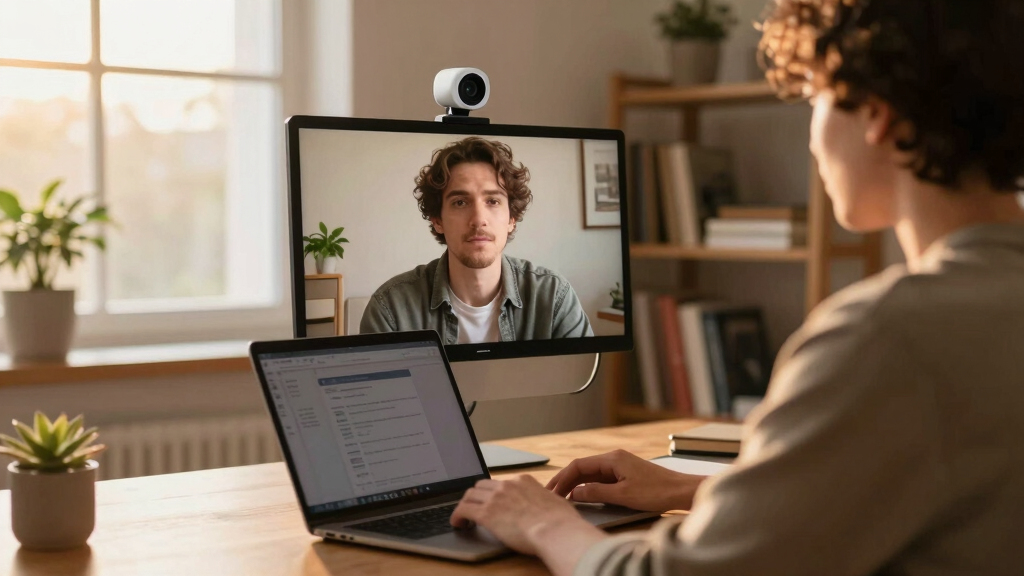
When choosing a webcam with AI framing for remote work, the goal is seamless, hands-free camera control that keeps you centered during calls or streams. The OBSBOT Meet SE stands out as the best overall for its balance of high frame rates and versatile gesture control. If you want superior auto-tracking, the EMEET PIXY offers advanced AI features at a compelling price, while the Insta360 Link 2C excels for creative versatility with its dual-camera setup. Keep in mind, these webcams vary in complexity, price, and feature sets, so your ideal choice depends on your specific work or streaming needs. Continue reading for an in-depth look at each option to find your perfect fit.

Get business pricing on tech for your team
- Business-only prices and quantity discounts
- Tax-exempt purchasing
- Multiple users, one account, clear invoices
Key Takeaways
- Top picks emphasize AI auto-tracking and framing for hands-free operation during calls and streams.
- Higher-priced models offer more sophisticated AI features, but budget options can still deliver effective auto-framing.
- Build quality and ease of use vary; some webcams are more suited for tech-savvy users, while others cater to beginners.
- Most premium models incorporate multiple sensors or dual-camera setups for more dynamic framing options.
- Tradeoffs include complexity versus simplicity, with some models requiring more setup or software integration.




More Details on Our Top Picks
OBSBOT Meet SE 1080P 100FPS Webcam for PC, AI Framing Streaming Camera with 1/2.8″ Sensor, Beauty Mode, Gesture Control, Staggered HDR, Web Camera for Desktop Computer, Laptop, Meeting. (Cloud White)
The OBSBOT Meet SE stands out for its ultra-high frame rates up to 1080P@100FPS and advanced AI framing, making it ideal for dynamic environments like gaming streams or fast-paced meetings. Its group mode and gesture controls provide effortless operation, surpassing many competitors like the Insta360 Link 2C, especially in live scenarios where responsiveness matters. However, its extensive features come with a tradeoff: the setup and software can be complex for beginners. The low-light performance, thanks to its staggered HDR and large CMOS sensor, ensures consistent quality regardless of lighting, while beauty mode adds a polished look. Its plug-and-play USB-C connection simplifies use, but SDK and hotkey support require some technical familiarity. This pick makes the most sense for professionals needing flexible, high-frame-rate AI framing with customization options.
Pros:- Ultra-high frame rates up to 1080P@100FPS for smooth motion capture
- Smart AI group and face tracking for versatile framing
- Gesture control simplifies operation during live sessions
- Excellent low-light performance with staggered HDR
Cons:- Complex software setup may overwhelm beginners
- Higher price point compared to basic webcams
Best for: Content creators, streamers, or remote teams requiring fast, customizable AI framing with gesture control.
Not ideal for: Users seeking a simple, plug-and-play webcam without advanced configuration or software setup.
- Resolution:1080P@100FPS
- Sensor Size:1/2.8″
- AI Framing:Yes
- Gesture Control:Yes
- HDR:Staggered HDR
- Connection:USB-C
Bottom line: Ideal for professionals who need high-performance AI framing with extensive customization options.
TONGVEO 3-in-1 4K Webcam with Microphones and Speaker, AI Auto-Tracking 5X Digital Zoom Webcam 4K Adjustable Field of View Remote Control Works with Microsoft Teams, Zoom, Google Meet, PC Mac Laptop
The TONGVEO 4K Webcam offers robust 4K resolution combined with AI auto-tracking and digital zoom, providing a comprehensive package for professional meetings and streaming. Its remote control allows quick adjustments in FOV and zoom, making it more flexible than the Insta360 Link 2, especially for those who prefer physical controls over software. The inclusion of dual microphones and a speaker enhances audio quality on par with dedicated audio setups. Nonetheless, the camera’s design prioritizes features over aesthetics, and its bulkier size makes portability less convenient. Its plug-and-play compatibility with major platforms ensures easy integration, but some users might find the remote control less intuitive than gesture-based options. This model makes sense for budget-conscious users who want 4K clarity and all-in-one audio-video capability.
Pros:- 4K resolution with crisp, detailed image quality
- AI auto-tracking and 5X digital zoom for flexible framing
- Built-in dual microphones and speaker for all-in-one audio
- Remote control for quick adjustments
Cons:- Bulkier and less portable than compact webcams
- Remote control may feel less seamless than gesture controls
Best for: Small to medium-sized remote teams or educators seeking 4K clarity with integrated audio and auto-tracking.
Not ideal for: Mobile users needing a compact, lightweight webcam or those who prefer touchless controls.
- Resolution:4K
- Auto Tracking:Yes
- Digital Zoom:5X
- FOV Modes:Adjustable
- Microphones:Dual
- Connection:USB
Bottom line: Best suited for users wanting affordable 4K quality with versatile auto-tracking and integrated audio.
OBSBOT Meet 2-4K Webcam for PC with 1/2″ Sensor, AI Framing & Autofocus, Beauty Mode, Lightweight, Gesture Control, HDR, Dual Microphone, 60 FPS, Web Cam for Streaming, Meeting, Gaming. (Space Grey)
The OBSBOT Meet 2-4K combines a compact design with 4K resolution and AI framing, making it highly suitable for users who need portability without sacrificing quality. Its autofocus and AI algorithms dynamically adjust framing, comparable to the OBSBOT Meet SE, but in a smaller, lighter package—only 40.5 grams. This makes it ideal for mobile professionals or gamers who want reliable AI features on the go. The gesture control and beauty mode provide additional ease of use and aesthetic options, though its smaller size may limit some advanced customization options found in larger models. The dual microphones with noise reduction ensure clear audio, but its thermal performance during extended use could be a concern. This webcam is perfect for those who want high-quality AI features in a sleek, portable form.
Pros:- Compact and lightweight design for portability
- 4K resolution with AI framing and autofocus
- Gesture control for hands-free operation
- Beauty mode for enhanced appearance
Cons:- Limited customization compared to larger models
- Possible thermal issues during prolonged use
Best for: Remote workers or gamers who need a portable, high-quality AI webcam for frequent movement or on-the-go use.
Not ideal for: Users requiring extensive software customization or those with stationary setups needing larger features.
- Resolution:4K
- AI Framing:Yes
- Focus:Autofocus
- Gesture Control:Yes
- Light Performance:HDR
- Weight:40.5 grams
Bottom line: Best for mobile professionals or gamers who want high-quality AI features in a small, portable package.
EMEET C60E Dual-Camera 4K Webcam for Streaming, Wide-Angle and Telephoto Cameras, Max 11X Hybrid Zoom & PDAF Autofocus, Remote Control, RGB Lighting, 2 Mics, Ideal for Livestreaming and Online Meeting
The EMEET C60E introduces a dual-camera setup with a wide-angle and telephoto lens, providing unmatched flexibility for streaming and presentations. Its hybrid 11X zoom and PDAF autofocus ensure sharp images from close-up to panoramic scenes, a step above single-camera models like the OBSBOT Meet SE. The remote control and EMEET Studio software allow precise adjustments, appealing to users who prefer physical controls over AI-based auto-framing. The RGB lighting adds a customizable aesthetic touch, although it’s more about style than function. A potential downside is the complexity of managing two cameras simultaneously, which can be overwhelming for casual users. Its wide compatibility with streaming platforms makes it a versatile choice for content creators and professional streamers seeking dynamic shot options in a single device.
Pros:- Dual-camera setup with wide and telephoto lenses
- Hybrid 11X zoom with PDAF autofocus
- Remote control for seamless adjustments
- Supports multiple scene modes like Whiteboard
Cons:- More complex setup and management
- Higher cost compared to single-camera webcams
Best for: Professional streamers and online educators who need versatile camera angles and zoom capabilities.
Not ideal for: Casual users or those with minimal space for multiple camera setups.
- Cameras:Dual (Wide & Telephoto)
- Zoom:11X Hybrid
- Autofocus:PDAF
- Lighting:RGB
- Compatibility:All major platforms
- Microphones:Two
Bottom line: Ideal for streamers or educators who want dynamic multi-angle shots with zoom flexibility.
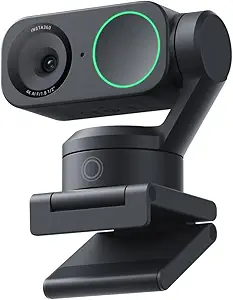
Insta360 Link 2C – 4K Webcam for PC/Mac, 1/2″ Sensor, Auto Framing, HDR, AI Noise-Canceling Mic, Gesture Control for Streaming, Video Calls, Gaming, Works with Zoom, Teams, Twitch & More
The Insta360 Link 2C combines professional 4K video with advanced AI auto framing and HDR, making it a strong contender for both work and creative use. Its Phase Detection Auto Focus ensures quick, precise focus, and the customizable modes like DeskView and Whiteboard expand its usability beyond standard video calls. Its AI noise-canceling mic provides clear audio in noisy environments, comparable to the Insta360 Link 2, but with more tailored features for content creation. The privacy switch adds reassurance for sensitive calls, though the current incompatibility with ARM-based systems limits some users. Overall, this webcam offers a balance of high-quality visuals and smart AI features, perfect for hybrid work and content creation alike.
Pros:- 4K resolution with HDR and low-light performance
- Auto Framing and AI tracking for dynamic shots
- Creative modes like DeskView and Whiteboard
- AI noise-canceling mic for clear audio
Cons:- Not compatible with ARM-based Windows systems
- Price may be higher than basic webcams
Best for: Content creators, educators, or professionals who want flexible AI framing with creative mode options.
Not ideal for: Users on ARM-based Windows systems or seeking the simplest plug-and-play experience without additional features.
- Resolution:4K
- Auto Framing:Yes
- HDR:Yes
- AI Modes:DeskView, Whiteboard
- Microphone:AI Noise-Canceling
- Compatibility:All major platforms
Bottom line: Perfect for users who need professional-quality visuals with versatile AI framing and creative features.
EMEET PIXY Dual-Camera AI-Powered PTZ Camera 4K, AI Tracking, PDAF&AI Autofocus 0.2s, 1/2.55” Sony Sensor, 3 Mics, Presets, Gesture Control, 4K Webcam for Streaming and OBS/Twitch/Switch 2 Compatible
This dual-camera setup elevates remote streaming and professional presentations with ultra-clear 4K resolution and industry-leading AI tracking. Compared to the Insta360 Link 2, PIXY offers faster autofocus at 0.2 seconds and smoother tracking thanks to its 3-chip AI system. Its PTZ capabilities (310° pan, 180° tilt) combined with gesture control make it ideal for dynamic scenes like dance or fitness classes. The triple-mic array ensures studio-grade audio, minimizing background noise. The auto shot list generation via EMEET STUDIO simplifies filming complex movements or presentations. However, its setup and software can be complex for beginners, and the size is slightly bulky for portable use.
Pros:- Ultra-fast 0.2s PDAF & AI autofocus
- Smooth 310° pan/180° tilt with gesture control
- Triple-mic array with noise canceling
- Dual 4K and 1080p modes for stability and detail
Cons:- Complex setup and software learning curve
- Bulky size may hinder portability
Best for: Content creators and professionals needing smooth, versatile tracking for live streams or demos.
Not ideal for: Those seeking a simple plug-and-play webcam without advanced AI features or who prioritize portability.
- Sensor Type:1/2.55” Sony Sensor
- Resolution:4K
- Focus Speed:0.2 seconds PDAF & AI Autofocus
- AI Features:Smoother AI tracking, shot list creation
- Audio:3-mic array with noise canceling
- Connectivity:USB 2.0
- PTZ Range:310° pan, 180° tilt
- Compatibility:OBS, Twitch, YouTube, Switch 2
- Size:Compact with included mount
Bottom line: This pick makes the most sense for creators and professionals who want advanced AI tracking and flexible framing in one package.
Logitech Brio 101 Full HD 1080p Webcam for Meetings, Streaming, Desktop, Laptop, PC – Built-in Mic, Shutter, Works with Zoom, Microsoft Teams, Nintendo Switch 2’s new GameChat Mode, USB-A,-Black
The Logitech Brio 101 excels as a straightforward, reliable webcam with full 1080p resolution and automatic light adjustment thanks to RightLight technology, making it ideal for daily video calls. Unlike the Insta360 Link 2C, it offers built-in privacy shutter and a more familiar plug-and-play experience, with simple zoom and framing controls via Logitech software. Its built-in mic provides clear audio, suitable for typical remote meetings. While it lacks the advanced AI framing of higher-end models, it compensates with durability and ease of use. It’s perfect for users who want a dependable webcam without extra complexity, but it’s not suited for creative content or high-end streaming.
Pros:- Reliable 1080p video quality
- Built-in privacy shutter for security
- Easy plug-and-play setup
- Compatible with major platforms like Zoom and Teams
Cons:- No AI auto-framing or tracking
- Limited to 1080p resolution
- Basic features compared to premium models
Best for: Remote workers and students needing a reliable, easy-to-use webcam for daily meetings.
Not ideal for: Creative streamers or multi-scene content creators who require AI tracking or high-res recording.
- Video Resolution:1080p
- Light Adjustment:RightLight
- Mic:Built-in stereo
- Connectivity:USB-A
- Privacy:Shutter
- Compatibility:Zoom, Teams, Skype
- Color:Black
- Warranty:1 year
- Dimensions:2.87″ x 1.26″ x 2.62″
Bottom line: This webcam makes the most sense for users who prioritize simplicity, dependability, and affordability for routine meetings.
Insta360 Link 2 – PTZ 4K Webcam for PC/Mac, 1/2″ Sensor, AI Tracking, HDR, AI Noise-Canceling Mic, Gesture Control for Streaming, Video Calls, Gaming, Works with Zoom, Teams, Twitch & More
This premium 4K webcam combines a 1/2″ sensor with HDR support to deliver stunning, true-to-life visuals suitable for professional streaming or high-quality video calls. Unlike the Logitech Brio 101, it features AI-powered auto framing and tracking, keeping you perfectly in frame whether alone or in a group. Its gesture control and remote smartphone app provide flexible, intuitive operation. The noise-canceling mic enhances audio clarity amid busy backgrounds. While setup can be more involved, its multi-mode support (DeskView, Whiteboard) makes it ideal for content creators and educators. However, it’s pricier and heavier, making portability less convenient.
Pros:- Stunning 4K HDR visuals
- AI auto framing and tracking
- Gesture and remote control
- Noise-canceling microphone
Cons:- Higher price point
- Heavier and less portable
- More complex setup
Best for: Content creators, educators, and professionals needing high-quality visuals with AI framing and versatile modes.
Not ideal for: Casual users or those with limited technical setup space seeking a simple webcam.
- Sensor Type:1/2″ CMOS
- Resolution:4K
- HDR:Yes
- AI Features:Auto framing, tracking, desk/whiteboard modes
- Audio:AI noise-canceling mic
- Connectivity:USB-C
- Compatibility:Zoom, Teams, Twitch
- Size:Compact but heavier
- Additional Modes:DeskView, Whiteboard
Bottom line: This pick is ideal for users who need advanced AI framing and high-end visuals for professional or creative applications.
Insta360 Link 2C – 4K Webcam for PC/Mac, 1/2″ Sensor, Auto Framing, HDR, AI Noise-Canceling Mic, Gesture Control for Streaming, Video Calls, Gaming, Works with Zoom, Teams, Twitch & More
The Insta360 Link 2C offers a 1/2″ sensor with auto framing, making it excellent for meetings with multiple participants or fluctuating room setups. Unlike the Link 2 model, it simplifies content creation with automatic zoom and framing, plus HDR support for vibrant, consistent video quality. Its gesture control and privacy switch add user-friendly features for busy or shared environments. While it provides 4K HDR visuals, its smaller size and straightforward controls make it less suited for high-end streaming or content production. It’s a perfect choice for users who want reliable auto-framing without many extra features.
Pros:- Auto framing and zoom
- HDR for vibrant video
- Gesture control
- Compact and easy to use
Cons:- Limited advanced modes
- Less suitable for content creation
- Higher cost than basic webcams
Best for: Teams, educators, and remote groups needing reliable auto-framing for meetings or collaborative work.
Not ideal for: Individuals seeking advanced multi-mode features or high-end streaming capabilities.
- Sensor Type:1/2″ CMOS
- Resolution:4K
- Auto Framing:Yes
- HDR:Yes
- Mic:AI noise-canceling
- Connectivity:USB-C
- Compatibility:Zoom, Teams, Twitch
- Size:Small and portable
- Features:Gesture control, privacy switch
Bottom line: This webcam is best for users who prioritize hassle-free auto framing for group meetings and simple content sharing.
EMEET C960 4K Webcam for PC, 4K UHD CMOS Sensor, PDAF Auto Focus, Dual Omnidirectional Mics, Auto Light Correction, 73° FOV, Plug&Play Webcam w/Privacy Cover, Works w/Zoom/Teams/Skype/Google Meet
The EMEET C960 delivers genuine 4K quality with a 73° field of view designed for detailed, professional visuals. Its PDAF autofocus ensures crisp images in dynamic scenarios, making it a good alternative to the Logitech Brio 101 for those needing true 4K without upscaling. The dual omnidirectional mics provide clear, natural audio, suitable for business calls and remote teaching. Its auto light correction helps maintain clarity in various lighting conditions. While it’s highly detailed, its large FOV can sometimes include unwanted background or distract from the subject, and the setup is straightforward but lacks AI tracking or auto framing. Still, it remains a top choice for detail-oriented professional use.
Pros:- Genuine 4K UHD resolution
- PDAF autofocus for crisp detail
- Dual omnidirectional mics
- Auto light correction
Cons:- Wide 73° FOV may include unwanted background
- No AI auto framing or tracking
- Basic software controls
Best for: Professionals and educators requiring detailed visuals in remote meetings or content creation.
Not ideal for: Casual users or casual streamers who don’t need ultra-high resolution or AI tracking.
- Sensor Type:4K UHD CMOS
- Resolution:4K
- Focus:PDAF autofocus
- Audio:Dual omnidirectional mics
- Light Correction:Auto
- Field of View:73°
- Connectivity:USB
- Compatibility:Zoom, Teams, Skype, Meet
- Size:Standard
Bottom line: This webcam is perfect for users who need ultra-detailed visuals for professional use but do not require AI framing.
Insta360 Link 2 – PTZ 4K Webcam for PC/Mac, 1/2″ Sensor, AI Tracking, HDR, AI Noise-Canceling Mic, Gesture Control for Streaming, Video Calls, Gaming, Works with Zoom, Teams, Twitch & More
This premium 4K webcam features a 1/2″ sensor and HDR support for stunning visuals, making it ideal for high-end streaming and creative projects. Its AI tracking and auto framing keep you centered, similar to the Link 2C, but with added advanced modes like DeskView and Whiteboard, perfect for educators and content creators. The noise-canceling mic and gesture control enhance usability in busy environments, while its robust software allows deep customization. Compared to the Link 2, this model provides more modes but at a higher weight and complexity, making it less portable for on-the-go setups. Still, it excels in versatility and quality.
Pros:- Stunning HDR 4K visuals
- AI auto framing and tracking
- Multiple modes including DeskView
- Gesture control and noise-canceling mic
Cons:- Heavy and less portable
- More complex setup
- Higher price
Best for: Streamers, educators, and professionals seeking versatile AI features and high-quality visuals for diverse applications.
Not ideal for: Casual users or those prioritizing lightweight, simple webcams for occasional use.
- Sensor Type:1/2″ CMOS
- Resolution:4K
- HDR:Yes
- AI Features:Auto framing, tracking, DeskView, Whiteboard
- Audio:AI noise-canceling mic
- Connectivity:USB-C
- Additional Modes:DeskView, Whiteboard
- Size:Heavier, professional-grade
- Compatibility:All major platforms
Bottom line: This webcam is ideal for users who demand advanced AI features and high-quality visuals in a versatile, professional package.
Insta360 Link 2C – 4K Webcam for PC/Mac, 1/2″ Sensor, Auto Framing, HDR, AI Noise-Canceling Mic, Gesture Control for Streaming, Video Calls, Gaming, Works with Zoom, Teams, Twitch & More
The Insta360 Link 2C excels in auto framing and zoom, providing reliable support for group meetings and dynamic scenarios. Its 1/2″ sensor with HDR ensures vibrant, detailed video quality, similar to the Link 2, but with more focus on ease of use. Its gesture control and privacy switch make it well-suited for shared environments. While it doesn’t offer the broad modes of the Link 2, it’s a streamlined option for those who need effortless auto-framing in a compact form. It’s ideal for teams and educators who want dependable automatic adjustments without extra features cluttering the experience.
Pros:- Auto-framing and zoom
- HDR vibrant visuals
- Simple gesture control
- Compact and user-friendly
Cons:- Limited advanced modes
- Lacks multi-mode flexibility
- Higher price for a basic auto-framing feature
Best for: Remote teams, educators, and users who need reliable auto-framing for video calls with minimal fuss.
Not ideal for: High-end streamers or content creators requiring extensive modes and customization.
- Sensor Type:1/2″ CMOS
- Resolution:4K
- Auto Framing:Yes
- HDR:Yes
- Mic:AI noise-canceling
- Connectivity:USB-C
- Size:Small and portable
- Features:Gesture control, privacy switch
- Compatibility:Zoom, Teams, Twitch
Bottom line: This webcam is best suited for users who prioritize seamless auto-framing for group or multi-person meetings with minimal setup.
WYRESTORM 4K AI Tracking Conference Webcam, Auto Framing & Presenter Tracking, 120° Wide Angle, Dual Noise Cancelling Mics, Privacy Cover, USB Plug & Play, Zoom Certified for Teams Meeting Rooms
This webcam is designed specifically for small meeting spaces, offering automatic AI auto framing and presenter tracking that make it ideal for team discussions, boardroom meetings, and hybrid collaboration. Unlike the Anker C310, which excels in personal work settings, the WYRESTORM focuses on capturing an entire room at a wide 120° angle, making it better suited for group environments. Its dual noise-canceling microphones ensure clear audio across the table, and 4K resolution guarantees professional-quality video—perfect for remote presentations or client calls. However, its setup is more specialized, and it’s less portable than personal webcams, which could be a drawback for hybrid workers. Tradeoffs include a focus on room-level features versus portability and simplicity.
Pros:- 120° wide-angle lens captures entire meeting space without repositioning
- Smart AI auto framing and presenter tracking enhance meeting focus
- 4K resolution delivers sharp, professional video quality
- Dual noise-canceling microphones ensure clear audio across the table
Cons:- Designed mainly for fixed conference rooms, limiting portability
- Requires a dedicated space—less suitable for mobile setups
- Higher price point compared to personal webcams
Best for: Small conference rooms or teams needing automatic framing and presenter tracking in a professional office setting
Not ideal for: Individuals working remotely from their home office who prefer portable, plug-and-play webcams without room-focused features
- Resolution:4K
- Field of View:120° Wide Angle
- Audio:Dual Noise Cancelling Mics
- Connectivity:USB
- Mounting:Plug & Play
- Compatibility:Zoom, Teams, Webex
- Sensor Type:CMOS
- Weight:0.5 Pounds
Bottom line: This webcam makes the most sense for small, dedicated meeting rooms where professional auto framing and room coverage are priorities.
Anker AnkerWork C310 Webcam, 4K Webcam, 12 Megapixel, AI Auto Focus, AI Framing, AI Noise Canceling Mic, Built-in Privacy Cover, and Adjustable FOV, 1080p@60FPS HDR, for Video Calls and Livestreams
The AnkerWork C310 offers a compact, high-performance webcam with 4K resolution and AI-powered features like autofocus, framing, and noise canceling, making it a flexible choice for remote work, streaming, and content creation. Unlike the WYRESTORM, which is room-focused, the C310 is optimized for personal use, providing sharp 12MP images and smooth 1080p@60FPS video, with HDR support for variable lighting conditions. Its built-in privacy cover adds security, and the adjustable FOV allows customization for different workspaces. However, its AI framing isn’t as advanced as room-centric models, and its focus on personal use means it lacks the room-wide coverage of the WYRESTORM. Tradeoffs involve a smaller form factor and personal use emphasis versus room-scale auto framing.
Pros:- 4K resolution with detailed 12MP images for sharp video
- AI autofocus, framing, and noise canceling optimize image and sound in real-time
- HDR support balances lighting for clearer images in varied environments
- Built-in privacy cover protects user privacy when not in use
Cons:- Limited room coverage—designed for individual use, not group environments
- Higher price compared to standard webcams without AI features
- Less suitable for fixed conference room setups
Best for: Remote workers, streamers, or content creators seeking high-quality AI-enhanced video in a portable, easy-to-use webcam
Not ideal for: Large conference rooms or teams needing room-wide auto framing and presenter tracking, where a room-focused system like WYRESTORM is better suited
- Resolution:4K (12 Megapixels)
- Frame Rate:60FPS
- Field of View:Adjustable
- Audio:AI Noise Canceling Mic
- Connectivity:USB 3.0
- Sensor Type:CMOS
- White Balance:Auto
- Weight:0.31 Pounds
Bottom line: This webcam is ideal for remote professionals and streamers who want AI-enhanced video quality with portability and security features.

How We Picked
I evaluated these webcams based on their AI framing capabilities, video quality, ease of use, build quality, and compatibility with common remote work platforms. Performance metrics like frame rate, autofocus speed, and tracking accuracy were prioritized, as they directly impact real-time framing during calls. Usability factors such as setup process, software stability, and user interface also influenced rankings. Price was considered alongside feature set to identify options that offer the best value for different budgets. This approach ensures the list balances high-end performance with accessible options suited for a range of users.Factors to Consider When Choosing Best Webcams With AI Framing For Remote Work
Selecting the right webcam with AI framing involves understanding your specific needs and balancing features against budget. While high-end models offer advanced tracking and image quality, they may be overkill for casual use. Conversely, budget options might lack the seamless AI experience or require manual adjustments. The following factors will help clarify what to look for and avoid common pitfalls in your purchase decision.AI Framing and Tracking Performance
Focus on how accurately and quickly the webcam can detect and follow your movements. Look for models with AI that can handle different lighting conditions and complex backgrounds. The tradeoff often lies in speed versus stability; some cameras may overreact to minor movements, causing jittery framing. For professional meetings, consistent, smooth tracking is key, so prioritize models with proven AI stability.
Video Quality and Sensor Technology
Higher resolution sensors, such as 4K, provide sharper images that look better on larger screens or recordings. However, 4K webcams demand more processing power and bandwidth. If your computer or internet connection is limited, a 1080p model with good AI framing might be more practical. Consider your primary use—video calls, streaming, or recording—to determine the optimal resolution and sensor quality.
Ease of Use and Setup
Some webcams require complex software installation or calibration, which can be frustrating for less tech-savvy users. Look for models with plug-and-play functionality and intuitive interfaces. Automatic calibration and simple controls for adjusting framing are advantageous, but beware of webcams that need frequent manual adjustments or software updates, which can disrupt workflow.
Compatibility and Software Ecosystem
Ensure the webcam works seamlessly with your preferred video conferencing platforms like Zoom, Teams, or Google Meet. Some webcams come with dedicated apps that enhance AI features; check if they are compatible with your operating system. Limited software support can negate the benefits of AI framing, so compatibility is a key factor, especially for multi-platform users.
Price and Value
While premium models deliver advanced AI features, they also come at a higher cost. Consider your budget and balance it against needed features. Mid-range webcams often provide excellent AI framing without the hefty price tag, making them ideal for most remote workers. Beware of very cheap options claiming AI capabilities—they might underperform or lack durability, leading to disappointment over time.
Frequently Asked Questions
Do I need a powerful computer to run AI framing webcams?
While some high-resolution or feature-rich webcams benefit from a more powerful computer, most current AI framing models are optimized to run efficiently on standard systems. If your PC is relatively recent and meets basic specifications, you should experience smooth operation. However, extremely high-resolution webcams or those with complex AI features may require a more capable processor and sufficient RAM to prevent lag or frame drops.
Can I use AI framing webcams with any video conferencing software?
Most AI framing webcams are compatible with popular platforms like Zoom, Microsoft Teams, and Google Meet, but some may require specific drivers or companion apps for full functionality. Always verify compatibility before purchasing, especially if you rely on niche or enterprise software. Webcams with dedicated software often integrate better, providing more reliable AI tracking and framing during calls.
Is higher resolution always better for AI framing?
Not necessarily. While 4K sensors offer sharper images, they also demand more processing power and bandwidth, which can impact performance. For AI framing, smooth tracking and responsiveness are often more important than ultra-high resolution, especially if your internet connection or hardware is limited. A well-optimized 1080p or 1440p webcam with strong AI features can deliver excellent results for remote work.
How important is build quality and mounting options?
Build quality affects durability and ease of installation, which are important for long-term use. A stable, adjustable mount or tripod compatibility allows flexible positioning, ensuring the AI framing works effectively across different workspaces. Poorly built webcams may wobble or lack secure mounting, disrupting AI tracking accuracy. Investing in a sturdy model ensures consistent framing and longevity.
Should I prioritize auto-focus or AI framing capabilities?
Both features contribute to a sharp, well-framed image, but their importance varies by use case. AI framing keeps you centered automatically, which is ideal for dynamic movements or multi-person scenarios. Auto-focus ensures clear image quality, especially if you move closer or further from the camera. For most remote work, AI framing combined with decent autofocus offers the best balance of convenience and image quality.
Conclusion
For general remote workers seeking a reliable all-rounder, the OBSBOT Meet SE offers a balanced mix of AI framing, high frame rates, and ease of use. Budget-conscious users will appreciate the AnkerWork C310 for its affordability and solid AI features. Professionals requiring top-tier AI tracking and video quality should consider the Insta360 Link 2 or EMEET PIXY. Beginners will benefit from models with simple setup, while those with more demanding needs, like live streaming or multi-person meetings, should look at options with dual or multiple cameras. Your choice depends on balancing your specific workflow, technical comfort, and budget.
Fall Picks
fall essentials
As an affiliate, we earn on qualifying purchases.