
Better lighting on your video calls improves clarity and reduces fatigue, helping you stay focused and engaged longer. Proper ambient illumination eliminates harsh shadows and glares, making your facial expressions clearer and your environment more inviting. This boosts your mental alertness, professionalism, and comfort, so you can participate actively without discomfort or distraction. Small adjustments in lighting can markedly enhance your connection and productivity—if you want to find out how to optimize your setup, keep going.
Key Takeaways
- Proper lighting enhances facial clarity, making communication more effective and reducing misunderstandings during video calls.
- Well-lit environments boost alertness and engagement, leading to increased focus and productivity.
- Even ambient lighting minimizes eye strain and fatigue, enabling longer, more comfortable video sessions.
- Better lighting creates a professional and inviting atmosphere, fostering trust and genuine interaction.
- Optimized lighting supports sustained attention and reduces mental effort needed to interpret visual cues.
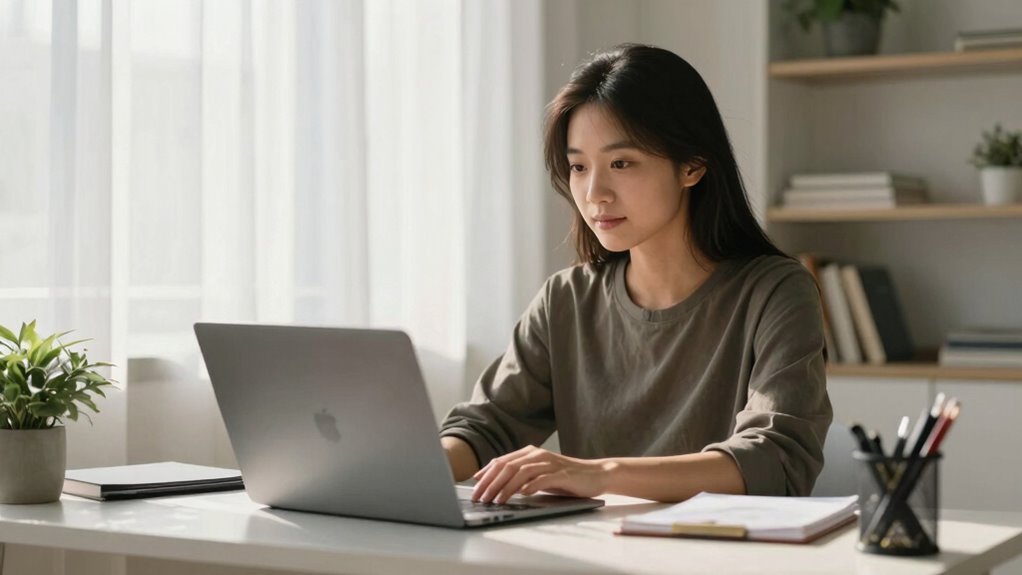
Have you ever noticed how a well-lit space can make your video calls feel more engaging and less draining? It’s not just about looking good on camera; proper lighting transforms your entire communication experience. When you optimize ambient illumination, you reduce shadows and create a balanced environment that’s easy on your eyes. This kind of lighting helps ensure your facial visibility stays clear, no matter how long your meetings last. Without good ambient illumination, your face can appear washed out or obscured, forcing your eyes and brain to work harder to interpret expressions and cues. That extra effort can lead to fatigue and reduce your overall productivity.
By paying attention to ambient illumination, you foster a more natural and comfortable setting. Soft, diffused light evenly spreads across your face, eliminating harsh shadows that distract or distort your features. When your facial visibility is high, others can read your expressions more easily, which improves communication and minimizes misunderstandings. Proper lighting creates a more authentic and inviting environment, making interactions feel more genuine and less strained. This clarity allows you to focus more on the conversation itself rather than adjusting your position or struggling with poor lighting. As a result, your interactions become smoother and more effective, giving you a subtle but significant boost in productivity.
Good lighting also influences your mental state during calls. When you’re well-lit, you tend to feel more alert and engaged. Conversely, sitting in dim or uneven lighting can make you feel sluggish or disconnected. Proper ambient illumination creates a sense of professionalism and intentionality, encouraging you to participate more actively. It also aligns with remote work best practices, which emphasize creating an optimal environment for effective communication. Incorporating ambient lighting can further enhance your overall workspace, making it more inviting and functional. Additionally, understanding outdoor lifestyle topics can help you create a more inviting and natural environment for your workspace, further enhancing your lighting choices. Creating a well-lit environment also supports visual comfort, which is crucial for maintaining focus and reducing fatigue during long meetings.
Another benefit of enhancing your ambient illumination is reducing eye strain. When your environment is evenly lit, your eyes don’t have to strain to focus or compensate for shadows and glare. This comfort translates into fewer headaches and less fatigue, enabling you to stay attentive throughout long video sessions. Additionally, with better facial visibility, you spend less mental energy trying to interpret unclear expressions or awkward camera angles. All these factors combine to make your video calls not only more productive but also more pleasant.
In essence, optimizing your lighting setup is a quiet but powerful way to improve your remote work experience. It helps you appear more professional, stay engaged longer, and communicate more effectively. When ambient illumination is right, your face is clearly visible, your environment feels inviting, and your productivity naturally benefits. It’s a small adjustment that can make a big difference in how you connect and collaborate from behind the screen.

Zoom Lighting for Computer, Adjustable Desk Lighting for Video Calls, 30 Light Modes Video Conference Light, Desk Ring Light with Stand for Webcam, Meetings, Live Stream, Home Office. CRI 97.8
- Uniform and Soft Illumination: Even, gentle lighting reduces eye strain
- High CRI for True Colors: CRI 97.8 for vibrant, natural video colors
- Customizable Lighting Settings: 3 color temps and 10 brightness levels
As an affiliate, we earn on qualifying purchases.
As an affiliate, we earn on qualifying purchases.
Frequently Asked Questions
How Does Lighting Impact Camera Quality During Video Calls?
Lighting impacts your camera quality by enhancing clarity and reducing graininess. Good lighting aesthetics ensure your face is evenly lit, preventing harsh shadows. Adjusting color temperature helps create a natural look, making you appear more professional. When you optimize lighting, your camera captures sharper details and vibrant colors, improving overall video quality. So, investing in proper lighting makes your video calls clearer, more engaging, and leaves a better impression on your audience.
What Are the Best Types of Lighting for Different Room Sizes?
Imagine you’re stepping into a room like a well-lit studio; for small spaces, opt for soft, warm ambient brightness with adjustable color temperature to create a cozy vibe. In larger rooms, use layered lighting—combining overhead, task, and accent lights—to evenly illuminate the space. Brightness and temperature control help you look professional and feel comfortable, making your video calls more engaging regardless of room size.
Can Lighting Improve Focus and Reduce Fatigue?
Lighting can definitely improve your focus and reduce fatigue by enhancing visual clarity and creating a comfortable lighting ambiance. When your environment is well-lit, your eyes don’t strain as much, which helps you stay alert longer. Use natural light whenever possible, and supplement with soft, evenly distributed artificial lighting to minimize glare and shadows. This combination boosts clarity, keeps your mind sharp, and makes work or calls feel less exhausting.
How Do I Set up Lighting for Natural-Looking Video Calls?
You can set up natural-looking lighting by using soft, diffuse light sources with a color temperature around 5000K to mimic daylight. Position your light source facing you, slightly above eye level, to avoid harsh shadows. Use diffusers or sheer curtains to spread the light evenly, reducing glare. This setup guarantees balanced, natural tones on your video, making you appear clear and professional while maintaining a comfortable atmosphere.
Are There Affordable Lighting Options for Remote Workers?
Yes, there are affordable solutions for better lighting on video calls. Budget-friendly options like ring lights, LED desk lamps, or clip-on lights can dramatically improve your video quality without breaking the bank. You can also use natural light by positioning yourself near windows, or DIY solutions like diffusing household lamps with white fabric. These budget-friendly options help you look professional and feel confident during your remote meetings.

Abaodam Flexible LED Light Diffuser Strip 48×4 Inches Acrylic Milky White Panel with Soft Light Diffusion and Easy to Bend Shape for Cabinet Lighting and Ambient Spaces
- Durable Heat-Resistant Material: Suitable for demanding environments
- Easy to Install Anywhere: No tools or professional help needed
- No Hardware Required: Simple DIY upgrade for lighting
As an affiliate, we earn on qualifying purchases.
As an affiliate, we earn on qualifying purchases.
Conclusion
So, next time you dim the lights and hide in shadows during a video call, remember you’re not just avoiding eye contact—you’re sabotaging your productivity. Better lighting isn’t just about looking good; it’s about turning your face into a beacon of competence. Imagine your coworkers squinting at your dim silhouette, wondering if you’re working or just hiding from responsibility. Brighten up, and watch your productivity shine brighter than your webcam’s best settings.

HumanCentric Video Conference Lighting – Webcam Light for Streaming LED
- Double Light Kit for Better Illumination: Includes two connected video lights with one power cable
- Enhances Professional Video Appearance: Provides even lighting to improve skin tone and engagement
- Easy Setup and Removal: Mounts on monitor or laptop without damaging adhesives
As an affiliate, we earn on qualifying purchases.
As an affiliate, we earn on qualifying purchases.

Dpower Clip on Light Reading Lights, 48 LED USB Desk Lamp with 3 Color Modes 10 Brightness, Eye Protection Book Clamp Light, 360 ° Flexible Gooseneck Clamp Lamp for Desk Headboard Video Conferencing
- Eye Protection with 48 LEDs: Reduces eye strain during extended use
- Three Color Modes: Amber, warm-white, and white options
- Ten Brightness Levels: Adjustable for different needs
As an affiliate, we earn on qualifying purchases.
As an affiliate, we earn on qualifying purchases.