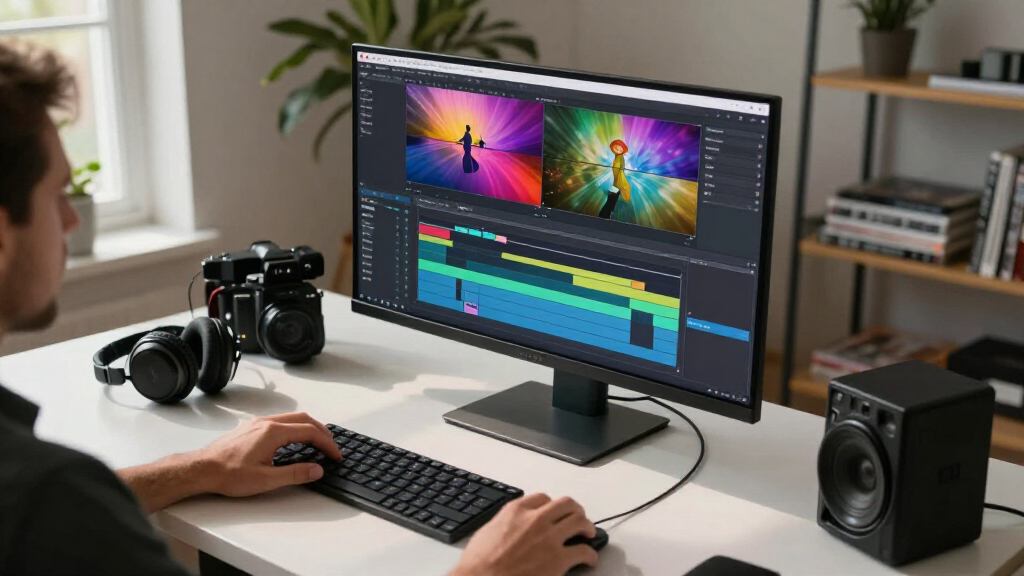

Adobe Premiere Elements 2027 is my best overall pick for approachable, AI-assisted editing, while CyberLink PowerDirector 2027 Ultimate stands out for a broader set of creative tools and Movavi Video Editor 2026 for a simpler Mac workflow. The main tradeoff is between automation that speeds up routine edits and the hands-on control needed for more complex projects. Platform compatibility, included features, and how a license is delivered also matter as much as AI tools. I compare all 11 options by editing flexibility, ease of use, and fit for different projects. Read on for the full breakdown and help matching software to your workflow.

Get business pricing on tech for your team
- Business-only prices and quantity discounts
- Tax-exempt purchasing
- Multiple users, one account, clear invoices
Key Takeaways
- Adobe Premiere Elements 2027 is the strongest all-around starting point for buyers who want guided, AI-assisted editing without stepping directly into a more involved professional workflow.
- CyberLink PowerDirector 2027 Ultimate is the feature-rich choice for Windows users who want more creative range than a streamlined editor may offer.
- Movavi Video Editor 2026 is the clearest Mac-specific alternative in this lineup, but buyers should check that its personal-license terms suit their intended use.
- CyberLink appears in several versions, so the product name alone is not enough to choose; compare the listed edition and included software before deciding between PowerDirector listings.
- Bundles and licenses change the value equation: Photoshop Elements plus Premiere Elements adds photo tools, while student editions and three-year licenses have specific eligibility or duration terms to verify.
| Adobe Premiere Elements 2027 – AI‑Powered Video Editing Software (3‑Year License) |  | Best for Guided AI Editing | License term: 3 years | Operating system: Windows 11 (24H2 or later) or macOS 15.5/26.5 | Processor: Intel Core 9th Gen or newer / AMD equivalent with AVX2 and SSE4.2; Apple silicon M1 or newer | VIEW LATEST PRICE | See Our Full Breakdown |
| CyberLink PowerDirector 2026 and PhotoDirector 2026 Editing Software for Windows |  | Best for Video-and-Photo Value | Included software: CyberLink PowerDirector 2026 and PhotoDirector 2026 | Operating system: Windows 10 or 11 (64-bit) | License: Lifetime licenses; one-time purchase | VIEW LATEST PRICE | See Our Full Breakdown |
| VEGAS Pro Edit 21 Video and Audio Editing Software (1 License, PC Online Code) |  | Best for Timeline Control and Audio | License: 1 license | Platform: PC | Operating system: Windows 10 or 11 | VIEW LATEST PRICE | See Our Full Breakdown |
| Corel VideoStudio Ultimate 2021 Video Editing Software for PC | 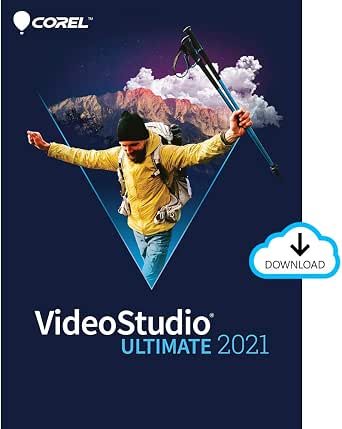 | Best for Effects and Legacy PCs | Platform: PC download | Operating system: Windows 7, 8, or 10 (64-bit) | Minimum RAM: 4 GB | VIEW LATEST PRICE | See Our Full Breakdown |
| Adobe Photoshop Elements & Premiere Elements 2027 Student & Teacher Edition, 3-Year License |  | Best for Eligible Student and Teacher Creators | License term: 3 years | Edition: Student & Teacher | Platform: PC and Mac | VIEW LATEST PRICE | See Our Full Breakdown |
| CyberLink PowerDirector 2026 Video Editing Software for Windows |  | Best for Screen-and-Webcam Tutorials | Platform: Windows | Format: Box with download code | Software type: Video editing software | VIEW LATEST PRICE | See Our Full Breakdown |
| CyberLink PowerDirector 2026 Video Editing Software for Windows |  | Best for Windows 11 Brand Workflows | Operating system: Windows 11 | Format: Download | Screen recording: Screen and webcam recording | VIEW LATEST PRICE | See Our Full Breakdown |
| Movavi Video Editor 2026 for Mac — Personal License |  | Best for Fast Mac Cleanup | Platform: Mac | License: Personal | Subtitle styles: 30+ | VIEW LATEST PRICE | See Our Full Breakdown |
| Adobe Photoshop Elements & Premiere Elements 2027, 3-Year License, PC/Mac Online Code |  | Best for Photo-and-Video Projects | License term: 3 years | Platform: Windows 11 or macOS | Windows processor: 64-bit Intel Core 9th Generation or newer, or AMD equivalent; AVX2 and SSE4.2 support required | VIEW LATEST PRICE | See Our Full Breakdown |
| Nero Video Maker Video Editing Software for Windows |  | Best for Lifetime Licensing and High-Resolution Exports | Supported resolutions: HD, 4K, and 8K | License: Lifetime license for 1 PC | Operating system: Windows 11 and Windows 10 | VIEW LATEST PRICE | See Our Full Breakdown |
| CyberLink PowerDirector 2027 Ultimate Video Editing Software for Windows |  | Best for AI Tools Without a Subscription | Platform: Windows | License: Subscription-free, one-time purchase | Included AI credits: 500 credits for the first year | VIEW LATEST PRICE | See Our Full Breakdown |
| AI video editing software | Operating system | Platform |
|---|---|---|
| Adobe Premiere Elements 2027 | Windows 11 (24H2 or later) or macOS 15.5/26.5 | — |
| CyberLink PowerDirector 2026 a | Windows 10 or 11 (64-bit) | — |
| VEGAS Pro Edit 21 Video and Au | Windows 10 or 11 | PC |
| Corel VideoStudio Ultimate 202 | Windows 7, 8, or 10 (64-bit) | PC download |
| Adobe Photoshop Elements & Pre | Windows 11 version 24H2 or later; macOS 15.5 or later or macOS 26.5 or later | PC and Mac |
| CyberLink PowerDirector 2026 V | — | Windows |
| CyberLink PowerDirector 2026 V | Windows 11 | — |
| Movavi Video Editor 2026 for M | — | Mac |
| Adobe Photoshop Elements & Pre | — | Windows 11 or macOS |
| Nero Video Maker Video Editing | Windows 11 and Windows 10 | — |
| CyberLink PowerDirector 2027 U | — | Windows |
More Details on Our Top Picks
Adobe Premiere Elements 2027 – AI‑Powered Video Editing Software (3‑Year License)
Premiere Elements 2027 is the strongest fit here for editors who want AI assistance without being pushed into a complex professional workflow. Its Quick, Guided, and Advanced modes let beginners follow editing instructions while leaving room to take more control later. AI-assisted trimming, color adjustments, and audio fixes can reduce routine work, while automatic tagging and face recognition help organize growing libraries. Compared with VEGAS Pro Edit 21, this leans more toward approachable, guided projects than hands-on compositing and audio plugin work. It also supports 360°/VR and stop-motion, plus generative title art. The tradeoff is demanding hardware for higher-resolution editing, and Windows on ARM is unsupported. This is a video-focused editor, so buyers who also need photo tools may prefer the Photoshop Elements bundle instead.
Pros:- Quick, Guided, and Advanced modes support different skill levels.
- AI tools help speed up trimming, color correction, and audio fixes.
- Automatic tagging and face recognition can simplify media organization.
- Supports 360°/VR video, stop-motion, and generative AI title art.
Cons:- Windows on ARM processors are not supported.
- Recommended 4K editing calls for 32 GB or more of RAM and a capable GPU.
- Activation and online features require an internet connection.
Best for: New and intermediate video editors who want guided learning, AI-assisted cleanup, and tools for varied projects such as 360° video and stop-motion.
Not ideal for: Windows on ARM users, owners of older computers, or buyers who need a photo-editing suite alongside video tools.
- License term:3 years
- Operating system:Windows 11 (24H2 or later) or macOS 15.5/26.5
- Processor:Intel Core 9th Gen or newer / AMD equivalent with AVX2 and SSE4.2; Apple silicon M1 or newer
- Memory:8 GB minimum; 16 GB recommended for HD; 32 GB or more for 4K
- Storage:10.5 GB free space on Windows; 8.2 GB on macOS; SSD recommended
- Display:1440 × 900 minimum; 1920 × 1080 or higher recommended
- Graphics:4 GB GPU VRAM recommended
- Internet:Required for activation and online features
Our verdict“Choose Premiere Elements 2027 if you want guided, AI-assisted video editing with room to grow, and skip it if your PC is underpowered or you need photo editing too.”
CyberLink PowerDirector 2026 and PhotoDirector 2026 Editing Software for Windows
This bundle earns its place by pairing PowerDirector 2026 for video with PhotoDirector 2026 for still images, making it the broadest creative toolkit in this group. For a buyer who regularly moves between editing footage and retouching photos, that pairing is more useful than the video-only focus of VEGAS Pro Edit 21. PowerDirector’s AI object masking and removal can speed up selected edits, while the included screen and webcam recording suits tutorials and presentations. The lifetime licenses also avoid a recurring subscription commitment. The main caveat is that some generative AI features require separately purchased credits, so not every AI function is included without limits. It is Windows-only, and the boxed item supplies a download code rather than a disc. Choose it for a two-app workflow, not if you need Mac support or a physical installer.
Pros:- Bundles video and photo editing applications together.
- AI tools include object masking, removal, and image enhancement.
- Batch photo editing can speed up repetitive image tasks.
- Lifetime licenses avoid recurring subscription fees.
Cons:- Generative AI features require separately purchased credits.
- Runs only on Windows 10 or 11 (64-bit).
- The box contains a printed download code, not a physical disc.
Best for: Windows creators who edit both video and photos, especially tutorial makers who want screen or webcam recording in the same software bundle.
Not ideal for: Mac users, buyers who require a physical installation disc, or editors who want generative AI features without separately purchased credits.
- Included software:CyberLink PowerDirector 2026 and PhotoDirector 2026
- Operating system:Windows 10 or 11 (64-bit)
- License:Lifetime licenses; one-time purchase
- Delivery format:Printed download code in a box; no physical disc
- AI credits:Generative AI tools require separately purchased credits
- Video features:Object masking and removal; screen and webcam recording
- Photo features:Image enhancement and batch editing
Our verdict“Pick this bundle if you want Windows video and photo tools under lifetime licenses, but choose another option if you need Mac compatibility or credit-free generative AI.”
VEGAS Pro Edit 21 Video and Audio Editing Software (1 License, PC Online Code)
VEGAS Pro Edit 21 is the most hands-on choice in this set: its timeline, layers, masking, effects, and VST3 audio plugin support suit editors who want direct control over both picture and sound. AI-assisted compositing, colorization, upscaling, and video repair add practical help without making the product feel like a guided beginner editor. Compared with Adobe Premiere Elements 2027, VEGAS is better suited to a user who already understands timeline editing and wants to shape effects and audio more deliberately. GPU acceleration can help with export work, but the stated minimum of 16 GB RAM and Windows-only platform narrow its audience. It also requires an internet connection, and the listing does not describe guided learning modes like Premiere Elements offers. I’d choose it for control, not for the gentlest introduction to editing.
Pros:- AI-assisted tools support masking, compositing, colorization, upscaling, and video repair.
- Timeline includes effects, transitions, titles, layers, and masking.
- VST3 plugin support gives audio-focused editors additional flexibility.
- GPU acceleration supports faster exports.
Cons:- Requires Windows 10 or 11 and an internet connection.
- Requires at least 16 GB of RAM.
- Its control-oriented workflow may be less approachable than the guided modes in Premiere Elements.
Best for: Windows editors comfortable with timeline-based workflows who want AI-assisted visual tools, layered compositing, and VST3 audio plugin support.
Not ideal for: First-time editors seeking guided lessons, Mac users, or anyone whose PC has less than 16 GB of RAM.
- License:1 license
- Platform:PC
- Operating system:Windows 10 or 11
- Minimum CPU:4 × 2.5 GHz
- Minimum RAM:16 GB
- Internet:Required
- Audio plugin support:VST3
- Export acceleration:GPU acceleration
Our verdict“Choose VEGAS Pro Edit 21 for timeline control and audio flexibility on a capable Windows PC, rather than for a beginner-first editing experience.”
Corel VideoStudio Ultimate 2021 Video Editing Software for PC
Corel VideoStudio Ultimate 2021 stands apart for its large creative-effects collection and relatively modest stated minimum requirements. Color grading, masking, stabilization, split-screen editing, screen recording, and 360° video provide a wide set of tools, while more than 2,000 effects and templates give casual projects a fast visual starting point. That makes it a different proposition from VEGAS Pro Edit 21, which emphasizes AI-assisted compositing and a more capable audio workflow. Corel’s provided specifications list support for Windows 7, 8, and 10, but not Windows 11, and this is the oldest product in the group; buyers should check compatibility with their current setup before choosing it. It also lacks the explicit AI focus of newer options such as Premiere Elements 2027. Blu-ray disc creation needs a separate plug-in, and HD/UHD work benefits from stronger hardware than the minimums suggest.
Pros:- Includes color grading, masking, stabilization, and split-screen editing.
- More than 2,000 effects, AR stickers, and project templates offer varied creative starting points.
- Supports screen recording and 360° video editing.
- Lists a 4 GB minimum RAM requirement for basic use.
Cons:- Specified operating-system support stops at Windows 10.
- Blu-ray burning requires a separate plug-in.
- HD and UHD editing benefit from more RAM and a faster processor than the minimum configuration.
Best for: Windows PC users who want a broad effects library, templates, screen capture, and 360° editing for personal or hobby projects.
Not ideal for: Windows 11 users who need listed operating-system support, buyers prioritizing modern AI tools, or anyone planning Blu-ray authoring without an extra plug-in.
- Platform:PC download
- Operating system:Windows 7, 8, or 10 (64-bit)
- Minimum RAM:4 GB
- Recommended RAM:8 GB or more for HD and UHD video
- Minimum processor:Intel Core i3 or AMD A4 series for standard video
- Minimum graphics memory:512 MB VRAM
- Installation space:10 GB
- Disc creation:DVD burner required for DVD and AVCHD; Blu-ray burning requires a separate plug-in
- Internet:Required for installation, registration, and updates
Our verdict“Consider VideoStudio Ultimate 2021 for effects-rich editing on a compatible older Windows PC, but favor newer AI-focused software for current systems and automated editing.”
Adobe Photoshop Elements & Premiere Elements 2027 Student & Teacher Edition, 3-Year License
This edition pairs Premiere Elements 2027 with Photoshop Elements, making it the clearest choice here for eligible students and teachers who want one toolkit for video and photo projects. Quick, Guided, and Advanced modes ease users into editing, while AI image, background, and title-art generation gives creative assignments more starting points. Compared with the video-only Adobe Premiere Elements 2027, the bundle adds photo retouching, collages, and related projects; compared with CyberLink’s PowerDirector/PhotoDirector bundle, it supports PC and Mac rather than Windows alone. The catch is eligibility verification, a three-year license, and a fairly demanding system requirement for 4K media. Activation and online content also require internet access, and Windows on ARM and Intel-based Macs are unsupported. This is a sensible classroom or personal-project package, not a fit for every buyer.
Pros:- Combines photo and video editing in one bundle.
- Quick, Guided, and Advanced modes support learning at different skill levels.
- AI tools can generate images, backgrounds, and title art.
- Supports collages, Photo Reels, and stop-motion projects.
Cons:- Requires student or teacher eligibility verification.
- License term is limited to three years.
- Does not support Windows on ARM or Intel-based Macs, and activation requires internet access.
Best for: Verified students and teachers who need guided video editing plus photo retouching and creative tools on a supported PC or Apple silicon Mac.
Not ideal for: People who cannot verify student or teacher eligibility, Windows on ARM users, Intel-based Mac owners, or buyers seeking a video-only application.
- License term:3 years
- Edition:Student & Teacher
- Platform:PC and Mac
- Operating system:Windows 11 version 24H2 or later; macOS 15.5 or later or macOS 26.5 or later
- Processor:64-bit; Intel Core 9th Generation or newer or AMD equivalent on Windows; Apple silicon M1 or newer on Mac
- Memory:8 GB minimum; 16 GB recommended for HD; 32 GB or more for 4K
- Storage:14.7 GB for Windows; 12 GB for macOS
- Graphics:4 GB VRAM recommended
- Internet:Required for activation and downloading online content
Our verdict“Choose this bundle if you qualify and want guided photo-and-video tools on a supported PC or Apple silicon Mac; otherwise, the standard Premiere Elements edition avoids the eligibility restriction.”
CyberLink PowerDirector 2026 Video Editing Software for Windows
I’d rank this PowerDirector edition highly for creators who need to record and edit tutorials in one workflow. It captures the screen and webcam together, then exports them as separate clips, giving me room to adjust their placement during editing. AI object masking, background removal, audio denoising, and multilingual speech-to-text captions also address common cleanup tasks without requiring a separate tool for each one. Compared with Movavi Video Editor 2026, which emphasizes quick edits and silence removal, this pick leans more toward recording and layered control. The tradeoff is that frame interpolation works only on Intel AI PCs, while generative AI tools require separately purchased credits. I’d choose it for tutorial production, not for unrestricted access to every AI feature.
Pros:- Records screen and webcam together as separate editable clips
- Includes AI tools for object masking, background removal, and audio denoising
- Automates speech-to-text captions in multiple languages
- Combines recording, color adjustment, effects, and editing in one Windows application
Cons:- Frame interpolation is restricted to Intel AI PCs
- Generative AI features require separately purchased credits
Best for: Windows creators making tutorials or presentations who want screen and webcam capture alongside AI-assisted editing and captions.
Not ideal for: Editors who need frame interpolation on a non-Intel AI PC or expect generative AI tools to be included without additional credit purchases.
- Platform:Windows
- Format:Box with download code
- Software type:Video editing software
- Screen recording:Captures screen and webcam together; exports as separate clips
- AI features:Object masking, background removal, audio denoising, and speech-to-text captions
- Frame interpolation:Available on Intel AI PCs only
- Generative AI tools:Require separately purchased AI credits
Our verdict“Choose this PowerDirector edition if screen-and-webcam tutorials and automated captions matter more than unrestricted access to frame interpolation and generative AI.”
CyberLink PowerDirector 2026 Video Editing Software for Windows
This download edition suits Windows 11 creators who want AI-assisted editing tied to repeatable branded content. Its brand kits, color adjustment, object masking, and screen-and-webcam recording support a workflow that can move from capture to a consistent-looking edit. Compared with the boxed PowerDirector edition in this roundup, the listed feature set calls out AI frame interpolation but does not specify the other edition’s multilingual captions, background removal, or separate-credit requirement for generative tools. That makes the two versions worth distinguishing by the needs described in their listings rather than treating them as identical. Its main constraint is firm: it requires Windows 11, so Windows 10 users should look at Nero Video Maker or the other PowerDirector edition instead. I’d favor this pick for brand-led projects, not cross-platform editing.
Pros:- Includes AI-assisted editing tools, object masking, and frame interpolation
- Records screen and webcam together
- Provides color adjustment for shaping a consistent visual look
- Brand asset management supports repeatable branded content
Cons:- Requires Windows 11
- The supplied feature details do not specify captioning, background removal, or generative AI terms
- Download format may not suit buyers who prefer boxed software
Best for: Windows 11 creators or small teams producing recurring videos that need screen capture, color adjustments, and reusable brand assets.
Not ideal for: Windows 10 users, Mac editors, or buyers who need clearly specified multilingual captions and a broad range of listed AI cleanup tools.
- Operating system:Windows 11
- Format:Download
- Screen recording:Screen and webcam recording
- AI features:AI frame interpolation and AI object masking
- Color tools:Color adjustment
- Brand assets:Brand kits and brand asset management
- Additional editing:Visual effects and slideshow creation
Our verdict“Pick this download edition for Windows 11 brand-focused workflows, but choose the boxed PowerDirector listing if its specified captioning and cleanup features matter more.”
Movavi Video Editor 2026 for Mac — Personal License
For Mac users who want AI to shorten routine editing chores, Movavi puts its emphasis on automatic subtitles, noise removal, and silence removal. Those tools can speed up dialogue-led clips by cutting pauses and reducing distracting sound before a more detailed polish. Its 30+ subtitle styles, 180+ filters, and drag-and-drop effects offer plenty of ways to finish a social video without making the workflow feel centered on complex production. Compared with PowerDirector 2026, Movavi’s listing highlights silence removal and playback speed up to 100× rather than screen-and-webcam recording or brand asset management. That focus is useful for quick edits, though the Mac-only platform and personal license limit its fit for Windows users and commercial work. I’d pick it for individual Mac projects, not a business editing setup.
Pros:- AI tools provide automatic subtitles, noise removal, and silence removal
- Includes more than 30 subtitle styles
- Offers more than 180 filters, along with transitions, titles, and overlays
- Playback speed control reaches up to 100×
Cons:- Listed for Mac only
- Personal license may not suit commercial use
- The listed feature set emphasizes quick editing rather than screen-and-webcam capture
Best for: Mac users editing personal, dialogue-heavy clips who want automated subtitles, silence trimming, and straightforward creative effects.
Not ideal for: Windows users, teams producing commercial work under a business license, or editors who need screen recording and brand asset management.
- Platform:Mac
- License:Personal
- Subtitle styles:30+
- Playback speed:Up to 100×
- Filters:180+
- AI features:Automatic subtitles, noise removal, silence removal, and background replacement
- Editing tools:Drag-and-drop effects, transitions, titles, and color tools
Our verdict“Choose Movavi for quick personal video edits on Mac, especially when subtitle generation and silence removal matter more than recording tools or commercial licensing.”
Adobe Photoshop Elements & Premiere Elements 2027, 3-Year License, PC/Mac Online Code
I’d choose this bundle when a project involves both still images and video, rather than treating video editing as the only job. Photoshop Elements and Premiere Elements combine AI-assisted photo work with video editing, while Quick, Guided, and Advanced modes let the editor choose how much direction to get. Automatic media tagging, sorting, and face recognition can also make a mixed library easier to organize. Compared with Adobe Premiere Elements 2027 on its own, this package adds the photo editor; compared with Movavi, its appeal is the broader photo-and-video workflow rather than the listed 100× speed control and silence removal. The tradeoff is substantial hardware and setup detail: activation needs an internet connection, and 4K editing calls for 32 GB or more of memory. The license also runs for three years, not indefinitely.
Pros:- Bundles photo editing in Photoshop Elements with video editing in Premiere Elements
- AI tools can remove distractions, replace backgrounds, and sharpen details
- Quick, Guided, and Advanced modes accommodate different editing skill levels
- Automatic media tagging, sorting, and face recognition help organize assets
Cons:- License term is limited to three years
- Activation and online content downloads require an internet connection
- Requires recent operating systems and substantial memory for 4K work
Best for: PC or Mac users organizing family, hobby, or personal projects that combine photo editing with guided video editing.
Not ideal for: Buyers seeking a perpetual license, offline activation, older hardware support, or a video-only editor without bundled photo software.
- License term:3 years
- Platform:Windows 11 or macOS
- Windows processor:64-bit Intel Core 9th Generation or newer, or AMD equivalent; AVX2 and SSE4.2 support required
- Mac processor:Apple silicon M1 or newer
- Memory:8 GB required; 16 GB recommended for HD and 32 GB or more for 4K
- Storage:14.7 GB for Windows; 12 GB for macOS
- Display:1440 × 900 required; 1920 × 1080 or higher recommended
- Activation:Internet connection required
Our verdict“Choose this bundle for a three-year photo-and-video workflow with guided editing, but skip it if you need a perpetual or offline-activated video editor.”
Nero Video Maker Video Editing Software for Windows
Nero Video Maker is the practical choice for Windows editors who value a lifetime license and broad export support more than a highly specified set of generative AI tools. Its multi-track editing, green screen, picture-in-picture, and motion tracking give creators room to build layered videos, while HD, 4K, and 8K exports accommodate projects with different resolution targets. More than 1,000 templates and effects provide a large starting library, although volume alone does not guarantee a fast or focused workflow. Compared with the Adobe Photoshop Elements & Premiere Elements bundle, Nero is video-focused and avoids a three-year license term; compared with PowerDirector, its listing stresses effects and export resolutions rather than captions and AI cleanup. It is limited to one Windows PC, and its AI media tools are less specifically described.
Pros:- Exports in HD, 4K, and 8K
- Lifetime license for one PC
- Includes multi-track editing, green screen, picture-in-picture, and motion tracking
- Provides more than 1,000 templates and effects
Cons:- Compatible only with Windows 10 and Windows 11
- License is limited to one PC
- AI media management is listed without details comparable to PowerDirector’s specified AI tools
Best for: Windows 10 or 11 editors who want a one-PC lifetime license, multi-track tools, and export options up to 8K.
Not ideal for: Mac users, editors needing clearly specified AI captioning or audio cleanup, or anyone who needs to install the software on multiple PCs.
- Supported resolutions:HD, 4K, and 8K
- License:Lifetime license for 1 PC
- Operating system:Windows 11 and Windows 10
- Templates and effects:Over 1,000
- Editing features:Multi-track editing
- AI feature:AI media management
- Visual effects:Green screen, picture-in-picture, and motion tracking
Our verdict“Choose Nero for Windows-based multi-track editing, high-resolution exports, and a lifetime license, but look elsewhere for clearly detailed AI cleanup features or Mac support.”
CyberLink PowerDirector 2027 Ultimate Video Editing Software for Windows
PowerDirector 2027 Ultimate suits Windows editors who want a wide set of AI-assisted tools in a one-time-purchase package. Its AI editing by chat, object removal, storytelling, and subtitle tools cover several routine jobs, while speech enhancement and audio cleanup can help rescue imperfect recordings. Compared with Adobe Premiere Elements 2027, this pick puts more emphasis on a broad mix of AI, audio, and social-video functions rather than a simpler guided editing approach. It also adds HDR output, 4K preview, motion tracking, and screen recording, giving creators room to handle varied projects in one app.
The tradeoff is that subscription-free licensing does not mean every AI feature is free to use indefinitely: some generative and agentic tools may need paid credits, and the included 500 AI credits last only for the first year. I’d choose it for feature range and ownership-style licensing, but skip it if you need Mac support or predictable access to every AI function.
Pros:- Combines AI chat editing, object removal, storytelling, and subtitle tools in one Windows editor.
- Includes speech enhancement, wind removal, denoise, and de-reverb for cleaning up recorded audio.
- Supports HDR output, 4K preview, motion tracking, and screen recording.
- Provides social-platform formatting tools and 500 AI credits for the first year.
Cons:- Some generative and agentic AI features may require additional paid credits.
- The included 500 AI credits are limited to the first year.
- Windows-only software is unsuitable for Mac-based editing workflows.
Best for: Windows creators who want a broad AI editing toolkit, social-video formatting, and a one-time purchase rather than an ongoing subscription.
Not ideal for: Mac users and frequent users of generative AI features who need unrestricted access or want to avoid possible additional credit costs.
- Platform:Windows
- License:Subscription-free, one-time purchase
- Included AI credits:500 credits for the first year
- AI video tools:Editing by chat, object removal, storytelling, and subtitles
- Video features:HDR output, 4K preview, motion tracking, screen recording, and Auto Reframe
- Audio features:Speech enhancement, wind removal, audio denoise, de-reverb, and voice changer
- Delivery format:PC online code
Our verdict“Choose PowerDirector 2027 Ultimate if you want varied AI video and audio tools in a Windows editor with subscription-free licensing, and can accept limits on AI credits.”
How We Picked
I ranked these options by how well their AI-assisted features support real editing tasks, including speeding up common adjustments without making the whole workflow feel inaccessible. I also weighed usability, creative control, platform fit, bundled tools, and the clarity of the listed license. Since the lineup includes Windows-only options, a Mac option, education licensing, and duplicate PowerDirector listings, compatibility and edition details affect the ranking rather than serving as minor fine print.
Premiere Elements 2027 ranks first for its balance of guided editing and general-purpose appeal. PowerDirector 2027 Ultimate sits higher for feature breadth, while PowerDirector 2026 and VEGAS Pro Edit 21 suit buyers who put more weight on creative control or editing depth. Simpler choices such as Movavi, Nero Video Maker, and older Corel VideoStudio Ultimate may fit narrower needs, but buyers should check platform, version, and feature details carefully. I treat repeated or bundled listings as distinct purchase choices only where their edition, included apps, or license terms differ.
| AI video editing software | Platform |
|---|---|
| Adobe Premiere Elements 2027 | — |
| CyberLink PowerDirector 2026 a | — |
| VEGAS Pro Edit 21 Video and Au | PC |
| Corel VideoStudio Ultimate 202 | PC download |
| Adobe Photoshop Elements & Pre | PC and Mac |
| CyberLink PowerDirector 2026 V | Windows |
| CyberLink PowerDirector 2026 V | — |
| Movavi Video Editor 2026 for M | Mac |
| Adobe Photoshop Elements & Pre | Windows 11 or macOS |
| Nero Video Maker Video Editing | — |
| CyberLink PowerDirector 2027 U | Windows |
Factors to Consider When Choosing AI Video Editing Software
Before choosing AI video editing software, I would match the program to the work you actually do, not the length of its feature list. The right decision depends on where you edit, how much control you want, and which tasks you expect AI to speed up. These broader checks can prevent a capable editor from becoming a poor fit.
Match AI Automation to Your Editing Habits
AI features can refer to very different jobs: helping organize clips, improving visuals, generating effects, or simplifying repetitive adjustments. Start by listing the steps you repeat most, then check whether the software automates those specific tasks. A long AI feature list is not automatically useful if the tools do not fit your footage or editing style. Buyers making short social clips may value quick, guided changes more than granular timeline control. Editors building layered projects may prefer automation that assists without limiting manual adjustments. Choose for the bottleneck in your workflow, not for the most prominent AI label.
Check Your Computer and Operating System First
Software compatibility is a basic check that can rule out an otherwise appealing option. This lineup includes Windows-focused products and a Mac-specific Movavi listing, so confirm your operating system before comparing creative features. Also check your computer’s available memory, storage, and graphics capability against the software maker’s current requirements. AI-assisted processing can place extra demands on hardware, and a slow system may make routine editing feel less convenient. If you expect to move projects between computers, confirm that your chosen version supports that workflow. Platform fit is part of performance, not just a technical footnote.
Separate Beginner Guidance From Long-Term Control
Guided tools can help a new editor get from raw footage to a finished video with fewer decisions, but a highly simplified workflow may feel limiting as projects grow. Before choosing, ask whether you need an editor for occasional personal videos or one that can support more involved timelines and detailed adjustments. Look for a workflow that makes common tasks approachable while leaving room to refine results. A beginner may benefit more from clear prompts than from a large professional feature set. An experienced editor may find those same prompts unnecessary if they slow down manual work. Buy for your current skill level, but leave room for the projects you expect to make next.
Compare Editions, Bundles, and License Terms
Product names can hide important differences between a standalone editor, an Ultimate edition, and a bundle that includes separate photo software. Compare what is included in the exact listing rather than assuming that two products with a shared name have matching tools. License duration matters too: a three-year license differs from an unrestricted ongoing license, and an education edition may require eligibility. A personal-use license may not suit paid client work, so verify permitted use with the seller or software maker. For repeated listings, check version numbers and edition names before deciding they are interchangeable. The license and bundle can change the value more than a small feature difference.
Think Beyond the Edit: Formats, Sharing, and Project Handoffs
A video editor is only a good fit if it can deliver files where you need to publish or share them. Check supported export formats, resolution options, and any workflow requirements from your social platform, client, or playback device. If another person will continue editing your project, confirm how the software handles project files and media rather than checking only final exports. Beginners can overlook this and discover late that a preferred format or handoff process is awkward. Frequent creators should also check whether the export workflow fits their schedule and equipment. Plan for the finished video and the editable project, not just the timeline.
Decide When a Broader Feature Set Is Worth It
More tools can be useful when one program needs to support different video styles, but they can also add menus and choices that slow down simple projects. A broader edition makes sense when you can name the effects, controls, or companion tools you will use regularly. If most of your work involves trimming clips and making straightforward edits, prioritize a comfortable workflow over a large feature inventory. Bundled photo editing can be a benefit if you already need that capability, but it may add little for video-only work. Compare the time saved by automation with the time needed to learn and maintain a more complex setup. Pay for capability you expect to use, not capability you may never open.
Frequently Asked Questions
Which option makes the most sense if I am new to video editing?
I would start with Adobe Premiere Elements 2027 if guided editing and a general-purpose workflow matter most. Movavi Video Editor 2026 is another option for Mac users seeking a more focused editor. A beginner should prioritize a clear timeline, helpful guidance, and straightforward exports over a long list of advanced controls. Check the software’s current system requirements and tutorial resources before choosing. If you expect to take on layered or client projects soon, compare how much manual control each option leaves available.
Are the CyberLink PowerDirector listings different products or duplicates?
The lineup includes PowerDirector 2026 listings, a 2026 bundle with PhotoDirector, and PowerDirector 2027 Ultimate, so the names point to different versions or package contents. Two entries share the same PowerDirector 2026 Windows title, and the supplied listing details do not explain a difference between them. I would verify the seller’s edition, license, and included features before ordering either repeated listing. Do not assume that a bundle includes the same tools as a standalone editor, or that an Ultimate edition matches a standard one. When the details appear identical, compare the exact product page and license terms before treating them as separate choices.
Can I use these programs for paid client work?
Do not assume that a video editor’s license permits commercial work. The Movavi listing is identified as a personal license, which makes the permitted use especially important to verify before using it for paid projects. Student and teacher editions may have eligibility rules, and other license terms can vary by product and seller. Read the current license agreement for the exact edition you plan to buy, including rules for client work, assets, and exports. If commercial use is a requirement, get confirmation from the software maker or seller before committing.
Should I choose a bundle that includes photo editing software?
A bundle makes sense if photo editing is part of your regular work and you want related creative tasks in one package. Adobe’s Photoshop Elements and Premiere Elements bundle pairs photo and video software, while CyberLink also has a PowerDirector and PhotoDirector listing. If you only edit video, extra software may add little practical value and can complicate the comparison. Check whether the bundled apps share files or fit your routine rather than relying on the bundle label alone. Also confirm the license duration and platform for the exact package.
How can I tell whether AI features will help my kind of video?
Begin with the tasks that consume the most time in your own projects, such as sorting footage, making routine corrections, or producing repeated versions. Then compare those tasks with the specific AI-assisted tools included in the edition you are considering. AI support for one part of editing may not speed up another, and it does not replace every manual decision. If you depend on a particular feature, confirm that it is included in your version and works with your footage and computer. A short trial or demo, when available, can show whether the automation helps without changing the workflow you prefer.
Conclusion
For most buyers, Adobe Premiere Elements 2027 is my best overall recommendation because it balances guided editing with broad appeal. I would choose CyberLink PowerDirector 2027 Ultimate as the best premium-style pick for Windows users who want greater feature breadth, and look first at the PowerDirector 2026 listings for value—after checking which edition and license are actually included. Beginners should compare Premiere Elements with Movavi, especially if they edit on Mac. For photo-and-video workflows, the Adobe or CyberLink bundles may fit better than a video-only program; for deeper manual control, VEGAS Pro Edit 21 deserves a closer look. Check operating-system compatibility, edition details, and permitted use before choosing, then pick the editor that makes your usual projects easier to finish.