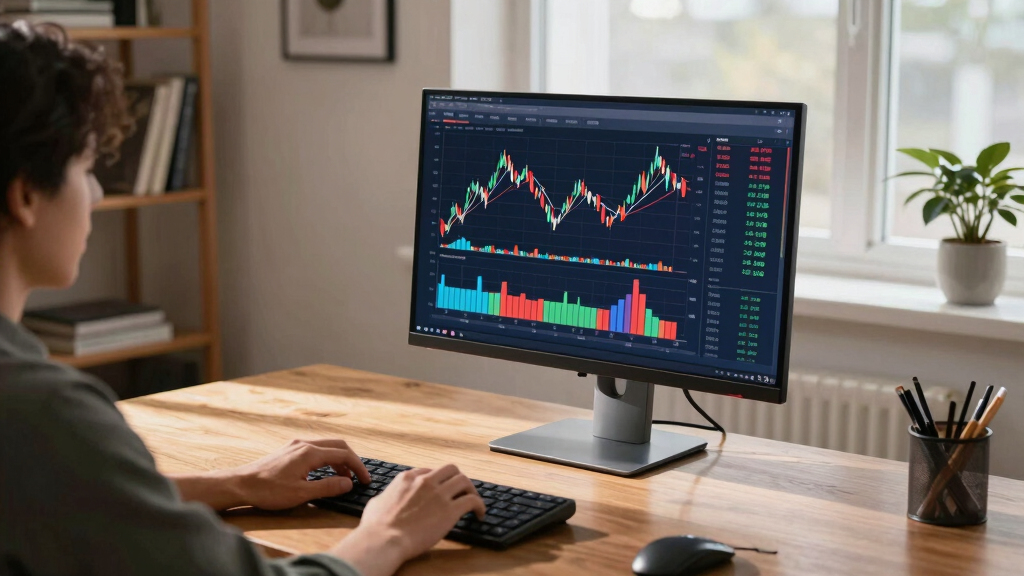

Finding the best 4K monitor for a home trading desk involves balancing resolution, color accuracy, screen size, and refresh rates. The Dell S2725QS stands out as the best overall choice due to its sharp display and reliable performance. For those seeking a larger screen, the SAMSUNG ViewFinity S50GC offers expansive real estate with excellent color fidelity, while the LG 27US500-W provides a more budget-friendly, yet capable, alternative. Buyers face tradeoffs between screen size, refresh rate, and color precision, depending on their trading style and workspace constraints. Keep reading for an in-depth breakdown of these options to find the best fit for your needs.
Key Takeaways
- The top monitors balance 4K resolution with high refresh rates for smooth trading visuals.
- Larger screens like 32-inch or ultra-wide models help manage multiple charts and data streams more effectively.
- Color accuracy and HDR support are vital for traders who analyze detailed charts and need precise visuals.
- Budget options can deliver solid performance but often lack the high refresh rates or extensive features of premium models.
- Connectivity and ergonomic features, such as VESA mounts and height adjustments, significantly improve daily usability.


More Details on Our Top Picks
Dell 27 Plus 4K Monitor – S2725QS – 27-inch 4K (3840 x 2160) 120Hz IPS
The Dell S2725QS stands out for its balanced combination of high refresh rate, vibrant colors, and sleek design, making it ideal for traders who want a monitor that handles both detailed analysis and casual entertainment. Compared with the LG 27US500-W, it offers a faster 120Hz refresh rate, reducing motion blur during fast-paced activities like chart updates. Its IPS panel ensures wide viewing angles, essential for multi-monitor configurations. While it excels in visual quality and smoothness, its built-in speakers aren’t as robust as dedicated audio setups, and the stand offers limited height adjustment. This pick makes the most sense for traders seeking a reliable all-rounder without sacrificing display quality or performance.
Pros:- 120Hz refresh rate for smooth visuals during rapid market movements
- Vivid 99% sRGB color coverage for accurate data visualization
- Ultra-thin bezel creates a modern, minimalist workspace
Cons:- Limited height adjustment, which could impact ergonomic comfort
- Speakers lack depth and volume compared to dedicated audio devices
Best for: Home traders who want a high-quality, responsive monitor that balances work and leisure
Not ideal for: Traders requiring extensive ergonomic adjustments or professional-grade color accuracy for photo editing
- Size:27 inches
- Resolution:3840 x 2160
- Refresh Rate:120Hz
- Panel Type:IPS
- Contrast Ratio:1500:1
- Color Gamut:99% sRGB
Bottom line: This monitor suits traders needing a versatile display that combines fast refresh with true color fidelity.
Dell 27 Plus 4K USB-C Monitor – S2725QC – 27-inch 4K (3840 x 2160) 120Hz
The Dell S2725QC makes a compelling case for home traders who prioritize a clean, streamlined workspace, thanks to its single USB-C connection that delivers video, data, and up to 65W charging. It’s comparable to the Amzfast 27 Inch 4K Gaming Monitor in color vibrancy with 99% sRGB, but surpasses it in connectivity simplicity. The 120Hz refresh rate ensures smooth visuals, although it might not match the ultra-fast FHD modes of the Amzfast for competitive gaming. Its integrated speakers are decent but not premium, and height adjustment is modest. Overall, this monitor suits traders looking for a stylish, minimalistic setup with modern connectivity features.
Pros:- Single USB-C cable simplifies cable management
- 120Hz refresh rate for smooth data and media viewing
- Vivid color reproduction with 99% sRGB coverage
Cons:- Limited height adjustment may impact ergonomic comfort
- Speakers are adequate but lack deep bass and volume for immersive audio
Best for: Home traders who want a sleek, single-cable solution that reduces desk clutter
Not ideal for: Gamers or traders needing extensive ergonomic adjustments or ultra-high refresh rates for fast-paced gaming
- Size:27 inches
- Resolution:3840 x 2160
- Refresh Rate:120Hz
- Panel Type:IPS
- Contrast Ratio:1500:1
- Connectivity:USB-C
Bottom line: Ideal for traders who value clean design and flexible connectivity in their home office.
Dell 32 Plus 4K Monitor – S3225QS – 31.5-inch 4K VA Panel
The Dell S3225QS targets traders who need a larger display with richer color depth, thanks to its 95% DCI-P3 and 99% sRGB coverage. Its VA panel provides a high contrast ratio of 1500:1, delivering deeper blacks and more pronounced detail, which is beneficial when analyzing complex charts or multiple data streams. Compared to the LG 27US500-W, it offers a bigger screen and deeper color saturation, though it sacrifices a bit of response time with 0.03ms response but still up to 120Hz refresh. The built-in speakers are an added convenience, but stand height adjustment remains limited. This monitor makes sense for traders prioritizing color richness and larger workspace for multitasking.
Pros:- Large 31.5-inch VA panel for expansive multitasking space
- High contrast ratio of 1500:1 for vivid visuals
- 99% sRGB and 95% DCI-P3 coverage for color accuracy
Cons:- Limited height and tilt adjustment options
- Response time may be less ideal for fast-paced trading scenarios
Best for: Home traders who want an expansive display with high contrast and color accuracy
Not ideal for: Traders who need adjustable ergonomics or ultra-fast response times for high-frequency trading
- Size:31.5 inches
- Resolution:3840 x 2160
- Refresh Rate:120Hz
- Panel Type:VA
- Contrast Ratio:1500:1
- Color Gamut:99% sRGB, 95% DCI-P3
Bottom line: Best suited for traders who need a larger, richly colored display with high contrast for detailed analysis.
Amzfast 27 Inch 4K Gaming Monitor HDR 400, UHD 160Hz
The Amzfast 27 Inch 4K Monitor offers a compelling mix of high-speed performance and vibrant visuals, making it suitable for traders who also want gaming capabilities. Its 160Hz refresh rate in 4K mode surpasses many competitors like the Dell S2725QS for fast-moving visuals, reducing motion blur during rapid market fluctuations. The HDR400 support and 126% sRGB color gamut enhance color richness, beneficial for detailed charts. However, its stand may be less sturdy, and ergonomic adjustments are limited. This monitor is ideal for traders who want a dual-purpose display for both markets and gaming without sacrificing visual quality or speed.
Pros:- 160Hz refresh rate in 4K mode for ultra-smooth visuals
- Vivid HDR400 support with 126% sRGB coverage
- Multiple input options including HDMI 2.1 and DisplayPort 1.4
Cons:- Stand stability could be improved for long-term ergonomic comfort
- Design lacks extensive height or pivot adjustments
Best for: Home traders who also enjoy gaming and need rapid refresh rates for real-time data updates
Not ideal for: Professionals requiring precise color calibration for photo or video editing
- Size:27 inches
- Resolution:3840 x 2160
- Refresh Rate:160Hz
- Panel Type:IPS
- HDR:HDR400
- Color Gamut:126% sRGB
Bottom line: Perfect for traders who want high refresh rates and vibrant visuals in a versatile gaming and data analysis monitor.
LG 27US500-W Ultrafine Monitor 27-Inch 4K UHD HDR10 IPS
The LG 27US500-W provides a reliable, affordable 4K experience with decent color coverage (90% DCI-P3) and HDR10 support, making it suitable for traders who focus on clarity and color fidelity without the need for ultra-high refresh rates. Its 60Hz refresh rate is standard but may lag behind the more fluid 120Hz options like the Dell or Amzfast for rapid market updates. The IPS panel offers wide viewing angles, ideal for multi-monitor setups. Although it lacks extensive ergonomic adjustments and has a modest response time of 5ms, it remains a solid choice for casual traders or those on a budget.
Pros:- Good color accuracy with 90% DCI-P3 coverage
- Affordable price point for a 4K IPS monitor
- Flicker-safe and low blue light features improve eye comfort
Cons:- Limited refresh rate at 60Hz, less ideal for fast market movements
- Minimal ergonomic adjustments may affect long-term comfort
Best for: Home traders who prioritize color accuracy and affordability over ultra-fast refresh rates
Not ideal for: Active traders needing quick responsiveness or gamers seeking high frame rates
- Size:27 inches
- Resolution:3840 x 2160
- Refresh Rate:60Hz
- Panel Type:IPS
- Contrast Ratio:1000:1
- HDR:HDR10
Bottom line: A dependable choice for casual traders focused on color fidelity and budget-conscious setups.
CUNPU 24 Inch 4K UHD IPS Monitor, 185PPI, ΔE < 2, 100% DCI-P3, 1.07B+ Colors, Height Vertical Adjustable Stand, Built-in Dual Speakers, VESA – for Photo Editing, Office Work & Home Entertainment
Compared with the ultrawide Samsung LS34C502, the Samsung S30GD 27″ provides a more traditional aspect ratio and a higher refresh rate of 100Hz, making it well-suited for casual gaming, everyday productivity, and extended work sessions. Its IPS panel ensures consistent color and wide viewing angles, and the eye care features reduce fatigue over long hours. However, the tilt-only stand limits ergonomic flexibility, unlike the fully adjustable models like the CUNPU or the ultra-wide ViewFinity. Its 27-inch size strikes a balance between workspace and desk space, appealing to home users who want a versatile monitor. The inclusion of Game Mode and flicker-free technology addresses both work and play needs, but it falls short of ultrawide screens’ multitasking capacity. This makes it a solid choice for users who value good display quality with some gaming flair, without the need for expansive screens.
Pros:- Vivid IPS panel with consistent color and wide viewing angles
- 100Hz refresh rate enhances smoothness in gaming and video
- Blue light reduction and flicker-free technology for eye comfort
Cons:- Tilt-only stand limits ergonomic positioning
- Lacks height, swivel, or pivot adjustments for personalized comfort
Best for: Home office workers, casual gamers, and multimedia consumers seeking a reliable, budget-friendly display.
Not ideal for: Traders or creative professionals requiring expansive, multi-window setups or advanced color accuracy, as this monitor targets general use.
- Screen Size:27 inches
- Resolution:Full 4K UHD (3840×2160)
- Refresh Rate:100Hz
- Panel Type:IPS
- Stand Adjustment:Tilt only
- Connectivity:unspecified, likely HDMI/DP
Bottom line: This monitor offers a balanced mix of color quality and smooth performance, ideal for everyday home use with some gaming and media features.
SAMSUNG 34″ ViewFinity S50GC Series Ultra-WQHD Monitor, 100Hz, 5ms, HDR10, AMD FreeSync, Eye Care, Borderless Design, PIP, PBP, LS34C502GANXZA, 2023, Black
The Samsung 34″ ViewFinity S50GC is engineered for multitaskers who need expansive workspace, thanks to its 21:9 Ultra-WQHD resolution and borderless design. Unlike the smaller, color-precision-focused CUNPU, this ultrawide excels in providing real estate for multiple apps, windows, and data streams, making it a favorite for traders managing several dashboards. Its 100Hz refresh rate and AMD FreeSync deliver smooth visuals during fast-paced market updates, though it’s not a gaming monitor per se. HDR10 support ensures vibrant visuals for media consumption and professional work. The monitor features PIP and PBP modes, perfect for keeping an eye on multiple sources simultaneously. Its ergonomic adjustments are limited to height, but the wide screen compensates with a near-seamless viewing experience. The main tradeoff involves its size and price, making it more suitable for serious multitaskers than casual users.
Pros:- Expansive 34-inch ultra-wide display with 21:9 aspect ratio
- Supports PIP and PBP for multitasking efficiency
- Vivid HDR10 with over a billion colors for media and professional content
Cons:- Limited ergonomic adjustments—height only
- Larger footprint and higher price point for casual users
Best for: Professional traders, financial analysts, and multitasking power users needing a large, immersive display for data streams.
Not ideal for: Users with limited desk space or those who prefer a traditional 16:9 aspect ratio for simpler tasks, as this ultrawide demands more room and investment.
- Screen Size:34 inches
- Resolution:3440 x 1440 (Ultra-WQHD)
- Refresh Rate:100Hz
- Panel Type:IPS
- Features:PIP, PBP, HDR10
- Connectivity:HDMI 2.2, DisplayPort 1.2
Bottom line: This monitor is ideal for traders and professionals who need maximum screen real estate and multitasking capabilities in a home setup.
Innoview 23.8” 4K Large Portable Monitor, UHD (3840*2160) 100%sRGB IPS Speakers USB-C HDMI Work Home Second Monitor W/180°Adjustable Stand for Laptop, Desktop, Macbook, Phones, Tablet, PS5/4, Switch
This portable 23.8-inch 4K monitor offers excellent color accuracy with 100% sRGB, making it suitable for color-sensitive tasks on the go. Its lightweight design and multiple stand options, including a 180° adjustable kickstand, make it a flexible choice for mobile professionals or casual traders who need a secondary display. While its 60Hz refresh rate isn’t ideal for fast-paced trading, it’s sufficient for monitoring static dashboards and media playback. Compared to larger, more dedicated monitors like the Samsung ViewFinity, this model prioritizes portability and convenience, but at the expense of some performance aspects such as higher refresh rates or extensive ergonomic adjustments. Its USB-C and HDMI support broad device compatibility, making it suitable for varied setups, but users should be aware of its limitations in fast trading environments.
Pros:- High color accuracy with 100% sRGB coverage
- Lightweight and highly portable with multiple stand options
- Supports both USB-C and HDMI for broad compatibility
Cons:- Limited refresh rate (60Hz) unsuitable for fast trading
- Smaller size restricts multitasking and data visualization
Best for: Freelancers, mobile traders, and professionals who need a high-quality secondary display that can be easily transported or used in multiple locations.
Not ideal for: Active day traders or professionals requiring ultra-responsive, large screens for rapid data analysis, as this portable monitor’s 60Hz refresh rate and size limit its multitasking capacity.
- Screen Size:23.8 inches
- Resolution:UHD 3840×2160
- Color Coverage:100% sRGB
- Refresh Rate:60Hz
- Connectivity:USB-C, HDMI
- Stand Adjustment:180° adjustable kickstand
Bottom line: This portable monitor is perfect for on-the-go professionals who need high-quality visuals and flexibility, but not for rapid trading environments.

How We Picked
The selection process focused on performance, build quality, ergonomic features, and value. Monitors were evaluated based on resolution clarity, color accuracy, refresh rate, and panel technology, as these directly affect trading clarity and responsiveness. Compatibility with various setups, including USB-C and VESA mounting, was also prioritized. The ranking reflects a balance between premium features and affordability, aiming to recommend monitors suitable for different trader needs—from casual to professional setups.Factors to Consider When Choosing Best 4K Monitors For Home Trading Desks
Choosing the right 4K monitor for a home trading desk means considering factors beyond just resolution. Screen size impacts how much information you can view at once, while refresh rates influence how smoothly data updates appear. Color accuracy and HDR support matter for traders who interpret detailed charts or analyze visual data. Ergonomic features like height adjustment and VESA compatibility can reduce fatigue during long trading sessions. Lastly, connectivity options ensure seamless integration with your existing hardware, making setup more straightforward and flexible.Screen Size and Real Estate
Size matters when it comes to multitasking and data analysis. Larger monitors, such as 32-inch models, provide more workspace, reducing the need to switch between windows constantly. Ultra-wide screens can also help by expanding the horizontal viewing area, which is beneficial for monitoring multiple charts side by side. However, bigger screens require more desk space and may be more expensive. Consider your workspace dimensions and how much visual real estate you need for effective trading.
Resolution and Clarity
While 4K resolution ensures sharp, detailed visuals, it’s essential to pair it with a suitable size and pixel density. Higher pixel density improves text clarity and reduces eye strain, especially during extended trading hours. Keep in mind that some older hardware or graphics cards may struggle with 4K output, so compatibility is key. A monitor with good scaling options can make interface elements more legible without sacrificing detail.
Refresh Rate and Response Time
For trading, a higher refresh rate—such as 120Hz—can make chart movements and data updates appear smoother, reducing visual lag. Though most trading monitors prioritize color and clarity, a faster refresh rate can enhance the overall experience, especially during rapid market shifts. Response time is also relevant, as lower response times minimize ghosting and blurring. Balancing these features against cost is crucial; premium models often excel here, but budget options may suffice for less frenetic trading styles.
Color Accuracy and HDR
Accurate color representation is vital for traders who analyze detailed charts or use color-coded indicators. A monitor with high sRGB and DCI-P3 coverage ensures colors are realistic and consistent. HDR support can improve contrast and make visualizations pop, but not all HDR standards are equal—look for HDR10 or Dolby Vision for better results. Keep in mind that for most trading applications, color accuracy outweighs the need for high dynamic range, unless you also use the monitor for content creation.
Ergonomics and Connectivity
Extended trading sessions demand ergonomic features such as height adjustment, tilt, and VESA compatibility to maintain comfort. These features help reduce fatigue and improve focus. Connectivity options like USB-C, HDMI, and DisplayPort ensure your monitor integrates smoothly with your computer and peripherals. Dual or multi-monitor setups benefit from VESA mounts, allowing flexible arrangement. Investing in these features enhances both comfort and productivity over long periods.