The true test of a home office purchase is how well it reduces daily frustrations. Prioritize ergonomic accessories like supportive chairs and adjustable desks to support your body and boost comfort. Use proper lighting to minimize eye strain and organize your workspace to eliminate clutter and distractions. When your setup minimizes physical and visual friction, your work becomes smoother and more efficient. Keep exploring ways to refine your space, and you’ll discover how to make work feel effortless every day.

Get business pricing on tech for your team
- Business-only prices and quantity discounts
- Tax-exempt purchasing
- Multiple users, one account, clear invoices
Key Takeaways
- The effectiveness of home office purchases is best measured by how smoothly daily tasks are completed with minimal effort.
- Reducing physical and visual friction through ergonomic setup and proper lighting enhances comfort and productivity.
- Organizational tools that minimize clutter and cord tangling streamline workflows and decrease minor frustrations.
- A seamless environment supports natural movement and reduces discomfort, preventing work from feeling draining.
- Success is reflected in an efficient, distraction-free workspace where work flows effortlessly.

When you invest in a home office setup, the true measure of its value isn’t just in the quality of the equipment but in how smoothly your daily tasks flow. The goal is to cut down on friction — those small annoyances that slow you down or cause discomfort. This means prioritizing ergonomic accessories that support your body and make extended work sessions comfortable. An ergonomic chair, an adjustable desk, and a keyboard that promotes proper wrist alignment might seem like simple choices, but they significantly impact your productivity and well-being. When your body isn’t fighting against poor posture or discomfort, you can focus more on your work. These accessories aren’t just luxuries; they’re investments in your efficiency and health.
Prioritize ergonomic accessories to enhance comfort, productivity, and long-term health in your home office.
Lighting solutions also play a crucial role in reducing friction. Poor lighting can cause eye strain, headaches, and fatigue, all of which hinder your ability to stay focused. Natural light is ideal, but if that’s limited, strategic placement of task lighting or adjustable lamps can make a big difference. Proper lighting ensures you don’t have to strain your eyes or squint, which can lead to mistakes or slower work. It also improves your mood and energy levels, helping you maintain a steady workflow throughout the day. When your workspace is well-lit, you eliminate the frustration of working in dim, poorly illuminated conditions. Incorporating proper lighting techniques can also contribute to a healthier workspace environment, supporting overall well-being. Being aware of ergonomic design principles can further enhance comfort and reduce physical strain during long working hours. Additionally, understanding ergonomic principles can help you choose the right accessories that prevent discomfort and injury over time. Recognizing proper workspace setup is essential for creating an environment that promotes sustained comfort and productivity.
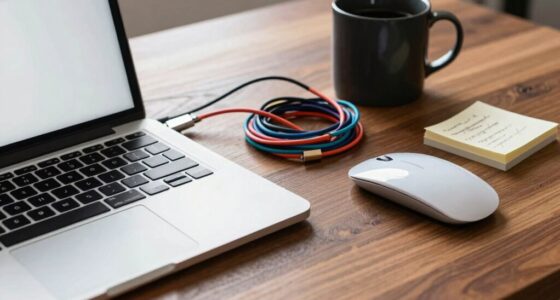
Friction often arises from small, overlooked issues. For example, tangled cords or cluttered desks may seem minor but can disrupt your focus and create unnecessary stress. Organizing your workspace with cable management solutions and storage options helps keep your environment clean and efficient. Easy access to frequently used tools and documents means less time wasted searching or reaching for items. Reducing these minor frustrations adds up to a smoother workday, where you can concentrate on your tasks instead of wrestling with your setup. Additionally, understanding weather-related disruptions can help you prepare your workspace to better withstand power outages or severe weather events, ensuring your productivity isn’t interrupted when it matters most. Proper planning for such disruptions can prevent unexpected setbacks and maintain your workflow seamlessly.
Ultimately, the key to a successful home office isn’t just having high-end gadgets or stylish decor; it’s about creating an environment where work flows naturally. Every ergonomic accessory, lighting solution, and organizational tool you choose should serve the purpose of minimizing friction. When your workspace is thoughtfully designed to support your movements and reduce visual strain, you’ll find that your productivity increases, and your workday feels less draining. That’s the real test of a home office purchase: how well it helps you work seamlessly, comfortably, and efficiently, every single day.
Products Worth Considering

Logitech MX Master 4 Ergonomic Wireless Mouse with Haptic Feedback, Graphite

Logitech MX Keys Combo for Business Keyboard and Mouse – Graphite

Logitech MX Mechanical Wireless Illuminated Keyboard, Tactile Quiet, Graphite
As an affiliate, we earn on qualifying purchases.
Frequently Asked Questions
How Do I Measure the Effectiveness of Friction Reduction?
You measure the effectiveness of friction reduction by tracking improvements in your workflow automation and ergonomic setup. Notice if tasks become faster and smoother, with fewer interruptions or errors. Pay attention to your comfort and productivity levels—if you feel less strain and complete work more efficiently, it’s working. Use feedback, time tracking, and ergonomic assessments to quantify these gains, confirming that friction has truly been reduced in your home office.
What Are Common Overlooked Sources of Friction in Home Offices?
You might overlook ergonomic accessories and cable management as sources of friction in your home office. Poorly placed ergonomic tools can cause discomfort, reducing productivity, while cluttered cables slow you down and create hazards. Investing in ergonomic accessories guarantees comfort, and good cable management keeps your workspace tidy and efficient. Addressing these often overlooked issues makes your home office more comfortable and minimizes daily frustrations.
How Does Friction Reduction Impact Long-Term Productivity?
Friction reduction truly boosts your long-term productivity by making daily tasks smoother. When you invest in technology upgrades and ergonomic improvements, you create an environment where work flows effortlessly, minimizing distractions and discomfort. This seamless setup helps you stay focused and energized over time, leading to better results and less burnout. Ultimately, a frictionless home office encourages consistent performance, making your workday more efficient and enjoyable.
Are There Specific Tools That Best Reduce Friction?
You should choose tools like ergonomic accessories and cable management solutions to reduce friction effectively. Ergonomic accessories, such as adjustable chairs and keyboard stands, improve comfort and prevent strain, boosting productivity. Cable management keeps your workspace tidy, preventing distractions and accidents. Together, these tools streamline your workflow, minimize interruptions, and create a smooth, efficient home office environment that supports long-term focus and comfort.
How Can I Personalize Friction Reduction Strategies for My Workspace?
You can personalize friction reduction strategies by customizing your workspace to fit your habits and preferences. Use workspace customization tools like adjustable desks, ergonomic chairs, and organized storage to make your environment more comfortable. Incorporate personalization strategies such as adding personal decor or tech setups that suit your workflow. Regularly assess what causes friction and tweak your setup accordingly, ensuring your workspace evolves with your needs for maximum efficiency.
Conclusion
When you focus on reducing friction in your home office setup, you’re not just making things easier—you’re transforming your workspace into a seamless sanctuary of productivity. Every small improvement is like removing a tiny pebble from your path, paving the way for smooth sailing. Remember, the real test isn’t just the purchase itself, but how effortlessly your space supports your work. Make friction reduction your mission, and watch your efficiency skyrocket to levels as high as the stars!